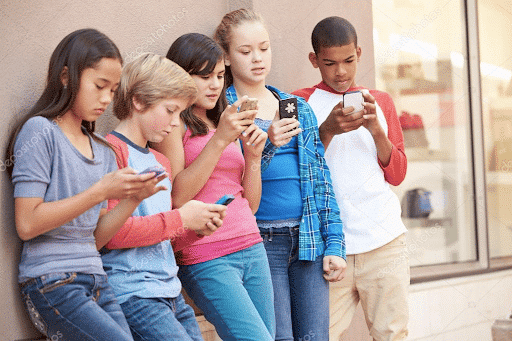
Fast, entertaining content seems to be the only way to hold the attention span of today’s children and teens. This becomes an issue when virality becomes more important than the content being put out or the audience who will receive it. TikTok users have realized that they can quickly create a viral video by taking Reddit stories and resharing them over clips from popular video games like Minecraft, Roblox, and Subway Surfers. Today’s article covers why this content is dangerous and how you can keep your child safe from digital injury with ourScreen Safety Toolkit.
The Popularity of Minecraft, Roblox, and Subway Surfers
Minecraft
Between 2016 and 2021, Minecraft users have risen from 40 million to 93 million with a peak of 131 million users in 2020.[1] Surveys have found that up to 54% of boys and 46% of girls aged 3 to 12 play Minecraft.[2] The popularity of Minecraft is undeniable. Take a look down any aisle of children’s clothing and you will find item after item filled with popular references from the game. Covid-19 only increased the popularity of the online game accessible on most gaming consoles, with users increasing by 14 million from 2020 to 2021.[2]
Roblox
Roblox is another popular children’s game that has bankrolled off the pandemic and increased in users over the past few years. Between 2021 and 2020, the platform added more than 146 million users to its servers. In 2016, Roblox had 30+ million users. Today they have more than 202 million monthly active users.[3]
While the average user of Minecraft is 24 years old, only 14% of Roblox users are over 25 years old. 67% of Roblox users are under 16 years old, and 54.86% of users are under 13 years old.[3] The popularity of Roblox is reflected on TikTok through a large number of Roblox fan accounts owned by young users. In fact, there have been many audio trends on the platform that are accredited to edits by Roblox users.
Subway Surfers
While less popular than Minecraft and Roblox, Subway Surfers is still the most downloaded and most-played mobile game in the app store. Between 2021 and 2022, Subway Surfers saw more than 2 times the number of downloads with 5.43 million daily users.[4] These numbers are impressive, as, unlike Minecraft and Roblox, Subway Surfers is only available for download on mobile smartphones. It is not available on any other gaming platform. While there is no available data for the average age of Subway Surfer players, the game is recommended for ages 9 and up.
All three of these games are different in their gameplay but similar in their popularity and appeal to younger audiences. Videos made with clips from these games are sure to catch the attention of a younger audience who is trying to view content related to their interests.
Harmful Reddit Content and How They Use Kids’ Games
Reddit claims on its website to be “a network of communities where people can dive into their interests, hobbies, and passions.”[5] Users post on so-called “subreddits” dedicated to topics from the general to much more specific niches.
Today there are over 2.8 million subreddits and Reddit has 52 million users daily.[6] Of their monthly users, 79% are between the ages of 18 to 34 and almost 64% of those users are men.[7] When children encounter posts from Reddit, they are viewing material often made for and by adult men, leading to some very inappropriate content.
A simple search for “Reddit stories” on TikTok will show you video after video of Reddit threads overlaid with a video of someone playing a kid’s game and read by a voiceover. The threads contain content from various subreddits like “/AmITheAsshole” but most contain inappropriate “NSFW” (Not Safe for Work) content. A scroll down the search shows video after video of content with titles like, “My mom keeps having sex with my boyfriend…” or “What do you tell your partner when you’re horny?” or “What did you not know about sex until you lost your virginity?” The last question is from a Subway Surfers video with 1.6 million likes and 13.5 million views from a user with similar content and over 55.4 thousand followers.
The creators of these videos use the popularity of these kids’ games to bring more viewers to their content and help their virality. In doing so, they are promoting sex, adult situations, and overall unsafe content. Each of these videos is followed up by hundreds or thousands of comments from young kids and teens adding their own answers to the question proposed. A quick look at commenters’ profiles revealed that half were between the ages of 13 to 17, and each was commenting on their own sexual experiences to millions of viewers.
Set up content preferences and block out video keywords or put the account on restricted mode in the settings and privacy section of TikTok.
View an account’s watch and comment history and see what content your child is consuming and interacting with.
For younger children, consider waiting before allowing them to have their own TikTok account.
When they do adopt a TikTok account, scroll together to choose what content they view and influence the algorithm that will offer content automatically.
As your child gets older, work with them to establish what they are doing and looking at on social media. Preparing them for the possibility of adult content can help them in discovering it on their own and possibly suffering a digital injury.
If you fear your child may be watching inappropriate Reddit content without your knowledge and permission, check out our GKISScreen Safety Toolkit. This toolkit helps to empower parents and provides them with smart tech tools to filter, monitor, and manage online behavior.
To protect your child, prevent digital injury, and prepare them for social media use check out our GKIS Social Media Readiness Course.
Thanks to CSUCI intern, Katherine Carroll for researching how TikTok users use Reddit content and kids’ games for views.
I’m the mom psychologist who will help you GetKidsInternetSafe.
So many of us follow our favorite celebrities on social media hoping to get small glimpses of their private lives. But have you ever wondered, where’s the line between fandom and obsession? Tweens and teens are especially vulnerable to developing parasocial relationships with celebrities they love online. Because of their fame, celebs can influence followers in some of the worst ways. To prevent your child from being negatively influenced by others online and to create a strong digital foundation, check out our Screen Safety Essentials Course. Today’s GKIS article covers what online parasocial relationships are and how to prevent their negative influence on kids and teens.
What is a ‘Parasocial’ Relationship?
A parasocial relationship is a one-way relationship with a person of higher status who you know intimately but who hardly knows you at all.[1] Social media is the perfect vehicle to develop parasocial relationships. Younger tweens and teens are especially susceptible due to a powerful social drive fed by adolescent identity formation. Not only are teens looking for mentorship, but they also easily form an attachment to idealized versions of their favorite celebs.[2]
Social media features that readily fuel parasocial relationships include the attraction of stylized and beautifully edited posts, branding relationships between celebrities, produced dramas between celebrities designed to bring in more followers, fan comments and forums, and even the ability to send private messages. Studies show that adolescents that have a weaker sense of self-identity often participate in celebrity worship as they are more easily influenced by others.[2]
‘Stan Culture’
Fans aim to achieve closer relations with their favorite celebs through various consumption activities.[1] Twitter is the social media site with the largest number of users who participate in celebrity worship, which is also known as a stan. A Stan is an overzealous or obsessive fan of a particular celebrity. Primarily a term used to define a fan of a particular musical artist, there are Stans for just about any popular current artist you can think of. Stan culture on Twitter consists of individuals sharing fanmade videos and pictures and consuming as much of the artist’s content as possible.
There is also a dark side to Twitter’s Stan culture. Arguments between Stans of different celebrities frequently appear in comment sections, which eventually turn into cases of cyberbullying. Studies have found that intense celebrity worship can be linked to tendencies toward addiction and stalking behaviors.[3] What seems like innocent fan engagement could potentially lead to something more negative and even illegal.
Defending Harmful Messages
Well-known celebs have the freedom to post whatever they want on the Internet, just like the rest of us. Although they aren’t obligated to maintain a certain image, sometimes they promote harmful ideologies that influence fans who’ve developed parasocial relationships with them.
The most recent example is rapper Kanye West, who has been at the forefront of recent celeb controversy. In October 2022, Kanye made some anti-Semitic remarks based on conspiracy theories and harmful stereotypes in interviews and Instagram posts. This resulted in groups of people in Los Angeles standing with signs over freeways saying harmful anti-Semitic things shortly after the comments circulated on the Internet. One of the signs said that Kanye was “right” about what he said about Jewish individuals. Amongst the backlash that he received, there were die-hard fans that stood their ground and continued to defend his actions. This led some fans to adopt his conspiracy theories and ideals at worst and turn a blind eye to such ignorance at best.
Impressionable Teens and Tweens
Other celebrities have also promoted problematic ideas with the support of fans who adore them. This is a problem primarily for young tweens and teens due to their lack of real-world experiences and their evolving views of the world around them. Being negatively influenced by celebrities online can have serious risks.
How to Discourage Parasocial Relationships
There is a difference between being a fan of someone’s work and developing an obsessive parasocial relationship with them online. Having conversations with your kids about the importance of navigating the Internet safely is a good place to start. Our Connected Family Course can help with that. It includes the tools necessary to monitor and promote healthy screen engagement while still maintaining a positive environment at home.
Young teens and tweens who are still learning about the world could be exposed to ignorant comments from their favorite celebrities and could potentially become influenced by them. In the worst case, teens become radicalized in their thinking without their parents even knowing. To prevent your tweens and teens from engaging in ignorant and harmful content online, check out our Social Media Readiness Course. Our course provides you and your child with the knowledge necessary to safely browse the Internet and avoid ignorant and harmful content, as well as how to make healthy digital decisions.
Learning the ways of the Internet doesn’t have to be a daunting task. Dr. Bennett’s book Screen Time in the Mean Timeis another great tool for parents to use to become more knowledgeable about the unpredictable online realm. This book can further prepare you for establishing a safe environment for your tweens and teens to express their love for their favorite celebrities/artists online.
Thanks to CSUCI intern Tracy Pizano for researching the risks of forming parasocial relationships and for co-authoring this article.
I’m the mom psychologist who will help you GetKidsInternetSafe.
[1] Derbaix, M., & Korchia, M. (2019). Individual celebration of pop music icons: A study of music fans’ relationships with their object of fandom and associated practices. Journal of Consumer Behaviour, 18(2), 109–119. https://doi-org.ezproxy.csuci.edu/10.1002/cb.1751
[2] Ang, C.-S., & Chan, N.-N. (2018). Adolescents’ views on celebrity worship: A qualitative study. Current Psychology: A Journal for Diverse Perspectives on Diverse Psychological Issues, 37(1), 139–148. https://doi-org.ezproxy.csuci.edu/10.1007/s12144-016-9497-0
[3] Sansone, R. A., & Sansone, L. A. (2014). ‘I’m your number one fan’—A clinical look at celebrity worship. Innovations in Clinical Neuroscience, 11(1–2), 39–43.
With the Covid-19 pandemic creating an unexpected need for online school, tech has been forever integrated into our children’s everyday curriculum. Teachers recognize that kids benefit from tech tools, and schools now offer individual devices for kids as young as elementary age. We’ve become reliant on screen devices at home too. Smart assistants, like devices that support Alexa, Google Assistant, and Siri, get us fast answers to questions in seconds. But is it helpful to outsource the brainwork we should be doing ourselves? What if you’re a kid who hasn’t yet mastered independent reasoning? Does relying on a screen device impair learning rather than help us develop it? Are teachers aware of how much kids are outsourcing learning to their devices? If you worry that your child is using tech too much, our Screen Safety Toolkit offers a resource guide so you can tighten up screen time supervision and management.
What are smart assistants?
Smart assistants are tech devices, like phones, portable screens, watches, and speakers that use software to perform verbally requested tasks.[1] Among the most popular are Alexa, Google Assistant, and Siri.
As of 2021, about 47% of smartphone users in the United States are Siri-equipped iPhone users.[2] In 2020, close to 70% of smart speaker users in the United States used Alexa-equipped Amazon Echos.[3] The prevalence of these two smart assistants has created an encyclopedia of knowledge accessible just at the sound of our voices. In fact, Amazon promotes using Alexa for that very purpose.
Last year, Amazon ran an ad that showed a father asking Alexa what year Pompeii was destroyed. Once he receives his answer from Alexa, he shares it with his daughter who is clearly doing homework at the dining table. She then turns to ask him for the name of the volcano. He responds by turning back to the Alexa device. Although this ad intends to demonstrate a fun interaction between father and daughter, it also demonstrates how smart devices are being used to cheat on assignments and get easy answers.
Are kids using smart devices to cheat?
The modern generation of students is smart, and they know how to use the technological resources they are given. But they also know how to use them to cheat and get away with it.
A college student I interviewed recalls a run-in with a fellow classmate who had Siri turned on during a test in high school. “We were in the middle of a test in my AP European history class, and suddenly the iPhone of the girl sitting next to me begins speaking. You can hear Siri say, ‘The War of 1812 was…’ before she abruptly turned it off. The teacher immediately turned to her and said, ‘Make sure all phones are turned off please.’ The student turned bright red, so I think she definitely learned her lesson.”
This instance of cheating occurred in 2017. Since then, opportunities for cheating with smart devices are more common than ever. A recent high school graduate recalls taking tests during Covid-19. “The teachers would make us all have our cameras on, but they wouldn’t require us to be unmuted since it would be a distraction. Since they couldn’t hear us, anytime I would get stuck I would just ask the Alexa sitting in my room. Sometimes my friends and I would even Facetime each other and use my Alexa together whenever we felt confused. I honestly would never study for tests because I didn’t see a point when I could just get the information from Google so easily.”
For a student who is struggling, smart devices provide the perfect assistance for quick and easy answers to questions while simultaneously being practically untraceable. Other forms of cheating leave behind indicators or evidence, but smart assistants don’t.
It is a given that cheating is bad, but you may not know of the many downsides to cheating that go beyond academia. A recent study by a Harvard-Duke research team found that cheaters tended to engage in “self-deception,” meaning they would view their high performance as a sign of high intelligence, which may not actually be true. They see a high score, and even though they cheated, they believed that they are smart enough to have earned that score.[4] Another study found that when our kids cheat, they deprive themselves of the happiness that comes from independent accomplishment.[5] Smart devices are helpful tools, but when their assistance turns into dependence, kids begin to create a world where there actually at a disadvantage.
Take away or manage smart devices during class or homework time using resources from our Screen Safety Toolkit.
Advocate for your kids and communicate your preferences about tech integration with teachers and school administrators.
Offer valuable information and support for your learning community by suggesting a screen safety webinar from Dr. Bennett, our Screen Safety Expert, at your school and church.
Set up tech-free learning challenges for the whole family like a family game or trivia night.
Encourage creativity, curiosity, confidence, and a love of learning by offering a variety of fun educational materials and outings.
Optimize health tech integration for the whole family with the parents-only and family coaching videos from our Screen Safety Essentials Course.
Thanks to CSUCI intern, Katherine Carroll for researching kids cheating using smart assistant devices and co-authoring this article.
I’m the mom psychologist who will help you GetKidsInternetSafe.
The creation of the Internet has transformed society in every way imaginable, and 84% of us use it every day.[1] The two generations that grew up with the Internet are millennials and generation Z. You may be surprised at how differently these two groups use it, and how it’s affected them as human beings overall. Today’s GKIS article highlights the difference between teens and young adults and those who are 25 and older. If you’d like to help prepare your gen Z’s for healthy Internet media consumption by building good habits and communication, check out our Screen Safety Essentials Course.
What defines a generation?
A generation refers to all people born and living around the same time. The average period of a generation is 20 to 30 years, and the cutoffs are defined by when people become adults and start having children of their own. Although the specific years that group a generation is often up for debate, for our purposes we define millennials to be anyone born between 1981 and 1996 and generation Z to be anyone born between 1997 and 2012. That means millennials are currently between the ages of 26 and 41, and Gen Zs are between the ages of 10 and 25. Millennials were in their teen years when they first started using social media and gen Z’s were still children when they ventured into online neighborhoods independently.
Millennials and the Internet: Jackie’s POV
To gather better insight into how millennials view and interact with the internet, I interviewed Jackie (age 25).
Jackie started using Instagram and Facebook when she was 16 years old. She considers the biggest impact social media had on her was the comparison. Comparing her social media posts to others’ posts was the biggest issue she thinks she faced. It’s an issue for her because when she would compare posts, insecurities often arose. She said that constantly seeing others’ posts of selfies, vacation pictures, and pictures with significant others and friends made her feel inadequate, especially when she was much younger. She overcame those issues by no longer using social media as often.
Gen Z and the Internet: Sophia’s POV
To better understand gen Z’s views and interactions with the internet, I interviewed Sophia (age 12) about her experiences.
Sophia started using social media when she was 10 years old, specifically Snapchat and TikTok. She feels that the biggest impact social media had on her was the concern of appearing ‘cringe’ online and in front of others in real life. Micro-managing one’s appearance and mannerisms is another problem many gen Zs face. Snapchat and TikTok often contain videos of people recording others doing things, sometimes without their knowledge. Certain behaviors are labeled as ‘cringe’ or ‘embarrassing’ by others in comment sections. Nowadays, she says she still uses social media often but not as much as she used to, claiming she used to be glued to her screen 24/7 when she first started.
Compare and Despair
The biggest similarity between the two is the micro-management of what is shared online. Many are concerned with how they’re perceived on social media in addition to comparing their lives to others. Curating the perfect image or life is something that seems to be an issue for many social media users regardless of age.
The negativity and insecurities that come from social media aren’t age-restricted. However, it can have a particularly heavy effect on tweens and teens. Our Social Media Readiness Course can help with that. By teaching kids the red flags of digital injury and clinically tested psychological wellness tools, we can help prepare your kids for safer screen use and prevent feelings of inadequacy, low self-esteem, and the desire to compare online.
More Access and More Influence on Self-Identity
Taking both interviews and research into consideration, it seems that there are both similarities and differences in how both generations interact with the Internet. The biggest difference is that gen Z has been exposed to social media much younger than millennials before they solidly formed self-identity. Further, more social media platforms and sophisticated personal mobile devices were available to them – giving them almost constant, on-demand, mutual contact with peers and strangers.
Parent Replacement
In addition, more parents were inclined to help introduce technology to gen Z children. Smartphones became a sort of transitional object assigned by parents as their substitute.[2] This is something millennial children never experienced because smartphones weren’t around when they were toddlers and young children.
More Competence and Confidence Online
Those exposed to the Internet at younger ages tend to be more savvy and aware of online dangers. Research demonstrates that gen Zs tend to have more confidence protecting themselves online than people who are 25 and older.[1].
Self-Guided Learning Opportunities
Those who love to self-direct their learning argue that early browsing offered opportunities that older generations didn’t have. They say that the internet offered them a tremendous breadth of opportunity and a depth of learning as they directed themselves into deeper and deeper learning.[3]
However, from a developmental stance, gen Z kids who use such advanced technology to assist them in critical thinking and comprehension can have downsides. One is known as the Google Effect, also known as digital amnesia. By using the Internet, we end up storing less information in our biological memory, becoming less knowledgeable overall.[4] Another problem is that gen Zs use advanced search engines and smartphones to cheat by looking up answers to homework and quizzes. Learn more in our GKIS articles, The Google Effect. Because Memorizing is So Yesterday andSiri and Alexa Help Kids Cheat on Homework.
Social Impacts
Internet access at young ages can have developmental effects on social development as well. Positive aspects include convenient social management tools during interpersonal conflicts, like pause or block options for regulation and impulse control, and the creation of virtual identities for experimentation and practice.[2]
Potential negative effects include feelings of social inadequacy and exclusion, increased risk of body dysmorphic disorders, and exposure to cyberbullying and interpersonal exploitation. Insta-Famous Brings Insta-Anxiety is a GKIS blog article that touches on the risks that can arise from using social media.
GKIS Tools That Can Help
Our free GKIS blog articles are an excellent source of information, from parenting tips to media headlines, child development, and much more.
Our Screen Safety Toolkit offers a great resource guide so you can find the tools necessary to implement proper management, monitoring, and supervision to navigate the Internet more safely.
[1] Jiang, M., Tsai, H. S., Cotten, S. R., Rifon, N. J., LaRose, R., & Alhabash, S. (2016). Generational differences in online safety perceptions, knowledge, and practices. Educational Gerontology, 42(9), 621–634. https://doi-org.ezproxy.csuci.edu/10.1080/03601277.2016.1205408
[3] Ransdell, S., Kent, B., Gaillard, K. S., & Long, J. (2011). Digital immigrants fare better than digital natives due to social reliance. British Journal of Educational Technology, 42(6), 931–938. https://doi-org.ezproxy.csuci.edu/10.1111/j.1467-8535.2010.01137.x
[4] Heersmink, R. (2016). The Internet, cognitive enhancement, and the values of cognition. Minds and Machines: Journal for Artificial Intelligence, Philosophy and Cognitive Science, 26(4), 389–407. https://doi-org.ezproxy.csuci.edu/10.1007/s11023-016-9404-3
Scams can cause extreme financial and emotional distress to victims and their families. With technology, scammers have become more creative in accessing their victims by offering quick clicks and false credibility. Even young teens that navigate effortlessly online have a hard time distinguishing legitimate situations from scams. To help you and your family avoid becoming the victims of a scammer, I interviewed “William”* who shared his mother’s story. She was an educated professional that fell victim to multiple scams over five years. You won’t want to miss the true story about what happened to her. If your family hasn’t taken steps for increased awareness and cybersecurity, you’ll want to check out our Cybersecurity & Red Flags supplement. The perfect compliment to our free Connected Family Agreement, you can take the extra steps you need to protect your loved ones right now. Our guide offers tips to avoid hacking, scamming, malware, and phishing and is a must-have for today’s modern family. Today’s GKIS article shares the story of an elderly woman victimized by scammers, the types of scams to look out for, and tips on how to avoid becoming a victim yourself.[1]
*Names were changed to protect the privacy of the victims.
What are scams?
A scam is a dishonest scheme to cheat someone or steal money. With the help of technology, scammers have been able to target their victims in more creative, easier, and faster ways than ever before. According to an FBI report, 2020 scams resulted in a loss of over 4.2 billion dollars. With more baby boomers retiring and the pandemic resulting in more at-hone isolation, I suspect those losses rose in the last few years.[1,2]
Who Scammers Target
Although anyone can become a scam victim, research has shown that scammers tend to target kids, teens, and the elderly. A study conducted by the University of Iowa confirmed that a certain area of the prefrontal cortex of the brain is responsible for processing information and solving problems – tasks that help people consider whether information is true or not. Young people tend to be vulnerable to scams because this part of the brain is still developing, and older individuals are vulnerable when they demonstrate poor technological fluency, are isolated, or suffer from a decline in problem solving ability.[3]
The Story of William and His Mom
William is a middle-aged man who generously shared his story with us about his elderly mother, Mrs. Thorn, who was scammed out of tens of thousands of dollars over a five-year period. Despite his best efforts to protect and rescue her from the scammers, he struggled to keep her safe. Once one scammer got ahold of her and convinced her to send money, many other scammers started approaching her too. William suspects that the scams were somehow linked as if they shared her information with others. Below are some of the scams she fell victim to.
Different Types of Scams
Charity Scams
William described his mother as a generous individual. She was a nurse in Japan during the 1950s, and, after she retired, she continued helping others by volunteering at church and other organizations. As she got older, she would receive postcards in the mail from different charities, a common scam targeted at elders. Although her income from social security and savings was not a lot, she began “donating” money to those she perceived as less fortunate than herself.
Piecing together what happened with his mom’s checking and bank documents, William found that she initially sent small amounts of money ranging from $5-10. Once the scammers had her on the hook, however, they would groom her for larger and larger “charitable” donations.[4]
Lottery/Sweepstakes Scams
Another scam that William’s mother fell victim to was the lottery/sweepstakes scam, which also commonly targets elders. These types of scams claim that the victim has won a large amount of money or other prizes such as a new car. Once the victim is excited and eager to collect their prize, scammers require that they pay a fee or taxes. As the scammer reaches out with details, the victim often adopts an illusion of intimacy, meaning they feel they have a personal, caring relationship with the scammer. This false intimacy pulls the victim in deeper, often eliciting more and more personal information from the victim.
William confirmed that Mrs. Thorn spoke to the scammers about his efforts to block their access and protect her safety. Mrs. Thorn’s scammers not only instructed her not to tell anyone because it could be a nice surprise for her family, but they also offered specific suggestions on how to work around the safeguards her son put in place. They seemed to play on her wishes for independence and worked to create and escalate conflict between her and her son.
Our GKIS Connected Family Course can help you close screen risk gaps and improve family cooperation and closeness. If you have school-age children at home or love somebody who does, check it out. Not only does the course offer amazing safety home setup tips, but it helps parents create fun dialogues for better, healthier parent-child relationships.[4]
Government Impersonation Scams
William noticed that some of the scams his mom was involved with may be linked with others. For instance, to pay the taxes of her “prize,” the scammer would set Mrs. Thorn up to talk to an “IRS agent.” These types of scams are known as government impersonation scams which are types of very popular imposter scams. According to the FBI, government impersonation scams typically involve the scammer impersonating a government official who threatens to arrest or prosecute victims unless they pay a fee. William shared that they even tried to trick him with false threats of prosecution and arrest unless he agreed to cooperate.
Dr. Bennett shared that immigrants can easily be targeted with this type of scam as well. She shared a story of a colleague who was a Chinese immigrant who worked as a software engineer. This victim’s scammer posed as a member of the Chinese government and threatened the safety of her family if she didn’t pay overdue fines. The scammer demanded that she not tell her friends and family and immediately pay. She lost over $150,000 that was never recovered before she realized she’d been scammed.[4]
Phone Scams
William explains that although his mother’s scams initially started by mail, they soon turned into phone calls. He allowed me access to his mother’s journal which included notes on the people she spoke to and what they had asked her to do. Her notes reveal that she would talk to the same people over and over and eventually trusted them more than her own family and friends. The scammers were very persuasive and would instruct her how to wire funds to unfamiliar places and people, even going so far as giving her directions to wiring locations that her son had not blocked yet. William spent countless hours visiting banks, local wiring locations, and friends begging them to not help his mom transfer money or provide transportation. Although he spoke to his mom many times, he found that the scammers would get to her anyway with relentless pressure and creative arguments.
Scammers have no limits.
It was not until William caught his mom almost wire transferring $200,000 that he finally got the information he needed to gain conservatorship over Mrs. Thorn. By then, the scammers had even instructed her to how to send money from q reverse mortgage loan on her home to complete the transaction!
William said the scammers had no shame and would even help her find ways to continue participating in the scams even after he took steps to stop them. He shared that they would pressure her with false deadlines and threats, making her so anxious that she would rush into performing workaround instructions. Her journal reflects moments of intense anxiety as she tried to complete the complex transactions.
To emphasize how far scammers would go, he shared that, after he lowered his mom’s allowance to $25 a week and there was not much to get from her anymore, they still tried one last thing – the 976 phone scam. According to William, this is a scam where you call back a number with an area code of 976 and get charged a huge per-minute fee. The longer the scammer keeps the victim on the phone confused and anxious, the more money the scammer gets.
Avoid Being Next
William shared that his mom was scammed out of about $70,000 before it stopped. If it was not for her son’s compassionate and tireless commitment to protect her, it could have been far more. Other popular scams include shopping scams and job opportunity scams. If you are worried that bad actors can access your family members, check out our Screen Safety Toolkit. Our resource guide is perfect for those that need smart tech tools for filtering, monitoring, and management.
Tips to Outsmart the Scammers
Contact your phone carrier and internet service provider to research helpful tools for blocking unwanted and unknown calls, texts, and emails.
Remember, if it sounds too good to be true, it probably is.
Don’t act immediately, take a moment to research the situation and talk to someone who you trust.
Don’t give out personal information like your name, date of birth, social security number, address, or usernames or passwords. Legitimate organizations will not text, call, or email you to obtain private information.
Don’t complete forms from an email link. Instead, go directly to the website of the company you are dealing with and complete the business from there.
Call the company directly to confirm the request was legitimate before you offer information or complete forms. The IRS communicates through US mail, not by telephone or email. Call 800-366-4484 to report IRS-related phishing attempts and fraud.
Be sure to keep up with device updates for security patches, delete unused and unwanted apps, and change your passwords frequently.
Review your credit card statements regularly to catch unauthorized charges and periodically review your credit report.
Consider freezing your social security number for new financial transactions with Experian, Equifax, and TransUnion to escape identity theft.
Lastly, Google “scams” or a quote from any communication that may be a scam to learn more about the common scams that may target you.
Scams are no joke. Once you become a victim, serious damage can occur that can take years and years to repair. Check out our other GKIS article Child Identity Theft is on the Rise. Protect Your Family Against Cybercrime, to learn more about how fraudulent purchases made with your private information can change your life
Here are some other related articles offered on our GKIS website for more information on hacking, scamming, malware, and phishing. Learn more about the dangers of online to be prepared for anything that comes your way.
Ten percent of American children are estimated to have Attention-Deficit/Hyperactivity Disorder (ADHD). Children with ADHD often struggle in school because they get distracted and have difficulty following through. Kids with ADHD also tend to LOVE screen technology. Not only do screens offer them a world of on-demand discovery, but they can also gain expertise over time and earn much-needed social capital that they may have difficulty earning in real life. To help your family make their way through the world with a fun, positive connection and better screen safety, access Dr. Tracy Bennett’s expert parent and family coaching videos through our GKIS Screen Safety Essentials Course. In today’s GKIS article, we will discuss the benefits of technology and app recommendation for children with ADHD.
What is ADHD?
Attention-Deficit/Hyperactivity Disorder (ADHD) is one of the most common neurodevelopmental disorders of childhood. Children with ADHD have trouble paying attention, controlling their behavior, and can be very active as if driven by a motor.[1] ADHD can impact emotions, behaviors, and the ability to learn new things. It is usually diagnosed in childhood and often lasts into adulthood. About 60% to 85% of the children diagnosed with ADHD at a young age continue to have it as teens, although symptoms might change with age.[2]
The Three Types of ADHD
Inattentive Type
ADHD, Predominantly Inattentive Type is characterized by a daydreamer who has difficulty paying attention, listening, and following through with tasks. Children with this type of ADHD are often overlooked until late grade school because they are quiet and not disruptive. However, their ability to function to their true ability is impaired in all contexts of their lives. It has been shown that more girls are diagnosed with inattentive ADHD than boys.[3]
Symptoms of ADHD, Predominantly Inattentive Type
Often has trouble giving close attention to details and makes careless mistakes
Has difficulty sustaining attention to certain tasks or play activities
Frequently distracted and doesn’t seem to pay attention to those speaking directly to them
Often does not follow instructions and fails to complete tasks
Has difficulties organizing tasks and activities
Doesn’t enjoy and avoids activities that require them to use mental effort
Hyperactive-Impulsive Type
ADHD, Predominantly Hyperactive-Impulsive Type is characterized by a child who fidgets, has trouble staying in their seat, and talks a lot. It is hard for them to stay still for long. They tend to be impulsive and interrupt others. It is more common for a child with hyperactivity to have more accidents and sustain frequent injuries. They also tend to be identified at younger ages because of their acting out potential.
Symptoms of ADHD, Predominantly Hyperactive-Impulsive Type
Frequently fidgets with or taps hands or feet
Leaves the seat in situations when remaining seated is expected
Runs or climbs in situations where it is inappropriate
Is “on the go” and doesn’t seem to get tired
Talks excessively
Answers questions before the person has time to finish it
ADHD Combined Type
ADHD, Combined Type is characterized by a child that has trouble paying attention and difficulty sitting still and staying quiet. This is the most common type of ADHD. It is characterized by the symptoms from both the inattentive criteria list and the hyperactive-impulsive criteria list.
How Technology Helps Children With ADHD
Children with ADHD commonly struggle with time management, organization, and failure to focus. Technology and apps can help children with ADHD stay organized, reach their goals, and fight the urge to get distracted.
GKIS-Recommended Apps for Kids With ADHD
Rescue Time
Rescue Time is a web-based time management and analytics tool that helps children be more efficient and productive. One of the symptoms of ADHD is “distraction.” This app aims to prevent distractions and any possibilities of children getting scattered. It allows you to rate each activity from “very distractive” to “very productive” and sets goals for children while tracking progress. With all of that rescued time, be sure to plan fun family activities. For great ideas, check out Dr. B’s GKIS article, #TogetherAtHome Family-Friendly Activity Ideas
Roblox
Roblox is available for iOS and Android. It is a video game that is reported to strengthen planning skills, organization, and working memory as children learn as they go. Roblox is a game where people come together to create and imagine as they play. It is a fun game where the whole family can have fun. To learn more about the risks and benefits of Roblox, check out our The GKIS Sensible Parent’s Guide to Roblox.
News-O-Matic
News-O-Matic is available for iOS. It is a captivating app that delivers news in small chunks which is useful for older children with ADHD. The stories vary from funny to serious and have a read-aloud option for kids who struggle with reading.
Mindnode
Mindnode is available for iOS and it is designed to help children focus and be organized. It is an app that uses mind maps to help children visualize their thoughts. The map can be color-coded and contains images. Children with ADHD tend to be energetic; this app can help make sure that they stay concentrated.
Relaxation and Mindfulness Apps
Headspace
Headspace is a mindfulness app that helps children exercise, meditate, and visualize. This is beneficial because it helps them take a moment to focus and stay calm.
Toonia Colorbook
Toonia Colorbook is an app where children use coloring activities to help them relax. It can help children concentrate, calm down, and keep their minds balanced. Keeping the brain busy with something simple as coloring can have a relaxing effect.






 Thanks to CSUCI intern, Katherine Carroll for researching how TikTok users use Reddit content and kids’ games for views.