
Need peaceful screen time negotiations?

Get your FREE GKIS Connected Family Screen Agreement

apps

The GKIS Sensible Parent’s Guide to BeReal 

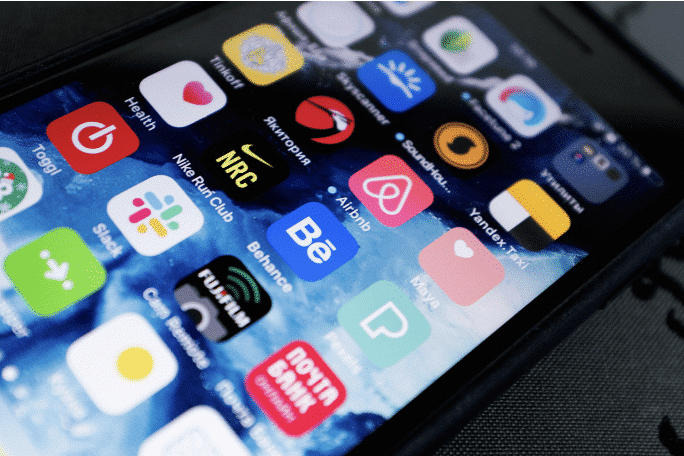
If you’re a parent, you know how much kids use social media. Apps are everywhere, and they’re becoming more popular. BeReal is a social media app that aims to “spotlight someone who’s living in the moment, going for it, celebrating life and all its weird/wonderful chaotic energy.”[1] Teens and tweens are falling in love with BeReal and its positive message. In this article, we’re covering what you need to know about BeReal. Does it allow harmful content? Are we ready to handle the risks that may come with it? Learning about social media can be tricky, but the GKIS Social Media Readiness Course helps teens and tweens learn the risks of social media and practice good psychological wellness. Read on for more info on this new popular app.

What is BeReal?

BeReal is a French social media app released in 2020 by Alexis Barreyat and Kevin Perreau that allows users to post real-time photos taken from the front and back phone cameras at the same time.[2]

BeReal’s mission is to “create an authentic world that keeps you connected with the people you really care about.”[3] It encourages users to live in the moment and stay away from harmful filters and trends. BeReal currently has over 6 million users a day.[4] It became popular in 2020 when teens on TikTok started posting their BeReals with celebrities and influencers.

How to Use BeReal

BeReal is easy to use. Users receive alerts at random times during the day to take a photo of what they’re doing.

Once alerted, users have two minutes to take their photo and post it. If they post on time, they can take two more BeReals that day. If they post late, they only get one photo op that day.

Although BeReal users can’t upload images from their photo albums, they can react and comment on friends’ photos or save their reaction photos to be re-used on their friends’ future BeReals.

Benefits of Using BeReal

No Filters

BeReal’s main benefit is that its layout forces users to post with no slimming, skin-lightening, or makeup filters. Social media filters have been found to lead to insecurity, depression, and more harmful effects. Check out our GKIS articles Influencers Hurt Child Self-Esteem by Overusing Filters” and “Beauty Filters Don’t Embrace Brown Beauty: The Rise of Colorism” to learn more about the dangers of filters.

No Likes

On BeReal, there is no “Like” button. Other apps like Instagram, Twitter, and TikTok show the amount of likes someone gets on their post. It’s no secret that most children think how many likes they get contributes to how cool they are. BeReal takes away this feature, making it less of a popularity contest.

Private Accounts

When you make your BeReal account, it automatically makes your profile private. Users must approve friend requests for you to see their posts.

Risks of Using BeReal

Location and Time Sharing

Like any app, there are some risks to using BeReal. BeReal posts include the city in which the user took the photo. It also includes a timestamp of when they took the photo.

Public Photos

Another risk is that you have the option to make your individual BeReals public for friends of friends to see. Friends of friends will not see your account, but an individual BeReal you posted may show up on their feed.

Other Risks

Other risks to using BeReal include:

  • Being or feeling pressured to share
  • Viewing inappropriate content
  • Experiencing unwanted contact
  • Oversharing

Privacy and Safety Options

Account Privacy

BeReal automatically makes your profile private when you sign up. Friendships must be approved by each user, so users can deny anyone access to their profile.

Photo Sharing

You can make an individual BeReal post public or private. To make it private, take a photo and click “My friends only” before posting.

To make it public, take a photo and click “My friends + their friends.” This allows friends of your friends to see your BeReals.

Location Privacy

BeReal shares the location of each photo when posted, but we can fix that. Users can turn off the location feature by taking a photo, clicking on “location,” and then selecting “location off” before posting.

Report and Block Inappropriate Users and Posts

If you see a post you don’t like, click on the three dots in the corner of the photo and click “Report this BeReal.” This means BeReal will no longer show you that post or any other posts from that person.

If you see a lot of inappropriate posts from a user, you can remove them as a friend or block their account. This stops you from seeing their posts and stops them from seeing yours.

GKIS Safety Ideas

Thanks to CSUCI intern Samantha Sanchez for researching BeReal and preparing this article.

I’m the mom psychologist who will help you GetKidsInternetSafe.

Onward to More Awesome Parenting

Tracy S. Bennett, Ph. D.
Mom, Clinical Psychologist, CSUCI Adjunct Faculty
GetKidsInternetSafe.com

Works Cited  

[1] BeReal Realest Person Announcement

[2] BeReal   

[3] BeReal – Our Mission and Values 

[4] BeReal Revenue and Usage Statistics (2023) 


Photo Credits

Photo by Ottr Dan (https://unsplash.com/photos/0EFrV9Pgvb8)

Photo by Nathan Dumlao (https://unsplash.com/photos/ItsW7gT8iR0)

Photo by Bruno Gomiero (https://unsplash.com/photos/jp7J14W9sSg) 

“Metaverse” VR Apps Allow Sexual Exploitation of Minors

Virtual reality (VR) software has become increasingly popular among young tech consumers. Users of the latest VR headset technology love to explore vast digital worlds and interact with other users. While there are many creative and exciting possibilities for this technology, intensive oversight is needed to ensure the safety of our kids in this brave new world of virtual reality. Unfortunately, recent reports have come forth detailing disturbing issues of sexual impropriety and exploitation of minors across virtual reality domains. It is important for parents to be aware of the possible risks of VR so that kids can be better protected while exploring its fun and creative applications. It’s also important for tweens and teens to be aware. That is why we created the Social Media Readiness Course. This course was designed to prepare kids and teens for the inherent risks of social media in order to prevent digital injuries and promote responsibility

What is the Metaverse?

The term metaverse appears to be one of those recent buzzwords that seemingly everyone has heard of yet understands very little about. People wonder if it’s a game, a new type of internet, or a singular virtual reality space inhabited by everyone who has a VR headset. As it exists right now, the metaverse refers to apps that use virtual reality technology. For example, someone can download a Jurassic-themed VR app that allows them to use their VR headsets to engage in a virtual space inhabited by dinosaurs. Or someone could download a different VR app that allows the user to virtually explore a museum. Although they are completely separate from one another, the virtual spaces provided by the two different apps collectively comprise the metaverse.

Kids may access adult-themed virtual domains.

The VR industry profits billions of dollars per year which has resulted in an enormous amount of VR apps being developed for consumer use. The expansion rate for app development is too fast for there to be comprehensive oversight of all the apps that children have access to download. This means that it is relatively easy for kids to download a VR app that may look innocent but end up being completely inappropriate for them. Additionally, some apps that should have stringent user-age restrictions simply don’t, allowing kids access to virtual strip clubs and other adult-themed spaces.

Children and Adults Mix

A researcher posing as a 13-year-old girl was given access to a virtual strip club while using a VR app that had a minimum user age agreement of 13. The researcher downloaded an app called VRChat which is characterized as an online virtual platform which users can navigate through as 3-D avatars. The app can be downloaded from an app store on Facebook’s Meta Quest VR headset, which only requires a Facebook account instead of an age verification. Inside of the app there are virtual rooms where users can meet and interact with one another. Some of these rooms are quite innocent such as popular fast-food restaurants whereas others are highly sexually explicit.

Upon entering the virtual strip club, the researcher was exposed to sex toys, condoms, and approached by adult male avatars who asked her to engage in erotic role play. The adult content is not restricted to a single room, rather it spans across multiple virtual rooms providing more points of access and exposure for young users. While pink flashing neon lights and booming music might signal sexual connotations to adults in the real world, to kids on a VR headset this might just look like an enticing feature of a fun video game.

Children using this app and others like it have reported being groomed by other users with adult avatars and forced to engage in virtual sex. The avatars on this app have the ability to get completely nude and simulate sex acts which may require the user wearing the headset to physically act out the motions themselves. The completely immersive nature of VR can make these experiences as traumatic and harmful as they would be in real life.

Parents Can Help

Parents can’t rely on tech companies and app developers to keep their children safe in a virtual reality space, especially with billions of dollars on the table. However, this doesn’t mean that kids should not be allowed to engage with this technology that also offers fun, creative, and educational experiences. Keep in mind that technology is like any other tool. The tool may be safe as long as it is being handled properly and wisely.

To optimize a safe and positive VR experience:

  • Research apps before allowing your kids to download them.
  • Take time to explore the virtual space yourself to sample what your kids will be seeing.
  • Periodically monitor the list of apps your kids have downloaded to ensure that no unapproved apps are being used.
  • Hold your children accountable to understand and guard against potential online risks that can lead to digital injury.
    • Check out our GKIS Social Media Readiness Course. Our course is a valuable tool that teaches tweens and teens about the inherent risks of social media and ways to be prepared when encountering them. We also cover critical psychological wellness tools to optimize mental health and overall satisfaction.
  • Verbally check in with your kids about what their experiences in the metaverse are like.
    • If you have school-age kids, you’ll want to check out Dr. B’s GKIS Connected Family Course which offers essential tips for fostering this kind of open communication.
  • Finally, remember to be kind, create an environment that allows for open dialogue between you and your kids, and rest assured that you have provided your family with the tools to facilitate safe and healthy internet practices. For ideas on what to talk about and to stay up to date on relevant internet/gaming topics, read our weekly free articles on the GKIS Blog by signing up for our free Connected Family Agreement.

Thanks to CSUCI intern, Mackenzie Morrow for researching some of the risks of virtual reality spaces for kids and co-authoring this article.

I’m the mom psychologist who will help you GetKidsInternetSafe.

Onward to More Awesome Parenting,

Tracy S. Bennett, Ph.D.
Mom, Clinical Psychologist, CSUCI Adjunct Faculty
GetKidsInternetSafe.com

Photo Credits

Photo by Julia M Cameron (https://www.pexels.com/photo/photo-of-boy-using-vr-headset-4145251/)

Photo by Setyaki Irham (https://unsplash.com/photos/QGDsM8qwkEA)

Photo by Julia M Cameron (https://www.pexels.com/photo/a-father-talking-to-his-son-8841296/)

Can Your Child Start Their Coding Career At 5 Years Old?

Surveys show that 72% of children under the age of 8 have a tablet or smartphone device.[1] Not only are young kids fluent with screen technology, but many are also learning computer programming and other high-level skills. Imagine if you could get your child started on coding at the age of 5 and set them on their way to a successful future. To avoid your child working around parental controls and outsmarting you, check out our GKIS Screen Safety Toolkit. Our Screen Safety Toolkit is a resource guide for tried-and-true parental control options and monitoring and safety apps plus so much more. 

What exactly is coding?

Coding is essentially computer language or using commands to create software that makes images and words online.[2] There are many different coding languages used by programmers and big tech. The language of coding is what makes your computer function, it tells the computer what to do. We need coding to create websites and apps and to run software programs. To put it simply, coding is a list that the computer reads to know what to do. 

How can a child learn to code?

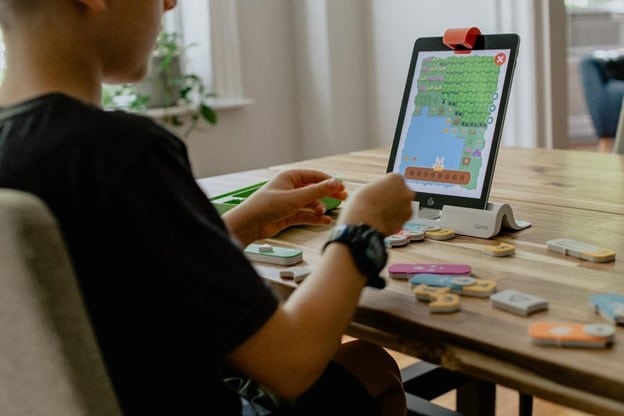
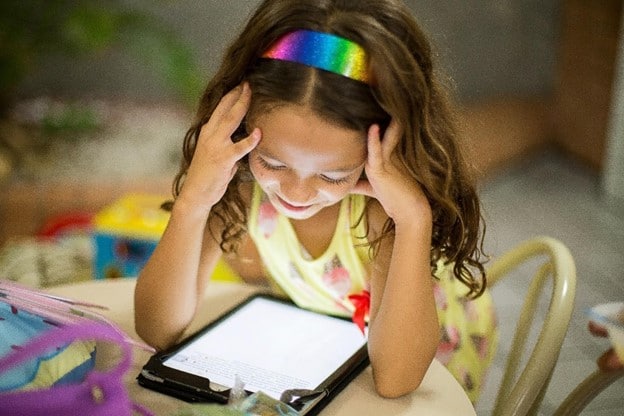
With so many children using tablets, the number of apps made for children has skyrocketed. Kids can download and use a variety of art, educational, and STEM games. 

Coding games fall under the STEM category. STEM stands for science, technology, engineering, and math. STEM can be hard for some people to grasp and starting early is incredibly beneficial.[3] Schools in Europe and the United States have already added coding to their curriculum. Educators are finding that teaching children coding is setting them up with good life skills and a potential career in technology![4] A key factor to coding apps and games is that coding not only teaches children problem-solving skills but they are also mixed with creativity. The combination has proven to help children to de-stress and relax.[5] 


Subscription-Based Children’s Apps for Coding 

Kodable

Ages 5 & Up

Kodable is proudly rated 4 out of 4 stars and is parent-and teacher-approved. Some schools use Kodable’s online platform. Kodable has fun and quirky elements that children love. For example, with Kodable the “fuzzFamily” takes children on an adventure through their universe with different games that they can play and create. Some are similar to the old-school Mario games parents used to play. 

Parent reviews state that their children are learning sequencing, critical thinking, memorization, and other skills, and the parents are having just as much fun playing as the children![6] To help get your family tech-friendly, check out our GKIS Connected Family Course. Dr. Bennett created GKIS courses for fun family connections and to help children avoid digital injury.


codeSpark

Ages 5 and Up
Free Trial Option Available

codeSpark was rated the number one coding app for kids in 2021. codeSpark does not use words, only colorful creatures so that kids as young as 5 can play. The characters are called “The Foos.” Foos are a mixture of animals, ninjas, and people that take children onto their coding journey. Each character has a backstory and special goal to teach. For example, Gracie is a green character that is part of the “Fooville Police.” Grace’s bio states that her job is to “catch glitches and viruses” and to find the missing pets. Each level has a different “glitch” that needs to be solved. Once players master the games’ coding terms and concepts, they’re ready to make their own games. This helps ensure that they are retaining the necessary information before they move on.[7]

Free Coding Apps for Children

Code Karts

Ages Preschool and Up
10 Levels Free

Code Karts is a coding app for preschoolers. To win the kart race, players must avoid obstacles. Obstacles become harder and more frequent as the child progresses through the levels. The game is self-explanatory with easy-to-understand icons. This helps children develop critical logical thinking techniques without having to be instructed on their every move. This app also supports 24 languages so kids all over the world can play.[8]


Scratch Jr.

Ages 5-7
Free

Scratch Jr. is a free app that has a unique approach allowing for a lot of creativity. Children choose a character (the side panel shows the images/animals they need to select) and a background. Once the animal has been selected, they can decorate them or add their voices. Puzzle pieces are aligned on the bottom that can be connected to animate the animals. The animating is part of the code learning process. Children can make their backgrounds and create their scenes to watch over and over again. The options are endless and can keep children busy and learning for hours.[9]

Try it!

These games are just a few of many options. There is nothing to lose when it comes to furthering your child’s education. Play along with your kids! Learning to code can be beneficial for everyone.

If you’re feeling guilty about your children using their screen devices too much, Dr. Bennett’s book, Screen Time in the Mean Time details how to manage screen time so it can be beneficial for learning and a fun way to connect as a family. 

Thanks to CSUCI intern Tara Meizel for researching coding apps for children and for co-authoring this article.

I’m the mom psychologist who will help you GetKidsInternetSafe.

Onward to More Awesome Parenting,

Tracy S. Bennett, Ph.D.
Mom, Clinical Psychologist, CSUCI Adjunct Faculty
GetKidsInternetSafe.com

Works Cited

[1] Rayman, N. (2013, October 28). More than 33 percent of kids under two use tablets so prepare for an army of robot babies. Time. Retrieved November 18, 2021, from https://newsfeed.time.com/2013/10/28/more-than-33-percent-of-kids-under- two-are-using-tablets-so-prepare-for-an-army-of-robot-babies/.

[2] What is coding? Code Conquest. (2014, December 7). Retrieved November 18, 2021, from https://www.codeconquest.com/what-is-coding/.

[3] Midrack, R. L. (2019, November 17). Is a STEM education right for your child? Lifewire. Retrieved November 18, 2021, from https://www.lifewire.com/what-is- stem-4150175.

[4] Tevfik Kaplancali, U. (2017). Teaching coding to children: A methodology for kids 5+. International Journal of Elementary Education, 6(4), 32. https://doi.org/10.11648/j.ijeedu.20170604.11

[5] Columbia Engineering Boot Camps. (n.d.). Retrieved November 18, 2021, from https://bootcamp.cvn.columbia.edu/.

[6] Programming for Kids. Kodable. (n.d.). Retrieved November 18, 2021, from https://www.kodable.com/.

[7] Coding game for kids – try it free! codeSpark Academy. (n.d.). Retrieved November 18, 2021, from https://codespark.com/how-it-works.

[8] Patel, G. (2017, May 31). Code karts: Precoding for preschoolers. Teachers With Apps. Retrieved November 18, 2021, from https://www.teacherswithapps.com/code- karts/.

[9] Home. ScratchJr. (n.d.). Retrieved November 18, 2021, from https://www.scratchjr.org/.


Photo Credits

Photo by Kelly Sikkema (https://unsplash.com/photos/37Gug7AWjoo)

Photo by Chris Ried (https://unsplash.com/photos/ieic5Tq8YMk)

Photo by Patricia Prudente( https://unsplash.com/photos/qESmLLXAmWs)

GKIS Recommends ADHD-Friendly Apps for Kids


Ten percent of American children are estimated to have Attention-Deficit/Hyperactivity Disorder (ADHD). Children with ADHD often struggle in school because they get distracted and have difficulty following through. Kids with ADHD also tend to LOVE screen technology. Not only do screens offer them a world of on-demand discovery, but they can also gain expertise over time and earn much-needed social capital that they may have difficulty earning in real life. To help your family make their way through the world with a fun, positive connection and better screen safety, access Dr. Tracy Bennett’s expert parent and family coaching videos through our GKIS Screen Safety Essentials Course. In today’s GKIS article, we will discuss the benefits of technology and app recommendation for children with ADHD.

What is ADHD?

Attention-Deficit/Hyperactivity Disorder (ADHD) is one of the most common neurodevelopmental disorders of childhood. Children with ADHD have trouble paying attention, controlling their behavior, and can be very active as if driven by a motor.[1] ADHD can impact emotions, behaviors, and the ability to learn new things.  It is usually diagnosed in childhood and often lasts into adulthood. About 60% to 85% of the children diagnosed with ADHD at a young age continue to have it as teens, although symptoms might change with age.[2]

The Three Types of ADHD

Inattentive Type

ADHD, Predominantly Inattentive Type is characterized by a daydreamer who has difficulty paying attention, listening, and following through with tasks. Children with this type of ADHD are often overlooked until late grade school because they are quiet and not disruptive. However, their ability to function to their true ability is impaired in all contexts of their lives. It has been shown that more girls are diagnosed with inattentive ADHD than boys.[3]

Symptoms of ADHD, Predominantly Inattentive Type

  • Often has trouble giving close attention to details and makes careless mistakes
  • Has difficulty sustaining attention to certain tasks or play activities
  • Frequently distracted and doesn’t seem to pay attention to those speaking directly to them
  • Often does not follow instructions and fails to complete tasks
  • Has difficulties organizing tasks and activities
  • Doesn’t enjoy and avoids activities that require them to use mental effort

Hyperactive-Impulsive Type

ADHD, Predominantly Hyperactive-Impulsive Type is characterized by a child who fidgets, has trouble staying in their seat, and talks a lot. It is hard for them to stay still for long. They tend to be impulsive and interrupt others. It is more common for a child with hyperactivity to have more accidents and sustain frequent injuries. They also tend to be identified at younger ages because of their acting out potential.

 Symptoms of ADHD, Predominantly Hyperactive-Impulsive Type

  • Frequently fidgets with or taps hands or feet
  • Leaves the seat in situations when remaining seated is expected
  • Runs or climbs in situations where it is inappropriate
  • Is “on the go” and doesn’t seem to get tired
  • Talks excessively
  • Answers questions before the person has time to finish it

ADHD Combined Type

ADHD, Combined Type is characterized by a child that has trouble paying attention and difficulty sitting still and staying quiet. This is the most common type of ADHD. It is characterized by the symptoms from both the inattentive criteria list and the hyperactive-impulsive criteria list.

How Technology Helps Children With ADHD

Children with ADHD commonly struggle with time management, organization, and failure to focus. Technology and apps can help children with ADHD stay organized, reach their goals, and fight the urge to get distracted.

GKIS-Recommended Apps for Kids With ADHD

Rescue Time

Rescue Time is a web-based time management and analytics tool that helps children be more efficient and productive. One of the symptoms of ADHD is “distraction.” This app aims to prevent distractions and any possibilities of children getting scattered. It allows you to rate each activity from “very distractive” to “very productive” and sets goals for children while tracking progress. With all of that rescued time, be sure to plan fun family activities. For great ideas, check out Dr. B’s GKIS article, #TogetherAtHome Family-Friendly Activity Ideas

 Roblox

Roblox is available for iOS and Android. It is a video game that is reported to strengthen planning skills, organization, and working memory as children learn as they go. Roblox is a game where people come together to create and imagine as they play. It is a fun game where the whole family can have fun. To learn more about the risks and benefits of Roblox, check out our
The GKIS Sensible Parent’s Guide to Roblox.

 News-O-Matic

News-O-Matic is available for iOS. It is a captivating app that delivers news in small chunks which is useful for older children with ADHD. The stories vary from funny to serious and have a read-aloud option for kids who struggle with reading.

Mindnode

Mindnode is available for iOS and it is designed to help children focus and be organized. It is an app that uses mind maps to help children visualize their thoughts. The map can be color-coded and contains images. Children with ADHD tend to be energetic; this app can help make sure that they stay concentrated.

Relaxation and Mindfulness Apps

Headspace

Headspace is a mindfulness app that helps children exercise, meditate, and visualize. This is beneficial because it helps them take a moment to focus and stay calm.

Toonia Colorbook

Toonia Colorbook is an app where children use coloring activities to help them relax. It can help children concentrate, calm down, and keep their minds balanced. Keeping the brain busy with something simple as coloring can have a relaxing effect.

For more information on Mindfulness apps, check out GKIS article, GKIS Recommends Some Favorite Mental Health Apps.

Thanks to CSUCI intern, Maira Soto for researching Technology and ADHD for this article.

I’m the mom psychologist who will help you GetKidsInternetSafe.

Onward to More Awesome Parenting,

Tracy S. Bennett, Ph.D.

Mom, Clinical Psychologist, CSUCI Adjunct Faculty

GetKidsInternetSafe

Photo Credits

Photo by MNstudio

Photo by Monkey Business Images

Photo by  Anna Shvets from Pexels

Works Cited

[1] What is ADHD?

https://www.cdc.gov/

[2] What is ADHD?

https://www.vyvanse.com/what-is-adhd

[3] ADHD: Recognizing Symptoms, Diagnosis, and More. https://www.healthline.com/health/adhd/three-types-adhd#symptoms

GKIS Recommended Apps of Child Social and Emotional Learning

Research reveals that social and emotional learning (SEL) improves grade school students’ engagement with the academic curriculum. With online learning, it is still unclear how students have been negatively impacted, but lack of teacher-student relationships and low motivations appear to be strong contributors. Furthermore, there has been speculation that the fear and isolation caused by the COVID-19 pandemic increased mental illness among children. Dr. Tracy Bennett, Founder of GetKidsInternetSafe, said she has never seen the quantity of clients looking for outpatient psychotherapy or such high severity levels among adults and kids in her 25-year career as a clinical psychologist. She added that, in response to the child; and family distress, teachers have been heroic in their creation, adoption, and application of SEL curricula. In service of the positives of screen use, today’s GKIS article recommends SEL apps that can be used at home as well as in the classroom.

The Benefits of Social and Emotional Learning

Improves Behavior and Academic Performance

SEL programs tend to target:

  • Self-awareness in recognizing emotions, strengths, and limitations
  • Self-management by controlling emotions and behaviors
  • Social awareness in gaining insight into others and building empathy towards diverse backgrounds
  • Relationship skills in forming and maintaining healthy relationships
  • Decision making in acting upon productive choices[1][3]

Students use SEL skills to protect against substance use, bullying, and school failures among other benefits. The ability of teachers and parents to form a safe care environment with SEL results in less emotional distress, fewer conduct problems, and improves test scores and grades among children.[1]

Do SEL programs work?

A long-term study by Taylor and colleagues (2017) collected 18 years’ worth of data from 46 studies to examine if SEL programs make a difference. The SEL programs had students apply learned skills to personal development, social relationships, ethical behaviors, and productive work at school. This increased subject physical and mental well-being into adulthood demonstrating a positive trend in future social relationships, graduate rates and attendance, and low numbers of arrests.[3]

A study by Jones and colleagues (2015) found similar conclusions. They measured kindergartens’ future wellness in education, employment, crime, substance abuse, and mental health. Their data showed:

  • High self-control at an early age
  • High task completion rate
  • Improves multi-skill management
  • Improves organizational skills
  • Improve noncognitive skills (e.g., motivation, integrity, and interpersonal interaction)[2]

Taylor et al. also found that a “one size fits all” SEL program is not as effective as one designed specifically for a selected student population and a selected outcome. For example, according to their study students with ethnic minority backgrounds developed better emotional coping skills with SEL. In contrast, poor-income students developed better school attachment and achievement. Other benefits for SEL included decreased substance use, risk-taking, and problem behaviors while improving positive relationships using social support and growth opportunities amongst minorities.[3]

Friendly and Productive Tools for Long Term Success

Screen Safety Essentials Course

Achieve screen sanity and SEL skills with our own Screen Safety Essentials Course. To help your family form cooperative dialogue and teach critical problem-solving skills about your child’s online and offline life, we offer weekly coaching videos from our very own Parenting and Screen Safety Expert, Dr. Tracy Bennett. Designed for families with kids ages 8 to 16, our GKIS Screen Safety Essentials Course does the work for you. No more wondering what to say, which issues to cover, and how to stay relevant and consistent about screen safety and family connection.

Some of the resources the Screen Safety Essentials Course offers include:

✅ Weekly parents-only videos with the information and tools you need to earn the credibility to be their go-to expert

✅ Weekly family videos with insider and science-based teaching topics and fun family activities.

✅ Workbook pages and colorful infographic downloads

✅ Access to Dr. Bennett’s BEST webinars

✅ Psychological wellness and balance skills to avoid costly digital injuries

✅ Exclusive access to Dr. B and motivated parents like yourself on our private Facebook community page

✅ Options for private coaching with Dr. Bennett for extra support

✅ BONUS: Selected readings from our GKIS Blog articles and Dr. B’s book SCREEN TIME IN THE MEAN TIME


Safety, connection, less conflict, and so much more! Your first 30 days are totally free. Available through our GetKidsInternetSafe website.

Middle School Confidential

GKIS also recommends the Middle School Confidential app. Middle School Confidential offers a three-piece comic book series for ages 8-14 by Annie Fox and Matt Kindt. It covers lessons about character, problem-solving, friendships, and school situations. Quizzes, tips, real quotes from teens, and real-world resources support problem-solving and open dialogue skills between parents and children.[5] Specific tools like assertiveness and positive self-talk help users recognize and name emotions and build empathy.

Availability:

  • App Store
  • Amazon App Store
  • Nabi App Zone
  • SmartEdPad

Awards received:

  • Tutora Best Educational App for 2017
  • Featured in IPad Apps for Kids for Dummies[5]

Positive Penguin

The Positive Penguin application offers 5-minute meditation practices for child resilience. Developers incorporated funny sounds and game modes to set a friendly environment. According to their website, Positive Penguin is “the app designed to help children understand why they feel a certain feeling and behave in a productive way.” The app helps children transform negative thoughts and emotions into a more optimistic perspective.[6] Positive Penguin helps kids improve SEL communication and problem-solving skills.

Availability:

  • Apple App Store
  • Google Play Store.

Awards received:

  • 2014 Search for the Next Tech Girl Superhero
  • The Apps For Challenge Award in 2014
  • #1 app in Australia in 2014[6]

Smiling Mind

Smiling Mind helps children seek mindfulness as a daily practice. Developed by psychologists and educators, this app encourages children ages 3 to 18 to reduce stress, tension, pressure, and challenges with a 10-minute meditation.[7] With daily check-ins, a meditation habit assists kids to form positive affirmations by thinking before they act.

Availability:

  • Apple App Store
  • Google Play Store.

Accomplishments

  • #22 in rank for Health & Fitness (as of 15 Feb 2021)
  • 5 million users leading Meditation app for Australia
  • Showcased in Be You
  • Showcased in HundrED 2018-2019[7]

To improve communication and empathy skills in your family, grab your SEL app of choice today! Thanks to CSUCI intern, Christian Sandoval for his contributions to today’s GKIS article.

I’m the mom psychologist who will help you GetKidsInternetSafe.

Onward to More Awesome Parenting,

Tracy S. Bennett, Ph. D.
Mom, Clinical Psychologist, CSUCI Adjunct Faculty
GetKidsInternetSafe

Photo Credits

Photo by Tima Miroshnichenko from Pexels

Photo by CDC on Unsplash

Photo by Ben White on Unsplash

Photo by Gabby K from Pexels

Work Cited

[1] Durlak, J. A., Weissberg, R. P., Dymnicki, A. B., Taylor, R. D., & Schellinger, K. B. (2011). The impact of enhancing students’ social and emotional learning: A meta‐analysis of school‐based universal interventions. Child Development, 82(1), 405–432. https://doi-org.ezproxy.csuci.edu/10.1111/j.1467-8624.2010.01564.x

[2] Damon E. Jones, Mark Greenberg, and Max Crowley, 2015:

Early Social-Emotional Functioning and Public Health: The Relationship Between Kindergarten Social Competence and Future Wellness

American Journal of Public Health 105, 2283_2290, https://doi.org/10.2105/AJPH.2015.302630

[3] Taylor, R. D., Oberle, E., Durlak, J. A., & Weissberg, R. P. (2017). Promoting positive youth development through school‐based social and emotional learning interventions: A meta‐analysis of follow‐up effects. Child Development, 88(4), 1156–1171. https://doi-org.ezproxy.csuci.edu/10.1111/cdev.12864

[4] Sawyer, M. G., Arney, F. M., Baghurst, P. A., Clark, J. J., Graetz, B. W., Kosky, R. J., et al. (2001). The mental health of young people in Australia: Key findings from the child and adolescent component of the national survey of mental health and well-being. Australian and New Zealand Journal of Psychiatry, 35, 806-814.

[5] https://www.middleschoolconfidential.com/apps.html

[6] https://positivepenguins.com/

[7] https://www.smilingmind.com.au/

How Technology Can Be Beneficial for Children with Autism


In today’s day and age, it seems our whole world depends on smartphones, tablets, and the internet. There is no doubt that technology has completely changed our world. It has given us unlimited access to information and communication while removing the need for face-to-face social interaction. Technology is particularly helpful with vulnerable children, like those with autistic spectrum disorder (ASD). Screen technology can play an important role in supporting early language by creating new opportunities for interaction and engagement. Indiana Resource Center for Autism reports that many children with autism are visual learners.[1]  Screen media tends to make visual images more available for children with autism and computer graphics grab and keep their attention. Technology also enables kids to find specific interests and build skills, thus increasing play options and independence. To learn more about autism and ways you can help your child, Check out Dr. B’s book Screen Time in the Mean Time. In today’s article, we will discuss the benefits of technology and app recommendations for children with autism.

What is Autistic Spectrum Disorder (ASD)?

Autistic Spectrum Disorder is a developmental disability that affects the way people communicate, behave, or interact with others. Researchers have not identified a single cause, and symptoms can be mild to severe. Autism can be detected at 18 months or younger.

There are also cases where children don’t receive diagnoses until much older. According to the Centers for Disease Control, autism affects an estimated 1 in 54 children in the United States.[2] Autism spectrum disorder affects children of all races and nationalities. It is 4 times more common among boys than girls.[3] It is important that as parents we are aware of certain signs and symptoms of autism. The earlier the treatment, the better and more effective for the child.

Signs of Autism

 Social Skills

Impaired social skill is one of the most common signs of autism. Specifically, many children with autism display impairment in the areas of poor eye contact, trouble recognizing expressions of emotions of others, and lack of social awareness. This is different compared to when someone is “shy.” Kids with ASD often have difficulties knowing how to act in social situations, especially with same-age peers. Children with ASD tend to avoid eye -contact, prefer playing alone, and often don’t respond to their name by 12 months old.

Communication

 Communication varies when it comes to autistic children. About 40% of children with ASD do not talk at all. About 25%–30% of children with ASD have some words at 12 to 18 months of age and then lose them.[4] ASD issues include delayed speech and using repetitive words and reversed pronouns. Many children with ASD have a hard time understanding and using nonverbal behaviors that facilitate communication like hand movements, body language, and different tones of voice.

 Behavior

Children with ASD tend to repeat their actions and behaviors over and over which are called stereotypies. For instance, a child might spend a long period spinning in circles or clapping their hands. This is an example of a self-stimulation activity. Children with autism often thrive with a routine. Changes to their expected rituals can be upsetting to them.

How is technology beneficial?

If your child has ASD, technology can help them become more self-sufficient, work out challenges and improve upon strength. Using helpful apps shouldn’t disrupt your day-to-day routines, but rather enhance them. Apps allow for personalized learning and encourages an inclusive and interactive learning environment.

By observing children and their interaction with apps and listening carefully to the way they respond, you can better understand their thought patterns and plan carefully for their next steps in learning. Wellness apps offer strategies to regulate moods and improve well-being.

Using Technology to Improve Verbal Skills

Many children with autism find it helpful to use resources with a picture communication system, social stories, and visual timetables to improve their verbal skills. Applications for smartphones and tablets now allow parents to create schedules, stories, and activities that can benefit their children. There are many apps designed for those who have trouble communicating by providing a digital voice. Apps can give children the opportunity to enhance vocabulary development while also supporting children’s understanding of early language concepts.

Apps to Improve Verbal Skills

Proloquo2Go

Proloquo2Go is a symbol-based app for children with nonverbal autism. Using a natural-sounding voice, the user creates a sentence using symbols they are familiar with. Then the app will read it aloud. Most individuals report improvement in verbal skills and behavior. The images on the buttons are SymbolStix, although the user can also use real pictures or life-like cartoon drawings. The app is currently available for ios users.[5]

Avaz AAC

Avaz AAC is a speech app that assists children with autism who have a hard time communicating with others. The app can create a picture exchange communication book that can be created into a pdf and printed. That way the child has the option to print it out and store it in a binder. The Avaz app can help your child communicate their thoughts and needs while tracking progress. The app is currently free for a 14-day trial.

Using Technology to Improve Social-Emotional Skills

Often children who are on the autistic spectrum have difficulties with social skills. Children usually cannot understand facial expressions and vocal tones which can affect a child’s ability to communicate. This can lead to failure to understand other emotions and social cues. Technology can help children be understanding and aware of others, which increases their communication skills.

Apps to Improve Social-Emotional Skills

Conversational Builder

Conversion Builder is an app to help children develop social skills and exchange conversations with people. The app supports children to role-play conversation such as turn-taking, topic maintenance, and appropriate questioning in a fun and engaging way. It can be challenging for children with autism to start and maintain a conversation. This app helps children practice, rehearse, and learn from their mistakes which can lead to them having a successful conversation.

Thanks to CSUCI intern, Maira Soto for researching technology and autism for this article. For more information on some beneficial apps, check out this GKIS article, GKIS Recommends Some Favorite Mental Health Apps

I’m the mom psychologist who will help you GetKidsInternetSafe.

Onward to More Awesome Parenting,

Tracy S. Bennett, Ph.D.
Mom, Clinical Psychologist, CSUCI Adjunct Faculty
GetKidsInternetSafe. com

Photo Credits

Photo by  Ketut Subiyanto from Pexels

Photo by  Tookapic from  Pexels

Photo by   Ready Made from  Pexels

Photo by  Cottonbro from Pexels

Works Cited

[1] Cortez, Meghan. (2016, Aug 30) 3 Ways Assistive Technology Can Help Students with Autism.

[2] What is Autism?

https://www.autismspeaks.org/what-autism

[3] What is Autism Spectrum Disorder?. CDC

https://www.cdc.gov/ncbddd/autism/facts.html

[4] Signs and Symptoms of Autism Spectrum Disorders. CDC

https://www.cdc.gov/ncbddd/autism/signs.html

[5] Speak up with symbol-based AAC. Assistive Ware.

https://www.assistiveware.com/products/proloquo2go