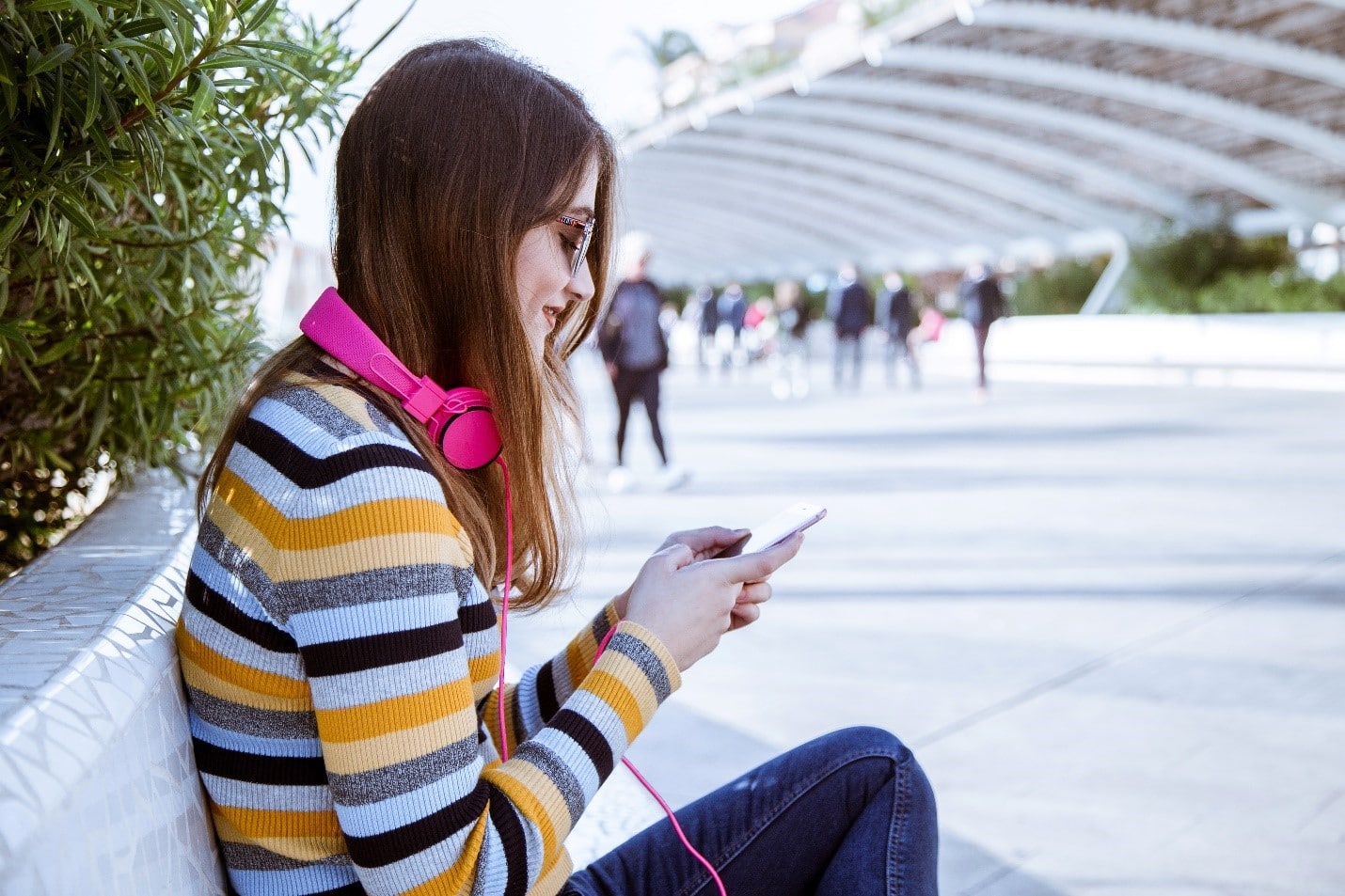
Imagine that you’re running late to a new class where everyone has yet to meet each other. You sit down and note that the class is already full. But something else is weird with so many people in the room…the silence. This silence has become surprisingly normal due to our generation’s favorite accessory, headphones. These days it’s common to see most people out and about plugged in and tuned out. Is this a cool convenience or a problematic habit? Check out today’s GKIS article and see what you decide.
Excessive Headphone Use
In the university that I attend, most students have headphones in place until the moment the instructor says their first word of the lecture. The only people that are talking before that are the few people who’ve already established a friend group. The truth is, I’m so in the habit of wearing my headphones the idea of joining in on a conversation is stressful. My headphones are a sort of safety blanket that saves me from feeling awkward in new social situations.
My friends agree with me. We even admit that sometimes our headphones aren’t even on when we have them in! We keep them in to discourage people from talking to us or expecting us to respond. Sometimes it’s also a cover while we listen in on other people’s conversations. Headphone use is commonly a tool to socially distance.
We at GKIS aren’t the only ones who’ve noticed this phenomenon. BloggerClaire Hubble shared her story of being a self-proclaimed “headphone addict” in a blog post. In her post, she mentions the dangers of constantly keeping your headphones in, such as not being able to hear an oncoming vehicle or people calling for you. Hubble also brings up an important guilty pleasure we’re familiar with here at GKIS, podcasts.
For those of you who are not yet addicted, podcasts are like radio shows with multiple episodes that usually follow a theme or tell a story. Fans can subscribe to a podcast and follow their favorite podcaster personalities. Hubble said she loves podcasts as a way to avoid forced small talk. She goes on to share that without her headphones, she feels anxiously disconnected and even bored. She posits that headphone may be and up-and-coming addiction.1
Dangers of Excessive Headphone Use
Psychological
In a 1994 study on the psychological effects of Walkman use, researchers predicted that portable listening devices could potentially grow to be silencing technology. Silencing technology is the social and psychological separation of individuals. This study interviewed 36 individuals and concluded an impaired ability to interact socially with prolonged device use.2
A later 2005 study measured the use of headphones and portable audio use on college students using several self-administered scales and surveys. The 2005 study also found that frequent headphones use leads to social isolation and feelings of loneliness.3
Physical
Physical damage from increased headphone use has also become a growing concern. Potential health risks include:
Ear infections
Hearing loss
Tinnitus (ringing in the ear)
Headaches
Dizziness
Pain in ear
Hyperacusis
Excessive ear wax 4
Recommended Headphone Use
How much headphone use is excessive? According to the World Health Organization (WHO), anything over an hour a day is excessive for all listening devices.[5] Rather than eliminating the accessory altogether, steps can be taken to implement safe and healthy listening for your kid on-the-go.
How to Manage Headphone Use
In her book, Screen Time in the Meantime, Dr. B offers the following recommendations to help your family unplug:
Teach netiquette skills.
Introduce screen-free zones at the dinner table and other areas where a family conversation is common.
Decide on tech blackout times, like mornings before school and bedtime.
Start a conversation on safety with our free Connected Family Screen Agreement.
Safe Kid-Friendly Alternatives
Have you heard of noise limiting headphones? Noise limiting headphones are headphones that can be set to a specific volume the consumer decides.6 Researchers have concluded that noise-limiting headphones pass the “safe” listening range set by the World Health Organization (85 decibels) and were the favorite among the kids and teens in the study who tried them out.5 This is a quick solution if you know you won’t always be able to monitor headphone use but want to limit possible hearing or distraction injuries.
Special thanks to Aroni Garcia for researching and co-writing this article. If you liked the article, and you’re interested in learning more tips on how to break this trending habit, go over to 5 Back to School Tips for the Digitally Overtasked and Disorganized Parent to learn more about how you can keep on track with managing device and media time.
Were you the kid with a mohawk in the 70s or pegged pants in the 80s? Maybe you were goth, a skater, or straight-edge. Teens of every era love to experiment with creative expression and explore new philosophical ideas. The internet offers boundless opportunities to follow cool influencers andchat with like-minded others in online forums. Visiting random virtual neighborhoods can be mind-expanding and fun, but it can also be dangerous. Today’s GKIS article explores the world of online counterculture. Being in-the-know is a critical element to great parenting in the digital age.
New Age Counterculture
As adolescents begin to form their unique adult identity, they look to their peer community for ideas for current, creative interests, how they want to come across, and what they want to look like. Especially attractive to teens is anything that their parents ARE NOT. Trends that are new, fresh, and totally different from parents or social norms are aptly named counterculture.[1]
The concept of countercultures isn’t new. From the anarchists in ancient Greece to the punks of the 1970s, countercultures have always influenced trends and fashion. Because kids today form multiple identities in their real world and in various virtual worlds, they love to explore constantly-evolving countercultures.
Fun Curated Online Platforms
These days, online influencers define counterculture for kids and teens. Sometimes that results in harmless fun. Other times, influencers post sexualized and edgy content designed to shock and titillate, engaging their audience in active discussions and
sharing.
To help you become familiar with counterculture online content, we’ve selected some content creators for you to check out and explore. Please keep in mind that because we don’t monitor these sites, we can’t vouch for their choices or the choices of their followers. Only you can best decide what makes sense for your family.
Kathryn Loo, Youtube username@hellobatty, posts videos about crafts, outfits, vlogs, and more. Her gothic Lolita style and love for all things Halloween inspires her viewers to embrace their interests and gives viewers ideas on how to get creative in her own spooky aesthetic.
Alex Weaver, Instagram username@thegothicalice, posts artwork, fashion, and for-sale creations in her goth/punk style. She frequently posts about books she’s interested in, artistic projects she’s working on, and creative outfits she puts together.
Aurel Nelson, Instagram username @phonyghost,is a skilled costume creator who makes amazing images of her cosplays (meaning dressing up and portraying a specific character). Some of her costumes include superheroes. She frequently collaborates with other costume makers to make a spin-off of our favorite Disney princesses as punk rock girls.
Tae-Seon Hall, Tik Tok username@tae.seonrise,posts videos on funny reactions to how her style is perceived by the public, videos of her cat, and quick makeup looks.
Mary Rose, Blog @TheEveryday Goth, creates fun posts relating to counterculture events, fun reads, fashion posts, and references to goth classics such as The Addams Family. She also links goth themed stores and songs she loves.
Pros to Trendy Counterculture Sites
Opportunities to meet and interact with like-minded fans
Exposure to creative ideas and unique ideas that may not be reflected in your community
Encourage your child to develop independent thinking
Help to build self-confidence
Their participation reflects that your child knows your home is a safe place for expression and communication
Cons to Trendy Counterculture Sites
Unregulated, unmonitored messaging boards
Exposure to inappropriate content like sexuality, vulgarity, and cyberbullying
Exposure to hate groups, radicalization, fake news, and conspiracy theories
Conversations of that may encourage serious mental health-related behaviors like depression, anxiety, eating disorders, self-harm, and suicide
Pop up ads and marketing
Tips to Navigating Counterculture Sites
Dr. B offers the following tips to protect your child from inappropriate counterculture sites
Tell your child you’ll be monitoring their online activity and explain why you think that is important.
Have an ongoing, fun, cooperative dialogue to stay current with their interests, challenge their ideas, and teach family values.
Monitor sites your child is interested in by creating a bookmark and following the creators. Be alert for subtle messaging and links to other sites and music.
Insist on having your child’s login credentials to their devices
Review browser searches
Do not save your credit card information on sites you share with your child.
GKIS Parenting & Safety Tools
If you feel overwhelmed when it comes to keeping your kids safe online, we got you covered. Our GKISScreen Safety Toolkit offers tried-and-true tech tools to help with filtering, monitoring, and managing your child’s screen activities. We also share links to apps and social media safety guides for platforms popularly used by influencers. This parenting step is what Dr. B calls protectionism in her bookScreen Time in the Mean Time, an important part of parenting in the digital age.
If you’d love a more comprehensive parenting course to help understand not only how to manage your child’s media, but how to optimize creativity and learning potential, check out our GKIS Connected Family Course. Dr. Tracy Bennett, can even personally guide you through this process during a personalizedworkshop orin-person coaching. Our GKIS CEO is passionate about assisting families with these confusing moments and is available to you at a click of a button. Coaching is an efficient, cost-efficient alternative to in-person psychotherapy. Prevention is always better than treatment.
The Overall Verdict?
The GKIS mission is to help families achieve screen sanity, prevent digital injury, and form deeper, more meaningful relationships. That includes joining them where they’re at in experimenting with identity formation. Just like punk in the 1970s and new wave in the 1980s, online counterculture helps today’s kids discover all that this crazy world has to offer.
Special thanks to Aroni Garcia for researching and co-writing this article. If you want to learn more about the mentioned social media platforms of the GKIS approved counterculture influencers, check out the GKIS parents sensible guides to Instagram and Tik Tok.
[1] CrashCourse. (2017). Cultures, Subcultures, and Countercultures: Crash Course Sociology #11. Retrieved from https://www.youtube.com/watch?v=RV50AV7-Iwc&feature=emb_title
[2]Daschuk, M. (2010). Messageboard Confessional: Online Discourse and the Production of the “Emo Kid”. Berkeley Journal of Sociology,54, 84-107. Retrieved February 6, 2020, from www.jstor.org/stable/40999937
[3] Hawkes, N. (2015). Young goths may be more vulnerable to depression and self-harm, study finds. BMJ: British Medical Journal,351. Retrieved January 31, 2020, from www.jstor.org/stable/26521636
Full disclosure, when Facebook’s Messenger Kids (MK) first came out in 2017, I was skeptical. As a GKIS screen safety expert, I published an article accusing Facebook of branding our kids and introducing them to the world of social media too young. Soon after, Facebook’s Head of Global Safety contacted me to let me in on some things I hadn’t thought about. She said that they’d done the research and found that kids were already using their parents’ messaging apps whether we liked it or not. To increase safety and offer parent management and kid-friendly features, they decided to trial Messenger Kids. They also offered me a volunteer spot on their Youth Advisory Committee for ongoing input. Since I joined in 2017, I’ve enjoyed a monthly collaborative call with about 25 other child development experts from over the world. Messenger Kids has benefitted from some of the most respected experts in the business, including Sesame Street, The Fred Rogers Institute, and the Yale Center for Emotional Intelligence, among many others. Do you want a safe way for your child to message and video chat with friends and family? This GKIS Sensible Guide offers you the information you need to make a competent decision about whether Messenger Kids makes sense for your family.
What is Messenger Kids?
Messenger Kids is a video conferencing app for kids that was released by Facebook in 2017. It was created as a safe alternative to Facebook’s Instant Message.
How old is old enough for adoption?
Messenger Kids is designed for kids ages 6 to 12 as a safe, parent-managed way for children to video chat and message with friends and family.
After downloading the app, you will be prompted to complete the following:
Log into your Facebook account
Once logged in, you will be prompted to enter your child’s name and their birth date.
After the account is created, you will be shown a list of other Messenger Kids accounts, as well as Facebook accounts to add to your child’s friend list.
Add a second parent or guardian who would be able to manage the account as well.
Set a code that your child can give out to their friends which would request your permission to be a contact.
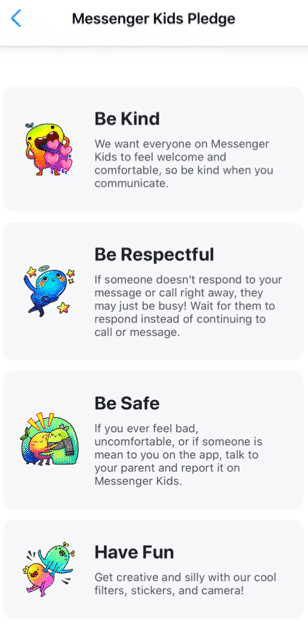
After you have completed all the above steps, your child will be prompted to add a photo of themselves, set a color to decorate the app, and complete “missions” to get to know the functions of the app. Your child will be prompted to read the Messenger Kids Pledge to be kind, be respectful, be safe, and have fun.[i]
What are the main features?
A parent dashboard that displays your child’s activities, contacts, and controls
Provide education to the child about new control features
Blocking a user allows the user to remain in the contact list, but the child will not be able to have individual conversations with that user
The child can use photo filters to send images to their contacts and to video chat
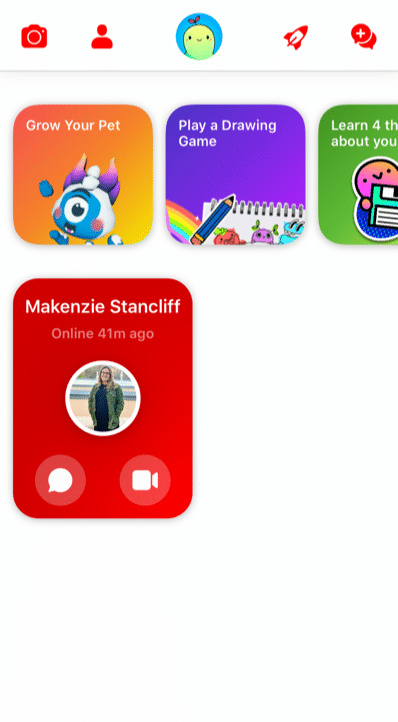
There are several “missions” the child can complete
Grow a pet
Play a drawing game
Learn 4 things about your information
Add a friend
Take a funny photo
Create a group
The Parent Dashboard
Because Facebook gets feedback from kids, parents, and child development experts, Messenger Kids is always changing for the better. For example, the updated parent dashboard is where you can see all of your child’s latest activities, contacts, and controls at a glance in one place. It also shows you
who and what content your child has reported or blocked and why,
a list of recent chats and calls (including how frequently your child is chatting/calling and with whom),
an image gallery of all the images and videos exchanged by your child and their contacts (including whether exchanged in a group).
User Education for Kids
Facebook has also thought through Kids’ digital literacy and privacy needs by notifying child users of the new parental control features in a Data Transparency Flow. Kids are prompted to go through this education with a push notification. It’s also available in the “mission” section of the app for kids. New users engage with this education during the registration process. They’ll get important basic information about how their personal data is used and shared when they use Messenger Kids – a great first step to cyber awareness and privacy issues in general.
Because child friendships need a healthy pause here and there, Facebook has also made blocking easier to use and less permanent. Before, if a child blocked someone, they were automatically removed as a contact. Now when a kid blocks someone, they won’t be able to communicate in a 1:1 chat, but they’ll remain contacts and still be able to be in group chats together. This allows kids to leave or stop individual interactions they no longer want while not having to leave group environments they may share with that contact. The child is always warned when they return to or start a group chat that contains a blocked contact that they have the option to continue to the chat, leave the group, or cancel joining the chat.
What are the privacy and safety options?
There is no minimum age of use outlined in the apps privacy policy. Facebook has a detailed list of what features they collect while using the app on their privacy policy. Here are a few of the features collected while using the app:
Facebook has recently added more controls. In the controls tab, you can see which device your child is logged into on MK, when your child last used MK on those devices and enables you to log your child out of selected devices. Parents also have the ability to remove and report any of these images and videos from the same Dashboard (doing so will remove that content from the child’s thread and notify them that you removed it).
As long as parents stay on top of who’s being friended and the information that is being exchanged, there are few risks associated with using Messenger Kids. The parent has the ability to control what the child can and cannot do as well as who they contact. Parents can also see what has been shared (and deleted).
However, any messaging app has its risks, especially when kids are involved. Here are a few we at GKIS thought you may want to consider
Your child and their friends may post inappropriately or impulsively
Cyberbullying between known contacts, like exclusion.
Too much access to friends and screens (of course, parents can schedule the use and use the sleep feature).
Your child is exposed to the Facebook brand, just as they are other popular American brands like Coca-Cola, Harley Davidson, and Budweiser.
Because parents have so much management opportunity and kids love the socializing, GetKidsInternetSafe rates Messenger Kids as a green-light app. We also love that Messenger Kids offers educational information that helps kids make better decisions with friends onscreen.
Thank you to CSUCI intern Makenzie Stancliff for co-authoring this article. For more information on keeping your child safe on social media, check out the Get Kids Internet Safe Screen Safety Toolkit. Be sure to add Messenger Kids on to the free GKIS Connected Family Agreement as “appropriate.”
I’m the mom psychologist who will help you GetKidsInternetSafe.
[i] Introducing Messenger Kids, a New App For Families to Connect. (2019, November 7). Retrieved from https://about.fb.com/news/2017/12/introducing-messenger-kids-a-new-app-for-families-to-connect/
[ii] (n.d.). Retrieved from https://www.facebook.com/legal/messengerkids/privacypolicy?version=2020
TikTok is a trendy, popular social media app that is controversial amongst parents. On the one hand, explicit language, attention-seeking trends, and cyberbullying on the app give TikTok the potential to be harmful. But kids and teens love it, anxious to join and follow the latest trends, memes, and creators. Like every app, it is important to consider the potential benefits TikTok can offer, not just the dangers. Many TikTok creators take advantage of the app’s popularity to provide inspiration and education to its adolescent audience. If you’ve decided to allow your teens access to TikTok, GKIS has identified some influencers your family may enjoy.
Who’s on TikTok?
Like YouTube and other social media platforms, TikTok users form communities based on popular trends like cooking, makeup, education, and wildlife. While we don’t think of apps like TikTok as a learning resource, many TikTok creators have dedicated their page to making teen-friendly, educational videos that can help your teen learn new things in a fun, accessible way.
Before You Start
As we mentioned in our GKIS Sensible Parents Guide to Tik Tok, it is recommended that kids be over the age of 13 before using TikTok due to its explicit language and content. Also, we strongly advise that you implement our free GKIS Connected Family Agreement before you allow your child a mobile device. With two versions available for kids and teens, our agreement spells out just what you should cover to help keep you family members safer online. All you have to do to get your free agreement delivered directly to your email by entering your name and email address on the GKIS home page. No purchase necessary and, if it’s not for you, you can unsubscribe at any time.
Meet Our Favorite Creators
For this article, we tried to find creators who have a relatively clean act for a teen audience. Please review these creators and decide for yourself whether they are good fits for your family.
Cooking
In the cooking community, creator @salt_to_taste has amassed over 1 million followers with his cooking videos and recipes. With easy recipes made with everyday ingredients and simple directions, this page is a great place for teens to get inspired to start experimenting in the kitchen. Salt to Taste makes a variety of foods, from snacks to smoothies to simple American and East Asian dishes. This creator has been active for almost a year and has been recently nominated for a Shorty Award in the food category. This creator does not seem to use inappropriate language and does not seem to do sponsorships.
Makeup
In the makeup community, creator @mariasgoldenmakeup is known for her bold eye looks and makeup tutorials. Though fairly new to TikTok, Maria has already gained over 61,000 followers with videos showing how she achieves her beautiful makeup looks as well as the products she uses to achieve them. Maria’s page can offer inspiration for teens who want to try their hand at makeup and achieve specific looks. Her looks can be used for everyday makeup and special occasions. She has done some sponsored posts but is transparent about what products are being advertised, using the hashtag #ad to indicate a sponsorship.
Nutrition
In the educational community, there are a few creators who have gained popularity for their educational TikToks in various subjects. In nutritional education, creator @sarahgracemeck, with over 149,000 followers, creates educational TikToks correcting various health myths and promoting tips on healthy eating. In our culture, we are obsessed with being thin and restricting what we eat, and this message unfortunately gets pushed on teens the most. Sarah does a great job using her background as a dietician to spread the message of healthy eating in a nonjudgmental, positive way. Sarah is passionate about spreading accurate information and debunking various unhealthy dieting trends and myths. It does not seem that Sarah offers sponsored content.
Science
In science education, creator @chemteacherphil is a popular user with a background as a high school chemistry teacher. Phillip has amassed over 1.3 million followers on TikTok with his videos exhibiting different chemical reactions and explaining their processes. The reactions he creates in his videos are fascinating to watch, and the information he gives can be useful to any high school student taking a chemistry class. Phillip does not seem to use explicit language or audios in his videos or do sponsorships.
Language
In language education, creator @fresajapomex is a popular multilingual creator who publishes videos in Spanish. With over 2.5 million followers, this creator does a variety of content from vlogs to comedy skits to food reviews. This creator, who goes by Sony on TikTok, has an energetic and kind personality and has a great sense of humor. Her parents are Mexican and Japanese, and therefore she speaks both languages as well as English. As a former Spanish student, one of the ways I improved my Spanish skills was consuming media in my target language. Sony’s content can be a great tool to help your teens improve their skills in a different language in a fun way. Sony does not seem to do sponsored content.
Wildlife
In the wildlife community, The Urban Rescue Ranch, the organization behind the page @ostrichplug, recently joined TikTok in an effort to show the work they do raising animals in an urban area. Their content shows their workers handling a variety of animals like frogs, possums, ostriches, pigs, and most recently, chickens. The creators often include their animals in fun, comedic skits and do frequent updates on the development of a few of their younger animals. This is a fun page for teens to view the different responsibilities of owning animals, and may even be inspired to go volunteer for an organization like the Urban Rescue Ranch themselves. This page does not seem to use any explicit language or audios and also does not seem to do sponsorships.
Fun with Coffee
Lastly, a popular creator among GKIS interns is @morgandrinkscoffee. Morgan is a college student who works as a barista for her local coffee shop, and she has gained over 2.2 million followers since joining in 2019. Her content mainly consists of the work she does as a barista, showing how she makes certain drinks, her day to day responsibilities, and some funny skits on her experience in the food industries. For teens who may be experiencing their first jobs in food services, Morgan’s content can show that it’s possible to enjoy the work that you do, but it also lets teens have a laugh at some of the shared struggles most of us have faced while working in customer services. Morgan is transparent in her sponsorships, labeling her sponsored content with the hashtag #ad.
Making TikTok Safer
As discussed in our previous TikTok article, it can be difficult to control the content suggested by the TikTok algorithm. But with careful decisions on who you allow your teen to follow, TikTok will suggest better, safer content that teens will love and parents can trust. Though it’s important to be cautious of the dangers of TikTok, with a little research, finding teen-friendly creators can help make the app safer and more fun for everyone.
Thanks to Alexandra Rosas-Ruiz for her research and help with writing this article. Want to learn more about how to manage the risks of the internet for your teen? Check out Dr. Bennett’s latest book, “Screen Time in the Meantime.” With a quick read (or listen because it is also offered in audio), you can learn creative, sensible, and family-tested parenting strategies to help protect your teen both online and offline.
I’m the mom psychologist who will help you GetKidsInternetSafe.
Onward to More Awesome Parenting,
Tracy S. Bennett, Ph.D.
Mom, Clinical Psychologist, CSUCI Adjunct Faculty
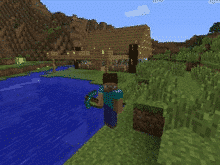
Minecraft is a virtual 3D game that allows users to create unlimited worlds using online building blocks while unlocking resources along the way. From cities to rollercoasters, the possibilities are nearly endless. We at GKIS are big fans of Minecraft because it fosters creativity, problem-solving, new skill development, and socialization opportunities. But like any online tool, there are also associated risks. This GKIS Sensible Guide provides information that parents need to optimize Minecraft’s benefits while keeping your children safe.
How long has Minecraft been around and how popular is it?
Minecraft was created in 2011 by Swedish game developer Markus Persson and purchased by Microsoft in 2014. Nearly 176 million copies were sold by late 2019. In 2019, Minecraft has over 112 million players every month and can be played on various platforms including smartphones, tablets, Xbox, and other gaming stations. It has evolved to include more elements and has a series of spin-off g
ames with different themes. Users also post Let’s Play videos YouTube to show how they build their worlds and different ways to create items.
Getting Started on Minecraft
According to Minecraft’s Terms of Service, “If you are young and you are having trouble understanding these terms and conditions, please ask a responsible adult such as your parent or guardian.” Minecraft also insists that children under age 13 have their parents download and register for an account. However, children can easily change their age before signing up to go around that rule.
Minecraft varies in price depending on the type of platform. Signing up for an account is simple. Just create an account with a unique username and email address. Users are given one profile by default but have the option to make multiple profiles.
Features of Minecraft
Minecraft allows users to collect resources and build their own worlds. Users can dig, build, and enchant items to transform their world into whatever they want. Users can also select different game modes, each with unique challenges and features.
Survival Mode
One of the main game modes
Players must collect resources, build structures, battle mobs, find food.
The goal is to survive and thrive.
Creative Mode
Players are able to build with an unlimited number of blocks.
Players are given all the items needed to build.
Mobs still exist, but there is no threat to survival.
Players are able to fly around the world.
Adventure Mode
Players use maps to navigate the world.
Depending on the device played on, blocks can either be destroyed or placed.
Hunger and dying is possible.
Spectator Mode
Users have the ability to fly around and observe the worlds without interacting with it
Players are invisible and can move through blocks and buildings.
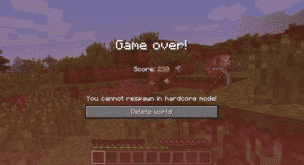
Hardcore Mode
Available only on the online version.
The world is locked to hard difficulty and the player cannot respawn after they die.
Only specific worlds enable hardcore mode and not individual players.
Minecraft has two different play modes, single-player and multiplayer. In single-player mode, a user only interacts with their own character and their own world. In multiplayer, users can join any game with any player, friends or strangers. Parents have the ability to sign their child up for a family-friendly multiplayer mode that is supervised and has restrictions on the chats and interactions.
The Benefits of Minecraft
Minecraft allows players to use their imagination and create what they desire. Users develop problem-solving skills while they are creating their world. Minecraft also helps users develop computer literacy skills, teamwork, and collaboration. For example, while in multiplayer mode, players are able to communicate and work together to build their worlds. Mathematics and spacial skills are also developed while playing the game. For example, it takes six planks to build one door. If players have 60 planks, they can calculate how many doors they are able to build.
Parents have the ability to limit their child to only single-player mode or a family-friendly version of multiplayer. There are several Minecraft servers that have been designed for children in mind. They are designed with a code of conduct and have full moderation. Parents are able to sign their children on to a family-friendly server where they will be safe from interacting with strangers in a negative way.
The Risks of Minecraft
There are relatively few risks for children playing Minecraft. With the exception of playing too often, for too long, or getting frustrated with gameplay, single-player mode is relatively safe because kids can be restricted from interacting with players they don’t know. However, violence can be easily found in the game. For example, there are multiple ways to kill users, mobs, or animals, such as:
setting another player on fire using lava or a torch
hanging an animal or another player
using canons and bombs
using sand to trap and suffocate mobs
using a zombie as a weapon to kill a villager
shooting with a gun or stabbing with a sword
There is also a chance for cyberbullying in multiplayer mode. It is not uncommon to come across a user who is intentionally irritating and harassing other users. They often use parts of the game in unintended ways. For example, they may curse, cheat, and kill without reason. Cyberbullying also includes players who deliberately kick players off the server and anger others for their own enjoyment.
Multiplayer mode carries the risk of children chatting with strangers. For example, in 2017 a Minecraft user was jailed for meeting two children on Minecraft and persuading them to carry out sexual acts. [i]
There is a potential for users to track down your IP address from playing Minecraft. An IP address is n unique number for an internet network. The IP address provides the location of where your network is coming from. If users are able to hack into the server, they can find another player’s IP address. This can lead the user to the location of the player within a couple of miles.
If your child wants to play Minecraft, GKIS recommends that you:
Add it to your free GKIS Connected Family Agreement (If you haven’t downloaded it yet, enter your name and email on our GetKidsInternetSafe home page and it will be emailed immediately)
Discuss the risks of chatting with strangers with your child. For ideas about how to do this, check out our GKIS Connected Family Course.
GetKidsInternetSafe rates Minecraft as a green-light app due to the safety of the game and the benefits it can have on children’s development. Dr. Bennett has found that her kids and the kids in her practice love Minecraft when they are young and even return to it as teens! They tell her they appreciate the simplicity of it and especially love the relatively stress-free atmosphere with no in-game purchase requirements.
Thank you to CSUCI intern Makenzie Stancliff for writing this article. If you love to encourage creativity with your kids, you won’t want to miss the Makerspace ideas in our Connected Family Course.
I’m the mom psychologist who will help you GetKidsInternetSafe.
Instagram is the second most popular social media app among teens, with 78% using the social media platform in 2018. Instagram has become a necessary tool to manage relationships and participate in public culture.[1] Teens love to develop their virtual identities, follow friends and popular celebrities, and keep track of popular culture. Relative to other platforms, Instagram is easy to use, encourages creative content with photo filters, and has privacy and protective report features that are easy to access. But there are danger potentials and parenting strategies you should be aware of before you give permission for this social media staple.
What is Instagram?
Instagram is a free mobile social media app that offers photo or video sharing to followers or a select group of friends. Videos range from 3 to 15 seconds. All you need to sign up is an email address and a username (a phone number is optional).
How long has it been around and how popular is it?
Instagram was created by Stanford graduates Kevin Systrom and Mike Krieger and launched in October 2010. Within two months, Instagram gained over a million users. In 2011, Apple named Instagram iPhone app of the year. In April 2012, Instagram was acquired by Facebook for a billion dollars. As of April 2019, Instagram has 500 million daily active users.[2] It is the gateway app for most young social media users.
How old is old enough for adoption?
Instagram Terms of Use state, “You must be at least 13 years old to use the Service.” I recommend sixth grade as the youngest adoption age for Instagram and only under the following conditions:
Require your child to create a persuasive PowerPointthat covers risks, benefits, and privacy and protection features so you both know the ins and outs of Instagram’s features. For more information about how to create and judge a persuasive PowerPoint about a social media app along with other useful screen safety strategies, check out our Connected Family Online Course.
Add it to your free GKIS Connected Family Agreement as an “OK” or a “not yet,” so parameters, rules and regulations, and etiquette issues are understood. (If you haven’t downloaded it yet, enter your name and email on our GetKidsInternetSafe home page and it will be emailed immediately.)
Require the account to be set to private and you agree on the number and nature of followers and frequency of posting.
Ensure you are friended and you have their username and password for backside control.
Instagram Basics
Instagram’s big appeal is its image-based simplicity. Here are its regularly used features:
Stories (like Snapchat) that allow the user to post a collection of photos or videos to their profile. The story lasts 24 hours then disappears.
Your personal photo & video collection profile with captions that others can love, comment, and share.
Photo filters that offer limited editings, like color and hue.
Option to tag and @mention others or your post.
Links to other social media platforms including Facebook, Twitter, and Tumblr.
The ability to search and explore public profiles and follow favorites, like celebrity profiles.
Instagram offers suggestions of videos and posts you might like as well as potential FB contacts to follow.
What are Instagram’s popular features?
Direct Messenger allows users to start a conversation with friends.
Send messages, photos, videos, and posts. You can even video chat with up to 6 friends.
Watch long-form videos where users can create and watch videos that are not limited to one minute.
Similar to Stories or photos and videos you see in your Feed, you can like, comment, or share IGTV videos with friends.
Shop as You Scroll allows users to find products in your Feed and Stories that you’re curious about.
Tap the Product Tag to see the price, item name, and even have the ability to buy it directly from Instagram. There is also a save ion that will automatically add the item to your private Shopping Collection.
Search & Explore offers fresh content based on people you follow and posts you like.
Refresh the Explore page to see a new set of photos and videos, all created based on your interests.
Close Friendsallows for private messaging and posting to occur on Instagram, similar to private stories on Snapchat.
Start at the main page of Instagram, press the top-right icon of three bars, choose which followers you’d like to add to your list, and press Done.
What is included in the personal profile?
Number of posts, followers, and following
Username (can be a nickname)
Bio (like a website and other social media contact info here like Kik messenger, Skype, Facebook)
Your collection of photos and videos with the date posted, likes, and comments
Tagged photos and videos of you
Photos and videos you save
What are the privacy options?
Profiles are set to public by default. To change this, follow these steps:
Go to the settings icon, select the Privacy icon, and under Account Privacy turn the Private Account toggle on to require the approval of follow requests. If your profile is private, posts will not appear on the EXPLORE tab and only followers can see your posts.
Teens typically create more than one account for improved privacy options. Instagram allows you to simply toggle between the two. I require my teens to keep even their main profile on “private.” But they also generate a second account, offered referred to as a “Finsta” (a spam Instagram account) where they only friend their closest friends. Be aware that the posts on the finsta accounts are where the most questionable content is posted. Don’t forget to spot-check those from your child’s phone directly. You can’t just assume you’ll see everything they are up to on your feed.
Be aware that if your child posts other contact information on their profile (like Skype or Kik usernames), the public can view that and reach out to them even if their post is set to “private.” Another tricky workaround that people aren’t usually aware of is that if you SHARE your Instagram post on another social media platform like Twitter, your Twitter followers can click on the link and see your private post.
What Instagram trends and slang should I know about?
Clickbait: The practice of using a provocative title with the sole purpose of driving clicks.
Finsta: “Fake Instagram account.” Followed by a close circle of friends where teens post their casual, authentic side, where they can let their guard down a bit, act silly and not edit out every blemish.
#influencer: Instagram is becoming a huge platform for brands to publicize their company. 48.8% of brands use Instagram for promotional purposes. They pay people who are “Instagram famous” to show these brands on their profiles.
Rinsta: “Real Instagram account.” Usually accessible by a wider audience for teens polished and idealized selves.
Slide into someone’s DMs: The practice of randomly sending a DM to someone.
Throwing shade: The act of publicly denouncing or disrespecting someone. Often used in reference to sarcastic remarks against someone or something.
VSCO: The term originally referred to an app used for simple photo edits. It is now commonly used to make fun of girls who use the app.[3]
What are the risks for use?
Cyberbully potential:
Bullies posting unflattering or humiliating tagged or @mentioned photos and videos (@drtracybennett is a loser).
Cruel comments or hashtags (#annoying).
Fake accounts and impersonation.
Influencers making certain activities or expensive clothes/makeup seem normal.
Tracking potential:
Users can include contact information on comments or in their bio. Although posts are set to private, anyone can see your profile photo, username, and bio.
Photos and videos may be geotagged so the location can be tracked. For safety, turn off this feature on your device by turning off the “location” option for “camera.” To prevent Instagram from capturing your location on the iPhone, go to the phone’s settings, tap Instagram, select Location, and choose the “Never” option.
Attention-seeking potential:
Users often try to attract large numbers of followers with poor posting or comment choices.
There are numerous other apps that are affiliated with Instagram and they give the option to buy likes for your posts and even buy more followers.
Inappropriate content potential:
Sexualized, cutting, violent, politicized, and eating disorder images and inappropriate memes are commonplace and easily found when viewing photos and videos from the Explore tab.
Ability to send and receive instant messages, photos, or videos directly:
If your child’s profile is public anyone, including Instagram users your child does not follow, can send them messages, photos, or videos directly. If your child’s account is private, then the messages will be sent to their “message requests” instead of directly to their inbox. From there, you or your child can proceed to decline or accept the message. If one ignores the request folder, the sent item will disappear after two weeks.
What are the protection features?
By setting your profile to private, only followers can see your posts and stories. (There is an option to let anyone see your Stories, followers or not, make sure this setting is turned off). However, keep in mind that ANYONE can see your profile information (profile image, username, and bio), even non-followers.
If you come across an inappropriate photo (or you are tagged inappropriately), go to your profile page, select the three-line icon located at the top right corner above “Edit Profile”, select “Settings”, and “Report a Problem” in the Help area. From there Instagram offers many categories for the report with specific instructions.
Spam or Abuse
Something Isn’t Working
General Feedback
Image or Video Quality Issue
After the Block or Report is completed, that person cannot search for you or view your photos. However, mutual followers can still see your likes and comments on other people’s pictures. Blocked users can also still @mention you. You will receive a notification that they mentioned you but it will not show you the comment they made unless you unblock them. You must change your username to avoid mentions.
If an unwanted comment on your page appears, simply swipe on it and select the “!” icon to report Spam or Scam or Abusive Content or simply trash it.
Review your profile often and delete old or questionable photos.
Finesse your posts to favorably reflect positive activities, experiences, and character traits (like a digital resume).
Track your time.
Parents – check for extra accounts and other social media follow requests.
Social media can be really fun, but it has its risks. If you think your child is ready for an Instagram account or if they are on it and you want to optimize safety and resilience, YOU WILL LOVE OUR GKIS Social Media Readiness Training Course. It covers social media risks to digital injury and teaches tweens and teens the psychological wellness tools they need to thrive!
Thanks to Isabel Campos for her research and help with writing this article.
I’m the mom psychologist who will help you GetKidsInternetSafe.
Onward to More Awesome Parenting,
Tracy S. Bennett, Ph.D.
Mom, Clinical Psychologist, CSUCI Adjunct Faculty
GetKidsInternetSafe.com