Ten percent of American children are estimated to have Attention-Deficit/Hyperactivity Disorder (ADHD). Children with ADHD often struggle in school because they get distracted and have difficulty following through. Kids with ADHD also tend to LOVE screen technology. Not only do screens offer them a world of on-demand discovery, but they can also gain expertise over time and earn much-needed social capital that they may have difficulty earning in real life. To help your family make their way through the world with a fun, positive connection and better screen safety, access Dr. Tracy Bennett’s expert parent and family coaching videos through our GKIS Screen Safety Essentials Course. In today’s GKIS article, we will discuss the benefits of technology and app recommendation for children with ADHD.
What is ADHD?
Attention-Deficit/Hyperactivity Disorder (ADHD) is one of the most common neurodevelopmental disorders of childhood. Children with ADHD have trouble paying attention, controlling their behavior, and can be very active as if driven by a motor.[1] ADHD can impact emotions, behaviors, and the ability to learn new things. It is usually diagnosed in childhood and often lasts into adulthood. About 60% to 85% of the children diagnosed with ADHD at a young age continue to have it as teens, although symptoms might change with age.[2]
The Three Types of ADHD
Inattentive Type
ADHD, Predominantly Inattentive Type is characterized by a daydreamer who has difficulty paying attention, listening, and following through with tasks. Children with this type of ADHD are often overlooked until late grade school because they are quiet and not disruptive. However, their ability to function to their true ability is impaired in all contexts of their lives. It has been shown that more girls are diagnosed with inattentive ADHD than boys.[3]
Symptoms of ADHD, Predominantly Inattentive Type
Often has trouble giving close attention to details and makes careless mistakes
Has difficulty sustaining attention to certain tasks or play activities
Frequently distracted and doesn’t seem to pay attention to those speaking directly to them
Often does not follow instructions and fails to complete tasks
Has difficulties organizing tasks and activities
Doesn’t enjoy and avoids activities that require them to use mental effort
Hyperactive-Impulsive Type
ADHD, Predominantly Hyperactive-Impulsive Type is characterized by a child who fidgets, has trouble staying in their seat, and talks a lot. It is hard for them to stay still for long. They tend to be impulsive and interrupt others. It is more common for a child with hyperactivity to have more accidents and sustain frequent injuries. They also tend to be identified at younger ages because of their acting out potential.
Symptoms of ADHD, Predominantly Hyperactive-Impulsive Type
Frequently fidgets with or taps hands or feet
Leaves the seat in situations when remaining seated is expected
Runs or climbs in situations where it is inappropriate
Is “on the go” and doesn’t seem to get tired
Talks excessively
Answers questions before the person has time to finish it
ADHD Combined Type
ADHD, Combined Type is characterized by a child that has trouble paying attention and difficulty sitting still and staying quiet. This is the most common type of ADHD. It is characterized by the symptoms from both the inattentive criteria list and the hyperactive-impulsive criteria list.
How Technology Helps Children With ADHD
Children with ADHD commonly struggle with time management, organization, and failure to focus. Technology and apps can help children with ADHD stay organized, reach their goals, and fight the urge to get distracted.
GKIS-Recommended Apps for Kids With ADHD
Rescue Time
Rescue Time is a web-based time management and analytics tool that helps children be more efficient and productive. One of the symptoms of ADHD is “distraction.” This app aims to prevent distractions and any possibilities of children getting scattered. It allows you to rate each activity from “very distractive” to “very productive” and sets goals for children while tracking progress. With all of that rescued time, be sure to plan fun family activities. For great ideas, check out Dr. B’s GKIS article, #TogetherAtHome Family-Friendly Activity Ideas
Roblox
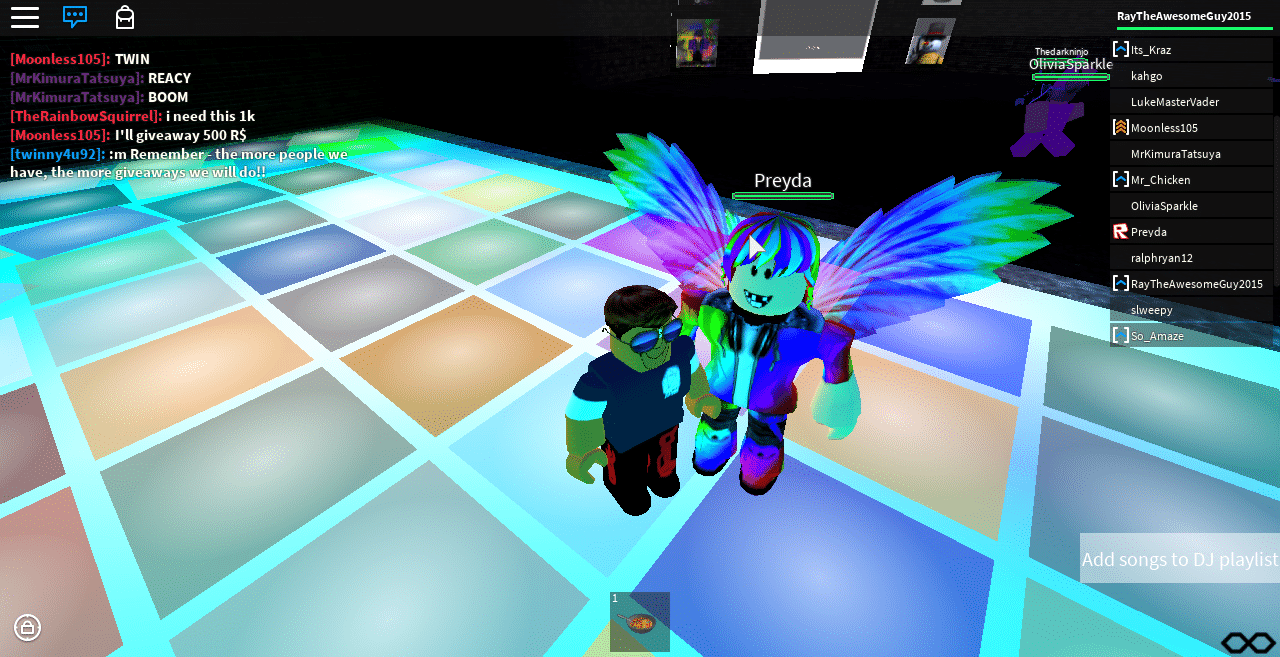
Roblox is available for iOS and Android. It is a video game that is reported to strengthen planning skills, organization, and working memory as children learn as they go. Roblox is a game where people come together to create and imagine as they play. It is a fun game where the whole family can have fun. To learn more about the risks and benefits of Roblox, check out our The GKIS Sensible Parent’s Guide to Roblox.
News-O-Matic
News-O-Matic is available for iOS. It is a captivating app that delivers news in small chunks which is useful for older children with ADHD. The stories vary from funny to serious and have a read-aloud option for kids who struggle with reading.
Mindnode
Mindnode is available for iOS and it is designed to help children focus and be organized. It is an app that uses mind maps to help children visualize their thoughts. The map can be color-coded and contains images. Children with ADHD tend to be energetic; this app can help make sure that they stay concentrated.
Relaxation and Mindfulness Apps
Headspace
Headspace is a mindfulness app that helps children exercise, meditate, and visualize. This is beneficial because it helps them take a moment to focus and stay calm.
Toonia Colorbook
Toonia Colorbook is an app where children use coloring activities to help them relax. It can help children concentrate, calm down, and keep their minds balanced. Keeping the brain busy with something simple as coloring can have a relaxing effect.
During the age of lockdowns and quarantines, many children have discovered a new way of finding someone new to talk to. A website known as Omegle, and other websites like it, have filled this social gap in many people’s lives. Omegle is considered a ‘roulette’ style website, where users may set interests and get matched with people with the same interest. This can be only a text chat, or it can be a video chat. If you find screen safety issues overwhelming in your family, you’ll benefit from Dr. Bennett’s weekly parenting and coaching videos on our Screen Safety Essentials Course. The most important thing that parents can do is be aware of the potential risks and promote an environment of open communication with your children. In this program, Dr. B offers a comprehensive family program for fostering this kind of communication in her Screen Safety Essentials Course. With this course, your family will learn tons of information about how to create a safer screen home environment while also connecting and having fun as a family. Armed with the right tools, you and your family can learn how to better thrive in today’s digital era. In this GKIS Sensible Guide, we will explain what you should know before letting your child chat away with complete strangers.
How long has Omegle been around, and how popular is it?
Omegle was created in March 2009. Omegle has recently seen over 54 million daily visits.[2] According to Google, searches for the site began to increase during March 2020, with the number of searches quadrupling the week before Christmas.[1] This surge in users isn’t much of a surprise. People were stuck inside their homes for almost a year due to the COVID-19 pandemic. Much of that time was spent on the computer, so why wouldn’t a website that allows someone to meet a new person be appealing? Teenagers have also created a ritual of hanging out together in person and going on Omegle as a group.
Omegle does state that to use the website, one must be over the age of 13. This is done with a simple pop-up box that can be clicked away. No date verification is required, so this is easy for children to bypass. As explained in the book Screen Time in the Mean Time, parents should use their best judgment to determine whether or not their child is ready to use a website like this. This GKIS Sensible Guide aims to help inform the parents so they are able to make the best decision possible.
Features of Omegle
Text-Chat
Individuals are prompted to enter optional interests to help match them. There are two options for the text chat: Text or Spy Mode
Text: Users are randomly matched in pairs, either based on their interests or completely at random if no interests were entered. Users are completely anonymous so there is no way to get someone’s information unless they offer it. Even if they offer it, they can (and likely will) lie. Either user may end the chat at any time.
Spy: Three users are matched together, two regular chatters and a spy. The spy prompts the other two with a previously entered question. The spy is unable to contribute to the conversation at all, they may only watch. The chatters focus on answering the question presented. Any user can end the conversation at any time.
There is no option for a ‘filtered’ text option. The website warns against profanity, sexual harassment, or violent threats, but there is no way to filter those statements out. If the user gets matched with someone who does any of these, the website simply says to ‘end the chat’.
The website itself warns that predators have been known to use text/video chat to groom or lure victims. It claims that it cannot control human behavior, and only the person committing these actions should be held accountable.
Video-Chat
Similar to text chat, users are randomly matched based on interests if possible. This can be in pairs or in groups. All user’s webcams will turn on while searching for a match.
This section has an option to report nudity, violent threats, and sexual content in addition to numerous other things one might encounter during chatting. This section does not allow any of these.
This section is aimed at users under the age of 18.
These filters to protect users don’t always work. Even the website itself warns that some things of inappropriate nature might be encountered.
“Unmonitored” Video-Chat
This is a carbon copy of the video-chat section with one crucial difference. No filter is used to prevent users from showing nudity or sexual imagery on their webcam chat.
This section is aimed at users who want a more ‘mature’ chatting experience, as long as they are over the age of 18.
Benefits of Omegle
When used correctly, and age-appropriately, it allows for individuals to talk with someone who has similar interests.
It can help an individual feel less alone and more connected in a quarantined world.
Risks of Omegle
The filters in place for the monitored section have inconsistent results. Some users still report encountering things that they shouldn’t several times in a row.
Children are more susceptible to believing an individual who may be lying. This may result in them giving information they shouldn’t to a complete stranger.
This website has the potential to expose children to sexual imagery, violent threats, phishing scams, and numerous other dangers.
None of the age checks are secure. Your child can easily access a section of the website that they shouldn’t with one simple click, no verification needed. This poses both a giant risk for the child and a giant temptation for them.
Throughout its lifetime Omegle has proven to be a constant source of controversy. This led GKIS to consider Omegle to be a red-light app, meaning that it is not recommended for anyone under the age of 18. The possible exposure to explicit material is too hard to control, and the fact that the website itself warns that predators do use this website to target victims were two of many factors that led us to this decision. If you think that your child may be using Omegle or other social media apps, consider our Social Media Readiness Course to help them stay safe.
Thanks to CSUCI intern, Dakota Byrne for researching Omegle and co-authoring this article.
I’m the mom psychologist who will help you GetKidsInternetSafe.
Feeling unproductive, unmotivated, and notice that you are wasting countless hours scrolling through social media? A social media cleanse may be a great decision to improve your well-being. In this week’s GKIS article, we will provide a step-by-step guide to putting down your phone and getting that much-needed break your mental health deserves. To help your tween or teen demonstrate they have the knowledge, problem solving ability, and judgment for social media, check out our Social Media Readiness Course. It’s an online course for tweens and teens that offers information about the risks of digital injury due to social media and psychological wellness tools. With a quiz for each module, they work their way through independently so their graduation certification demonstrates mastery of content. Of course, you can take it too if you’d like. It’s like driver’s training but for the internet!
According to pewresearch.org, 70% of Americans use social media.[1] For adults, the most popular social media platforms include YouTube (73%) and Facebook (68%). In contrast, 63% of teens use Instagram, making it the most popular social media platform amongst young users ages 15-25.[2]
According to the American Academy of Child & Adolescent Psychiatry, 90% of teens have used social media and teens spend an average of nine hours a day on social media.[3] Participants of a research study conducted by the Pew Research Center found that 74% of Facebook users visit Facebook daily. People of varying ages spend a lot of time on social media.
We use social media to view funny memes, stay connected to friends and family, meet new people, share opinions and information, show off passions and creative pursuits, advertise businesses, and even get news. Most of us find it extremely rewarding and feel we’ve got it under control. But for others, social media can negatively impact mental health.
Risks of Social Media Use
I’m a millennial who’s been using social media for 10 years. I’ve experienced a wide range of negative effects due to my social media use, including feelings of insecurity and not being good enough, anxiety, and the big one, fear of missing out (FOMO).
For years, I followed my friends’ and Instagram influencers’ profiles and wondered why I wasn’t as happy as them or why I couldn’t travel the world and have a life of fun and excitement. I often compared myself to others on social media and it hurt my mental health. In her book, Screen Time in the Mean Time, Dr. Bennett calls that “compare and despair” and believes it is a common contributor to teen anxiety and depression.
Social media can be a toxic place, especially during these unprecedented times. It’s too easy to spend hours on Google trying to figure out if you have COVID-19 and spend another 45 minutes scrolling through Facebook comments of people arguing over politics. Feelings are high and extreme opinions are rampant. According to helpguide.org, social risks include increased feelings of isolation, depression, anxiety, and insecurity.[4]
The Benefits of a Social Media Cleanse
To get away from negativity, a social media cleanse may be the answer. The benefits of a social media detox include:
More free time for other things, like research about a favorite topic
To research this article, I deleted all of my social media apps including my all-time favorite, Instagram, about a month ago. I was concerned that I was averaging too much screen time (6 hours a day), and I wanted to be more productive and connect more with my boyfriend and family.
My first week of being social media free was by far the hardest. But it became much easier after that. I often felt the urge to redownload my Instagram app, but for the most part I have been able to stay away.
The benefits of staying offline have really paid off for me. Almost immediately, I felt it was easier to fall asleep at night (since I was not on Instagram or TikTok late). I’ve also felt a reduction in stress, anxiety, and anger. Now I don’t feel the need to check my friend’s social media just to see what they’re doing all the time. Instead, I reach out directly to friends to reconnect.
I worried that if I deleted my social media accounts, I would feel more disconnected from my friends. But instead, I’ve kept in touch with them more than before my social media cleanse. Relationships and connections are important to me, and I’m glad that I’ve been able to connect in a more meaningful and sincere way. Overall, I’m happy with the results. I feel more mindful and present in my everyday life, my sleep has improved, I’ve experienced less stress and anxiety, and I have more free time to get work done and spend time reconnecting with the people I love.
Do You Need a Social Media Break?
Here are some red flags that may signal that you are ready for a social media cleanse:
You spend most of your free time on social media.
You feel like you need to share or post often.
You find it hard to focus on schoolwork or other life responsibilities.
You feel an increase in anxiety and stress after spending time on social media.
You feel more lonely, unmotivated, and less creative.
You are experiencing feelings of low self-esteem or low self-confidence.
You feel anxious without your phone.
You feel guilty or ashamed about the amount of time spent on social media.
How to Get Started
There are many ways to jump-start your social media cleanse. You can stop your phone use cold turkey, or you can delete one or two apps at a time. You can also cut down your friend list to only those you have a close, personal relationship with to cut out the less meaningful posts. Find whatever works best for you.
Here are some tips for getting started:
Deactivate or delete your social media accounts.
Delete social media apps from your phone.
Connect with family and friends in alternative ways.
Set a time limit on your phone to cut back on overall phone use.
Check your daily Screen Use and make adjustments if needed.
Set a specific “phone bedtime” before your actual bedtime (At least 3o minutes before you go to bed is recommended).
Make your bedroom a phone-free zone.
Turn your phone on “Night Mode” to decrease blue light emissions.[6]
Most importantly, remind yourself why you decided to go on a cleanse in the first place. And remember, your cleanse doesn’t have to be a permanent decision, you can always go back.
Enriching Activities to Reconnect Offline
There are endless possibilities for new enriching activities. You can practice meditation, pick up a new skill, or do that thing you’ve been meaning to do. Here are some fun ideas to reconnect with your loved ones:
Family game night
Family movie night
Cook a family dinner. Make it exciting by trying a new recipe or cooking an old family favorite.
Have a family yoga or workout session.
Practice meditation and deep breathing (alone or with family).
Using this extra time to reconnect and spend valuable time with your family is great, but it’s also important to spend time hanging out with yourself. Start by catching up on your sleep, creating a playlist, or reading a favorite book. Don’t feel pressured to constantly look for something to keep you busy unless that’s what you want to do. This is a well-deserved break. Do whatever you want with it and enjoy!
If you’re interested in learning more helpful tips about parenting in the digital age, check out the GKIS Connected Family Course. The GKIS Connected Family Course is family-tested and outcome-based and helps you close screen risk gaps and improve family cooperation and closeness.
Thanks to CSUCI intern, Remi Ali Khan for researching social media cleanses for this article.
I’m the mom psychologist who will help you GetKidsInternetSafe.
Roblox is a multiplayer entertainment platform where users can create their own 3D environments and game modes. There are literally millions of games on Roblox. Players are able to explore different worlds and interact with other players. The possibilities on Roblox are only limited by the player’s imagination, but this can also leave room for questionable activity. Roblox shares many similarities with other videogames in the same category, namely Minecraft, but there are some very distinct differences. This GKIS Sensible guide will provide you with the information you need to decide if Roblox is right for your child.
How long has Roblox been around and how popular is it?
Roblox was developed by David Baszucki and Erick Cassel and was released in 2006.[1] Through the years the popularity of Roblox has steadily been increasing. It currently boasts more than 100 million monthly players![2] There are no signs of Roblox losing popularity anytime soon.
Getting Started on Roblox
Roblox is free to download on PC, Mobile Phones, and Xbox One
Requires age of 13 or adult to help child sign up
Parental controls may be set to restrict the ways a child may play
You may purchase in-game currency with real-world currency to buy in-game clothing and hairstyles for your avatar.
Features of Roblox
Roblox is always an online multiplayer game with many different game modes, most of which are created by players. The game modes on Roblox are nearly endless, so we will elaborate on some of the most popular.
Meep City
Players are given an empty house and they choose how they want to furnish it.
Players can work to earn in-game currency in order to choose how to furnish the house.
Other players can visit your house and see how you decorated it.
Murder Mystery
You’re put in a game with up to 10 different players.
One person is given the role of the murderer and is given a knife.
One person is given the role of the sheriff and is given a gun.
The sheriff must find out who the murderer is before he murders all of the other players.
Work at a Pizza Place
Players work at a pizza place.
Pizza orders come into the pizza place and the player must fulfill the order.
Once the player has fulfilled enough orders and accumulated enough money.
The player may choose to expand their pizza business and hire non-player employees to fulfill orders.
Jailbreak
You’re put into a prison with other players.
You must work together with other players to break out of prison.
The players must escape the other players who are police officers that have to chase them around the prison.
After escaping the prison, players can enter a city and continue to hide from the police officers.
Obby
Player created platformer style map.
Players must avoid obstacles and jump from one platform to another.
The objective is to reach the end of the map without dying.
After reaching the end, the player is awarded different types of items that can be utilized in that specific obby.
The Benefits of Roblox
Communication Skills
Children can build communication skills, as they are required to interact and collaborate with their fellow players.
Creativity
Players are also encouraged to showcase their creativity by putting together custom maps.
Financial Responsibility
Children may also learn a bit about financial responsibility as they must manage their in-game currency to buy items.
Parental Control
Parents have the ability to moderate how much their child plays. With the parental controls, parents can limit who can message the child, who can chat with them in the app, and who can chat with them in the games. Click Settings > Privacy to adjust parental controls. There is no voice chat, and text chat is set up so inappropriate language is not allowed.
The Risks of Roblox
Distraction
Roblox has relatively few risks involved with it. One of the main risks of Roblox is that children may choose to play it for extended periods of time.
Violence
Roblox also has some instances of violence within it such as
Shooting a player with a gun
Stabbing a player with a knife
Stranger Danger
Another noteworthy risk of Roblox is the risk of interacting with malicious strangers in-game.
Cyberbullying
Some players may choose to cyberbully others through the in-game text chat. Some of the players may be much older in real life, and it is important that children do not share personal information in-game. For further information, please take a look at the GKIS article about The Dangers of Online Multiplayer Video Games.
Roblox Safety Ideas
Stay nearby for supervision.
Play Roblox with your child.
Read and discuss Roblox’s Community Rules.
Use parental controls.
Teach your child about blocking and reporting features.
Track child playing time.
GetKidsInternetSafe rates Roblox as a yellow-light app, because while it is an amazing creative outlet for kids, the online interactions they have with strangers should be closely monitored. Team games like Roblox can be really fun, but they have their risks. If you think your tween or teen is ready to play Roblox or if they are on it and you want to optimize safety and good judgment, YOU WILL LOVE OUR GKIS Social Media Readiness Training Course. It covers social media and gaming risks to digital injury and teaches tweens and teens the psychological wellness tools they need to thrive!
Thanks to CSUCI intern, Jess Sherchan for researching robots/blocks and co-authoring this article. If you would like to learn about other games that promote creativity in kids please check out the GKIS article on The Sims!
I’m the mom psychologist who will help you GetKidsInternetSafe.
[1] Dredge, Stuart (2019) All you need to know about Roblox https://www.theguardian.com/games/2019/sep/28/roblox-guide-children-gaming-platform-developer-minecraft-fortnite
[2] Alexander, Julia (2019) Roblox surpasses Minecraft with 100 million monthly players https://www.theverge.com/2019/8/2/20752225/roblox-100-million-users-minecraft-youtube-twitch-pewdiepie-keemstar
Kids love Twitch! Twitch is a streaming service where expert players play video games while their subscribers watch. It’s a mystery to most adults how this could be entertaining. But with 15 million viewers per day and a $970 million sell price, it has clearly plugged into what kids want. In this GKIS Sensible Guide, we cover what you’ll want to know before letting your kids opt-in.
How long has Twitch been around, and how popular is it?
Twitch was released in mid-2011 as a branch of another streaming service, Justin.tv. Twitch was intended to be the more video game focused platform. Soon Twitch’s popularity surpassed Justin.tv, and it was bought by Amazon for a staggering $970 million.[1] Today, Twitch has around 15 million viewers per day and hosts around 2.2 million streamers.
Getting Started on Twitch
In order to create an account on Twitch, you must be 13 years of age or older. As Dr. Bennett describes in her book, Screen Time in the Mean Time, this age isn’t based on child psychology, but rather the COPPA law which protects kids from having their personal information solicited for marketing reasons. Parents are the best authority to determine the best age of adoption. To sign up, you must also provide an e-mail address, a username, and a password. Once you’ve created your account, you may begin personalizing your profile. It should be noted that there is no way to make your Twitch profile private, so anyone can access it at any time.
Once your profile has been set up, you can decide which of the two roles you want to take in Twitch:
Streamer: You stream the game you are playing so others may join and watch you play.
Viewer: You sit back and watch someone play a game. You can choose to interact with the streamer or other viewers via the text chat. It should be noted that you can view streams without having a Twitch account, but when you do this you may not participate in the text chat. You may also donate money to streamers.
Benefits of Twitch
As a streamer:
It’s a perfect platform to showcase one’s creativity.
You can interact with others who share the same interests.
Being a streamer can become extremely lucrative. For many it becomes a full-time job.
Many times, streamers will land sponsorships from companies and sent free items to utilize in their streams.
As a viewer:
Interacting with streamers and other viewers who have similar interests
Learning new strategies and tips from streamers who are skilled at certain games
Winning in streamer-hosted giveaways
What are the risks of use?
As a streamer:
Doxing: One of the main risks that plague Twitch streamers. This is when individuals find out personal information about a streamer and disseminate it online. Information such as real name, phone number, address, and more may be revealed and used maliciously.
Swatting: This is when a viewer finds out a streamer’s home address and calls the police with a false emergency. If it plays out the way the person who initiated the swatting intends, the police will raid the streamer’s house, visible to viewers through their computer cam. Obviously, this can be very dangerous to the streamer and the law enforcement professionals involved.
Harassment: Many times, streamers will be harassed by their own viewers via the streams text chat. This can be alleviated slightly by having a moderator in the chat who can ban offenders.
As a viewer:
Violence is prominent in many of the games that are streamed on Twitch. This may not be suitable for younger children.
Profanity is frequently used by streamers and also present in most of the text chats.
Harassment and cyberbullying may also occur from other viewers in the text chat.
Distraction is also extremely common among young viewers. They may become so engrossed in the stream that they end up spending more time than they should. This may lead to the neglecting of other responsibilities.
GetKidsInternetSafe rates Twitch as a yellow-light app, due to the possibility of harassment and the ease of communication with strangers. It is recommended that you watch the streams from the content creator before allowing your child to tune into streams. Our How to Spot Marketing Supplement to our free Connected Family Screen Agreement contains valuable information to educate your child to be a smart, informed online consumer.
Thanks to CSUCI intern, Jess Sherchan co-authoring this article. For further information on the possible career opportunities gaming and streaming can provide, please take a look at the GKIS article Is Your Child a “Professional Gamer.”?
I’m the mom psychologist who will help you GetKidsInternetSafe.
[1] Cook, James (2014) The Story of Video Game Streaming Site Twitch https://www.businessinsider.com/the-story-of-video-game-streaming-site-twitch-2014-10
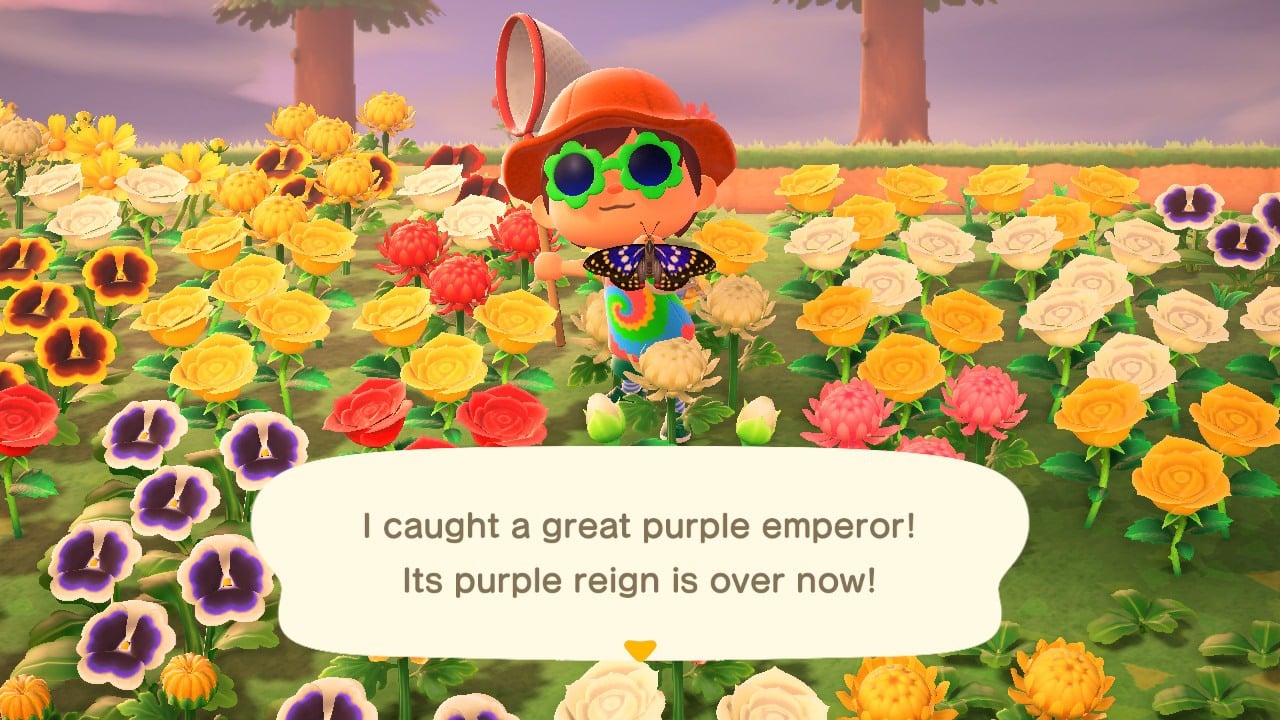
With the release of Animal Crossing for the Nintendo Switch, we have seen a large influx of videos related to the game flooding social media platforms. Nintendo categorizes Animal Crossing as a life simulation game. This genre of video games can best be described as games where the player is in charge of controlling an avatar and dictating the choices it makes in its life. This GKIS Sensible Guide delves into the details of the game to provide you with the information you need to decide if this menagerie of cute animals is right for your kids.
How long has Animal Crossing been around, and how popular is it?
The first iteration of Animal Crossing that was released in North America was introduced in 2001 for the Nintendo GameCube. The game met with critical acclaim and subsequent installments were made. The current installment is titled Animal Crossing: New Horizons and was released in March 2020 for the Nintendo Switch. New Horizons has been well received; it has already become the fastest-selling installment of the franchise. It sold five million digital copies in the month of March, breaking the record for most copies of a console game sold in a single month.[1]
Getting Started on Animal Crossing
Since Animal Crossing: New Horizons is exclusive to the Nintendo Switch, it must either be bought as a physical copy from a retailer or bought on the Nintendo eShop. Once the game has been purchased, start playing! Animal Crossing is rated PEGI-3, which means for players that are 3 years and older. However, Common Sense Media reviews from parents say it’s best for ages 8 years and older and the child reviews say for 6 years and older. Per the guidelines from Dr. Bennett’s book, Screen Time in the Mean Time, parents are the best judge of when their child is ready. As always, it’s prudent to research and play the game first to make your best-informed decision. Today’s GKIS Sensible Guide will help you in that department!
Features of Animal Crossing
Single-Player Mode
The player is taken to a deserted island where he must camp with 2 other campers. The player must then have a house built and build other structures around the island in order to entice other villagers to move in.
While there is no real set goal in the game, the player can decide what he/she wishes to accomplish.
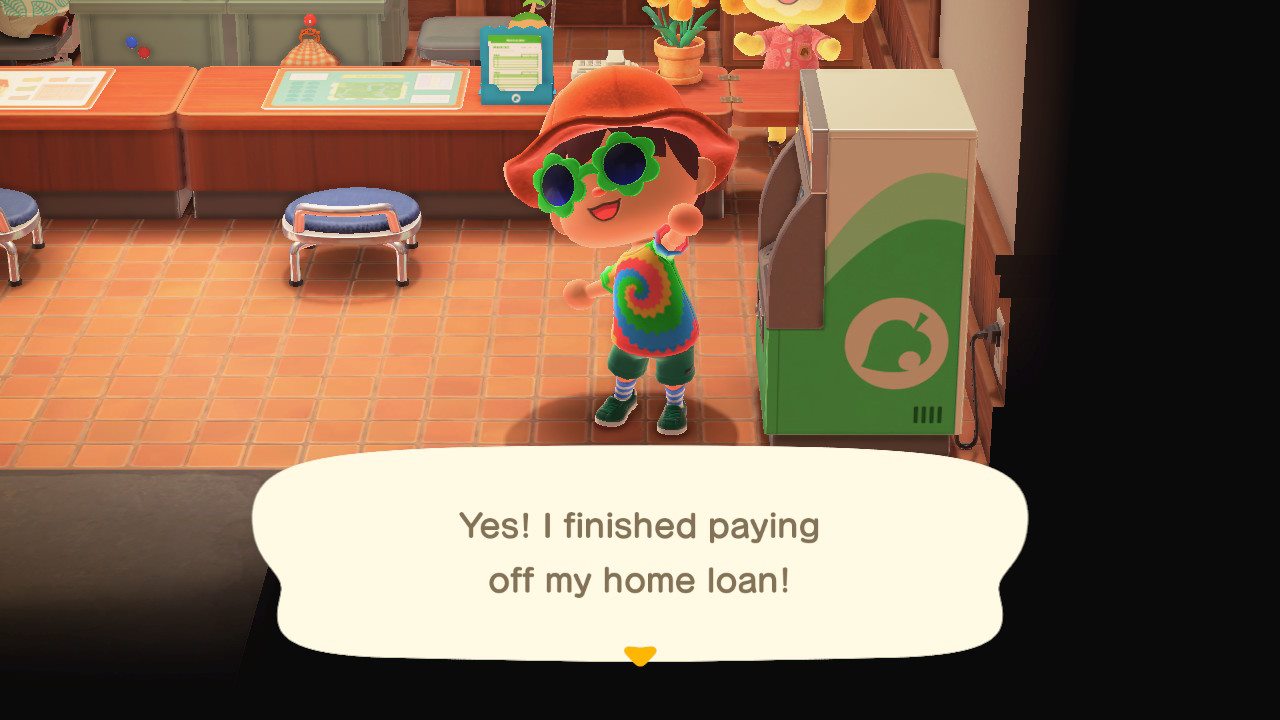
In order to expand the player’s house and other buildings around the island, the player must put himself in debt to a racoon named Tom Nook that oversees the construction projects. One could say he is the villain of the game.
In order to pay off their crippling debt, players can find many ways to make money such as:
Catch fish to sell.
Catch bugs to sell.
Plant fruit trees and then sell the fruit.
Dig up fossils
Run errands for islanders
Multiplayer Mode
While there is no dedicated multiplayer mode, there are ways to play with your friends in Animal Crossing. This involves either inviting friends to visit your island or venturing out to their island.
To visit another player’s island, you must have added them to your friends list. This is done by inputting a unique 12-digit friend code. This means that you won’t have random strangers visiting your island.
Once you’re visiting a friend, you can explore and meet the islanders that inhabit the island.
You can visit their shops, museum, house and anything else the island has to offer.
Players can then do all the activities that they enjoy on their island with the company of their friend.
The Benefits of Animal Crossing
The benefits of Animal Crossing are plenty. It teaches kids how to manage money, as they have to pay off their debt and, at the same time, buy new things to wear, furnish their house, or send as gifts. Animal Crossing also allows players to display their creativity, as there are countless ways players can customize the interior of their house and the island itself. Another benefit of Animal Crossing is that it helps kids foster healthy friendships, as they must live in harmony with the other villagers on their island to keep them from moving away.
The Risks of Animal Crossing
Animal Crossing has relatively low risks. There are no real instances of violence in the game, unless being attacked by a swarm of wasps counts as one. Nintendo has also made it so it is very difficult to interact with strangers through the game, though the workaround is to post your friend code on social media or message boards and have strangers add you through that. The chances of a kid having inappropriate interaction with a stranger are much lower than in other games. The greatest risk of Animal Crossing comes from how enthralling the game can become, and, in turn, causing kids to spend extended amounts of time playing. This can begin to cut into a kid’s study time and real-life social interactions.
GetKidsInternetSafe rates Animal Crossing as a green-light app due to the low risks and moderate benefits it provides.
Thanks to CSUCI intern, Jess Sherchan for researching island-dwelling animals and co-authoring this article. If you would like to learn how to develop a stronger bond with your kids through gaming, please check out the GKIS article on co-playing!
I’m the mom psychologist who will help you GetKidsInternetSafe.