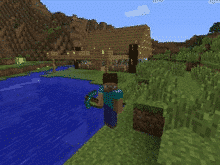
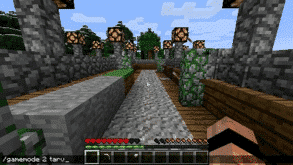
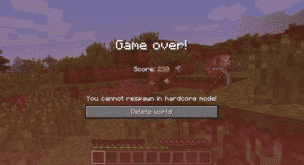
With social media and public servers for games, your child is likely to come across many different types of people. Just like in real life (IRL), they may come to be great friends. There is concern—and for good reason—if this is safe. A “catfish” is a term commonly used in popular culture to refer to someone who presents themself online to be someone or something that they are not. In our GKIS article “What You Need to Know About Online Catfishing,” we covered information about the rise of the term catfish, the psychology behind it, and certain red flags. In this article, we will cover how to best recognize catfishing and how your child can more safely meet an online friend once you, as the parent or guardian, have determined it is safe.
The Benefits of Making Friends Online
The internet displays a diverse range of people from many different cultures, ethnicities, identities, and lifestyles. Exposure to people different than themselves can be a great learning opportunity and help your child develop empathy and a greater perspective of the world. Dr. Tracy Bennett, Screen Safety Expert and Founder of GetKidsInternetSafe offers weekly parent and family coaching to help parents optimize the benefits of screen tech while minimizing risk. To learn more about her coaching videos, check out the GetKidsInternetSafe App. Sign up now and the first 30 days are free!
For kids who may be of a marginalized community themselves, like those who identify as LGBTQ+ for example, online contacts can be a lifesaver. Not only can kids have fun with their online friends who share similar interests and values, these friendships may also provide a sense of understanding, bonding, and representation.
In a 2014 study by Van Zalk and colleagues, shy adolescent participants who had online friends reported fewer depressive symptoms than those who were friendless.[1] Also, they found that having online friends didn’t distract the subjects from making IRL friends. Instead, online friends improved real-life friendships. This suggests that online friendships may boost self-esteem and social skills, so kids gain the confidence to seek friends offline too.
Making friends online may also be easier and more realistic for some kids, especially if they have trouble approaching new peers in real life. Further, if your child feels outcasted, they might search for an online community with or without your permission. So, preparing your child for safer online exploration may be your best option.
My Catfish Story
I’m a 23-year-old CSUCI intern for Dr. Bennett. In 2013, I joined an online friend group from a public Minecraft server. We would regularly participate in Skype group calls to play. All of us except one person—who I will call Sam—would regularly show our faces on video camera. Because we often saw each other, we felt we knew each other. But Sam refused to show himself on camera. Instead, he led us to believe that he was who he said he was by occasionally updating his profile picture.
Sam was really handsome and he eventually started dating one of the girls in our friend group. They tried meeting a few times, but something always came up where Sam had to cancel. We were in awe of his skills in the game and he gave us some assurance by going on camera although it was in a dark room.
Over a year into our friendship, Sam accidentally let the camera slip to reveal his face. Although it was a relief to see that we were, in fact, talking to someone our age, we were unsettled that the photos he was using were not him. Imagine the ways Sam could have been dangerous for us in slightly different circumstances.
How to Prevent Being a Victim of Catfishing
Verify Identity Through Social Media History
It is rare for a person to not have a digital footprint these days. However, with kids – they are often new users. If your child’s new friend does have social media, be suspicious if all their profiles are new.
Red flags for catfishing on Instagram might be if the person’s photos were all posted recently, if they are not tagged in any photos, or if the photos they are tagged in are from new accounts or accounts with under 30 followers.
To determine if a Snapchat account is new, look at the person’s Snap Score. A Snap Score is a feature shown on a Snapchat friend’s profile that displays the amount of live Snapchats the friend has received and sent. A Snap Score lower than 100 could indicate that the online friend recently created their account.
Other Snapchat Tricks
Snapchat offers a few features in addition to video calling. For example, you can send pictures and videos that have just been taken. One way to game this exchange is for the catfish to use their phone to take live pictures of preexisting pictures from another device.
A good way to challenge this deceptive catfish trick is to insist that the online friend send a personalized video that mentions your child’s name or a specific activity of your choosing. A few years ago, sending a selfie holding a sign with a name would have been satisfactory. But now with easily accessible editing software, written messages on paper or signs can be altered.
Opt for Video Chatting
Live video chatting can take place in many different forms through platforms like FaceTime, Skype, Facebook, or Zoom. We at GKIS especially like Facebook’s Messenger Kids. Dr. B is on Facebook’s Youth Advisory Team and has enjoyed having a part in its development from the beginning! She says she loves Messenger Kids because it doesn’t expose kids to ads and is the walled garden with parent transparency we’ve all been hoping for. Live interaction between two people makes it difficult to catfish. Even if the person tries to recycle prerecorded media in an attempt to appear live, it won’t look authentic because live chat conversation typically requires personal response.
Meet in Public
Unfortunately, there is no way to be 100% certain until you meet the friend in person. With deep fake technology, even personalized messages can be created.
If you’ve vetted your child’s friends online and you feel it is time for them to meet, meeting in public with your supervision is a good first option.
Meet their Parent(s)
Meeting the friend’s family can also help develop confidence in supporting your child’s new friendship. That way future plans can be run through the parents first.
Have Fun
Most importantly, have fun! Your child may have been waiting for months to meet their friend and now they finally can. You can also take comfort in the fact that you helped your child bring their newfound virtual friendship into real life.
Social Media Readiness Course
As kids get older, they must demonstrate knowledge, capability, and resilience to gain independence. We recommend our GKIS Social Media Readiness Course to help improve your tween’s or teen’s online experience by teaching the potential risks on social media and providing them with emotional wellness tools. As your teen works through the course, there are mastery quizzes at the end of each module so you can take track their knowledge-build course.
Thanks to CSUCI intern, Avery Flower for researching the pros and cons of creating friends online and co-authoring this article.
I’m the mom psychologist who will help you GetKidsInternetSafe.
Onward to More Awesome Parenting,
Tracy S. Bennett, Ph.D.
Mom, Clinical Psychologist, CSUCI Adjunct Faculty
[2]Van Zalk, M. H. W., Van Zalk, N., Kerr, M., & Stattin, H. (2014). Influences between online‐exclusive, conjoint and offline‐exclusive friendship networks: The moderating role of shyness. European Journal of Personality, 28(2), 134–146. https://doi-org.summit.csuci.edu/10.1002/per.1895
A 33-year-old army veteran named Ronnie McNutt gruesomely killed himself in a Facebook Live video on August 31, 2020.[1] Soon after, memes and jump cuts to his suicide were floating around social media sites like TikTok, Twitter, and Instagram. From there, reaction videos between friends and siblings began trending. Unfortunately, this is not the first time an online suicide began trending and turned into a meme. This subculture of macabre shock humor not only desensitizes kids to violence, but it can also cause copycat behaviors and serious trauma symptoms.
How Kids Fall Victim to Traumatizing Shock Humor
The extremely popular TikTok has a customized feed called the “For You” page. The For You page shares trending videos that may be relevant to the user’s view history with a few random videos added in for variety. This is the reason disturbing videos may appear out of nowhere on a user’s page.
Users often save and forward the most gruesome content to their friends on a variety of social media platforms. That means that, despite being reported and removed by moderators, the images and videos live on and on. Users even troll each other by hiding a gruesome clip in the middle of a seemingly unrelated video for the GOTCHA effect. Whether your kids are on YouTube, TikTok, Instagram, Snapchat, or Facebook, they may have a difficult time avoiding gruesome content.
Why do kids troll with gruesome videos?
Reaction Formation
Kids are particularly susceptible to videos that make them feel interested, curious, and shocked. The more shocking the video, the more social cred kids get which helps them fit in, gain popularity, and seem cool and edgy.
Because processing this type of content is horrifying, kids often morph their uncomfortable feelings into humor as a way of coping. The father of psychology, Sigmund Freud, called the tendency for people to have an opposite emotional reaction than expected, reaction formation.
Modeling
Modeling is defined in psychology as a type of learning that results from watching behavior and replicating it. Kids are particularly wired for learning through modeling because it helps them grasp useful life strategies such as social cues and dealing with emotions. Seeing peers laughing at these videos or attempting to make funny reactions, makes this type of behavior seem okay and leads them to abandon their initial reaction of revulsion. As a result, the cycle of sharing gruesome videos is repeated.
An example of this is seen in a popular response video created by Jorobe on TikTok. This video highlights a clip between a girl sharing the McNutt video with another girl. The victim gets wide-eyed, leans away from the phone, looks at the camera and then back at the girl who is showing the video, lets out a nervous chuckle, then covers her face. Her raw response shows shock, revulsion, and an uncomfortable attempt to process what she has seen. As she struggles to make sense of her distress, the other girl laughs. She then laughs in response. The transformation from revulsion to humor is, all by itself, the joke.
Most adults tend to be upset at this kind of “gotcha” humor, but kids tend to love it. Without life experience, they do not yet have the empathy skills to pull back before somebody gets hurt. Kids simply get carried away. Powerful and even stressful emotions can release the neurotransmitter, dopamine, which can be interpreted as pleasurable to immature brains.
Viewing Violence Can Cause Psychological Stress: The Impacts on the Mind and Body
Some videos may cause extreme stress and may even be traumatizing for children. In an article published in 2017 by McFadden, it is noted that the brain areas that play a role in complex thought and emotion—the prefrontal cortex and amygdala—are affected by stress. When we are exposed to a threat, our amygdala (commonly called the smoke detector in our brain) determines whether we need to go in crisis mode or problem-solving mode. If we go in crisis mode, the signal is directed to our brain stem so we can fight, flee, freeze, or fold. If we go into problem-solving mode, the signal is directed to our prefrontal cortex to calmly work the problem out.
McFadden found that, with prolonged stress, the brain cells in the prefrontal cortex will begin to deteriorate, while the amygdala will begin to strengthen. This impact then affects other parts of the brain—and therefore, one’s headspace—like a domino effect.[2]
If a person is exposed to traumatic or threatening material often, the crisis pathway overdevelops and the subject panics too easily. They can also lose their problem-solving abilities when stressed.
Further, trauma memories encode in the brain differently than factual memories. Unlike factual memories where we can retrieve the information at will, trauma memories may intrusively come back into our awareness uninvited. In extreme cases, these memories can be very upsetting – like a flashback of the originally traumatizing event. Psychologists recognize these behaviors as symptoms of post-traumatic stress disorder (PTSD). PTSD is characterized by serious sleep problems, social isolation, anxiety, and mood disorders.
Desensitization
Desensitization in psychology is explained as a decline in emotional response due to repeated exposure.[3] This could be from something as simple as a joke becoming less and less funny when it is heard many times to something as serious as becoming more and more emotionally numb towards upsetting events. For example, psychological research has demonstrated that violent video games can desensitize children to violence due to frequent exposure to battery, weapons, blood, and death or murder. Similarly, exposure to videos of real-life gore and violence can cause desensitization and lack of empathy.
How to Protect Your Child
When shock videos are trending, it’s best to stay off social media apps until the trend dies down. For young children, your best resource for blocking, filtering, and management is the GKIS Screen Safety Toolkit. With this resource guide, we offer links to the best parental controls, safety centers, and third-party tools and apps to help you protect your family.
For school-age kids, tech tools are simply not enough. GKIS also offers a free digital contract called our Family Agreement. With this powerful tool, you can set rules and regulations, teach important problem-solving skills, and discuss family values. An informed sensible parent-child alliance pays off for years to come. Our Connected Family Course complements the agreement with 10 steps for best-learning and safety.
Finally, we created a tool for tweens and teens that encourages more independence and accountability: our GKIS Social Media Readiness Course. Like driver’s training but for the internet, this course offers 10 lessons for your kid to work through with matching mastery quizzes at the end of each lesson. Not only does this course teach the risks of digital injury and how to avoid it, but it also offers Dr. Tracy Bennett’s hand-picked, outcome-based psychology wellness tools to help with resilience and mental health. We cannot keep them away from screens entirely, so it’s important that we offer them tools to avoid trauma.
Thanks to CSUCI intern, Avery Flower for researching how traumatic videos can affect childhood development and co-authoring this article.
I’m the mom psychologist who will help you GetKidsInternetSafe.
Onward to More Awesome Parenting,
Tracy S. Bennett, Ph.D.
Mom, Clinical Psychologist, CSUCI Adjunct Faculty
[3] Krahé, B., Möller, I., Huesmann, L. R., Kirwil, L., Felber, J., & Berger, A. (2011). Desensitization to media violence: Links with habitual media violence exposure, aggressive cognitions, and aggressive behavior. Journal of Personality and Social Psychology, 100(4), 630–646. https://doi-org.summit.csuci.edu/10.1037/a0021711
If you’re on social media, you’ve come across internet trolls. They’re on every social media platform, including Facebook, Twitter, Instagram, and TikTok. It’s almost impossible to avoid them. Read today’s GKIS article to find out why people troll and how you can minimize your child’s risk of being targeted.
What are internet trolls?
An internet troll is someone who makes intentionally inflammatory, rude, or upsetting statements online to elicit strong emotional responses in viewers or to steer the conversation off-topic. I Popular influencers, like Perez Hilton, have become famous for their trolling. Unfortunately, even your friends and family can act like trolls when they’re fired up about a certain topic. But if a “friend” online regularly shows troll-like behavior, it’s best to steer clear of them or, even better, block them altogether.
Why do people troll?
To feel empowered
There are few consequences
They are immature and think it’s funny
They feel so passionate about their topic they get emotionally triggered
They’re envious and want to take the poster down
They’re in a bad mood ii
They are feeling incited by other trolls ii
They are in a spiral of negativity ii
How to Spot an Internet Troll
Internet trolls are easy to spot once you are aware of certain online behavior patterns.
They don’t show their own face in their profile image. Instead, they typically use a seemingly “funny” photo of a cartoon character, a celebrity photo, or a random image.
Their username is a nickname rather than their real name.
Their education is listed “The School of Hard Knocks” or some other cliché.
They are typically following several accounts but have few to no followers themselves.
They usually have a lot of memes on their profile.
There often have several offensive and controversial posts or interactions with controversial comments.
They usually take extreme political or opinion positions on certain issues and repeatedly focus on them.
They are likely attacking more than one account.
Troll Tactics
Trolls get creative when it comes to targeting their victim. They have come up with several tactics to use when trolling their victims such as refusing to back down on known fallacies, troll telephone, aggressively poor reading comprehension, threats and doxxing, and it wasn’t me. All these tactics have their own ways in which trolling takes place. iv
Demeaning Nicknames
Used to insult and provoke their victim, like “libtard,” “heartbreaker,” and even more personalized attacks like “DanielleSucks.”
Incredulous Questions
Used to insinuate that a person’s post can’t possibly be what they meant and to provoke shame and humiliation (e.g., “Did you really just say you agree with him?”)
Isolating the Victim
Making the victim feel small for pretending to have or creating an “army” of allies.
Theoretical laughter
Used to belittle the victim, for example responding “HAHAHA” or “Wow” or “You’re so dumb I can’t even understand you.” iii
Refusing to Back Down with a Known Fallacy
Also known as “lying about lying”, this strategy is common when trolls are trying to hurt you professionally
Troll Telephone
This means that the troll passes rumors from one troll to the next, so it becomes a repeating cycle.
Aggressively Poor Reading Comprehension
This refers to web the troll claims you wrote/said something you did not and then using “your own words” against you.
Doxxing
Doxxing refers to posting peoples personal information online for the public to see and making their victim feel unsafe. Doxing frequently escalates to direct threatening and cyberstalking.
It Wasn’t Me
If a victim dares to publicize that they are getting trolled, the troll acts shocked and blames the victim for not being able to take a joke or that you asked for it by responding. This is a form of gas lighting.
deleting their browser history or switching windows when you walk in like they’re ashamed
frequently asking for reassurance
thoughts of self-harm
Steps to Defeating Internet Trolls
Understand who is harassing you.
According to write Ragen Chastain, there are three types of troll attackers: The Thinker who often fabricates stories, The Zombie Army whose main goal is to hurt the person they are attacking where it hurts, and the The Zealot who is obsessive about ruining your life by making fake profiles and websites about you just to express their hate for you. Iv
Find outwhy they are harassing you.
Often times this is not evident. It may be as simple as a teenager who has too much time. Trolls are made, not born into being a troll ii.
Question yourself if the engagement is adding anything positive to your life.
Try these tactics to remove yourself from the fight.
Bore them into disengagement by ignoring them.
Simply type, “I don’t feed trolls.”
Mute/Block/or Blacklist them.
Put your account on private. V
Why is trolling potentially harmful to kids?
Kids are especially vulnerable to trolling due to lack of experience and immature social skills. One unexpected or shocking negative comment online can have a damaging impact and has been demonstrated to contribute to clinically impairments like depression, anxiety, and insomnia. Once when I was younger, peers posted cruel comments on my Facebook profile body shaming me and calling me fat and gross. That post changed the way I viewed myself in ways I still struggle with today at the age of 22.
What to do if Your Child is Being Trolled
Suggest a cooling-off period from the forum where the trolling is occurring.
Adopt our free Connected Family Screen Agreement to start important safety discussions where your kids learn from you and you learn from them. A strong parent-child alliance is your best defense against bad actors online.
Set parental controls and adopt smart tech tools, like those offered in our Screen Safety Tool Kit. With this tool kit you will gain the knowledge to set up screen monitoring so that way if your child is experiencing trolls and not telling you, you will be able to be notify yourself. Also setting up parental controls with the help of this tool kit will also be valuable because it will allow you to give your child a safer internet experience. You can get this valuable tool kit for $37 off the GKIS website.
Set up your home and adopt rules for smart and safe screen use using our family tested blueprint in our Connected Family Course. This 10-step course offers new and creative ways to get your household screen safe. It takes less than 2 hours!
We have all seen how trolls harm confidence and stop cooperative dialogue online. It’s tough enough for adults to cope with, but for kids it can be really painful. Check out our Screen Safety Toolkit to improve your family’s online safety. A special thank you to Danielle Rivera for researching and co-writing this article.
Fun trends on the YouTube Explore page attract audience attention and vet the best online content and influencers. To build child resilience and teach problem-solving and good judgment, we at GKIS encourage parents to carve out the time to share online interests and co-view YouTube channels with their kids. To help you get started (or continue) having fun online as a family, we’ve found some fun trends and creators that may be a great source of inspiration for developing new interests and hobbies. Having fun together and building digital fluency and an awareness of what’s hot and what’s not will help you build credibility with your kids. Even better, they will start to teach you about what’s out there, and, ultimately, work with you to make difficult online decisions. Our goal isn’t to shut your kids off from online discovery. Instead, we believe in family togetherness, online learning and discovery, and building child resiliency and safety – and having fun while you’re at it!
**CAUTION: GKIS has chosen these creators because of their family-friendly content and the variety of communities that they represent. Although we are excited to share these amazing creators, please keep in mind that some of them are more suitable for older teenagers due to their language and the nature of their content. Further, many of these creators have hours of videos that we did not sample. Please watch and decide for yourself the appropriateness of each channel for your unique child.
Mukbangs
A kind of video trend that has been popular in recent years has been Mukbang videos. Mukbangs, a trend originally popularized in South Korea, are videos where people eat large quantities of food while interacting with their audience [1].
These kinds of videos are popular with young people because they can be enjoyed as entertainment, to satisfy cravings, or to enjoy the creator’s style, humor, and personality.
We recommend you check out YouTuber Zach Choi. Zach, with almost 8 million subscribers, takes his viewers through his process of preparing for his mukbangs, consuming the food, and collaborates with other popular YouTube creators, both in and out of the Mukbang community.
In his videos, Zach silently eats large amounts of food with occasional captions that describe the foods or promotes the creators he features on his channel. Zach will often do a combination of a mukbang and an ASMR video. ASMR, or autonomous sensory meridian response, videos are videos that utilize audio and visuals in order to produce a tingling sensation that moves down the back and upper spine [2]. There are only certain people that get this “ASMR feeling”, and for them, videos like these can be very enjoyable to watch. Zach doesn’t seem to use inappropriate language, as he does not speak in his videos, or do sponsored content.
Technology Reviews
In the world of technology, YouTuber Marques Brownlee has made a name for himself with his thorough and unbiased technology reviews.
Marques is a creator who often trends on the YouTube Explore page and has over 10 million subscribers. For people interested in technology, watching Marques can be a good way to learn about the various features that go into different devices or simply get a professional opinion on what electronics to consider buying.
While Marques reviews technology, he does not promote buying the most recent devices or show bias towards certain brands. He simply reviews the newest technology on the market and gives his opinion on its features and performance.
For teens going into high school or college who need new devices for their academics, interested in creating content, or interested in studying technology, this is a great creator to watch. Marques very rarely does sponsored content and does not seem to use inappropriate language.
Food
In the food community, the brand Bon Appetit has created a popular platform on YouTube with a variety of series, all based on cooking.
Chefs from Bon Appetit post videos from their company test kitchen showing how to cook recipes from many different cuisines. What makes Bon Appetit different from your average Food Network cooking video are the chefs. While Bon Appetit’s crew of chefs provide detailed instructions on their recipes, they do so in a fun, humorous manner, letting their personalities naturally shine through and interacting with their fellow chefs in the test kitchen. This makes for some entertaining videos that have gained the attention of many young followers.
With fun and detailed videos, Bon Appetit has inspired this new generation to think twice about dining out and instead try something new in the kitchen. Two very popular series to check out are Gourmet Makes by chef Claire Saffitz and It’s Alive by chef Brad Leone. Bon Appetit does not seem to do sponsored content. This channel is recommended for an older audience, as some videos may contain explicit language.
Music
For people interested in music, the National Public Radio created a popular YouTube series called Tiny Desk Concert, dedicated to live performances from some of the most talented artists.
This YouTube series, which is on the NPR Music YouTube channel, posts new performances every month, with artists from varying genres and languages. These concerts differ from live performances, as they are played live with no prerecorded tracks or lip-syncing. Artists sing their songs live with either a band or by themselves with their preferred instrument in a small space that resembles an office desk, hence the name “Tiny Desk”, with a small studio audience.
This channel is great for young fans and music enthusiasts because it allows you to discover new artists every month, plus you can see your favorite artists perform their songs in new styles and see the different instruments and vocals it takes to best perform their music. NPR is careful with putting disclaimers in their videos for the artists that use explicit language, either in their songs or when speaking. This series does not do sponsorships, as they rely on donations from the public to keep the series going.
Charity
If you want to watch videos while contributing to a charitable cause, check out the YouTube channel Grandpa Kitchen.
This channel, with over 7 million subscribers, is a cooking channel created by a family in India to raise money for the local orphanage that they work for. The videos posted by this channel originally starred an older Indian gentleman lovingly referred to as “Grandpa” by subscribers. Grandpa would greet his subscribers and explain the meal he would be preparing for the orphans that day.
Grandpa cooked large quantities of food for all the orphans at his organization with the help of his grandsons. After Grandpa passed away, his grandsons took over the channel in order to continue the good work Grandpa started. Many families and fans from around the world have shared their support after Grandpa’s passing, and you can truly see how fans young and old were able to bond over watching Grandpa every week.
Although Grandpa is no longer with us, his grandsons continue to create videos with a similar format to Grandpa’s videos and continue to use the money earned from the channel to support the orphans with food, supplies, etc. These videos are in English, and the creators do not do sponsored content or use inappropriate language.
Discover Together
As we share these creators and communities, we encourage you and your children to discover new favorite communities and content to inspire you to create and discover beyond the screen. There are family-friendly creators in every community waiting to be discovered, all it takes is some time and patience.
Thanks to Alexandra Rosas-Ruiz for her research and help with writing this article. If you have questions about what your child is interested in on YouTube, try coaching sessions with Dr. B. These sessions, also offered online, can answer any specific questions on online safety and parenting in general. Sign up and receive special bonus products with your purchase.
I’m the mom psychologist who will help you GetKidsInternetSafe.
Full disclosure, when Facebook’s Messenger Kids (MK) first came out in 2017, I was skeptical. As a GKIS screen safety expert, I published an article accusing Facebook of branding our kids and introducing them to the world of social media too young. Soon after, Facebook’s Head of Global Safety contacted me to let me in on some things I hadn’t thought about. She said that they’d done the research and found that kids were already using their parents’ messaging apps whether we liked it or not. To increase safety and offer parent management and kid-friendly features, they decided to trial Messenger Kids. They also offered me a volunteer spot on their Youth Advisory Committee for ongoing input. Since I joined in 2017, I’ve enjoyed a monthly collaborative call with about 25 other child development experts from over the world. Messenger Kids has benefitted from some of the most respected experts in the business, including Sesame Street, The Fred Rogers Institute, and the Yale Center for Emotional Intelligence, among many others. Do you want a safe way for your child to message and video chat with friends and family? This GKIS Sensible Guide offers you the information you need to make a competent decision about whether Messenger Kids makes sense for your family.
What is Messenger Kids?
Messenger Kids is a video conferencing app for kids that was released by Facebook in 2017. It was created as a safe alternative to Facebook’s Instant Message.
How old is old enough for adoption?
Messenger Kids is designed for kids ages 6 to 12 as a safe, parent-managed way for children to video chat and message with friends and family.
After downloading the app, you will be prompted to complete the following:
Log into your Facebook account
Once logged in, you will be prompted to enter your child’s name and their birth date.
After the account is created, you will be shown a list of other Messenger Kids accounts, as well as Facebook accounts to add to your child’s friend list.
Add a second parent or guardian who would be able to manage the account as well.
Set a code that your child can give out to their friends which would request your permission to be a contact.
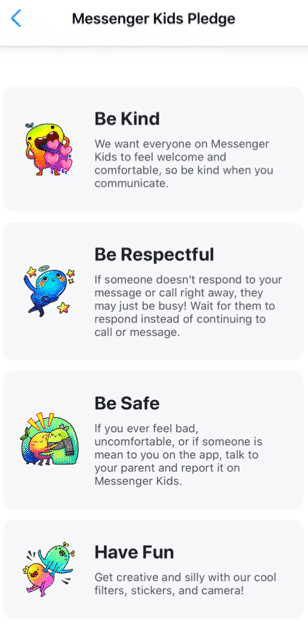
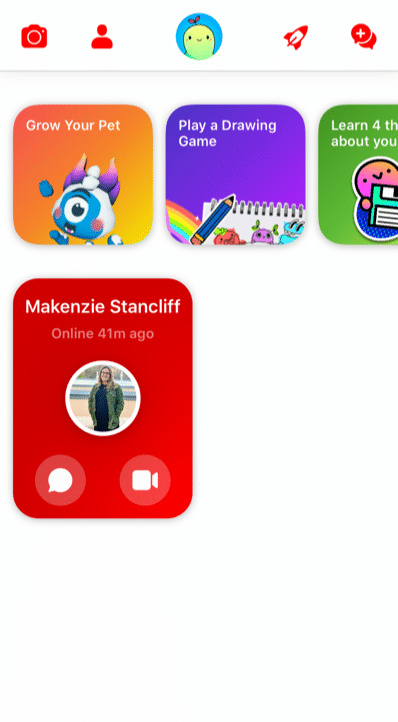
After you have completed all the above steps, your child will be prompted to add a photo of themselves, set a color to decorate the app, and complete “missions” to get to know the functions of the app. Your child will be prompted to read the Messenger Kids Pledge to be kind, be respectful, be safe, and have fun.[i]
What are the main features?
A parent dashboard that displays your child’s activities, contacts, and controls
Provide education to the child about new control features
Blocking a user allows the user to remain in the contact list, but the child will not be able to have individual conversations with that user
The child can use photo filters to send images to their contacts and to video chat
There are several “missions” the child can complete
Grow a pet
Play a drawing game
Learn 4 things about your information
Add a friend
Take a funny photo
Create a group
The Parent Dashboard
Because Facebook gets feedback from kids, parents, and child development experts, Messenger Kids is always changing for the better. For example, the updated parent dashboard is where you can see all of your child’s latest activities, contacts, and controls at a glance in one place. It also shows you
who and what content your child has reported or blocked and why,
a list of recent chats and calls (including how frequently your child is chatting/calling and with whom),
an image gallery of all the images and videos exchanged by your child and their contacts (including whether exchanged in a group).
User Education for Kids
Facebook has also thought through Kids’ digital literacy and privacy needs by notifying child users of the new parental control features in a Data Transparency Flow. Kids are prompted to go through this education with a push notification. It’s also available in the “mission” section of the app for kids. New users engage with this education during the registration process. They’ll get important basic information about how their personal data is used and shared when they use Messenger Kids – a great first step to cyber awareness and privacy issues in general.
Because child friendships need a healthy pause here and there, Facebook has also made blocking easier to use and less permanent. Before, if a child blocked someone, they were automatically removed as a contact. Now when a kid blocks someone, they won’t be able to communicate in a 1:1 chat, but they’ll remain contacts and still be able to be in group chats together. This allows kids to leave or stop individual interactions they no longer want while not having to leave group environments they may share with that contact. The child is always warned when they return to or start a group chat that contains a blocked contact that they have the option to continue to the chat, leave the group, or cancel joining the chat.
What are the privacy and safety options?
There is no minimum age of use outlined in the apps privacy policy. Facebook has a detailed list of what features they collect while using the app on their privacy policy. Here are a few of the features collected while using the app:
Facebook has recently added more controls. In the controls tab, you can see which device your child is logged into on MK, when your child last used MK on those devices and enables you to log your child out of selected devices. Parents also have the ability to remove and report any of these images and videos from the same Dashboard (doing so will remove that content from the child’s thread and notify them that you removed it).
As long as parents stay on top of who’s being friended and the information that is being exchanged, there are few risks associated with using Messenger Kids. The parent has the ability to control what the child can and cannot do as well as who they contact. Parents can also see what has been shared (and deleted).
However, any messaging app has its risks, especially when kids are involved. Here are a few we at GKIS thought you may want to consider
Your child and their friends may post inappropriately or impulsively
Cyberbullying between known contacts, like exclusion.
Too much access to friends and screens (of course, parents can schedule the use and use the sleep feature).
Your child is exposed to the Facebook brand, just as they are other popular American brands like Coca-Cola, Harley Davidson, and Budweiser.
Because parents have so much management opportunity and kids love the socializing, GetKidsInternetSafe rates Messenger Kids as a green-light app. We also love that Messenger Kids offers educational information that helps kids make better decisions with friends onscreen.
Thank you to CSUCI intern Makenzie Stancliff for co-authoring this article. For more information on keeping your child safe on social media, check out the Get Kids Internet Safe Screen Safety Toolkit. Be sure to add Messenger Kids on to the free GKIS Connected Family Agreement as “appropriate.”
I’m the mom psychologist who will help you GetKidsInternetSafe.
[i] Introducing Messenger Kids, a New App For Families to Connect. (2019, November 7). Retrieved from https://about.fb.com/news/2017/12/introducing-messenger-kids-a-new-app-for-families-to-connect/
[ii] (n.d.). Retrieved from https://www.facebook.com/legal/messengerkids/privacypolicy?version=2020
Minecraft is a virtual 3D game that allows users to create unlimited worlds using online building blocks while unlocking resources along the way. From cities to rollercoasters, the possibilities are nearly endless. We at GKIS are big fans of Minecraft because it fosters creativity, problem-solving, new skill development, and socialization opportunities. But like any online tool, there are also associated risks. This GKIS Sensible Guide provides information that parents need to optimize Minecraft’s benefits while keeping your children safe.
How long has Minecraft been around and how popular is it?
Minecraft was created in 2011 by Swedish game developer Markus Persson and purchased by Microsoft in 2014. Nearly 176 million copies were sold by late 2019. In 2019, Minecraft has over 112 million players every month and can be played on various platforms including smartphones, tablets, Xbox, and other gaming stations. It has evolved to include more elements and has a series of spin-off g
ames with different themes. Users also post Let’s Play videos YouTube to show how they build their worlds and different ways to create items.
Getting Started on Minecraft
According to Minecraft’s Terms of Service, “If you are young and you are having trouble understanding these terms and conditions, please ask a responsible adult such as your parent or guardian.” Minecraft also insists that children under age 13 have their parents download and register for an account. However, children can easily change their age before signing up to go around that rule.
Minecraft varies in price depending on the type of platform. Signing up for an account is simple. Just create an account with a unique username and email address. Users are given one profile by default but have the option to make multiple profiles.
Features of Minecraft
Minecraft allows users to collect resources and build their own worlds. Users can dig, build, and enchant items to transform their world into whatever they want. Users can also select different game modes, each with unique challenges and features.
Survival Mode
One of the main game modes
Players must collect resources, build structures, battle mobs, find food.
The goal is to survive and thrive.
Creative Mode
Players are able to build with an unlimited number of blocks.
Players are given all the items needed to build.
Mobs still exist, but there is no threat to survival.
Players are able to fly around the world.
Adventure Mode
Players use maps to navigate the world.
Depending on the device played on, blocks can either be destroyed or placed.
Hunger and dying is possible.
Spectator Mode
Users have the ability to fly around and observe the worlds without interacting with it
Players are invisible and can move through blocks and buildings.
Hardcore Mode
Available only on the online version.
The world is locked to hard difficulty and the player cannot respawn after they die.
Only specific worlds enable hardcore mode and not individual players.
Minecraft has two different play modes, single-player and multiplayer. In single-player mode, a user only interacts with their own character and their own world. In multiplayer, users can join any game with any player, friends or strangers. Parents have the ability to sign their child up for a family-friendly multiplayer mode that is supervised and has restrictions on the chats and interactions.
The Benefits of Minecraft
Minecraft allows players to use their imagination and create what they desire. Users develop problem-solving skills while they are creating their world. Minecraft also helps users develop computer literacy skills, teamwork, and collaboration. For example, while in multiplayer mode, players are able to communicate and work together to build their worlds. Mathematics and spacial skills are also developed while playing the game. For example, it takes six planks to build one door. If players have 60 planks, they can calculate how many doors they are able to build.
Parents have the ability to limit their child to only single-player mode or a family-friendly version of multiplayer. There are several Minecraft servers that have been designed for children in mind. They are designed with a code of conduct and have full moderation. Parents are able to sign their children on to a family-friendly server where they will be safe from interacting with strangers in a negative way.
The Risks of Minecraft
There are relatively few risks for children playing Minecraft. With the exception of playing too often, for too long, or getting frustrated with gameplay, single-player mode is relatively safe because kids can be restricted from interacting with players they don’t know. However, violence can be easily found in the game. For example, there are multiple ways to kill users, mobs, or animals, such as:
setting another player on fire using lava or a torch
hanging an animal or another player
using canons and bombs
using sand to trap and suffocate mobs
using a zombie as a weapon to kill a villager
shooting with a gun or stabbing with a sword
There is also a chance for cyberbullying in multiplayer mode. It is not uncommon to come across a user who is intentionally irritating and harassing other users. They often use parts of the game in unintended ways. For example, they may curse, cheat, and kill without reason. Cyberbullying also includes players who deliberately kick players off the server and anger others for their own enjoyment.
Multiplayer mode carries the risk of children chatting with strangers. For example, in 2017 a Minecraft user was jailed for meeting two children on Minecraft and persuading them to carry out sexual acts. [i]
There is a potential for users to track down your IP address from playing Minecraft. An IP address is n unique number for an internet network. The IP address provides the location of where your network is coming from. If users are able to hack into the server, they can find another player’s IP address. This can lead the user to the location of the player within a couple of miles.
If your child wants to play Minecraft, GKIS recommends that you:
Add it to your free GKIS Connected Family Agreement (If you haven’t downloaded it yet, enter your name and email on our GetKidsInternetSafe home page and it will be emailed immediately)
Discuss the risks of chatting with strangers with your child. For ideas about how to do this, check out our GKIS Connected Family Course.
GetKidsInternetSafe rates Minecraft as a green-light app due to the safety of the game and the benefits it can have on children’s development. Dr. Bennett has found that her kids and the kids in her practice love Minecraft when they are young and even return to it as teens! They tell her they appreciate the simplicity of it and especially love the relatively stress-free atmosphere with no in-game purchase requirements.
Thank you to CSUCI intern Makenzie Stancliff for writing this article. If you love to encourage creativity with your kids, you won’t want to miss the Makerspace ideas in our Connected Family Course.
I’m the mom psychologist who will help you GetKidsInternetSafe.








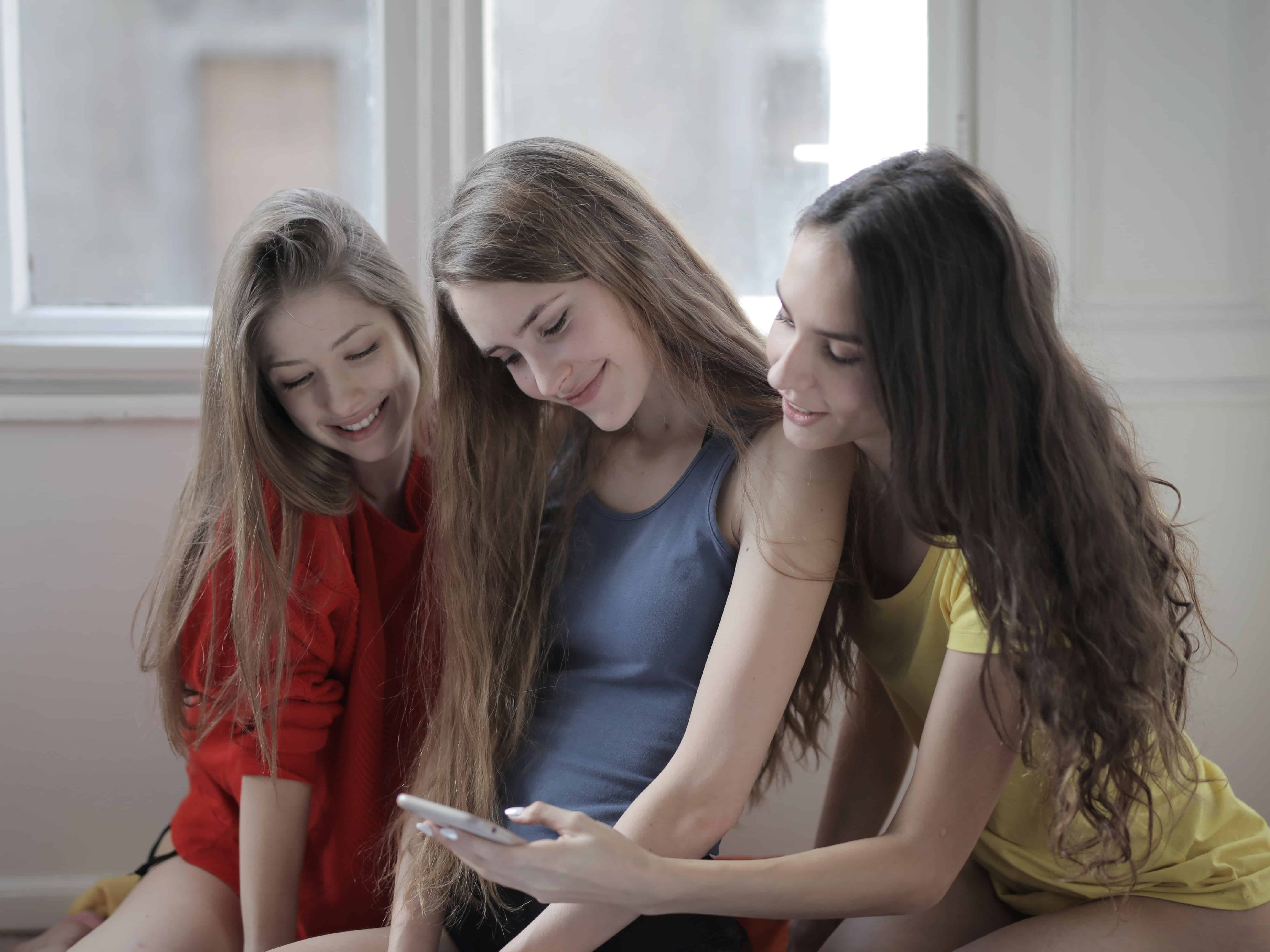 An example of this is seen in a popular response video created by Jorobe on TikTok. This video highlights a clip between a girl sharing the McNutt video with another girl. The victim gets wide-eyed, leans away from the phone, looks at the camera and then back at the girl who is showing the video, lets out a nervous chuckle, then covers her face. Her raw response shows shock, revulsion, and an uncomfortable attempt to process what she has seen. As she struggles to make sense of her distress, the other girl laughs. She then laughs in response. The transformation from revulsion to humor is, all by itself, the joke.