It seems everybody is on their screens all of the time. Whether you’re working on your computer or your kids are texting and walking back from school, screen use can take an unexpected toll on your body. Find out about “text neck” and what you can do to avoid damaging and even dangerous distractions and repetitive use injuries.
What is a repetitive strain injury?
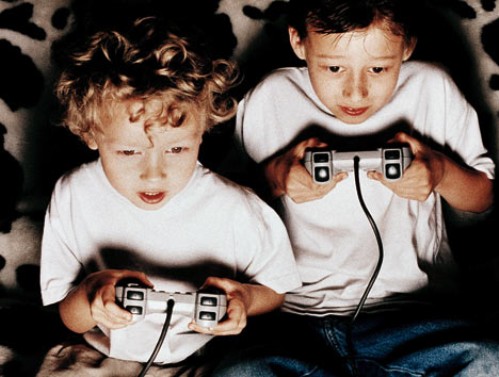
According to the CDC, device use has contributed to a 10% increase in unintentional child injuries.[1] Overuse or repetitive strain injuries (RTI) refers to bodily injuries that result from reduced blood flow to the muscles, bones, and ligaments as a result of poor posture or repeated movement.[2]For kids, repetitive strain injuries can occur from repeated movements typical in sports play, video controller use, or from repeatedly swiping or texting on smartphones and from excessive screen use.
Preventable Repetitive Strain and Misuse Injuries
Tendonitis
Repetitive strain injuries from excessive screen use include tendonitis in the shoulder, elbow, forearm, wrist, and hand and back or neck strain.
Ocular Migraines
Migraine headaches, particularly ocular migraines, are also becoming increasingly common due to excessive screen use. Symptoms of ocular migraines include visual disturbances like temporary vision loss, blind spots, auras, flashing lights or seeing stars, and zigzag lines.
Tinnitus
Tinnitus refers to a hissing, buzzing, whistling, roaring, or ringing in the ears that result from exposure to excessive and loud noises. Not only can the tiny hairs in the inner ear be damaged by loud and excessive noises, but they can also occur due to aging, sudden impact noises, middle ear infections, stress, negative side effects from medications, neck or head injuries, and other untreated medical conditions. Currently, tinnitus is incurable, but symptoms can be relieved with techniques like sound therapy (listening to specially selected distracting sounds).
Postural Injuries
A postural injury refers to injuries that result from accumulated pressure due to poor posture while sitting, using your computer, driving, wearing high heels, or standing. If you’re not using good posture your bones don’t properly align and your muscles, joints, and ligaments can’t work as they are designed to.
The most common postural injuries include
lower back pain
neck pain
shoulder impingement
knee pain
carpal tunnel syndrome (numbness, tingling, and weakness in your hand and arm due to nerve impingement in your wrist)
piriformis syndrome(pain that radiates down the back of the legs when the piriformis muscle compresses the sciatic nerve when sitting or crossing your legs)[3]
Text Neck
Another common type of postural injury among kids and teens is text neck. Text neckrefers to premature degeneration and malformation of the neck and spine caused by looking down at the screen for texting.
In the past, these types of injuries were only seen among aging dentists and welders. Now physicians are seeing these injuries in teens.
Hanging your head at a sixty-degree angle while texting places sixty pounds of force on the neck. This is far beyond the ten pounds of force your neck is designed to support when your head is in the neutral position.
Kyphosis
Poor texting posture can be particularly problematic for young users whose spines are still developing and could lead to arthritic changes in the spine, bone spurs, or muscle deformities. Research findings indicated that kyphosis, which refers to an S-curve of the spine or rounded back, can be caused by the loosening of ligaments in the spine aggravated by screen use.
Prevention
Instead of taking away the screen device or video controller altogether, simply implement healthy screen practices in your family.
Here are some great injury prevention ideas
Balance off-screen and on-screen activities.
Download an app, use parental controls like those we offer in our Screen Safety Toolkit, or provide a simple kitchen timer for time limit compliance and body-healthy rest and stretch breaks. Suggested break times are fifteen-minute for every forty-five minutes of play.
Encourage your kids to refocus their eyes for twenty seconds after every twenty minutes of screen time
Set up kids’ yoga, which helps with strength, stabilization, balance, and range of motion. Plus, kids learn more about their physiology and how to optimize healthy posture and avoid painful injuries. We recommend watching Youtuber AloYoga’s video “Yoga for Kids with Alissa Kepas.”
Implement ergonomics, the study of people, and their efficiency when interacting in different environments. The primary goal of ergonomics is to arrange a workplace so that it fits the individual working there.
Ergonomic computer setups include:
Eyes leveled with the top of the screen
Head and neck balanced and in line with the torso
Shoulders relaxed
Elbows supported and close to the body
Wrists and hands in-line with forearms
Feet flat on the floor
Overhead lighting dim to prevent glare
Curious to learn more helpful tips on RTI prevention? More information can be found in Dr. Bennett’s book, Screen Time in the Mean Time.
Distraction Injuries
We’ve all seen this form of injury in headlines about car accidents due to texting while driving. We’ve even had a laugh at trips and falls while texting in programs such as America’s Homes Funniest Videos where a person may trip and fall while texting. A distraction injury is an injury resulting from one’s attention being taken by screen use (texting, viewing, talking, or video conferencing).
While Walking
On CBS News you can find an article where a woman was texting and so distracted, she fell into a mall fountain.4 Or maybe you saw the viral video of a guy who literally ran into a bear while walking and staring into his phone. The Internet is alive with videos of injuries that have resulted from distracted walking or bicycle riding. The possibility of bringing harm to yourself has become such an issue that New Jersey has proposed a ban on walking and texting.5 Remind your child that there is a time and place to be sure you are being extra cautious towards your surroundings, such as walking in the streets.
While Driving
Distracted driving accounts for 60% of all teen accidents.6 Teens are more reliant on their phones and lack experience behind the wheel. According to CNN Health, texting is the most distracting form of device use and has been proven to limit the number of times an individual will look up and look both ways before crossing.7
TheCDC Youth Behavior Surveillance System (YRBSS) reports that 39.2% of teens will use devices while driving.8 While you may assume that your teen knows better, it’s always a smart choice to play it safe. This can be as easy as putting devices out of sight while driving or adopting helpful tech.
Tech Tools That Can Help
Use the “Do Not Disturb” mode on their smartphone to ensure safety practices when you’re not around.
On iPhones:
Go to settings
At the very top, there will be a search bar, type “driving”
Press “Do Not Disturb While Driving”
Activate the Feature at the bottom
If your phone doesn’t already have the Do Not Disturb feature, the following are GKIS-approved apps that can assist in distracting free driving!9
The AT&T Drive Mode App silences incoming alerts and calls. The application automatically activates once you’ve reached a speed of 15 mph or higher. If you’re concerned about not calling your kid and being left on voicemail with no notice, the app has customizable automatic responses that will let the parent know they are driving and will answer them afterward.
The OMW (On My Way) app works similarly to the AT&T app, but rather than activating at 15 mph it starts at 10 and higher. Aside from this you could earn points and win discounts for being a safe driver.
The Safe 2 Save app also allows you to earn points for being a safe driver by giving discounts to local businesses. The app also encourages users to include pictures of loved ones as a reminder of who they’re driving safely for.
Think you’ll need a helping hand in implementing all these tips? Contact ourscreen safety expert and founder of GKIS Dr. Tracy Bennett for a telehealth coaching session to discuss specific outside-the-box screen safety tips! In a quick, fun, and customized family workshop, you’ll feel more at ease knowing you have the tools to continue to have important safety conversations with your kids.
Special thanks to Aroni Garcia for researching and co-writing this article. If you liked the article, you’re interested in learning more tips on how to manage device time to avoid distracted driving and repetitive tech use, look at What Age Should We Allow Smartphones?
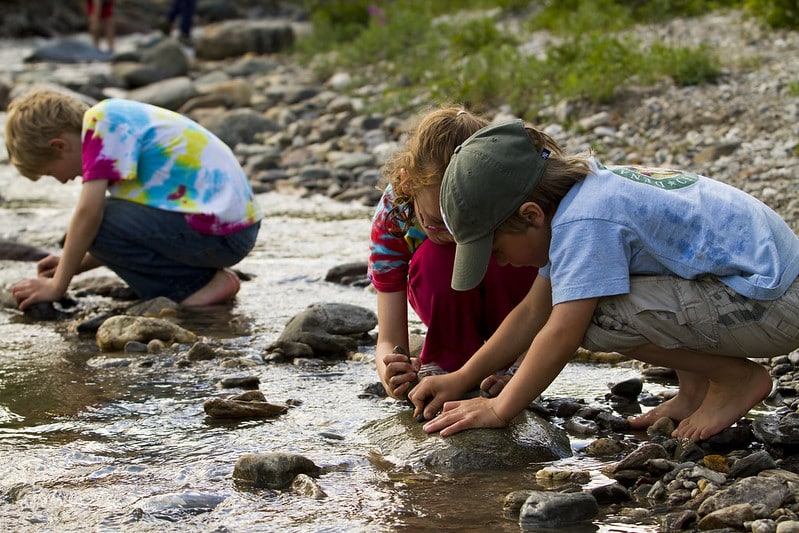
We at GetKidsInternetSafe love fun, educational, and safe screen time. But even better than that? We love creative offscreen play activities that help family members get to know and bond with each other, teach initiative and problem solving, and make forever memories. Sometimes great ideas are hard to dream up on-the-run with busy families. Enjoy these fun at-home indoors or outdoors activities that we at GKIS are sure your kids will love!
Indoor Fun
Let Your Kid be the Media Star
Record your kid as their favorite video star doing fun activities
Create an old movie recorder from cardboard boxes and black paint, don’t forget the director’s board so you or your kids get to yell “cut!”
If your kids like do it yourself videos, set up a station and let them surprise you with the results
If your child wants to be a movie star, let their imagination run wild and have them do small skits of their favorite scenes
Share videos with friends and family and have them comment and let them “like” the videos as fans
Don’t forget to follow up on their roles and nominate them in their own awards show for a later idea.
A thank you speech from your kid is highly encouraged
Up-Cycle Old Games
Give your old board games new meaning by breaking them apart and making a new game
Create cards with inside jokes that only friends and family will know
Use a Jenga game and tape truth or dares to pull out for twice the amount of fun
Create fun Loteria cards! Customize cards to make up members of your family such as the overprotective father or the daughter who says “like” in every sentence
Update trivia games and have your kids teach you a thing or two about new pop culture words and celebrities
Need Inspiration? A blogpost by Claire Harmeyer demonstrates how games are currently being reused with an old Guess Who game!
At Home Art Gallery
Let your child show their artistic creativity in a variety of ways by hosting an art gallery!
Remember that there are various forms of creating art, encourage them to complete at least three different “sections” to their gallery which may include the following:
The painting room
Play-dough or moon sand sculptures room
Origami room
The Barbie fashion showcase room
Photography room
The popsicle architecture room
Live art with temporary tattoos or a henna kit
Food art room
As the art critique, give reassuring feedback to encourage their creativity
Home Lab
Have your kids play mad scientist with some of these fun science creations
Follow scientist Joe and create a storm in a glass.
You’ll need: shaving cream, large glass, water food coloring, and a spoon
Help your kids create a baking soda volcano by following Science Bob’s easy steps
Something to put the liquids in, baking soda, liquid dish soap, food coloring, water, vinegar
Createa tornado in a bottle by looking at the young Youtuber Ryan lay out the steps with his dad
You’ll need: 2-liter soda bottles (same shape), duct tape or connector, water, lamp oil (any color)
You’ll need: Stones, a pencil, and a piece of clay
Outdoor Fun
Backyard Scavenger Hunt
Set up an imaginary scenario that will fit your child’s interests whether that be finding a treasure chest to a vial that will cure the zombie apocalypse
Entice your child: add something of interest to their treasure
Set up a list of instructions that may include:
Riddles
Math problems
Guessing an image outline
Word association games
DIY puzzles
Connect the dots images
Phone a Friend! (have them call a loved one for their next clue)
Create steps such as stacking stones or doing cartwheels to unlock the next set of instructions
If you’d like to play along, act as a helping hand and create a character that will help them
Balcony Garden
For those in apartments, set up a small garden for your child if you have a balcony available.
Be sure everything is easily accessible so that there is no need for leaning or climbing on the railing
Consider easy to maintain plants such as succulents
Customize pots with markers/paint or give them name tags to personalize
Make paper insects like butterflies and prop them into the plants for decoration
Use stick skewers for food or popsicle sticks to glue to your paper insects and stick them into the edge of the pots
Color skewers green to act as plant stems
Set up Christmas lights around the balcony so your child can admire their plant friends at night
Home Triathlon
Set up a backyard triathlon using whatever sports equipment you have or can make.
The idea is to do each obstacle non-stop until they reach the finish line
Get creative and work with what you have!
Ideas for challenges include:
Pitch up a tarp/sheet and have your kid’s army crawl under
Draw a challenging hopscotch segment
Set a designated amount of hula hoops swirls
Have two volunteers be ready with a double dutch jump rope obstacle
How low can you limbo station
Basketball into a hoop
Making a soccer ball into a goal that’s
guarded
Jumping jacks
Backward walking
Set up a finish line using items such as ribbon or even tied up rags
Outside Movie Nights
Pull up some chairs, snacks, and whatever else you’ll need to be comfortable
If you have a projector get a flat white surface to hang to a wall
If you’re trying this on a balcony, prop the backdrop on the sliding door
No projector? No worries, this idea will work fine with a device that’s big enough for you and your kids to see
Watch your favorite films under the night sky
Or make your own movie story
Grab a flashlight and have the family show their storytelling skills.
Give the group a movie genre they can work with
In a bowl you can add random folded words they will need to incorporate into their story
Set a timer that works for everyone
Deem the new storytelling king or queen of the night
The newest king or queen will get to be the judge for the next game
Added bonus! Stargazing till your kids are pooped and ready for bed
Wrap-up: These stars have a story, share a one constellation story and have them excited for the next one
Special thanks to Aroni Garcia for researching and co-writing this article. If you liked these fun tips and want to stay updated on new fun ways to keep your kids entertained follow GKIS on social media! Follow our @GetKidsInternetSafe Instagram and Facebook pages and @drtracybennett Twitter for our latest posts! And, as always, thanks for sharing us with friends and family. Cheers to happy memory making!
I just finished a webinar I offered for moms to support them during our stay-at-home order. In the audience, we had a mom who was seven-months pregnant with a three-year-old as well as moms with school-age kids and teens. During these challenging times, all have unique situations. Some of us are working full-time and struggling to find a free moment, while others are bored and working to find fun and purpose. Some of our kids are best friends, while others can’t seem to get along ever. Some kids are jetting through easy schoolwork while others can’t seem to get anything done. How are you doing? Are you making amazing memories with your time together or struggling to make things happen? Today’s article is about recognizing that the love is in the daily details, but it may take some special effort to notice.
“Seeing” by Annie Dillard from Pilgrim at Tinker Creek (Harper Perennial 1974)
When I was six or seven years old, growing up in Pittsburgh, I used to take a precious penny of my own and hide it for someone else to find. It was a curious compulsion; sadly, I’ve never been seized by it since. For some reason, I always “hid” the penny along the same stretch of sidewalk up the street. I would cradle it at the roots of a sycamore, say, or in a hole left by a chipped-off piece of sidewalk. Then I would take a piece of chalk, and, starting at either end of the block, draw huge arrows leading up to the penny from both directions. After I learned to write I labeled the arrows: SURPRISE AHEAD or MONEY THIS WAY. I was greatly excited, during all this arrow-drawing, at the thought of the first lucky passer-by who would receive in this way, regardless of merit, a free gift from the universe. But I never lurked about. I would go straight home and not give the matter another thought, until, some months later, I would be gripped again by the impulse to hide another penny.
It is still the first week in January, and I’ve got great plans. I’ve been thinking about seeing. There are lots of things to see, unwrapped gifts and free surprises. The world is fairly studded and
strewn with pennies cast broadside from a generous hand. But—and this is the point—who gets excited by a mere penny? If you follow one arrow if you crouch motionless on a bank to watch a tremulous ripple thrill on the water and are rewarded by the sight of a muskrat kid paddling from its den, will you count that sight a chip of copper only, and go your rueful way? It is dire poverty indeed when a man is so malnourished and fatigued that he won’t stoop to pick up a penny. But if you cultivate a healthy poverty and simplicity so that finding a penny will literally make your day, then, since the world is in fact planted in pennies, you have with your poverty bought a lifetime of days. It is that simple. What you see is what you get.
I love this passage because it captures so much about childhood joy. Like the puppy-dog-tails and sugar-and-spice nursery rhyme, childhood joy is a magic blending of anticipation, preparation, and imagination. Children build their magic worlds by keeping their eyes open for real-world discovery. And when they find something new and delightful, they turn to those around them to share in their excitement. For young children, this is a ladybug on a blade of grass; and for older kids, this is a giggling walk with friends to get ice cream. Parents can be a part of this magical discovery, or they can be washing dishes. It’s really up to us to be present.
But here’s the thing, we don’t have to entertain our kids 24/7. Contrary to popular parenting lore, our job is not to make our prodigy happy all of the time. Our job is to offer a safe and enriching place in love and guidance, helping them build resiliency skills so they can feel their worth and practice their capabilities. Sometimes that means we are by their sides, and sometimes that means we offer a crafted setting of endless possibilities.
To teach them how to recognize those endless possibilities, we first have to create the framework for meaningful magic and create the lens for them to see through. And I’m telling you now, memory-making family events don’t have to take place in a faraway destination or during a $5000 planned vacation. Magical, meaningful moments worthy of memories don’t cost dollars….they cost pennies. They’re like shiny pennies cradled in the roots of a Sycamore or left by a chipped-off piece of sidewalk. They are gathered in tiny moments of discovery and shared joy. To find them, we just have to have our eyes, and our hearts, open.
VIRTUAL SUPPORTIVE ACTIVITY IDEAS
Take a virtual travel vacation.
Create a passport for the virtual trips you will take.
Research the things to do once you get there.
Visit those places on Google Earth.
After the trip your child can draw a picture of something from the trip as a passport stamp.
Create a collage of the virtual places you visit.
Create family businesses and then end with a trade show.
Decide on your idea and write a mission statement.
Design your logo (fun ideas are to look on https://www.fiverr.com/ or https://99designs.com where people hire logo designers online). Pick your brand colors (https://coolors.co is a fun site for that)
Pick free stock images for your site or take them on your own (we love https://unsplash.com)
Create a budget
Source and buy materials for your product
Manufacture your product
Create flyers and business cards
Design and film a TV commercial (don’t forget to hire your celebrities and learn your marketing)
Create a sales convention where you each have a sales table where you hawk your wares (you can take turns as founders and customers or recruit family members and friends as customers)
Find brand partners
Create your store
Have a trade show where you buy each other’s wares and services with a budget and fake money you set up ahead of time.
Set up a restaurant in your home.
Plan the menu
Prepare the food
Dress up like chefs and waiters
Serve your family guests just as they’d be served in a restaurant (menu, orders, bill payment).
For more ideas to create fun family fun, follow our daily #TogetherAtHome idea posts on the GetKidsIternetSafe Instagram page! To help you out during challenging times, here is a list of linked resources to help you make magic family memory moments while you’re #TogetherAtHome.
ARTS AND CRAFTS
Easy Peasy and Fun
From their website: “Ready for a fantastic crafting session with your kids or students? We have a ton of engaging art and craft for kids to make and you’ll find ideas for all ages and for all occasions.”
From their website: “If you’re looking for easy and fun craft ideas for kids – you’ve definitely come to the right place! We’ve included our best and most popular crafts for kids on this page for you. Kids will love making these simple crafts – and the best part is the preparation for you will always be easy too!”
From their website: “Kidspace may be temporarily closed, but curiosity never ceases. Keep the learning going at home with Kidspace curated programming and resources developed to spark connection, creativity, laughter, and inspiration. Join the Kidspace-At-Home journey bringing hands-on joyful learning experiences to families every day. Scroll to the bottom to learn how you can help support our efforts and keep Kidspace strong!”
From their website: “An award-winning audio show for kids and families. Each week, a different kid co-host joins Molly Bloom to find answers to fascinating questions about the world. Our mission is to encourage kids’ natural curiosity and wonder using science and history…but there’s no age limit on curiosity, and episodes of Brains On can be enjoyed by anyone.”
From their website: “But Why is a show led by you, kids! You ask the questions and we find the answers. It’s a big interesting world out there. On But Why, we tackle topics large and small, about nature, words, even the end of the world. Have a question? Send it to us!”
From their website: “Goodnight With Dolly” will feature Dolly Parton reading a series of Imagination Library books all carefully chosen for their appropriate content at this moment in time.”
From their website: “Looking eBooks for your kids? We have the best collection of free animated eBooks will undoubtedly stimulate your child’s mind, studies and learning pattern. Find these very interesting carefully made free eBooks for kids. These online eBooks touch various subjects and promise to make your child’s learning experience richer. Read and download your favorite eBooks for free.”
From their website: “Full online curriculum ages 2-8. 10 levels. More than 850 Lessons Across 10 Levels. The Step-by-Step Learning Path presents the full ABCmouse.com curriculum in a carefully designed program of more than 850 lessons in ten levels. As your child completes each lesson, he or she is guided to the next one and is motivated to continue learning by ABCmouse.com‘s Tickets and Rewards System.”
From their web site: “The Aquarium of the Pacific is currently closed. During this time, we will be offering a variety of live and on-demand programming for our community..”
From their website: “The Exploratorium isn’t just a museum; it’s an ongoing exploration of science, art, and human perception. Explore our vast collection of online experiences to feed your curiosity and education resources supporting online teaching and learning.”
From their website: “Bring the Zoo to You. During our closure, we’ll continue to share cool views of the Zoo, our animal residents, and our dedicated keepers to keep you informed, engaged, and connected while social distancing.”
From their website: “MOCA Education makes education more collaborative, inclusive, and learner-centered, and nurtures intellectual growth through transformative experiences with contemporary art. Join our team of MOCA educators as they lead different family-friendly activities through interactive workshops, virtual Talking Tours, and classroom curriculum discussions. It is fun for all and particularly helpful for homeschooling!”
Live storytime events aimed at providing children with emotional support tools to help them cope with anxiety and stress in an entertaining, engaging way. In the first installment, Leah Bowen reads A Feel Better Book for Little Worriers, co-authored with Holly Brochmann, to help children identify a worry and where it might come from, as well as provide them with helpful tools to reduce and cope with worries.
TikTok is a trendy, popular social media app that is controversial amongst parents. On the one hand, explicit language, attention-seeking trends, and cyberbullying on the app give TikTok the potential to be harmful. But kids and teens love it, anxious to join and follow the latest trends, memes, and creators. Like every app, it is important to consider the potential benefits TikTok can offer, not just the dangers. Many TikTok creators take advantage of the app’s popularity to provide inspiration and education to its adolescent audience. If you’ve decided to allow your teens access to TikTok, GKIS has identified some influencers your family may enjoy.
Who’s on TikTok?
Like YouTube and other social media platforms, TikTok users form communities based on popular trends like cooking, makeup, education, and wildlife. While we don’t think of apps like TikTok as a learning resource, many TikTok creators have dedicated their page to making teen-friendly, educational videos that can help your teen learn new things in a fun, accessible way.
Before You Start
As we mentioned in our GKIS Sensible Parents Guide to Tik Tok, it is recommended that kids be over the age of 13 before using TikTok due to its explicit language and content. Also, we strongly advise that you implement our free GKIS Connected Family Agreement before you allow your child a mobile device. With two versions available for kids and teens, our agreement spells out just what you should cover to help keep you family members safer online. All you have to do to get your free agreement delivered directly to your email by entering your name and email address on the GKIS home page. No purchase necessary and, if it’s not for you, you can unsubscribe at any time.
Meet Our Favorite Creators
For this article, we tried to find creators who have a relatively clean act for a teen audience. Please review these creators and decide for yourself whether they are good fits for your family.
Cooking
In the cooking community, creator @salt_to_taste has amassed over 1 million followers with his cooking videos and recipes. With easy recipes made with everyday ingredients and simple directions, this page is a great place for teens to get inspired to start experimenting in the kitchen. Salt to Taste makes a variety of foods, from snacks to smoothies to simple American and East Asian dishes. This creator has been active for almost a year and has been recently nominated for a Shorty Award in the food category. This creator does not seem to use inappropriate language and does not seem to do sponsorships.
Makeup
In the makeup community, creator @mariasgoldenmakeup is known for her bold eye looks and makeup tutorials. Though fairly new to TikTok, Maria has already gained over 61,000 followers with videos showing how she achieves her beautiful makeup looks as well as the products she uses to achieve them. Maria’s page can offer inspiration for teens who want to try their hand at makeup and achieve specific looks. Her looks can be used for everyday makeup and special occasions. She has done some sponsored posts but is transparent about what products are being advertised, using the hashtag #ad to indicate a sponsorship.
Nutrition
In the educational community, there are a few creators who have gained popularity for their educational TikToks in various subjects. In nutritional education, creator @sarahgracemeck, with over 149,000 followers, creates educational TikToks correcting various health myths and promoting tips on healthy eating. In our culture, we are obsessed with being thin and restricting what we eat, and this message unfortunately gets pushed on teens the most. Sarah does a great job using her background as a dietician to spread the message of healthy eating in a nonjudgmental, positive way. Sarah is passionate about spreading accurate information and debunking various unhealthy dieting trends and myths. It does not seem that Sarah offers sponsored content.
Science
In science education, creator @chemteacherphil is a popular user with a background as a high school chemistry teacher. Phillip has amassed over 1.3 million followers on TikTok with his videos exhibiting different chemical reactions and explaining their processes. The reactions he creates in his videos are fascinating to watch, and the information he gives can be useful to any high school student taking a chemistry class. Phillip does not seem to use explicit language or audios in his videos or do sponsorships.
Language
In language education, creator @fresajapomex is a popular multilingual creator who publishes videos in Spanish. With over 2.5 million followers, this creator does a variety of content from vlogs to comedy skits to food reviews. This creator, who goes by Sony on TikTok, has an energetic and kind personality and has a great sense of humor. Her parents are Mexican and Japanese, and therefore she speaks both languages as well as English. As a former Spanish student, one of the ways I improved my Spanish skills was consuming media in my target language. Sony’s content can be a great tool to help your teens improve their skills in a different language in a fun way. Sony does not seem to do sponsored content.
Wildlife
In the wildlife community, The Urban Rescue Ranch, the organization behind the page @ostrichplug, recently joined TikTok in an effort to show the work they do raising animals in an urban area. Their content shows their workers handling a variety of animals like frogs, possums, ostriches, pigs, and most recently, chickens. The creators often include their animals in fun, comedic skits and do frequent updates on the development of a few of their younger animals. This is a fun page for teens to view the different responsibilities of owning animals, and may even be inspired to go volunteer for an organization like the Urban Rescue Ranch themselves. This page does not seem to use any explicit language or audios and also does not seem to do sponsorships.
Fun with Coffee
Lastly, a popular creator among GKIS interns is @morgandrinkscoffee. Morgan is a college student who works as a barista for her local coffee shop, and she has gained over 2.2 million followers since joining in 2019. Her content mainly consists of the work she does as a barista, showing how she makes certain drinks, her day to day responsibilities, and some funny skits on her experience in the food industries. For teens who may be experiencing their first jobs in food services, Morgan’s content can show that it’s possible to enjoy the work that you do, but it also lets teens have a laugh at some of the shared struggles most of us have faced while working in customer services. Morgan is transparent in her sponsorships, labeling her sponsored content with the hashtag #ad.
Making TikTok Safer
As discussed in our previous TikTok article, it can be difficult to control the content suggested by the TikTok algorithm. But with careful decisions on who you allow your teen to follow, TikTok will suggest better, safer content that teens will love and parents can trust. Though it’s important to be cautious of the dangers of TikTok, with a little research, finding teen-friendly creators can help make the app safer and more fun for everyone.
Thanks to Alexandra Rosas-Ruiz for her research and help with writing this article. Want to learn more about how to manage the risks of the internet for your teen? Check out Dr. Bennett’s latest book, “Screen Time in the Meantime.” With a quick read (or listen because it is also offered in audio), you can learn creative, sensible, and family-tested parenting strategies to help protect your teen both online and offline.
I’m the mom psychologist who will help you GetKidsInternetSafe.
Onward to More Awesome Parenting,
Tracy S. Bennett, Ph.D.
Mom, Clinical Psychologist, CSUCI Adjunct Faculty
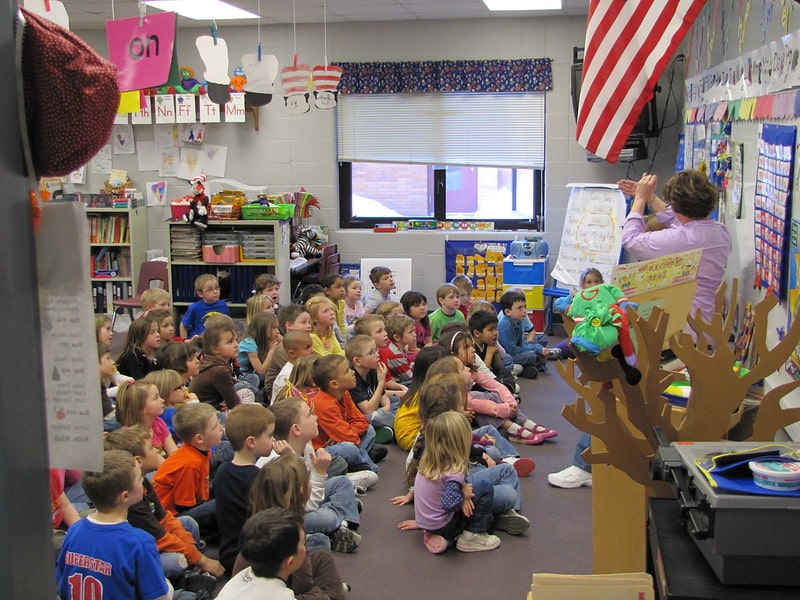
It’s a battle keeping students engaged in education in our screen-soaked world. Kids love learning. But they seem less in love with school and more in love with screen time. How do we reengage our students in school and the love of learning? Have we reached the tipping point where tech in the classroom is necessary for engagement? Or since COVID-19 Stay at Home Orders, have screens isolated kids and made them too fatigued to learn? Screens are great at teaching kids to self-interrupt, leading often report that real-life classrooms turn them off instead of turning them on. Today’s GKIS article highlights the benefit of tech and how gamification is being tested in education.
Traditional Teaching Methods Versus Screen Tech
Traditionally, schools use teacher-led workbook activities, in-class discussions, and textbook-based homework that rely heavily on structured lessons and memorization. Lessons often span longer than 10 minutes. This can be problematic considering the typical adult’s attention span is only 15 minutes.[1]
Screen technology, on the other hand, is fast-moving and interactive and offers the student on-demand selection at the click of a button. The opportunity to self-select content is empowering and gratifying. Teachers can also track the student’s learning process in real time and gradually feed relevant and increasingly challenging content.
The rewarding versatility of technology has led children to immerse themselves in their virtual worlds an average of ten hours a day. With this number of hours on-screen, many kids are creating brain pathways best matched with on-demand screen delivery rather than teacher-facilitated instruction.
Evidence of Disengagement
Even before COVID, a 2014 poll of 825,000 5th-12th grade students found that nearly half of the students surveyed felt disengaged in the learning process. Only 40% of their teachers believed their students were engaged. Reported numbers were even lower (26%) in high-poverty schools.[2] This finding is particularly concerning, considering that a student’s engagement in grade school is correlated with how well they will do in college.[3]
When schoolteacher and gamification enthusiast Scott Hebert asked his students why they didn’t seem to care about the lessons taught in school, they replied, “I don’t get why we need to do this stuff, give us a reason to care.”[4] Without intrinsic interest, meaning the task isn’t naturally motivating, they felt like they had to jump through meaningless hoops to learn.
To be successful, education must speak their language and meet them where they’re at. For most kids, that means reaching them in their virtual worlds. Studies have reported that 90% of students agree using a tablet will change the way they learn in the future, and 56% of high school students would like to use mobile devices in the classroom.[5]
Gamification
Gamification was coined by computer programmer Nick Pelling in 2002. The concept of gamification is to take the natural enjoyments that attract people to technology and inject those into education. In other words, create a more fun humanisticapproach to education, rather than our traditional instruction-led, function-focused approach.[6]
Dr. See is a professor at the University of Hong Kong who teaches human anatomy and medicine. He noticed that video games and education have features that overlap. For example, they both:
require solving mental puzzles,
recalling information,
looking for patterns,
working under pressure,
communicating ideas, and
working within a time limit.
Because his students loved video games, he decided to use gamification within his classroom. He applied puzzles and games to the curriculum, like for the memorization of the names of medications. As a result, his students reported that they were more motivated and learned better.[7] His gamification worked!
Learning through gamification does not mean it is easy. Gamification is engaging because it requires the student to generate the material instead of being instructed to do so. It is not about making school easier. Instead, it allows the student to actively engage in the learning process.[8]
Intrinsic & Extrinsic Motivators
We are psychologically motivated by intrinsic and extrinsic factors.
Intrinsic motivators (things that you enjoy doing that compel you forward) are important for well-being.
The psychological needs that must be met to feel motivated are:
autonomy (working on your own),
competence (being good at it), and
relatedness (feeling connected to what you learn).
Extrinsic motivators are rewards that come from outside. Examples include grades, points, and praise. External rewards may become harmful to our psychological well-being when they’re the only reason for engagement.[9]
For great learning, then, we must avoid rewarding students with points and grades. Instead, we must allow students to have a choice in what they’re learning and a chance to try it on their own and celebrate their efforts. These goals within a classroom can be challenging.
Gamifying Tests
Video games are set up for lots of autonomy, competence, and relatedness. The player gets to pick the game they relate to. then they get to play it on their own, simply restarting after they fail. They may lose points. But so what. They can just start over. Nobody is judging them.
Traditional school testing methods do the opposite. Typically, a failing grade on the test is the student’s final act of the lesson. They don’t get a do-over. That means failure has huge consequences and may leave the learner feeling hopeless and demoralized.
Gamifying testing could reverse that process by offering smaller quizzes that the student can retake over and over as they learn the material. Instead of feeling terrible about their first attempt, they can see their points going up and up – just like in a video game.
Starting a student at 100% with nowhere to go but down can lead the student to feel hopeless. According to prospect theory, people have a difficult time choosing activities when they anticipate a loss.
Alternatively, starting at zero and gaining points from there encourages a growth mindset. That means looking forward to learning instead of feeling defeated by it. The student would begin the semester with zero points and as the year progresses, they could earn points as they complete assignments. This would give students a growth mindset for their education!
AltSchool
Educators have tested technology-assisted education models, especially since the 2020 COVID-19 pandemic. For example, millions of dollars have been invested in AltSchool, a school that promotes a personalized learning platform using technology. In Altschool, students are provided with iPads or laptops and given individualized learning activities. The school encourages students to learn at their own pace, developing the mastery skills needed to learn the subject. The goal is engagement and learning potential.
Outcome studies revealed that students who learned at their own pace felt more competent and autonomous.[10] However, a teacher noticed his students were less connected with each other than before. They were more engaged with the technology than they were with one another. Also, we all remember the Zoom burnout students felt after the COVID epidemic. Losing motivation and connectedness over time may be risks of technologically assisted education.
The need for relatedness and connection is particularly important in learning because others provide feedback and perspective.[11]Authoritative instruction may trigger the reactance theory, which explains how people value autonomy so much they will “react” or do the opposite of what they are told to feel they made their own decision.
Quest to Learn
Another applied experiment for new and creative education is Quest to Learn. This is a gamified high school in Manhattan that was founded in 2009. Many of the classes at the school are not internet-based but instead teach through role-playing. Students act out the responsibilities of a chosen profession, like learning about politics by impersonating a politician.[12] By narrating the character, a student generates the answers needed for complex subjects.[13]
Because screen technology is still new, innovative (new and creative) teaching models and outcome studies are still being developed. Hybrid models (part in-classroom and part on-screen) are also being tested. As tech optimists, we at GKIS look forward to seeing all the cool things coming up in education.
Thanks to Andrew Weissmann for his research for this article. For a glimpse into some of the benefits of video games, check out our GKIS article Is Your Child a “Professional Gamer”?
Works Cited
[1] Usnews.com Kids asked to learn in ways that exceed attention spans by the Hechinger Report
[7] School of Biomedical Sciences sbms.hku.hk Dr. See, Christopher
[8] Christopher See Gamification in Higher Education
[9] Kasser and Ryan (1993) A dark side of the American dream: Correlates of financial success as a central life aspiration. (1996). Further examining the American dream: Differential correlates of intrinsic and extrinsic goals.
[10] Black & Deci, (2000) selfdeterminationtheory.org
[11] The Backlash Against Screen Time at School by Rob Waters
[12] Worldgovernmentsummit.org Gamification and the future of education
“First impressions are everything.” This once referred to tone, dress, and personality. Now, it also refers to your social media page. Teens rack up an average of 6 hours per day of social mediag.[1] They not only browse endlessly, but many also post impulsively. With immature prefrontal brain development, kids and teens are unable to anticipate consequences. Plus, the internet culture is vulgar, shocking, and celebrates pushing moral limits. Using profanity, sub-tweeting and cyberbullying are common. Using principles from Dr. Bennett’s book, Screen Time in the Mean Time: A Parenting Guide to Get Kids and Teens Internet Safe, this article covers how to best guide your teen through the social media dilemmas of cyberspace.
Social media is the perfect place to “out” your enemies.
My friend “Catherine” used to expose her ex-boyfriends on Facebook. Once she posted, “He says he’s over me, but he just came to my house and cried.” Often, she’d think twice and delete her post. Other times, her ex-boyfriends posted angry responses outing her bad behavior back.
My friend “Robert” also shared a personal story. This is one about Myspace going wrong. When he was in the eighth grade, his high school sophomore girlfriend sent him sexy selfies. Robert showed his friends the photos. Although he refused to text them directly, a friend hacked his phone and sent himself the photos. Within a few days, the girl’s family and the police were at Robert’s door. Her photos had been posted on Myspace. Although Robert did not directly post her photos, he was held responsible because they were initially on his phone.
Online Behavior Matters
We love our podcasts at GKIS. In one of our favorites called Hidden Brain. The “You Can’t Hit Unsend” episode tells the story of William, whose social media posts destroyed a golden opportunity with Harvard.[2]
William was a brilliant high school senior from Pennsylvania. He was a great student who played competitive golf and performed for the local symphony. Although he didn’t believe he was “Harvard material,” he applied anyway. He was accepted through the early admission process and was overcome with joy. In the excitement of his acceptance, Will quickly joined an online group chat to meet other incoming freshmen.
One chatroom that focused on sharing memes was particularly funny. As the chatroom friends grew closer, they exchanged increasingly “edgier” memes, riding the fence between funny and offensive. To be added to the subgroup chat, at least one edgy meme had to be shared in the main group chat. As time passed, the memes increased in explicitness, oftentimes referring to outrageous, violent, and sexual topics. Will states that members of the chat knew that their meme was good based on how many likes and fire emojis members commented afterward.
The admissions department at Harvard University learned of the private chatroom and investigated. Harvard withdrew admission offers from ten prospective students because of their participation.
Will shared that he will always remember the last sentence of the email, “Harvard can withdraw admission under various conditions, including if you engage or have engaged in behavior that brings into question your honesty, maturity, or moral character.” Now he recognizes how adults would be offended and regrets his posts. He apologized, “It is far too easy to act out of character behind a screen in a fast-paced setting and to say things I would never say or even think of in my everyday life.”
The Harvard student newspaper later published the story. Soon after, the story was everywhere, including CNN and Fox News. Will and his family were devastated.
He waited a year and applied to other schools, only to be rejected by all ivy league universities. Will’s voice broke with emotion as he spoke of the experience. Fortunately, his emotional honesty appealed to a physics department chair at a school he was waitlisted at, and he was ultimately granted admission.
College Recruiters and Managers Search Applicants Online
Social media posts can make or break a teen’s future. The relationship between your digital footprint and personality is about as constant as the relationship between personality and behavior, also known as “the personality coefficient.“[3] That means that your behavior on your social media profile is a reliable source of information about your personality.[4]
Many college admission officers and employers use online data to investigate prospective students or employees. While the internet is fun and creates a space for creativity and connection, adolescents can make dire mistakes online just as they do offline. Instead of those mistakes happening in front of a few close friends and family, they can be blasted out to millions. Social media profiles produce large amounts of user-generated data that may be used and sold in ways we cannot anticipate.[5]
As social media evolves, parenting tactics must evolve as well. That means educating yourself about the risks of posting and challenging your kids to explore online risk with ongoing empowering dialogue.
Here are a few ways you can prep them today:
Use our free GKIS Connected Family Screen Agreement to set parameters and create a screen-friendly, cooperative dialogue.
Engage in fun co-viewing, both with passive screen use (TV) and interactive screen use (browsing the internet). Fun projects may include researching a particular topic using various learning formats (articles, videos, images).
Find food recipes and cook a meal together.
Co-create a movie – complete with music, still-image slides, videos, and graphics.[6]
Work together to purposely stylize your family’s cyber footprint. Ensure that that footprint will work for you rather than against you.
Act as a role model on social media and encourage responsible posting.
Internet sites can collect and analyze large quantities of data from everyday devices.[7] This information provides more opportunities to use data in deceitful ways. With helpful GKIS tools, you can best prepare yourself and your teens.
Thanks to Isabel Campos for her research and help with writing this article. Interested in learning more about current cyberspace news? Signup for weekly GKIS articles by entering your name and email address at GetKidsInternetSafe.com!
I’m the mom psychologist who will help you GetKidsInternetSafe.