I have mixed feelings about red-lighting the popular self-destructing messaging app, Snapchat, and I’ll tell you why. I Snapchat with my daughter and the other twenty-somethings and its fun! Like all social media apps, Snapchat can be used for good or evil. They say it’s not guns that kill people, it’s people that kill people. The same applies for social media. So here’s the deal; if the individual using Snapchat has a mature frontal lobe and life experience, this app is way cool. But if the user is young and impulsive, Snapchat provides an effective forum for bad behavior in the form of pictures, videos, and texts. Unfortunately, there are no monitoring apps that I know of that work with Snapchat. However, there are many apps that that let recipients sneakily save chats from unsuspecting senders. Keep in mind, social media apps post risks for viewing, posting, and private messaging. Here is your GetKidsInternetSafe Sensible Parent’s Guide to Snapchat so you can make your most informed parenting decision. To help your tween or teen demonstrate they have the knowledge, problem solving ability, and judgment for social media, check out our Social Media Readiness Course. It’s an online course for tweens and teens that offers information about the risks of digital injury due to social media and psychological wellness tools. With a quiz for each module, they work their way through independently so their graduation certification demonstrates mastery of content. Of course, you can take it too if you’d like. It’s like driver’s training but for the internet!
What is Snapchat?
Snapchat is a free mobile messaging app for sharing moments with family or friends. Photos or videos are taken on the application and the user may draw and add a “caption” to their picture and send it to anyone on their “friends” list. Snapchat also contains a “story” (a saved video on static page for 24 hours) where friends can view your photo and/or video series. The photos or videos last up to ten seconds or it can last up to infinite amount of time and then it disappears after the user clicks their screen. The photos can be saved if the other person viewing it takes a screen shot; however it will notify the sender. Also, the sender may save their photos anytime if they are on their “story.” You can also instant message with Snapchat. Snapchat’s Terms of Use states, “Snapchat is intended for people who are at least 13 years old. Persons under the age of 13 are prohibited from creating Snapchat accounts.”
What are Snapchat’s popular features?
Snapchat is highly intriguing to users because the messaging is photo/video based. This is a step-by-step description of how to use it:
Take a photo
Tap screen to add caption; tap the “T” in the right hand corner to change font size and color. Tap the pencil under the “T” to draw on the picture with color or draw with emoji’s, tap the square under the pencil to add emoji’s or bitmojis.
Under the square is a pair of scissors that allows you to clear a blemish, erase a part of the photo, put an entire background, or put hues of color in designated spots.
After the scissors, there is a paper click symbol. This allows for the user to attach a URL to any post they make.
Apply a filter by swiping right on the photo; includes four different tints for pictures, a “mph” to show friends how “fast” you’re going if in a moving vehicle, the time photo or video was taken, the altitude, and the temperature of where you are. You can only choose one of these filters at a time or you can hold the screen and apply numerous filters to the post.
At the bottom of the list of symbols on the left top corner is the clock where, you can choose how long you want your picture to appear when sent to friends from 1-10 seconds or for infinite. You can also click the arrow pointing down (on the bottom of the screen) if you want to download the picture you just took onto your device. Lastly next to the arrow there is the square with a plus sign to “add to your story,” the picture will remain on your story for 24 hours.
At the bottom right corner of the screen, you click the arrow pointing to the right to send the photo to your friends. When clicking here you can choose what friends you want to send it to.
Check the box of the friends you want it sent to; on the bottom the friends you chose will show up in a blue link with an arrow pointing to the right. You click the arrow once your friends are chosen.
The list of friends include, “Your Story,” “Best Friends,” “Recents,” “Groups,” and “Needs Love.” Your story was previously mentioned before; you just have another option to add the photo to your story a different way. Your best friends consist of those you send Snapchats to the most. Recents are those who recently sent you a Snapchat or those you recently sent a Snapchat to. Groups are people who you have grouped together and if you send a snap to them all of the recipients will receive the same snapchat and can respond to the group (like group messaging but with pictures). Lastly those on the needs love list are those who are on your Snapchat list of friends but you don’t Snapchat them often nor sent them a Snapchat recently.
Recently added on Snapchat is group chatting. Now, once you are on your main screen (swipe to the right), you’ll see at the top for the option of “Groups”, “Stories”, or “Chats”. Pressing each of these tabs looks fairly similar but it is a new way of organizing your feed. The New Group Video Chat allows groups of up to sixteen people to instantly start video chatting. To create a video call, you simply create a new group of friends (or use a group already created) and tap the video icon to send an automatic notification to those users, as an invitation to join the call. During your video chat you can use the famous Snapchat filters. You read that right, you can video call your friends and family while you have a dog filter on your face.
What is included in the personal profile?
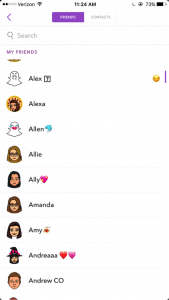
There is not a “personal profile” per se, but there are ways to find your friends who are on Snapchat. From the main snapchat screen, the middle section, you can press the top left corner, which is either a picture of a ghost of your bitmoji you created. From there you can view your name, user name, your astrological sign, and your “score.” There’s a link with a smiley face that says “Added Me” to see those that have recently added you on Snapchat. Then there’s a link that says “Add Friends” and you can search by username, address book, snapcode, or nearby or add from your contacts list. The last link is My Friends, which shows who you have already added.
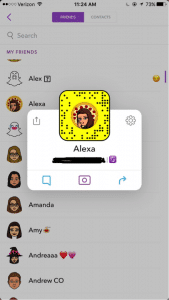
Those who are not your friends can see the pictures you post on your story, unless you go to settings – view my stor y- and make sure its pressed on “My Friends.” There is an option for Everyone or Custom, which you can block certain people from seeing your story. People can find you using any of the things stated above, but most commonly people will add through “contact” list, snapcode or user name. Your personal snapcode is the unique pattern of dots around your bitmoji. It can be scanned by other users to easily and quickly add you as a friend.
What are the privacy options?
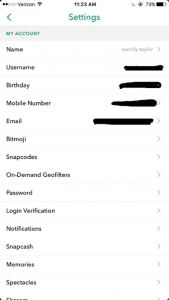
From the screen with your bimoji, click the settings gear icon on the top right hand corner. When you click it you can see the information you entered when signing up for Snapchat.
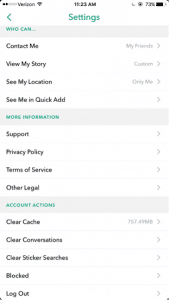
When you scroll down there is a Manage section with “Who Can…” Contact Me, View My Story, See My Location, and See Me in Quick Add. (Quick add is so you won’t come up on random people’s snapchats saying they might know you and to easily add you as a friend). From there you can select Everyone, My Friends, Only Me, or Custom settings.
How long has it been around and how popular is it?
Snapchat was created by Stanford University students, Evan Spiegel, Bobby Murphy, and Reggie Brow. It was first launched in July, 2011, under the name “Picaboo.” Later it was renamed and relaunched September, 2011.
What are the risks for use?
Cyberbully potential:
Friends sending threatening/cruel messages or offensive pictures
Fake accounts and impersonation.
Mostly used with friends or people the individual knows; so if there is an argument they may say or do hurtful things through the app.
Inappropriate content potential:
Sexualized images
Instant messaging inappropriately
Some consider it the “sexting app;” may receive inappropriate pictures or messages; may send them to others as well.
Often times, people feel as if they are safe to use this as a “sexting app” due to the fact that the app will notify you if someone has taken a screenshot. They may think that no one will screenshot their inappropriate photo because it notifies the sender. Or if they get notified that someone took a screenshot they may feel that they can take action.
However, it’s important to note that there are apps that a user can download that allow them to screenshot the sender’s photos without it sending a notification. Some of these apps are called, “SnapKeep,” “SnapBox,” “SnapSpy,” and “KeepSnap.” This is important to know, because people get too comfortable with pictures when they believe that after 10 seconds it’s magically gone; this may not be case.
Making poor decisions:
Bragging about substance use to friends by taking photos of alcohol use, drug use, or pictures at a party
Using device while driving to use the “mph” filter to brag about the speed of the vehicle you are in. This also can lead to driving over speed limit.
What are the protection features?
You can change your privacy settings to where only friends can send you Snapchats or see your story (view privacy settings).
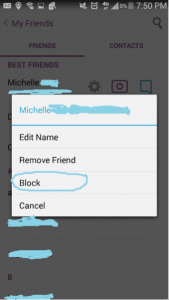
If a user is sending inappropriate images you can block them by going to your friend’s list, tap the name of the friend, click the settings link, and click “block.” Or if they recently snapped you, you can just hold their name and press settings and then block. You will no longer be able to receive or send Snapchats to that user; they also will no longer be allowed to see your story.
Because of the capacity to post images and video unmonitored and instant message, GKIS considers Snapchat a red light app, generally meaning no use prior to age 17. But realistically speaking, most high schoolers actively use and text on Snapchat, so use your best parenting judgment for your child. Also be cautious of similar apps like BurnNote,Slingshot, andYik Yak. These days, popular social media apps tend to add each other’s most popular features (like Snapchat stories now on Instagram and Facebook). No longer is there a “safer” social media app for middle schoolers.
Thank you to CSUCI student Adrienne Roy-Gasper for co-authoring this article. Check out my blog article about how this dad responded to Snapchatters who were cyberbullying his daughter, and how it caused the bully’s dad to lose his job. What are your experiences with Snapchat? Have you run across problems, or do you consider this a reasonable app for your kids? Please let me know what you think in the comments below.
I’m the mom psychologist who will help you GetKidsInternetSafe.
First, let’s get it out of the way that we are all totally disgusted that any of us even care about Facebook buttons. I mean of course there are far more important things going on in the world than Aunt Gertrude’s lazy finger stab of approval at my kids’ first-day-of-school pictures.
But truthfully, those of us who use Facebook happen to “like” that Aunt Gertrude cares enough to give a look and a stab. It even warms our little social-media-loving-hearts to imagine her toothless grin when we see her “like.” And don’t we feel a particularly cozy flush if she feels generous enough to give a several word comment (“Sweetie! They’re getting so big!”)? Rejoice!
After all, without Facebook Aunt Gertrude and I would only think of each other the split second before we see each other at the sweaty cousin-infested family reunions each decade. I wouldn’t know how much she loves cats and crochet, and she’d surely miss out on my cute goats and irreverent sense of humor. As weird as it is, Aunt Gertrude and I have a relationship because of Facebook. She’s not even going to survive until the next reunion that I may or may not attend. Sad maybe, but 1000 miles and busy lives make it true. So let’s just get over ourselves and admit that our petty social media relationships really matter. Aunt Gertrude is one relationship that threads the tapestry of my life, and her shocking shade of sappy comment magenta colored yesterday’s depressingly gray tint.
OK now that I’ve gotten my defensive and slightly desperate response to the Facebook haters out of the way. Let’s get sanctimonious about that confounded “dislike” button!
I’m conflicted about the “dislike,” because I agree that it is appealing to have an opportunity for a larger range of emotional reaction to a post than “like.” I mean sometimes I want to give a buddy a quick stab of recognition for that bummer post announcing personal or public tragedy. I want them to know I’m here, you know, micromovement-heart-and-soul.
But honestly, shouldn’t something as potentially powerful as a “dislike” (read angry or frowny face or supportive hug) require more than a keyboard stab? I mean if my social media buddy took the time to post something dislikable, don’t they deserve a soft startup to my boo opinion chased with a sugary sprinkle of hope?
Post: “Yesterday my dad died, I’m devastated”
Response: “Dislike” or “Fanny, I know how much you loved him. I’m so sorry for your loss. May he rest in peace”
Post: “Polar bear plight looking desperate”
Response: “Dislike” or “This image makes me so sad I’m going to Google this and see how I might help out”
Post: “I need a hug today because I’m sad”
Response: “Dislike” or “I love you! Let’s meet for coffee”
Maybe it’s my bleeding heart ravaged by years as a healer, but honestly, have we really gotten that uncomfortable with intimacy? Shouldn’t anything dislikable deserve a little more effort than a finger stab? A little more warmth? Those icky little heart flutters of emotion, they are far better served by a moment of empathetic reflection than a stab of “yep.”
And let’s consider the potential for passive-aggressive hostility, the kind that subtweets contain and Ask.FM votes wield. “Dislike” can easily mean, “f you” or “none of us think you belong” as easily as it can affirmation. Yes we are all grossed out by the potential for cruelty and taunts on social media, but think again if you believe it’s only the kids that are doing it. Something as lame as a “dislike” can be interpreted in too many hurtful ways to make it worth it. Consider these:
Post: “Look at my new haircut!”
Response: “Dislike”
Post: “I’m so happy my son had the courage to come out yesterday!”
Response: “Dislike”
Post: “Our newborn just arrived and we couldn’t be more ecstatic!”
Response: “Dislike”
Post: “I’m a vulnerable teen and I’m really hoping you like my awkward selfie and opinions and … please, please approve of me”
Response: “1.5k dislikes” & “3 likes”
Please Mark Zuckerberg, save the cyberbullying opportunities for the more cruel social media apps populated by trolls and teens. We all spill our uglier selves out on Facebook occasionally anyway; please don’t make it as easy as a stab.
What do you think? I could be missing something here. If you even care about Facebook at all, do you think my concern about potential hurt feelings is politically correctness gone too far? Or are you with me on this one? Mark Zuckerberg needs to know.
I’m the mom psychologist who will help you GetYourKidsInternetSafe.
The C.S. Mott Children’s Hospital National Poll on Children’s Health found that parents rank INTERNET SAFETY as number 4 (up from 8th in 2014) for biggest child health concern and SEXTING as number 6 (up from 13th). You know why parents are getting so concerned? Because they need to be!
Let’s be honest here. Kids want Internet access like a crack addict wants a hit. And so do we! Screen media is our favorite past time. Those elegant screens clutched in our greedy hands feed us delicious content that we gobble up too many minutes of our day. Kids love it too. And parents are conflicted about what to do about that.
If we disallow it, our kids are dependent on us for entertainment. Keeping them happy and busy without screens is exhausting! Our parents chased us outside to run with the neighborhood kids. When we reminisce about being latch key kids, we tell stories of the eight shades of happy peril we were regularly in. We don’t want our kids in any shade of peril. We want them tucked in the safety of our homes. As a result, we have agreed to be in their constant servitude. Poor us. Poor them.
We do the best we can to keep them busy. Then we worry they’re too busy! What do we rely on when we’ve run out of ideas? Screen media! My daughter’s first love, besides her parents and her poodle Buster, was her purple stuffed Barney. I guiltily admit she was so sold on that annoying talking dinosaur she was a successfully branded consumer by toddlerhood. Every morning while I made breakfast she sat in front of the TV in her expertly branded Disney princess feety jammies and Mickey Mouse toddler chair. I allowed Disney to have that kind of influence on my kid, because I didn’t consider it that harmful and television gave me a moment’s peace. Parents today have even a bigger dilemma with so many screen devices.
Consumer branding is the least of our worries these days. The Internet offers amazing vistas for education, but parents have a tough time managing it effectively. In response to the sad outcomes to poor screen management I was seeing in private practice, I created parenting programs like the GetKidsInternetSafe Screen Safety Toolkit to help families avoid online dangers. I’m aware that parents want to dismiss the GetKidsInternetSafe (GKIS) message as sanctimonious hysteria. If I could forget what I know, believe me I would too. You know what we moms want to read? We want snarky articles about the pleasures of red wine and celebrity bashing and to avoid scary information that makes us feel guilty and scare the crap out of us.
So, admittedly, here I am delivering today’s informational kale salad with a bit of fun snark. And the good news? I’m not going to leave it at the scary stuff. Here are some parenting maneuvers you can do today to prevent tragedy and build your child’s resilience, hopefully avoiding a trip to the psychologist’s office down the line.
If your child is allowed Internet access, ongoing dialogue for education and skill-building is a must.
I know this kind of sucks for us. It takes time to research what to talk about so we don’t blow our credibility stringing together sensational media headlines like our parents did about pot. We also risk annihilating their sense of safety telling them about online predators and risk.
But it doesn’t have to be an awkward or terrifying one-time lecture. Skill building is important for little kids to teens. It just takes targeted conversation and lots of listening. With an eye on the news and an occasional follow of a free online safety blog like GetKidsInternetSafe, you have the information you need to introduce topics into family conversation that are cooperative and positive rather than threatening and exaggerated. The best part is that every conversation builds that important parent-child connection.
How can you get a conversation started? It can go something like this, “Did you hear about the dad that cyberbullied the cyberbully yesterday? He got fed up with a kid harassing his daughter on Snapchat so he posted a video talking about the kid’s dad. Do you think he did the right thing?” You can even show the video. By avoiding shaming lectures and staying curious and positive, it will become evident that you are their go-to person and have their backs online as well as offline.
What topics should you cover? The same kind of social skills you talk to them about in their offline world. How about start with digital citizenship. Introduce how to respond to cyberbullying and, if they’re older, the risks of sextortion. Dialogue provides opportunity for education and skill building. It’s not enough to just introduce the issues, tell your kids details, like how to recognize the manipulative techniques online predators use to groom their victims. With this information your kids will be that much more resilient should a predator get through your controls.
Even easy cybersecurity strategies, like a post-it note over your computer’s camera lense, may cripple a Remote Access Trojan’s (RAT) ability to take over your computer’s camera. Beyond educating and skill building, there’s another thing parents need to do to get their kids Internet safe.
2. Install filtering and monitoring apps and software.
One day of installation can prevent months of online risk. If your kids are little, that means installing filtering tools like child-safe browsers and setting parental controls. If your kids are older, manage their use of social media apps and add monitoring software. Let them know you’re supervising their screen use, because lying and sneaking may harm the very connection that your dialogue has nurtured.
Although kids will initially complain about monitoring strategies, it’s not a mystery to anybody why parents need to parent online as well as offline. You may not be the über mom servant of their dreams, but we are all just doing the best we can, aren’t we?
I’d love to hear how your screen media strategies are faring on the GetKidsInternetSafe Facebook page. If you’d like more suggestions on staging your home for screen safety success, check out the GKIS Connected Family Online Course.
I’m the mom psychologist who will help you GetYourKidsInternetSafe.
Onward to More Awesome Parenting,
Tracy S. Bennett, Ph.D.
Mom, Clinical Psychologist, CSUCI Adjunct Faculty
It was a no-brainer for me to include the confessional question-and-answer app, ask.fm, on the GKIS social media red light list. But then … I was contacted by Catherine Teitelbaum, Chief Trust and Safety Officer for ask.fm. Her generous efforts to inform us about their recent investment of “millions of dollars” and impressive safety updates to bring ask.fm up to industry best practice standards gave me pause. I’ll explain more about recent developments at the end of my article. But despite updated safety implementations, I still have real safety concerns because, in my community, ask.fm remains very popular among middle schoolers and few seem to get out of this cyberbully battleground without long-lasting emotional scars. It’s the perceived anonymity and seductive invitation to ask and answer personal questions on a public forum that make this app risky for impulsive teens. Check out this week’s article so you know what to look out for on your child’s smartphone.
Recently a client shared with me how an ask.fm cyberbully incident triggered her first major depressive episode. She said that she initially really liked answering people’s questions on the app, sharing her opinions and private information. Until one day she woke up to a string of insults about her on the public bulletin board, leaving her hurt and demoralized, questioning constantly who was her friend and who was her enemy. Like other teens, instead of closing her account to escape the misery, she started to compulsively check comments in a futile attempt to feel in control of the situation.
As if that wasn’t difficult enough, shortly after the cyberbully posts a peer posed as her on the app and asked scandalous questions. Again she retreated into confused and frightened silence, too ashamed to tell anybody. She didn’t realize that she was placing herself in harms way by adding the ask.fm app to her Instagram. She eventually deleted it, but the damage was already done. She’s such a beautiful and kind girl it’s mindboggling how somebody would attack her this way and that it would hit her so hard. But then again, the sweet kids who have it all are often targeted and social acceptance is very important to young adolescents. It doesn’t take long to move from optimistic naiveté to defensive fear once cyberbullied. Here is GKIS Sensible Parent’s Guide to ask.fm.
What is ask.fm?
Ask.fm started as a social website and app where people can post questions anonymously (or with their screen name). Responses come in the form of text, images, or video. A user can opt not to receive anonymous questions. It’s commonly used by young people and is open for anyone to post comments and ask questions to the public profile. Users often cyberbully and post sexualized content on the site, and it is a convenient forum to start rumors and be cruel to others. Ask.fm’s Terms of Use states that the individual using the app or website must be thirteen years or older. However that does not stop younger children from using it.
What are ask.fm’s popular features?
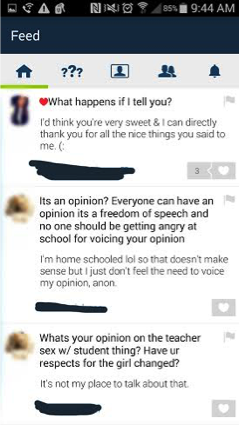
The “home” icon is where you can view those you are following on ask.fm. You can see the questions and comments that they received and answers and responses to the comments and questions.
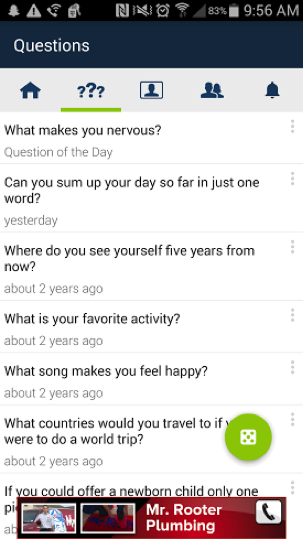
Next to the home icon are question marks. Under this icon you can view the questions people have asked you. Some of these questions are also random from ask.fm. These are questions that are generated through the site and you can answer them and post them to your page. So if you are not getting questions from your friends then this can help build your profile. To get these questions you can tap the green circle and more randomized questions from the app itself will pop up.
Next to the question mark icon is the profile icon where you can see your personal profile. Here you can view your own profile which contains your name, user name, photo, amount of followers, how many questions you’ve answered, amount of likes, and gifts you’ve received.
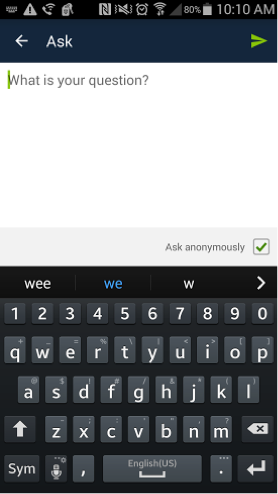
There is also the “Ask me a question,” button on every profile. If you click it, it will take you to a page where you can type your comment or question. At the bottom right hand corner there is a check box that when checked allows you post anonymously. Uncheck the box and it will show who asked or commented.
Next to the profile link, there is a link with shadowed heads. This is where you can see whom you are following.
The big green circle on this page is to help you add friends by either searching, adding them through other social media apps like Facebook, Twitter, or VK Friends.
The bell next to the friend’s link is where you can see your notifications, such as answers to questions you asked and likes on your page. The green circle on this page lets you choose what notifications you want to receive whether it is just answers, likes, or all.
What are the privacy options?
You can set your ask.fm account to not allow any anonymous questions and only receive comments or questions from people you know are asking. To do this you go to settings (this is on your public profile, there’s a settings button that looks like a tool), then you click on privacy, and uncheck the box that says “anonymous questions.”
What are the risks for use?
Cyberbully potential:
The fact that people can post anonymously makes it easy for people to post mean comments and/or threats to a person’s page people cannot post anonymously.
Inappropriate content potential:
Just like any other application or social networking site, posts about sex are highly common on ask.fm. People have the tendency to ask other people sex questions- like what they like, who they have been with, etc. Often times, the person being asked questions may end up sharing information that then may be used for cyberbullying. Teens may also inadvertently share personal information about themselves and friends and family members without recognizing long-term consequence.
How long has it been around and how popular is it?
Ask.fm was developed by two brothers from Latvia in 2010. It grew in popularity starting in Eastern Europe with a policy that seemed to value free speech over safety concerns. As with so many other social media apps, it became popular quickly and the creators may have been caught off guard and slow to understand the dangerous issues presenting and the important safety changes that needed to be made. Fortunately, the it was acquired by Ask.com (a public company that also owns Match.com, About.com, and numerous other online brands) and they have recently implemented significant safety changes. It is especially popular among teens (40% of users are reported to be under 18 years old). Eighteen billion questions and answers were posted in just one year! That, GKISsers, is A LOT of content. Fortunately, most interactions are inane or neutral to positive and sweet. Catherine Teitelbaum elaborated that users love the opportunity to ask questions and express themselves among peers.
What are the protection features?
Users are safest if they block anonymous answers and avoid the public stream. Using WiFi may save you on data charges.
Users are now required to be registered with ask.fm before they can log in and ask a question. That means they may be anonymous to other ask.fm users, but they are not anonymous on the backend from ask.fm security. If users violate terms of use, they can be held accountable by receiving a warning and even being banned from the site.
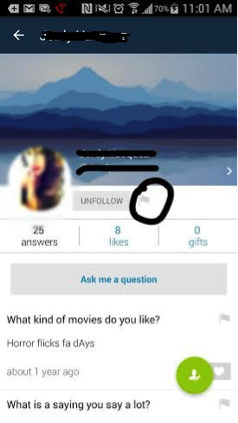
Responders can also report content or block another user if they feel threatened or bothered. All you have to do is go to their profile, click the flag button next to the follow button, and then click “block.” Ms. Teitelbaum told me that all reports will be responded to within 24 hours. However, flags are prioritized due to severity and action may be taken within 15 minutes.
Ask.fm has computer algorithms that search for inappropriate content on all questions (like self harm). If content is flagged, ask.fm staff will review the content and determine action. Answers can be in the form text, photo, or video. As of August, 2015, ask.fm policies have resulted in them taking 40% more action on content than before. Of course, as with all social media apps, teens become increasingly sophisticated working around controls using slang and nuance.
A gap I’ve identified continues to be that you can be anonymous or not when asking a question. This leaves a lot of opportunity for teens with poor judgement to post unflattering content about themselves and others. Posts are public and not exclusive to a buddy list. In theory, if a predator new a child’s profile name he/she could get into your child’s inbox. That portal to potentially gaining intimate information and/or interacting with you teen pushes ask.fm from yellow to red light in my opinion.
The GetKidsInternetSafe overwhelming message is that parents must monitor teen social media posts. This is easy with ask.fm in that EVERYTHING a user answers becomes automatically public and searchable.
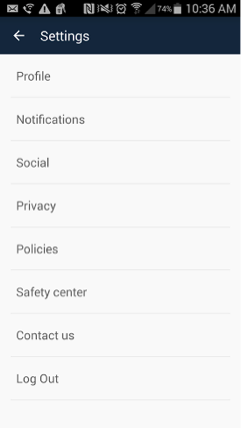
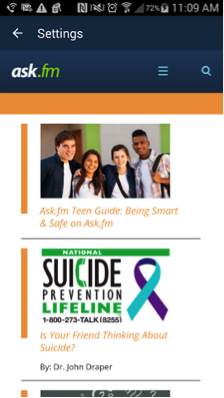
Due to their high risk for cyberbullying, if you go to the settings again and click on safety center, it takes you to a page where you can get information on how to be safe on the site. There is also information on a suicide prevention lifeline. I also encourage your to check out the Terms of Use, which includes an impressive list of Rules of Conduct. For more information check out A Parent’s Guide to ask.fm. (Yay ask.fm! We are seeing significant progress in safety here. Cheers to concerned and noisy parents like us!)
Even with the recently instituted safety features, public and anonymous posting makes this a GKIS red light app, meaning no use prior to age 18 years. For good reasons, ask.fm has been compared to a virtual bathroom stall, demoralizing and vulgar. Because teens tend to be open and idealistic, parents are encouraged to use GKIS recommendations about monitoring, ongoing dialogue, and teaching important skills to kids about netiquette and judgement. Keep in mind that their immature problem solving region in their brain will often lead them to make mistakes. It’s critical that we make ourselves available for compassionate and informed consult. I totally “get” how compelling this app is to teens as a way to share with others. But from my perspective as a clinical psychologist, I worry a public format is simply too risky for young teens. Of course, it is important for families to make their own decisions based on their opinions and values and the individual traits of their kids. Similar apps to avoid include Whisper and Snapchat. What are your experiences with ask.fm? Have you run across problems, or do you consider this a reasonable app for your kids? Please scroll down and let me know what you think! And if you haven’t yet implemented the GKIS staging tools in your home that immediately result in improved safety, check out the GKIS Screen Safety Toolkit today!
Thank you to CSUCI student Adrienne Roy-Gasper for co-authoring this article.
I’m the mom psychologist who will help you GetKidsInternetSafe.
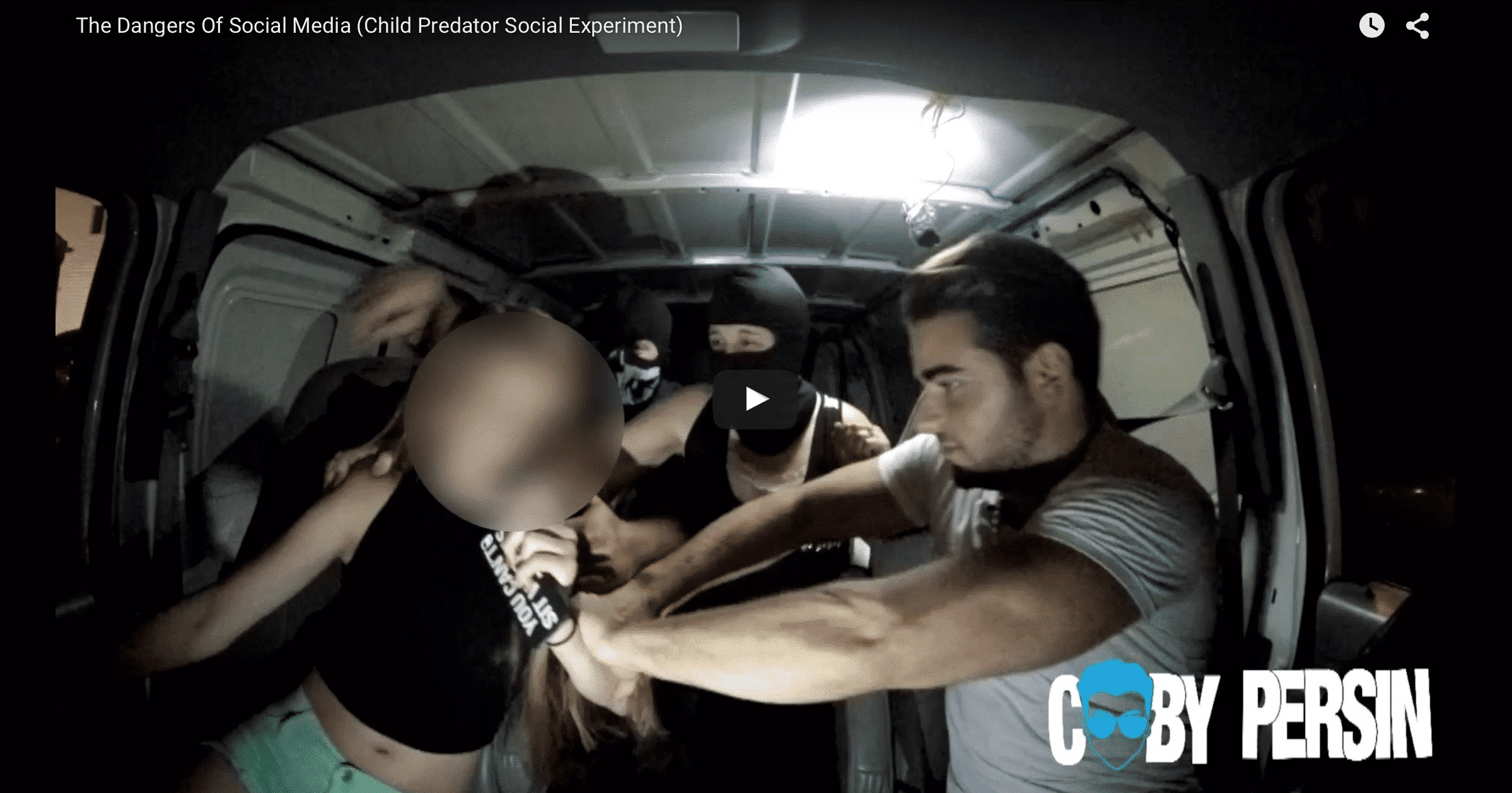
Coby Persin, kudos to you for releasing The Dangers of Social Media (Child Predator Social Experiment) video that has gone viral this week. As a clinical psychologist, I have treated victims who were lured by online predators, some who carried on intimate online relationships under their parents’ noses and others who were raped by the predator. It happens more often than parents are willing to believe. It’s not that parents don’t recognize risk. They just think it’s other people’s children at risk. They overestimate their children’s judgment and fall short of the effective filtering, monitoring, and sophisticated parenting it takes to prevent online risk.
Permissive Internet use is rampant among kids and teens. Children have access to screen media with Internet capacity at younger and younger ages. Parents tell me they simply can’t keep up with technology fast enough to implement effective protection. They say they talk to their kids, but feel incompetent to teach important issues and skills like assertiveness, safety, and sex education. And the discussions that parents do have with their kids about online risk? Telling them about scary outcomes isn’t enough. Kids need regularly coaching and skill-based learning to have any hope of avoiding the sophisticated grooming techniques of a cunning adult.
The most common mistake parents in my practice make with their kids regarding screen media use is overestimating their children’s ability to recognize risk, anticipate consequence, and control impulse.
Yes our kids are brilliant, but they don’t have the soft skills necessary to avoid online trouble. There’s an excellent neurological reason for this. The prefrontal region of the brain, the part responsible for these abilities, does not mature fully until we are 23 years old. That means that teens, even when taught about online risk, simply don’t have the wiring necessary to make sound decisions when maneuvering online. Place that against the dopamine surge in the brain’s pleasure center that sexy online interactions trigger, and you’ve got a curious teen flooded with fantasies of romance that take far higher priority over anxious caution; a losing battle indeed.
Furthermore, the developmental tendencies that are normal for the adolescent stage actually encourage risky behaviors. For example, consider the important impulse to launch. In order to gain the independence they need to become healthy adults, teens progressively venture away from parents (because that attachment is already firmly in place) and work to form stronger attachments with peers. This means they accept peer influence more readily than parental influence. Listen to Mom and Dad or text Billy? Billy is by far the sexier target. Mix this with the omnipotence, idealism, and egocentrism of youth, and you’ve got more ingredients for the recipe for genuine online risk.
Now let’s consider cultural influence. When our daughters tell us, “everyone’s doing it,” she’s telling the truth. Kids are using social media in massive numbers, often unsupervised and unrestricted by parents. That means teens feel falsely confident in their perceived anonymity among other risk-taking peers. Even though everybody’s doing it, many of these young women will go on to fall under the influence of an online predator. And nobody will find out when things go awry. Sad and scary outcomes quickly become buried in silent shame. Nobody needs to be bothered with that ugly reality other than the victim and those who work to help her heal.
So we’ve established that teen wiring, developmental tendencies, and cultural influences lead teens into dangerous online activities. What about family influence? Where are the parents?
Parents are up against lots of obstacles these days. It’s easy to judge. But let’s be honest, parenting is hard! Finding the time, the energy, and the expertise to lock down effective safety on a daily basis is a legitimate challenge. So often parents have real difficulty maintaining a quality connection with their teens. Keeping their attention and spending the time necessary to build skills and really connect is a tough go. We all hope that our kids know they can come to us anytime about anything. But walking the gauntlet between supervising enough while still allowing trust and independence is a tightrope walk.
In Coby’s viral video, he shows three families with daughters that are willingly lured to meet up with a Facebook contact who says he is fifteen years old. The parents are so mortified at their daughters’ dangerous naiveté that they panic, angrily shouting and in one instance trying to shake the sense into his daughter. I, like many viewers, were initially horrified at the fear these young girls were forced to endure. Social experiment, yes, but not one that would ever be allowed past the ethical hurdles a university study would require.
I’ll admit that initially I was angry with those parents for scaring those girls so much. My impulse was to rant that fear and shame is not an effective learning tool, but instead destructive to the trusting, warm parent-child connection necessary to protect. But then I watched it a second time, and then a third, and I realized I’d probably be freaking out just like that if it was my daughter scrambling into the van in a belly shirt. Instead of being destructively reactive like the parents in Coby’s video, we must be proactive and check out expert strategies like those offered in the GKIS Cybersecurity and Red Flags Supplement. Do it now, because we never know if tomorrow will be too late.
I’m terrified. My second daughter just turned 13 years old in every sense. I know what to expect. I’ve been through it. My oldest is 21 and can barely tolerate me still. There’s this tragic time when a mother morphs from hilarious to horrifying and all she has to do is…well nothing. It’s some weird neurological ignition that happens in every teen brain. One moment they’re snuggling you and hysterically giggling when you use stupid accents for random pet antics, and the next they’re rolling their eyes and sneering. In between the sneering, they glower silently with ear buds and hoodies. At first it’s kind of funny, but after several blunt-force attempts to oppress your civil liberties it gets old. Very old.
In my daughter’s defense, I am annoying fairly often. And she’s an amazing kid now adult. But it is evident to me after twenty years of helping teens and parents navigate this delicate time, that for most there are challenges. As the teen pumps with estrogen, the family system must shift to make room for adult feelings and opinions.
How does a mom cope with her daughter’s eye rolls and ear buds without being her daughter’s doormat?
Bark and threaten
Although this makes mom feel like she’s demanding respect, the drill sergeant routine rarely does much besides quiet the teen into passive aggressive defiance. Instead of overt behavior, she’ll give you a blank-eyed stare of simmering hostility and incessantly text her friends about how annoying you are. Expect only a short-term gain of quiet respite.
Humiliate and publicly shame
Like threatening, turning the tables by bullying back can be supremely satisfying. Some parents take it even further and change into a chicken suit and cluck at the school bus stop…until they notice that this counter-assault can be emotionally damaging to the child. Obviously the trigger-mortification hormone that seized her emotional system was not her choice and mostly outside of her control. Punching your daughter in her vulnerable spot is like kicking her when she’s down. Bullying is a betrayal, especially from those you look to for love and protection.
Guilt
An eye roll or a request to oppress your civil liberties may immediately trigger a whiney lecture about how much you do for her. Start with how much you hate your job, but you do it for her. Remind her that you built her inside your now-ruined body. And never forget to mention what your parents would have done if you deigned to disrespect them in the day. Boring her with your martyrdom will teach her a valuable lesson about compassion (not).
Hit
Slapping your smart-mouthed teen or feinting a take down will probably end up with a visit from Child Protective Services or you getting your butt kicked, if not today, then tomorrow. Obviously this is the worst of the options. But if we are all honest here, most of us have seriously considered it.
Ignore
Ignoring contemptuous behavior seems to work in the short-term, but it takes enormous self-discipline on the part of the parent. The ignoring strategy is the gold-standard, but isn’t enough by itself. If you overuse this technique and never push back, she will eventually escalate to entitled monstrosity.
Plead
Nothing gets a teen’s attention like whining and crying in immediate shocking response to her eye roll. Your tears may actually disgust her to the point of dry heaving. Show her your weakness, and, in most instances, she’ll escalation in a desperate attempt to coax you into setting appropriate limits. Not a pretty dynamic.
Act psychotic
When I was little and my sister bullied me, I would turn my head and whisper terrible insults about her to my imaginary friend. I’m not kidding. I actually did that. It would make her cataplectic with rage and, if I didn’t make it to my parent’s room and lock myself in fast enough, I’d suffer a swift pummeling. Just like old times, I’ve tried this as a desperate measure. But unlike my sister, my daughter failed to be irritated by it. She was more perplexed and dismissive. I’ve also tried copying her word for word, because it is a freakish skill of mine. Unfortunately though, she eventually learned to turn the tables by saying insulting things for me to copy or stringing word salads together at mock 3 speed. My daughter’s too smart for my childish retorts apparently, and it can look suspiciously like mean-spirited mocking. Like the other options, this strategy used too often may just escalate the situation. But used occasionally it can sometimes shock her into a giggle.
Empathize
Another option is to put on your big jewelry and Birkenstocks and nod a lot and say, “How does that make you feel when I do that?” “You’re magnificent, let’s hug that out.” Simper and smooth out your voice. Of all these options, this is the most likely to get you stabbed in the eye.
Advice from the peanut gallery:
I just asked my 13 year old, “What should a parent do when a kid rolls their eyes at them and says, “Sssttooopppp?” She replied, “Just stop.” “But what if she’s telling you to stop doing something you don’t want to stop?” She said, “Then just yell at her.” Then she rolled her eyes and flounced away.
My 11 year old son, who still thinks I’m hilarious and deserving of love, suggested two strategies. He said, “Punish them. No, maybe ask what’s wrong and why they’re acting like that. Maybe it’s a bad habit and they need help.” How sweet is he still? Swoon.
Finally, I asked my psychiatrist husband the same question. After he looked at me for several awkward seconds until it became evident I wasn’t going to rescue him from what was certainly a trap, he mumbled, “Beat them, ignore them, and promise them ice cream if they stop.” To which I lovingly said, “Oh really? That’s what you do really?” His eye twinkled and he said, “I say, look that’s contemptuous behavior and it’s not OK to talk to me like that. It’s disrespectful behavior and you have privileges. If you…” Then I rolled my eyes and put in my ear buds.
Closeup on sad teen daughter crying by problems in the shoulder of her mother. Mother embracing and consoling daughter.
My professional advice (for entertainment purposes only):
As your daughter blossoms into adulthood in front of your denying eyes, expect conflict. And while the testing is playing out, do your best to stay calm, maintain compassionate authority, and be smart. Mix it up. Ignore the eye roll at first. If she continues too many times consecutively, give a firm reprimand. If that doesn’t get through, remind your teen that you serve her at your pleasure. She’ll miss you if you temporarily retire your duties. If the disrespectful dissing still continues, have a sit down talk with authenticity, mutual speaking opportunity, and empathy.
When given the opportunity, teens will tell you this feeling of parent-triggered horror is as much a mystery to them as it is to you. They may agree that parents don’t deserve to be emotionally jailed by teen contempt, it’s just difficult to control when they are overwhelmed by it. Fortunately, teen intolerance for parents is temporary. The best option is to avoid escalating the situation with hurtful strategies. Risk silence rather than abuse. Adult brains have had a lot more driving experience than teen brains. For their sake and yours, it’s best to use and model the same behavior you are asking of them.
After all, it’s not like she’s contemptuous all the time. When you see a flicker of humanity, savor it. When she’s funny, laugh (but invisibly and silently like a cult follower). Most of all, fill your heart with compassion for the both of you. As you say goodbye to your baby and hello to your blossoming adult, there is a grief process. You’re going to make mistakes and often, just as she will. And despite what they she tells you at every opportunity, she needs you now more than ever.
What desperate strategies have your tried to cope, other than lots of red wine and 5k’s? Join me on my GetKidsInternetSafe FaceBook page for a rant. It helps us all to know we are not alone.