
Need peaceful screen time negotiations?

Get your FREE GKIS Connected Family Screen Agreement

teens

3 Tips to Get Back on Track With Screen Safety After the Slips

blog68girlonbooks

Our kids are solidly into midterms and my practice is flooded with concerned parents, bummed out kids, and grade dips. Families start out dialed in with expert organizational and parenting practices, lunch boxes packed and folders color-coded. We set screen blackout times and enforce rules and regs around social media and buddy lists. Everybody is on-board with lofty academic goals, locked in screen media agreements, and calendars ripe with ambition. But then we get busy, really busy. Homework gets shoved to the bottom of backpacks, we cave to the shortcuts of fast food after soccer practice, and screens slowly move from the family docking station to the bedroom. Grades slip, tempers flare, and Dr. Bennett’s schedule gets really busy.

AS A FALL PICK-ME-UP HERE ARE 3 AWESOME PARENTING SHORTCUTS TO GET US BACK ON TRACK

1.    Set a quick agenda for  GKIS tech talks

 and create space to deepen the parent-child connection.

To get ideas about what to talk about, simply go to GetKidsInternetSafe.com, enter your name and email address, and wait for weekly articles to arrive in your inbox. Each weekly article covers hot topics for skill-building and discussion, like cyberbullying, netiquette, digital footprints, and issues spurred by current media events. With this information you are prepped to speak with authority (and a sense of humor) about online issues. With each conversation you’ll see your connection deepening and your collaboration improving. Soon they’ll consider you their #1 GO-TO PERSON for online and offline issues. Taking the time to reboot your parent-child connection is your most powerful tool for safety and the very thing that makes us go to sleep at night without guilt and worry.

2.   Establish the GKIS family docking station as a habit 


Pick up your iPhone right now, push the button, and tell Siri to set a reminder 15 minutes after your child’s bedtime. “Remind me to check the FAMILY DOCKING STATION.” Then set it to repeat. This will ensure screens get docked with you at night before lights out. Remember, screens in the bedroom will eventually lead to inappropriate disclosures, x-rated browser searches, and sexting. Even the “good kids” are doing it so surrender your denial already. And it starts younger than you think. For a great blueprint for home staging, check out my GKIS Connected Family Online Course.

3.   Install tech tools that save you time and hassle 


I don’t know about you, but the last thing I want to do is stalk my thirteen year-olds every move on Instagram. I mean really, how many selfies with Frappuccino’s can a middle-aged mom take? Besides, my daughter is an awesome kid. I want to grant her some privacy with her friends, and I’m not particularly comfortable spying on her 24/7 online. But as an Internet safety expert and clinical psychologist, I’m acutely aware of the risks. Knowing what I know, I’m simply not willing to let her through this dangerous portal alone.

That’s where tech can help. I offer a GKIS Tech Playbook in my 30-Days to Internet Safety Course. With this step-by-step blueprint, I suggest several apps and software programs that help parents fill screen media risk gaps.

One of my favorites is VISR. Their website says, “VISR is a simple, effective and kid-friendly tool notifying parents when relevant safety issues such as bullying, risky geotagging, and unusual times of use are detected across social networks.” When the creator and CEO Robert Reichmann contacted me through GKIS, we had a long discussion about our concerns and parenting perspectives regarding screen safety. And I’m happy to say that we became fast friends.

Robert and I both believe that kids must be monitored with social media use in order to achieve safety. But we also hold the parent-child connection as the highest priority. In order to protect that connection, we think being open and honest with our kids about our parenting choices is critical to maintaining trust. Because I agreed with Robert’s philosophies, I agreed to try out VISR with my family.

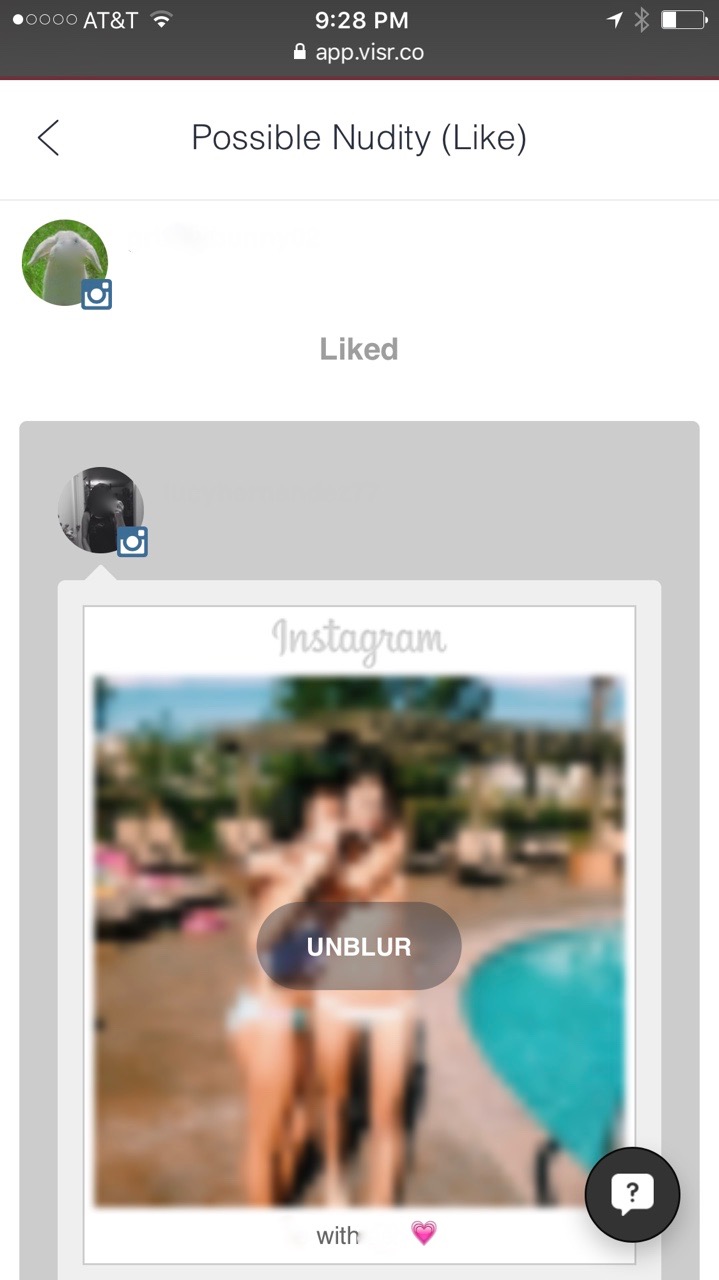
Now keep in mind that VISR isn’t the only tech tool we use. But I’m so happy to say it is among my top favorites. VISR only alerts me if their computer algorithm picks up something of concern from my teen’s Instagram use. I’m alerted to issues within 22 categories that include violence, explicit content, drugs, or late night usage. I honestly love it. 
1

I’m pleased to report that VISR’s notifications haven’t uncovered dangerous content for my child. However, it did catch some after-hours usage and has inspired countless conversations including a recent one about a peer who regularly posts inappropriate content. I didn’t step in and make a decision for my daughter about whether to remain that kid’s friend, but I have challenged her to think about some issues in a way that has made our alliance stronger. She accepts my influence while still maintaining her independence. This is the secret to a strong connection and expert skill building. Ultimately I love the idea that I facilitate her in making the safest choices rather than helicoptering her into sneaking and resentment.

I know this sounds like an ad for VISR, but here’s the truth of the matter. Because Robert and I believe in each other’s programs, he offered a deal for GKISsers when they sign up for VISR! Just enter “GKIS” as the coupon code. Although VISR is currently free, GKIS users are guaranteed three months free if and when VISR charges for the service. And because I love VISR so much, I asked Robert if I could write a blog about it to spread the word to informed parents. Currently they cover YouTube, Instagram, Gmail, Facebook, Twitter, and KidsEmail. 

With services like GetKidsInternetSafe and VISR in your corner, you will be informed, confident, and more successful maintaining screen safety in your home.

I’m the mom psychologist who will help you GetYourKidsInternetSafe.

Onward to More Awesome Parenting,

Tracy S. Bennett, Ph.D.
Mom, Clinical Psychologist, CSUCI Adjunct Faculty
GetKidsInternetSafe

Why Screen Use is the New Heroin

blog67tweenonground

When the term “addiction” is used, most people think of drugs or alcohol. But in the digital age, there is a new addiction that is accessible to almost everyone and can start in elementary school. It is the Internet. Parents use the Internet to occupy their children, and teachers use it in the classrooms as a daily educational tool.

Internet addiction does not sound like a big deal, but like other addictive drugs and behaviors, it has undesirable psychological consequences and some of the same withdrawal symptoms. It is also very accessible. No ID is needed to verify age for use, and the Internet is open twenty four hours a day, seven days a week.

I’m Kathleen, Dr. Bennett’s intern from California State University Channel Islands. My eleven year-old daughter once again did not do her chores, so I took her phone and computer use away. Her reaction shocked me. When she could not access her social media sites she became agitated, emotional, restless, and begged and pleaded for me to let her use it for just a minute. She was acting like a drug addict who needed a hit to ease the pain. Was she in the beginning stages of Internet addiction?

Pre-addiction signs to look out for:

Increasing use to achieve satisfaction

This can happen when an adolescent is using gaming or social media to fulfill emotional needs. They will keep logging on to feel close to others if their emotional needs are not being met in real life. These needs are satisfied through maintaining online relationships with gaming (more common among boys) and social media (more common among girls) to give the feeling of pleasure and or escape from what is going on in nonvirtual life. Emotional needs are met through getting a “like” on a picture, a response to a post, or a new friend request rather than a healthy collaborative friend relationship.

Preoccupying thoughts about use

An adolescent may have intrusive thoughts about Internet use such as, “I need to see if anybody commented on my photo,” or “What if I miss out on something important?” These thoughts can distract them from studying and maintaining real life relationships with their friends and family.

Falling grades from overuse

Grades can decline from screen use for social media, gaming, and chatting instead of doing homework and studying. Also if a child has a computer or smartphone in their room, loss of sleep from staying up late to use the Internet contributes to falling grades (Hung et al., 2005).

Other symptoms that may be an indicator that an adolescent’s Internet use has moved from fun to addiction are lying about how much time is spent online, responsibilities get ignored, mood changes from not being able to log on, and relationships become strained. Despite addiction risk, there are many benefits that the Internet provides. It serves as research and study tool and can help maintain relationships between friends and family.

Suggestions to ensure healthy screen use:

Set limits. Filter. Monitor.

One of the best strategies for preventing Internet addiction is making sure your children have limits to what they do and see online and how much time they spend. Make nonschool computer use a reward for helping out and maintaining good grades instead of using the computer to entertain your child.

Prevent boredom by providing enriching activities

Boredom can be alleviated with Internet use, but there are many other things that can as well. Provide and promote books, puzzles, or arts and crafts instead of Internet use. Instead of the computer being used as a tool for relaxing, encourage going for a walk around the block or sign your child up for after school group or sport activities. This will not only help limit computer use but it also provides exercise.

Connect better as a family

Family activities will help strengthen relationships and bring closeness. Have a picnic in the park, go on a hike, or play a board game together. This will not only help limit computer use for your child but for you as well. This can also be a great way to have a ongoing teaching dialogue with your children and family (Lin et al., 2009).

blog67boyinhat

While there are lots of benefits of Internet use, it is important to keep a look out for trouble signs. And if your child’s symptoms are getting in the way of academics and healthy relationships, seek support from your pediatrician or clinical psychologist. For more information on how to limit computer time, check out “Start Fall Fresh with a Cleansing Digital Detox.”

KathleenCongratulations and thank you to Kathleen Gulden, CSUCI intern, for authoring her first GKIS article!

I’m the mom psychologist who will help you GetKidsInternetSafe.

Onward to More Awesome Parenting,

Tracy S. Bennett, Ph.D.
Mom, Clinical Psychologist, CSUCI Adjunct Faculty
GetKidsInternetSafe.com

Works cited:

Lin, C. , Lin, S. , & Wu, C. (2009). The effects of parental monitoring and leisure boredom on adolescents’ Internet addiction. Adolescence, 44(176), 993-1004.

Ko, C. , Yen, J. , Chen, C. , Chen, S. , & Yen, C. (2005). Proposed diagnostic criteria of Internet addiction for adolescents. The Journal of Nervous and Mental Disease, 193(11), 728.


The GKIS Sensible Parent’s Guide to Tumblr

tumblr advertisement

Tumblr is a multimedia microblogging social networking site that many tweens and teens use for streaming a scrapbook of short blogs, images, links, text, and videos and audio clips. Many of my clients love the creative versatility of Tumblr and most choose to have a public profile. Tumblr users commonly form close-knit, highly-involved communities that share common passions. Celebrities like Taylor Swift have benefitted from her 46 million following and reposting fans (#swifties) resulting in consistently viral coverage. Recently a friend of a client detailed her suicide plan on her Tumblr blog, triggering a welfare check from the police. Although this app resulted in a teen getting the help she needed in this instance, often times intimate information is used to get to an unintended victim. Trigger warning with this article due to the graphic and sexual image examples easily found on Tumblr. Sorry folks, but you NEED TO KNOW.

What is Tumblr?

Tumblr is a microblogging, social networking site that you can now use on your phone as an application. It was founded by David Karp and is owned by Yahoo! People use it to post, reblog, or comment on blogs.

What are Tumblr’s popular features?

  • The home screen will contain blogs posted by those you are following.

blog66image1

  • The home screen is where you can see posts made by other people; they can be blogs or reblogs. (Reblogs are when people take a blog and repost it onto their page for more people to see it).
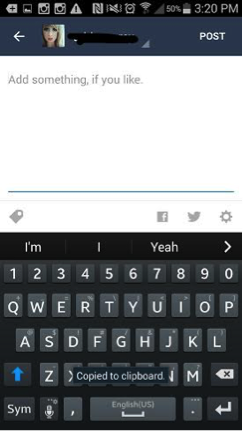
  • To reblog a post you select the two arrows going in a circle; it will take you to a page where you can add something yourself to the post.

blog66image2blog66image3

  • If you want to just like a post you can tap on the heart to the right of the arrows; if you want to leave a comment you can tap the bubble to the left of the arrows. Or you can share a post by tapping the three dots and you can share it via facebook, pintrest, email, etc.
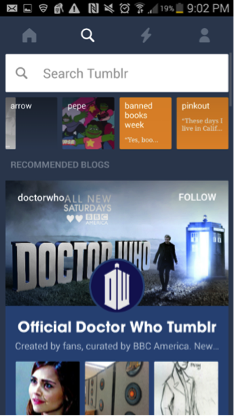
  • The search icon next to the home is where you can look up other users; you can search for friends or you can just search for anyone that may blog about things you enjoy. You can type just about anything into the search bar and find people to follow.

blog66image4.png

  • It will also give you recommendations of what to follow; if you want to follow that page you can just click the follow button.
  • The lightning bolt icon is where you can see your notifications. People can tag you, reblog your post, or even comment on something.

blog66image5

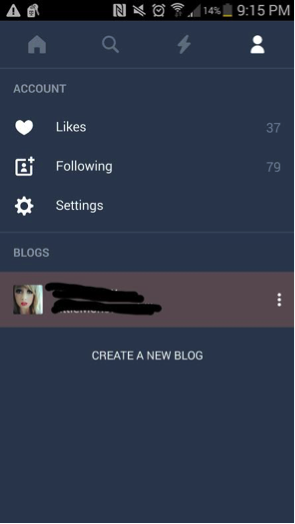
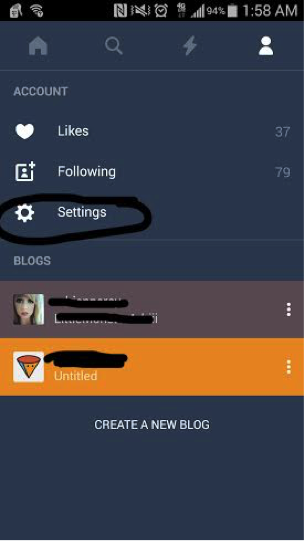
  • The person icon next to the lightning bolt is your account information; here you can see your likes, who you’re following, your settings, and your blog information. There is also a place where you can start a new blog which is like a subaccount.

blog66image7

  • To post a blog you can select the big blue circle with a pencil on the main page.

What is included in the personal profile?

  • To look at your own personal profile you can go to the person icon, click your picture and username. It will bring you to your profile and you can see what everyone else can see.
  • You can edit your user name, background, profile picture, etc. It will also show things that you have posted or shared.

blog66image8

  • The big blue circle with the pencil is where you can post your own personal blog.
  • Top right hand corner is where you can edit your profile.
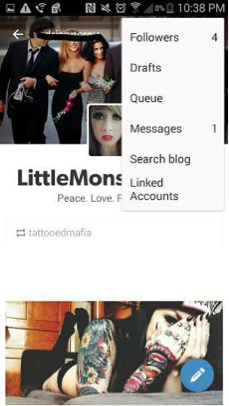
  • The person icon to the left of it is where you can see your followers, messages, search for other blogs, view linked accounts if you have any, etc.

blog66image9

What are the privacy options?

  • There are not many privacy options on Tumblr.
  • You are unable to make your main blog private.
  • In order to post a blog that only you can read; you must make a secondary blog account.
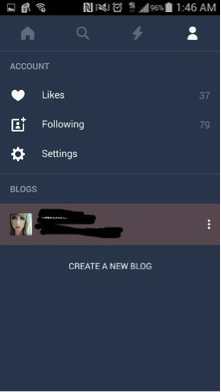
    • To make a secondary blog, you go to the person icon at the top right.
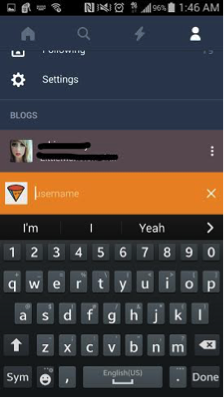
    • Tap the “create new blog link.”

blog66image11blog66image12

  • These secondary blogs are unable to follow other blogs, talk to other users, like or post other blogs.
  • Other privacy information Tumblr offers are under the person icon. Select “Settings,” then select privacy policy.
  • In this section Tumblr just explains why they use your email, username, password, and age (such as using your email to send you updates about the app or site). They note that this information is kept confidential from third parties,

blog66image13

How long has it been around and how popular is it?

  • Tumblr has been around since November, 2007.
  • It is estimated that there are about 30 million users and possibly more.
  • Popular amongst teens and young adults.

What are the risks for use?

Cyberbully potential:

  • Due to the confessional-type nature of many entries, Tumblr users are extremely vulnerable to trollish and cyberbullying comments.

Inappropriate content potential:

  • Social media sometimes provides groups to make teenagers feel like they “belong.” However these groups can be dangerous.
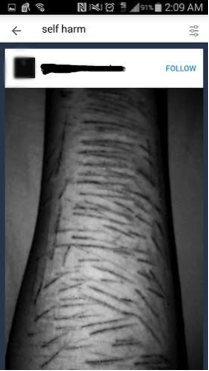
    • Cutting: Those who may have depression and depend on self harm can reach out to others who also cut and share stories/pictures of their experiences, which can lead to more cutting and other “ways” of doing it.blog66image16
      blog66image14
    • Sexualized Content: Due to all ages being on the internet, parents should be aware of the sexualized images that are available through Tumblr.blog66image17 blog66image18
    • Eating Disorders: People tend to use their blogs on social media sites to share their stories and/or pictures of their struggles with eating disorders. This content may give others advice or help on how to become anorexic or bulimic.blog66image20 blog66image19
    • Drug Use: Blogs may be used to “brag” or talk about drug use, making it seem like a cool thing to do.


blog66image22 blog66image21

Making poor decisions:

  • Teens long to form private, creative communities and Tumblr is the perfect place to do that. As with all social media apps, Tumblr can be prosocial or destructive. Therefore if you teen wants Tumblr, I suggest that you continue to nurture a warm, collaborative relationship so they can come to you if they run across anything uncomfortable. And for young teens, definitely monitor content.

Due to the intimate and dangerous content often shared on Tumblr, I recommend this is a GKIS yellow-light app (with monitoring only). Kids are being introduced to topics that they may not be mature enough to handle (is anybody?) and are also vulnerable to cyberbullying. More scary to me is the opportunity that online sex offenders have for learning intimate details about children, such as special interests and personal identifying information. Tumblr is tantamount to confessional YouTube channels and social networking sites like Twitter. Do you have any stories to share about Tumblr? Please share them below!

11755355_1062290680448181_4814698546326661932_nThank you to CSUCI student Adrienne Roy-Gasper for co-authoring this article.


I’m the mom psychologist who will help you GetKidsInternetSafe.

Onward to More Awesome Parenting,

Tracy S. Bennett, Ph.D.
Mom, Clinical Psychologist, CSUCI Adjunct Faculty
GetKidsInternetSafe.com

Photo credit:

Tumblr by Scott Beale, CC BY-NC-ND 2.0

Snapchat’s New Snap Map Feature May Be a Better Privacy Option Than Facebook: What Parents Need to Know

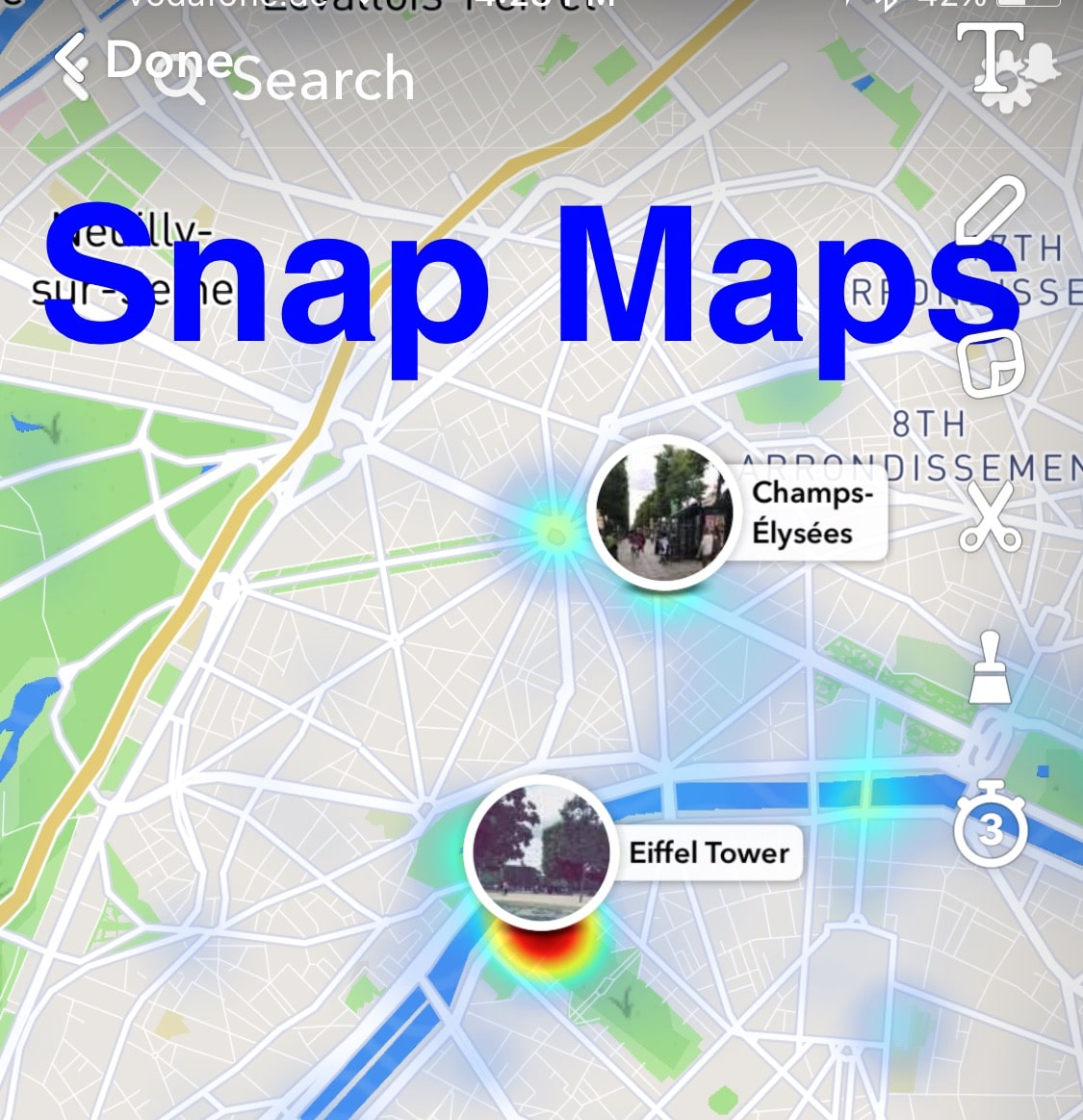
Snap Map feature on Snapchat

Hey GKISsers. I’m in Berlin (!) for a security conference, and my email feed is alive with press inquiries for my opinion about how Snapchat’s new Snap Map feature threatens child safety. Because I try to have a life, I was unable to respond quickly. But I’m on it now, AND I have a unique opinion about why I’ve chosen Snapchat over Facebook on this trip for privacy reasons. Huh? You may ask.

Let’s start with Snapchat’s big news

Here’s the skinny: With the new 10.11 Snapchat update, your teen’s worldwide location can be tracked real time using the new feature Snap Maps. That means anybody can pull up a map and see exactly where your child is posting from in the moment with such precision one can see which part of a building your child is in. Location updates only when Snapchat is open and will disappear from the map if the app hasn’t been opened for several hours.

Their location shows up as an “Actionmoji” on a map – an avatar doing Snapchat’s best guess of activity typical of that location (like sitting under an umbrella at the beach or listening to music). Snapchat also notes your speed of travel and whether or not your headphones are plugged into your phone. If your child views the map, she can see where her friends are at anytime, and what she is missing out on. She may also see the locations of Snapchat users she does not know for snaps submitted to “our story,” like a collection of snaps at a concert or sports event. Amazing to get a snapchat view of events occurring real time around the world.

In order to create this new feature, Snap bought social media mapping startup Zenly in May of this year. Snapchat’s press release states, “We’ve built a whole new way to explore the world! See what’s happening, find your friends, and get inspired to go on an adventure!”

What does that mean for our kids?

It means that today, not tomorrow, your kids need to select the ghost feature for Snap location sharing, or their Snapchat buddies may be able to track their exact location real time.

For the FOMO (fear of missing out) of adolescence, this feature is cool. Imagine seeing where friends and other Snap users are at all times, maybe inspiring Friday night plans or providing options about where to go. Also, if there are lots of Snapchat posts in one location, a patch of color appears to identify the hotspot. If friends are all in one group, you can even kick off a group chat. How cool is that? But let me be a huge mom-like buzzkill and paint a picture about what that could mean based on terrifying human trafficking scenarios I’ve seen in my office:

Impulsive Snap from your daughter: “<pouty face> alone again on a Friday night”

Snap maps identifies her bedroom address with a map to every creeper your daughter happened to friend in order to get her numbers up.

Knock at the door

I know that sounds dramatic, but it happens more than we’d like to think. Check out my GKIS article to learn how pimps and predators search out teens on social media to groom them for a face-to-face meeting. Imagine your daughter eventually agreeing to meet a predator who’s been wooing her for weeks for promised romance, tenderness, gifts, and understanding (what all young girls dream about), resulting in her being drugged and locked in a room so her new pimp can arrange a series of rapes by paying customers. I sincerely apologize for the graphic representation of truth, but honestly parents, we need to face the facts to get our GetKidsInternetSafe.

On a less scary note, there’s also a cyberbully risk when kids can see exactly which get-togethers they were excluded from.

What can you do to help keep your child safe?

  • If you’ve agreed to Snapchat for your teen, download the app and check it out so you can set up an informed digital contract with ongoing educational dialogue. Here is my GKIS article to help with Snapchat basics (update with Snap Maps pending).


  • Require that your child select appropriate privacy options on Snapchat. When you are on the Snapchat camera home screen, pinch out to get to Snap Maps. Tap on the settings gear in the top right hand corner. Select who you want to share your location with (a select group of friends, all Snapchat friends, or no friends at all – ghost mode). Obviously, I recommend that the ghost mode option “no friends at all” be selected. If friends-only gets selected, have a discussion about what that might mean in regard to friending strangers, frenemies, or what may happen if there is a falling out with a friend.


  • Keep a dialogue going to stay in the loop and model that you are a go-to consultant for social media and Internet challenges. Mistakes are inevitable, and you want to be a calm and knowledgeable resource for your child. No shame, no blame.


  • Turn the location option off for your smartphone camera to avoid default geotagging on all photos.


  • Finally, join me in pressuring the government to require social media apps to offer SAFE ACCOUNTS for use under 18. These accounts would be locked on highest privacy settings with location turned off.

You might be wondering why I don’t simply red light Snapchat with risks like these? I yellow light Snap, because it is a pretty amazing social media app that even I use with friends on occasion. I even prefer it for my activities right now.

Why did I choose Snapchat over Facebook for security reasons this week?

I mentioned that I’m in Berlin. As an avid Facebook user I wanted to share photos of this amazing experience I’m having with friends and family. The problem? I wasn’t particularly comfortable advertising to my 400+ FB friends that my home sat empty. Yes I keep my buddy list culled to friends and family, but I have added some bloggers and business people I particularly admire as well as high school friends. I can’t be 100% sure my privacy is secure. On Snapchat I have far fewer followers.

My carefully culled buddy list and convenient Snapchat story option (with creative filters) is the perfect format to send fun pics of me braving the metro in Paris on my own, wearing wooden clogs in Amsterdam, and sharing my Berlin taxi driver’s impressive road rage. In other words, on this occasion I think Snapchat was more secure than Facebook. PLUS my images go away. I don’t have to hire the 13 year-old across the street to delete my photos one-by-one, because I share TOO MUCH and that digital exhaust follows me for years. An ongoing saved photo stream is just too intimate. AND once posted, Facebook owns that content. Of course, Snapchat is reputed to also keep images for months on their server even after disappearing.

There you have it. I am not entirely Internet safe by choice, which occasionally has me worried amongst these intense security experts in Berlin who’s digital footprints are nil for good reason. They know the worst-case scenarios and made their best decisions. Are you making yours? And more importantly, are your teens posting safely?

I’m the mom psychologist who will help you GetKidsInternetSafe.

Onward to More Awesome Parenting,
Tracy S. Bennett, Ph.D.
Mom, Clinical Psychologist, CSUCI Adjunct Faculty
GetKidsInternetSafe.com

The GKIS Sensible Parent’s Guide to Snapchat

Snapchat Icon

I have mixed feelings about red-lighting the popular self-destructing messaging app, Snapchat, and I’ll tell you why. I Snapchat with my daughter and the other twenty-somethings and its fun! Like all social media apps, Snapchat can be used for good or evil. They say it’s not guns that kill people, it’s people that kill people. The same applies for social media. So here’s the deal; if the individual using Snapchat has a mature frontal lobe and life experience, this app is way cool. But if the user is young and impulsive, Snapchat provides an effective forum for bad behavior in the form of pictures, videos, and texts. Unfortunately, there are no monitoring apps that I know of that work with Snapchat. However, there are many apps that that let recipients sneakily save chats from unsuspecting senders. Keep in mind, social media apps post risks for viewing, posting, and private messaging. Here is your GetKidsInternetSafe Sensible Parent’s Guide to Snapchat so you can make your most informed parenting decision. To help your tween or teen demonstrate they have the knowledge, problem solving ability, and judgment for social media, check out our Social Media Readiness Course. It’s an online course for tweens and teens that offers information about the risks of digital injury due to social media and psychological wellness tools. With a quiz for each module, they work their way through independently so their graduation certification demonstrates mastery of content. Of course, you can take it too if you’d like. It’s like driver’s training but for the internet!

What is Snapchat?

Snapchat is a free mobile messaging app for sharing moments with family or friends. Photos or videos are taken on the application and the user may draw and add a “caption” to their picture and send it to anyone on their “friends” list. Snapchat also contains a “story” (a saved video on static page for 24 hours) where friends can view your photo and/or video series. The photos or videos last up to ten seconds or it can last up to infinite amount of time and then it disappears after the user clicks their screen. The photos can be saved if the other person viewing it takes a screen shot; however it will notify the sender. Also, the sender may save their photos anytime if they are on their “story.” You can also instant message with Snapchat. Snapchat’s Terms of Use states, “Snapchat is intended for people who are at least 13 years old. Persons under the age of 13 are prohibited from creating Snapchat accounts.”

What are Snapchat’s popular features?

Snapchat is highly intriguing to users because the messaging is photo/video based. This is a step-by-step description of how to use it:

  • Take a photo
  • Tap screen to add caption; tap the “T” in the right hand corner to change font size and color. Tap the pencil under the “T” to draw on the picture with color or draw with emoji’s, tap the square under the pencil to add emoji’s or bitmojis.
  • Under the square is a pair of scissors that allows you to clear a blemish, erase a part of the photo, put an entire background, or put hues of color in designated spots.
  • After the scissors, there is a paper click symbol. This allows for the user to attach a URL to any post they make.
  • Apply a filter by swiping right on the photo; includes four different tints for pictures, a “mph” to show friends how “fast” you’re going if in a moving vehicle, the time photo or video was taken, the altitude, and the temperature of where you are. You can only choose one of these filters at a time or you can hold the screen and apply numerous filters to the post.
  • At the bottom of the list of symbols on the left top corner is the clock where, you can choose how long you want your picture to appear when sent to friends from 1-10 seconds or for infinite. You can also click the arrow pointing down (on the bottom of the screen) if you want to download the picture you just took onto your device. Lastly next to the arrow there is the square with a plus sign to “add to your story,” the picture will remain on your story for 24 hours.
  • At the bottom right corner of the screen, you click the arrow pointing to the right to send the photo to your friends. When clicking here you can choose what friends you want to send it to.
  • Check the box of the friends you want it sent to; on the bottom the friends you chose will show up in a blue link with an arrow pointing to the right. You click the arrow once your friends are chosen.
  • The list of friends include, “Your Story,” “Best Friends,” “Recents,” “Groups,” and “Needs Love.” Your story was previously mentioned before; you just have another option to add the photo to your story a different way. Your best friends consist of those you send Snapchats to the most. Recents are those who recently sent you a Snapchat or those you recently sent a Snapchat to. Groups are people who you have grouped together and if you send a snap to them all of the recipients will receive the same snapchat and can respond to the group (like group messaging but with pictures). Lastly those on the needs love list are those who are on your Snapchat list of friends but you don’t Snapchat them often nor sent them a Snapchat recently.
  • Recently added on Snapchat is group chatting. Now, once you are on your main screen (swipe to the right), you’ll see at the top for the option of “Groups”, “Stories”, or “Chats”. Pressing each of these tabs looks fairly similar but it is a new way of organizing your feed. The New Group Video Chat allows groups of up to sixteen people to instantly start video chatting. To create a video call, you simply create a new group of friends (or use a group already created) and tap the video icon to send an automatic notification to those users, as an invitation to join the call.  During your video chat you can use the famous Snapchat filters. You read that right, you can video call your friends and family while you have a dog filter on your face.

personal profile on Snapchat What is included in the personal profile?

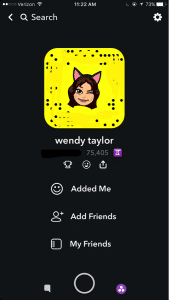
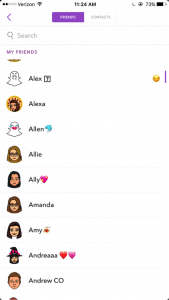
There is not a “personal profile” per se, but there are ways to find your friends who are on Snapchat. From the main snapchat screen, the middle section, you can press the top left corner, which is either a picture of a ghost of your bitmoji you created. From there you can view your name, user name, your astrological sign, and your “score.” There’s a link with a smiley face that says “Added Me” to see those that have recently added you on Snapchat. Then there’s a link that says “Add Friends” and you can search by username, address book, snapcode, or nearby or add from your contacts list. The last link is My Friends, which shows who you have already added.

Those who are not your friends can see the pictures you post on your story, unless you go to settings – view my stor y- and make sure its pressed on “My Friends.” There is an option for Everyone or Custom, which you can block certain people from seeing your story. People can find you using any of the things stated above, but most commonly people will add through “contact” list, snapcode or user name. Your personal snapcode is the unique pattern of dots around your bitmoji. It can be scanned by other users to easily and quickly add you as a friend.

Snapchat settings What are the privacy options?

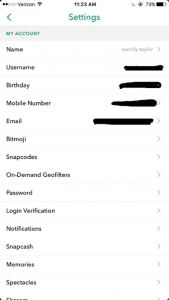
From the screen with your bimoji, click the settings gear icon on the top right hand corner. When you click it you can see the information you entered when signing up for Snapchat.

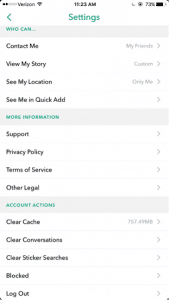
privacy options in Snapchat

When you scroll down there is a Manage section with “Who Can…” Contact Me, View My Story, See My Location, and See Me in Quick Add. (Quick add is so you won’t come up on random people’s snapchats saying they might know you and to easily add you as a friend). From there you can select Everyone, My Friends, Only Me, or Custom settings.

How long has it been around and how popular is it?

Snapchat was created by Stanford University students, Evan Spiegel, Bobby Murphy, and Reggie Brow. It was first launched in July, 2011, under the name “Picaboo.” Later it was renamed and relaunched September, 2011.

What are the risks for use?

Cyberbully potential:

  • Friends sending threatening/cruel messages or offensive pictures
  • Fake accounts and impersonation.
  • Mostly used with friends or people the individual knows; so if there is an argument they may say or do hurtful things through the app.

Inappropriate content potential:

  • Sexualized images
  • Instant messaging inappropriately
  • Some consider it the “sexting app;” may receive inappropriate pictures or messages; may send them to others as well.
  • Often times, people feel as if they are safe to use this as a “sexting app” due to the fact that the app will notify you if someone has taken a screenshot. They may think that no one will screenshot their inappropriate photo because it notifies the sender. Or if they get notified that someone took a screenshot they may feel that they can take action.

However, it’s important to note that there are apps that a user can download that allow them to screenshot the sender’s photos without it sending a notification. Some of these apps are called, “SnapKeep,” “SnapBox,” “SnapSpy,” and “KeepSnap.” This is important to know, because people get too comfortable with pictures when they believe that after 10 seconds it’s magically gone; this may not be case.

Making poor decisions:

  • Bragging about substance use to friends by taking photos of alcohol use, drug use, or pictures at a party
  • Using device while driving to use the “mph” filter to brag about the speed of the vehicle you are in. This also can lead to driving over speed limit.

What are the protection features?

  • You can change your privacy settings to where only friends can send you Snapchats or see your story (view privacy settings).
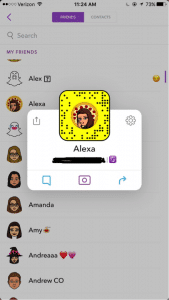
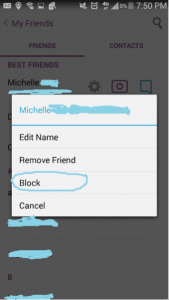
  • If a user is sending inappropriate images you can block them by going to your friend’s list, tap the name of the friend, click the settings link, and click “block.” Or if they recently snapped you, you can just hold their name and press settings and then block. You will no longer be able to receive or send Snapchats to that user; they also will no longer be allowed to see your story.

1st screenshot showing protection features in Snapchat

2nd screenshot showing protection features in Snapchat

3rd screenshot showing the SnapChat block feature


Because of the capacity to post images and video unmonitored and instant message, GKIS considers Snapchat a red light app, generally meaning no use prior to age 17. But realistically speaking, most high schoolers actively use and text on Snapchat, so use your best parenting judgment for your child. Also be cautious of similar apps like BurnNote, Slingshot, and Yik Yak. These days, popular social media apps tend to add each other’s most popular features (like Snapchat stories now on Instagram and Facebook). No longer is there a “safer” social media app for middle schoolers.

CSUCI student Adrienne Roy-Gasper

Thank you to CSUCI student Adrienne Roy-Gasper for co-authoring this article. Check out my blog article about how this dad responded to Snapchatters who were cyberbullying his daughter, and how it caused the bully’s dad to lose his job. What are your experiences with Snapchat? Have you run across problems, or do you consider this a reasonable app for your kids? Please let me know what you think in the comments below.

I’m the mom psychologist who will help you GetKidsInternetSafe.

Onward to More Awesome Parenting,

Tracy S. Bennett, Ph.D.
Mom, Clinical Psychologist, CSUCI Adjunct Faculty
GetKidsInternetSafe.com

What Being a Pig Mom Taught Me About Raising Happy Kids

blog59pigsnout

For the last three years our family has raised 4H hogs for the county fair. What started out as a child activity has quickly become a much-anticipated family tradition. We are suburbanites who’ve graduated from bunny to barnyard, and we are a healthier, happier family for it. My friends tease me about my fake ranch lifestyle, but there are amazing reasons why we enthusiastically animal hoard. I’m taking a few minutes in the middle of fair week to share just a few reasons why I love 4H living. Here’s what being a pig mom has taught me about raising happy kids.


blog59boots

You’re gonna get dirty

Nothing reeks like pig poop. Literally nothing. A pin drops worth pollutes a room in 3.2 seconds and sends me hysterically sniffing shoes and jackets while barking threats. But honestly, if we’re tackling life there are times we’re going to be covered with it and so is our leather camel car interior. Life isn’t all about lemon verbena. Active kids bring stink.


 

blog59work

Rules matter and so does hard work

In 4H kids do the work. If parents help, the club loses competition points. This is perhaps the most astounding invention known to parenthood. The first day of pen cleaning my kids pathetically pleaded for instruction, awkwardly fondling and falling over their push brooms like stoned spider monkeys. But it turns out that they figured it out without me. I shrugged, they struggled. Once they found their rhythm they lit up with accomplishment and were going steady with that broom by nightfall. Do I hear a motion for a 4H charter in your kitchen?


blog59toddler

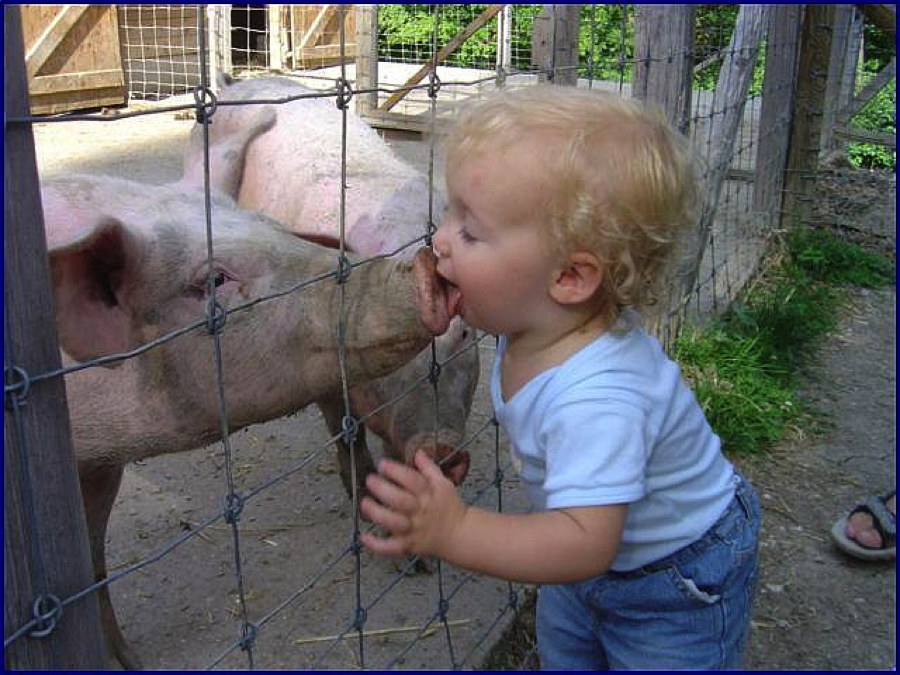
Mom, let the toddlers pet the pig. Hands wash.

I know it’s totally gross to see your Precious dripping in pig spit, but nurturing an animal teaches everything we need to know about love and protect. That giggling glee when your sticky stumbler gets to spray the pig with water (especially on THE BUTT) and then caresses his stinky hide lovingly, that’s parenting 101 at its finest. That’s what we did for them. Nurturing is a drug. Let them have a hit.


blog59ribbons

Hard work deserves recognition but only the hardest worker gets first place (and who you know makes a difference)

In the pig group there are three BIG days. There is the competition for the best market hog, the competition for the best showmanship, and there is auction day. These are sandwiched between the squealing delight of move-in day and the tearful goodbye of move-out day. Like many things in life, fair week is made up of important events between hours of waiting. But the one thing the events have in common? The kids who are there first thing in the morning mucking pens and working with their animals are also the ones who get the ribbons and the big money award at auction. There is one caveat, however. Kids who hand wrote an impressive buyer letter and those who are well known to the community pick up the extra spoils. Watching the way hard work and networking works prepares kids for their lives ahead. It doesn’t always happen fairly, but good preparation makes a huge difference.


blog59tribe

We are stronger as a tribe and fun matters

In 4H clubs form based on community. Older kids mentor little kids and seniors help novices. During competition we stick with our tribe, cheering each other and sharing resources. But when push comes to shove, we all work side-by-side and make good care of the kids and animals our highest priority. Judges place high value on intensity and fun. 4H does not tolerate meanness.


blog59buckle

Gender is irrelevant. Get tough and get dirty.

There is no gender discrimination at fair. My scrappy thirteen year-old daughter muscles in and makes it happen indistinguishable from the boys. Everybody throws in ideas, holds office, and works hard. I’ve been raising kids for 21 years and this is one of the healthiest, non-discriminating activities I’ve ever taken part in. Wrestling pigs and showing steer is not for the meek. The confidence these kids gain is impressive and hard-earned.


blog59sunset

Too much delicious gets old

It doesn’t seem possible but kids will beg for a home-cooked meal when it’s not readily available. This is a great argument about how restricting something may encourage desperate desire. A fifteen year old schooled me yesterday about letting my son have a pretzel for lunch after his donut at breakfast. “Mom! This is fair!” he said. I hung my head and surrendered. The next day my 11 year-old junk food junkie was begging for steamed vegetables. I lie, homemade chicken tacos, but still.


blog59cards

Boredom sparks magic

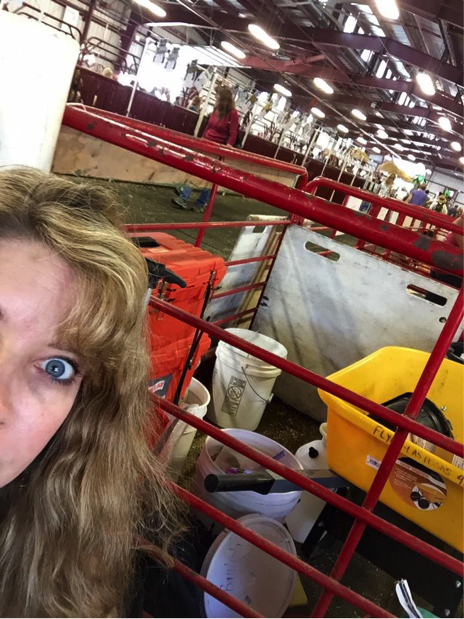
The first day my kids brought their iPads to the livestock barn and even got them out half-heartedly throughout a day of back-breaking work followed by hours of waiting. But it didn’t last. Bored kids visit baby goats, snuggle pigs, and play cards. Old timers stop by the barn and share their stories and kids answer the pig questions of picture-snapping visitors. 4H kids increasingly adopt a buzz of contentment and confidence. By day two they leave their screens at home. I swear that the livestock barn at the county fair is the last bastion of screen-free sanctuary. It’s only one of the reasons my husband and I take off the week without hesitation. It’s old-school family time, and we all delight in it.


blog59eyebarn

Sometimes you have to scream at stupid people

In the pig barn, things go from calm to dangerous in two seconds flat. At one moment the pig is sauntering calmly with a kid in dress whites at their heels. The next, Maple Bacon is hauling her 270-pound delicious rump through hordes of corn-gobbling fair-goers. That mom cowering in her path with her toddler at her knee? You’re going to have to screech, “PICK UP THAT BABY NOW!” while you throw yourself in front of them and slam a pig board in front of Maple. Both the pig and the stunned mom will cooperate, and you’ll both be laughing afterward. Fear makes all of us stupid. Fight or flight or stand there mouth agape. I think that’s how that goes.


blog59goatshow

Fairs attendies don’t care about modesty, but 4H parents do

Sorry about the body shaming but after witnessing the carnival horrors of overly-revealing fair outfits, my kids grow content with their dress whites. There is nothing more adorable than the functional garb of 4H kids hard at work.


blog59pancetta

Animal slaughter should spark vigorous, heart-felt, intelligent debate. Taking a life should not be minimized.

My hippy friends are horrified we raise 4H hogs for auction, and I don’t blame them a bit. My argument is that meat-eaters should have to raise a meat animal to slaughter to really understand the life sacrifices behind that carnitas burrito. Our pigs live happy but short lives. They live in a roomy pen and are walked daily in the sunshine by caring kids. We are aware they are raised for slaughter, and we don’t pretend it’s pretty. By a year old market pigs are crippled with arthritis from too much weight gained too quickly. We cry when we leave them behind on Sunday afternoon. It’s brutal.

In my experience, 4H families are the most loving, hard-working, and caring people I’ve run across. They love their children, their friends, and their community and they work hard to ensure those things are taken care of. Most agree that there is a powerful argument to sparing animal lives if you have the resources to and raising them humanely if you don’t. In our family the experience has led half of us to vegetarianism and the other half to less meat eating but with grateful awareness. Other families share the same story. Raising our animals gives us a true understanding of the meat aisles in the grocery store. We get it. We think reading a magazine about it may not be enough.


blog594hsign

And finally, there’s the 4H moto “Make the best better.”

This one speaks for itself.

If you’re ready to get back to good old-fashioned family bonding, cut down on screen time and get dirty. One way to launch a healthier family life is to stage your house for smarter, better managed screen use. My GKIS Connected Family Online Course details just how to make that happen.

I’m the mom psychologist who will help you GetYourKidsInternetSafe.

Onward to More Awesome Parenting,

Tracy S. Bennett, Ph.D.
Mom, Clinical Psychologist, CSUCI Adjunct Faculty
GetKidsInternetSafe.com

Photo credit:

Presidio of Monterey, CC by-NC-2.0

Snog by Tim Zin, CC by-NC-2.0

This post is dedicated to my Aunt Becky and Uncle Chuck for introducing me to a profound love for family and the barnyard, Chelle Smith for your laughing eyes, willing hugs, and awesome attitude. You teach our kids what true leadership is all about! And to Leverno, Sidney, S’moa, and Pensetta. We love you babies and thank you for your sacrifice.  xoxo