Need peaceful screen time negotiations?

Get your FREE GKIS Connected Family Screen Agreement

snapchat

Smartphones During Homework?

blog70jackie1

Are you fighting the homework wars? Wondering if screens during homework are helping or hurting grades? We can’t take screens away during homework time anymore. So much of it is online! Kids insist that tech helps them learn better. But does it? Today’s GKIS article covers who tech can help with learning and how it can interfere.

How We Learn

We have to have a good memory to earn good grades. To learn, we must encode, or anchor, that information into brain memory storage. This type of learning happens as we engage with the material over and over. Memories also encode while we sleep. Changing short-term memories into long-term memories happens through biochemical and electrical processes called consolidation.

Different types of memories store in different parts of the brain. Memorizing factual information (required to perform well on tests) primarily involves the part of the brain called the temporal cortex. Intentionally learning facts is called explicit memory.

Memorizing how to do something, like tie your shoes, is called procedural learning. It is stored in the areas of the brain that involve motor control. This kind of learning is called implicit memory.

Emotional memories (like those that occur in traumatic situations) are stored in multiple brain areas including our emotional center, the amygdala.

Research suggests that kids studying while watching TV may encode that information as procedural rather than factual data. Encoding in the wrong brain region makes fact retrieval at test time more difficult. How and where you study also makes a difference.

How to Facilitate Learningblog70jackie2

To learn well, we must start with great brain health, get motivated, set up a good workstation, and follow best learning practices. Are you practicing these learning techniques?

  • Good self-care, brain health, and cognitive fitness are the foundations of learning engagement (like sleep, nutrition, exercise, and a positive mood)
  • A distraction-free study environment
  • Efforts toward mental engagement: attention and motivation
  • Putting the learning content in a variety of different formats (listening to a lecture, reading notes, writing notes, re-writing notes, watching videos, engaging in discussion, etc.)
  • Memorizing material in a variety of study environments
  • Making unique meaning of the material, such as generalizing and applying the concepts, especially with emotional connections
  • Repetition and practice
  • Avoid doing two tasks at once that require the same cognitive resources (don’t multitask)
  • Uninterrupted brain rest after each study session (mindfulness, meditation, time out in nature)

The Benefits of Screen Time for Learning

Screen devices can be amazing learning aids. Not only do they help us put the material in different formats, but they are fun and convenient to use! Here are some of the ways screen time benefits our learning.

  • With our screen devices, we have immediate, easy access to massive stores of information.
  • The biohacks built into our devices make learning fun. We are captured and motivated.
  • Online quizzes and testing help us immediately assess where we are with our learning.
  • Learning programs dish out progressively challenging content at a pace that matches our performance.
  • Screens give us access to others for group discussions and crowdsourcing problems.
  • Screens offer cool and create learning formats, like project management and brain mapping systems.
  • Gamifying content helps us learn and have fun!
 

blog70jackie3

Best Learning Strategies

1. Learn from the get-go.

Don’t waste a moment of studying. Be an active learner the minute you come into contact with the material. Actively engage with the content while you read the textbook, take notes in class, and watch the videos. Participating in class also helps deep processing of the material!

2. Learn while you format study materials.

Outline the text and rewrite and highlight your notes. Attend to and connect the main concepts. Leave out illustrative details so you have only essential material (fewer pages) to memorize.

3. Set the stage to study.

Block out sufficient study time over several days using a block-scheduling download from the Internet. Prepare yourself and your study space to optimize learning. Make sure you are comfortable and fit (fed, hydrated, rested) with a positive attitude about studying. Find a comfortable, non-distracting study location. Turn off your phone and other notifications and commit to studying only, no social media or Internet surfing.

4. Engage with content, don’t kill and drill.

For a student to learn effectively, they must engage with the content and integrate it into a meaningful framework. Students often make the mistake of mindlessly rehearsing isolated facts, thinking time spent is evidence of learning. Kill and drill is a waste of time and mind-numbingly punishing. Deeply processing information is the best way to learn.

5. Create learning pathways.

Each time we encode a fact into the hippocampal area (memory center) of our brain, we create a learning pathway to that content that can later be traveled for retrieval at test time. Increasing the number of pathways to that encoded fact is the process of effective learning.

In items 2 and 3 of this list, you already paved the initial pathways! The first pathways include when you listened to the lecture, wrote notes, read the textbook, answered the teacher’s questions, and formatted study materials.

To pave additional pathways to test content, find creative ways to further engage with and elaborate on the material while you study. The more emotionally and cognitively meaningful the material is for you, the easier it will be to learn. For example, use the Internet to view the study material in a variety of vivid formats, such as illustrative maps, diagrams, pictures, speeches, or videos. Link the information to emotionally meaningful memories or associated topics. Study from a variety of locations. Form a study group and talk with others about the content.

6. Rehearse the information and practice retrieving it and applying it just like you would at test time.

If the test is multiple-choice, make up questions that would lead to memorized facts. If the test is an essay, practice outlining and writing essays on that material.

7. Study small chunks of material at a time over several days, eventually linking the chunks together.

Don’t cram at the last minute. Your brain needs time to deeply process newly learned material. It will even process when you’re not actively studying, even in your sleep! That means it’s best to learn and rehearse chunks of material over several days. By test time, the chunks will come together for easy, A+ retrieval.


Fostering the love of learning is the best thing we can do with our kids, that means helping them learn better and achieve a healthy balance on- and off-screen. For more learning tips, view my free video, “How to Study Effectively: Metacognition in Action.” 

I’m the mom psychologist who will help you GetYourKidsInternetSafe.

Onward to More Awesome Parenting,

Tracy S. Bennett, Ph.D.
Mom, Clinical Psychologist, CSUCI Adjunct Faculty
GetKidsInternetSafe.com

Snapchat’s New Snap Map Feature May Be a Better Privacy Option Than Facebook: What Parents Need to Know

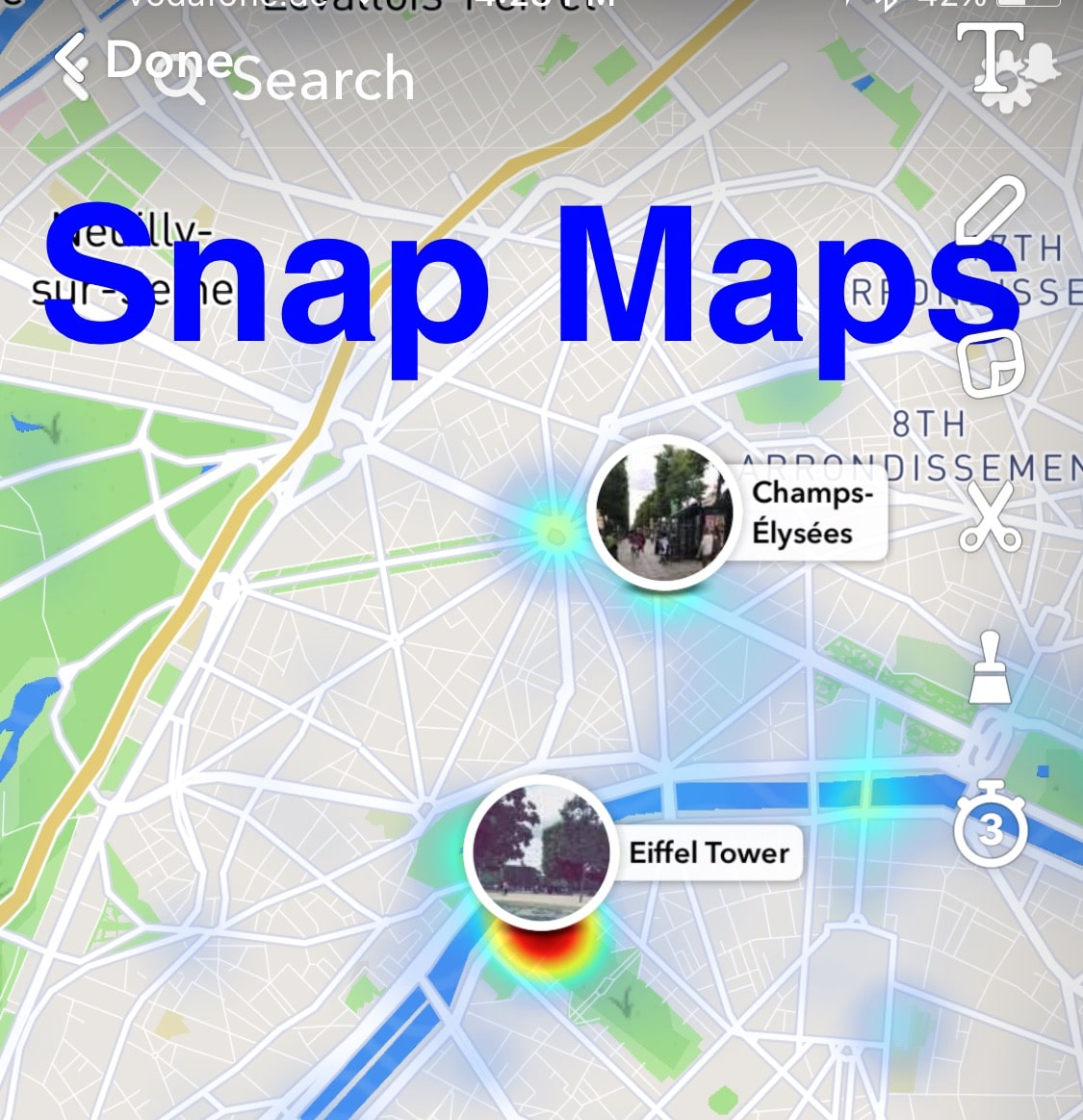
Snap Map feature on Snapchat

Hey GKISsers. I’m in Berlin (!) for a security conference, and my email feed is alive with press inquiries for my opinion about how Snapchat’s new Snap Map feature threatens child safety. Because I try to have a life, I was unable to respond quickly. But I’m on it now, AND I have a unique opinion about why I’ve chosen Snapchat over Facebook on this trip for privacy reasons. Huh? You may ask.

Let’s start with Snapchat’s big news

Here’s the skinny: With the new 10.11 Snapchat update, your teen’s worldwide location can be tracked real time using the new feature Snap Maps. That means anybody can pull up a map and see exactly where your child is posting from in the moment with such precision one can see which part of a building your child is in. Location updates only when Snapchat is open and will disappear from the map if the app hasn’t been opened for several hours.

Their location shows up as an “Actionmoji” on a map – an avatar doing Snapchat’s best guess of activity typical of that location (like sitting under an umbrella at the beach or listening to music). Snapchat also notes your speed of travel and whether or not your headphones are plugged into your phone. If your child views the map, she can see where her friends are at anytime, and what she is missing out on. She may also see the locations of Snapchat users she does not know for snaps submitted to “our story,” like a collection of snaps at a concert or sports event. Amazing to get a snapchat view of events occurring real time around the world.

In order to create this new feature, Snap bought social media mapping startup Zenly in May of this year. Snapchat’s press release states, “We’ve built a whole new way to explore the world! See what’s happening, find your friends, and get inspired to go on an adventure!”

What does that mean for our kids?

It means that today, not tomorrow, your kids need to select the ghost feature for Snap location sharing, or their Snapchat buddies may be able to track their exact location real time.

For the FOMO (fear of missing out) of adolescence, this feature is cool. Imagine seeing where friends and other Snap users are at all times, maybe inspiring Friday night plans or providing options about where to go. Also, if there are lots of Snapchat posts in one location, a patch of color appears to identify the hotspot. If friends are all in one group, you can even kick off a group chat. How cool is that? But let me be a huge mom-like buzzkill and paint a picture about what that could mean based on terrifying human trafficking scenarios I’ve seen in my office:

Impulsive Snap from your daughter: “<pouty face> alone again on a Friday night”

Snap maps identifies her bedroom address with a map to every creeper your daughter happened to friend in order to get her numbers up.

Knock at the door

I know that sounds dramatic, but it happens more than we’d like to think. Check out my GKIS article to learn how pimps and predators search out teens on social media to groom them for a face-to-face meeting. Imagine your daughter eventually agreeing to meet a predator who’s been wooing her for weeks for promised romance, tenderness, gifts, and understanding (what all young girls dream about), resulting in her being drugged and locked in a room so her new pimp can arrange a series of rapes by paying customers. I sincerely apologize for the graphic representation of truth, but honestly parents, we need to face the facts to get our GetKidsInternetSafe.

On a less scary note, there’s also a cyberbully risk when kids can see exactly which get-togethers they were excluded from.

What can you do to help keep your child safe?

  • If you’ve agreed to Snapchat for your teen, download the app and check it out so you can set up an informed digital contract with ongoing educational dialogue. Here is my GKIS article to help with Snapchat basics (update with Snap Maps pending).


  • Require that your child select appropriate privacy options on Snapchat. When you are on the Snapchat camera home screen, pinch out to get to Snap Maps. Tap on the settings gear in the top right hand corner. Select who you want to share your location with (a select group of friends, all Snapchat friends, or no friends at all – ghost mode). Obviously, I recommend that the ghost mode option “no friends at all” be selected. If friends-only gets selected, have a discussion about what that might mean in regard to friending strangers, frenemies, or what may happen if there is a falling out with a friend.


  • Keep a dialogue going to stay in the loop and model that you are a go-to consultant for social media and Internet challenges. Mistakes are inevitable, and you want to be a calm and knowledgeable resource for your child. No shame, no blame.


  • Turn the location option off for your smartphone camera to avoid default geotagging on all photos.


  • Finally, join me in pressuring the government to require social media apps to offer SAFE ACCOUNTS for use under 18. These accounts would be locked on highest privacy settings with location turned off.

You might be wondering why I don’t simply red light Snapchat with risks like these? I yellow light Snap, because it is a pretty amazing social media app that even I use with friends on occasion. I even prefer it for my activities right now.

Why did I choose Snapchat over Facebook for security reasons this week?

I mentioned that I’m in Berlin. As an avid Facebook user I wanted to share photos of this amazing experience I’m having with friends and family. The problem? I wasn’t particularly comfortable advertising to my 400+ FB friends that my home sat empty. Yes I keep my buddy list culled to friends and family, but I have added some bloggers and business people I particularly admire as well as high school friends. I can’t be 100% sure my privacy is secure. On Snapchat I have far fewer followers.

My carefully culled buddy list and convenient Snapchat story option (with creative filters) is the perfect format to send fun pics of me braving the metro in Paris on my own, wearing wooden clogs in Amsterdam, and sharing my Berlin taxi driver’s impressive road rage. In other words, on this occasion I think Snapchat was more secure than Facebook. PLUS my images go away. I don’t have to hire the 13 year-old across the street to delete my photos one-by-one, because I share TOO MUCH and that digital exhaust follows me for years. An ongoing saved photo stream is just too intimate. AND once posted, Facebook owns that content. Of course, Snapchat is reputed to also keep images for months on their server even after disappearing.

There you have it. I am not entirely Internet safe by choice, which occasionally has me worried amongst these intense security experts in Berlin who’s digital footprints are nil for good reason. They know the worst-case scenarios and made their best decisions. Are you making yours? And more importantly, are your teens posting safely?

I’m the mom psychologist who will help you GetKidsInternetSafe.

Onward to More Awesome Parenting,
Tracy S. Bennett, Ph.D.
Mom, Clinical Psychologist, CSUCI Adjunct Faculty
GetKidsInternetSafe.com

The GKIS Sensible Parent’s Guide to Snapchat

Snapchat Icon

I have mixed feelings about red-lighting the popular self-destructing messaging app, Snapchat, and I’ll tell you why. I Snapchat with my daughter and the other twenty-somethings and its fun! Like all social media apps, Snapchat can be used for good or evil. They say it’s not guns that kill people, it’s people that kill people. The same applies for social media. So here’s the deal; if the individual using Snapchat has a mature frontal lobe and life experience, this app is way cool. But if the user is young and impulsive, Snapchat provides an effective forum for bad behavior in the form of pictures, videos, and texts. Unfortunately, there are no monitoring apps that I know of that work with Snapchat. However, there are many apps that that let recipients sneakily save chats from unsuspecting senders. Keep in mind, social media apps post risks for viewing, posting, and private messaging. Here is your GetKidsInternetSafe Sensible Parent’s Guide to Snapchat so you can make your most informed parenting decision. To help your tween or teen demonstrate they have the knowledge, problem solving ability, and judgment for social media, check out our Social Media Readiness Course. It’s an online course for tweens and teens that offers information about the risks of digital injury due to social media and psychological wellness tools. With a quiz for each module, they work their way through independently so their graduation certification demonstrates mastery of content. Of course, you can take it too if you’d like. It’s like driver’s training but for the internet!

What is Snapchat?

Snapchat is a free mobile messaging app for sharing moments with family or friends. Photos or videos are taken on the application and the user may draw and add a “caption” to their picture and send it to anyone on their “friends” list. Snapchat also contains a “story” (a saved video on static page for 24 hours) where friends can view your photo and/or video series. The photos or videos last up to ten seconds or it can last up to infinite amount of time and then it disappears after the user clicks their screen. The photos can be saved if the other person viewing it takes a screen shot; however it will notify the sender. Also, the sender may save their photos anytime if they are on their “story.” You can also instant message with Snapchat. Snapchat’s Terms of Use states, “Snapchat is intended for people who are at least 13 years old. Persons under the age of 13 are prohibited from creating Snapchat accounts.”

What are Snapchat’s popular features?

Snapchat is highly intriguing to users because the messaging is photo/video based. This is a step-by-step description of how to use it:

  • Take a photo
  • Tap screen to add caption; tap the “T” in the right hand corner to change font size and color. Tap the pencil under the “T” to draw on the picture with color or draw with emoji’s, tap the square under the pencil to add emoji’s or bitmojis.
  • Under the square is a pair of scissors that allows you to clear a blemish, erase a part of the photo, put an entire background, or put hues of color in designated spots.
  • After the scissors, there is a paper click symbol. This allows for the user to attach a URL to any post they make.
  • Apply a filter by swiping right on the photo; includes four different tints for pictures, a “mph” to show friends how “fast” you’re going if in a moving vehicle, the time photo or video was taken, the altitude, and the temperature of where you are. You can only choose one of these filters at a time or you can hold the screen and apply numerous filters to the post.
  • At the bottom of the list of symbols on the left top corner is the clock where, you can choose how long you want your picture to appear when sent to friends from 1-10 seconds or for infinite. You can also click the arrow pointing down (on the bottom of the screen) if you want to download the picture you just took onto your device. Lastly next to the arrow there is the square with a plus sign to “add to your story,” the picture will remain on your story for 24 hours.
  • At the bottom right corner of the screen, you click the arrow pointing to the right to send the photo to your friends. When clicking here you can choose what friends you want to send it to.
  • Check the box of the friends you want it sent to; on the bottom the friends you chose will show up in a blue link with an arrow pointing to the right. You click the arrow once your friends are chosen.
  • The list of friends include, “Your Story,” “Best Friends,” “Recents,” “Groups,” and “Needs Love.” Your story was previously mentioned before; you just have another option to add the photo to your story a different way. Your best friends consist of those you send Snapchats to the most. Recents are those who recently sent you a Snapchat or those you recently sent a Snapchat to. Groups are people who you have grouped together and if you send a snap to them all of the recipients will receive the same snapchat and can respond to the group (like group messaging but with pictures). Lastly those on the needs love list are those who are on your Snapchat list of friends but you don’t Snapchat them often nor sent them a Snapchat recently.
  • Recently added on Snapchat is group chatting. Now, once you are on your main screen (swipe to the right), you’ll see at the top for the option of “Groups”, “Stories”, or “Chats”. Pressing each of these tabs looks fairly similar but it is a new way of organizing your feed. The New Group Video Chat allows groups of up to sixteen people to instantly start video chatting. To create a video call, you simply create a new group of friends (or use a group already created) and tap the video icon to send an automatic notification to those users, as an invitation to join the call.  During your video chat you can use the famous Snapchat filters. You read that right, you can video call your friends and family while you have a dog filter on your face.

personal profile on Snapchat What is included in the personal profile?

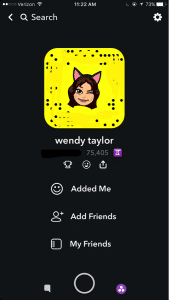
There is not a “personal profile” per se, but there are ways to find your friends who are on Snapchat. From the main snapchat screen, the middle section, you can press the top left corner, which is either a picture of a ghost of your bitmoji you created. From there you can view your name, user name, your astrological sign, and your “score.” There’s a link with a smiley face that says “Added Me” to see those that have recently added you on Snapchat. Then there’s a link that says “Add Friends” and you can search by username, address book, snapcode, or nearby or add from your contacts list. The last link is My Friends, which shows who you have already added.

Those who are not your friends can see the pictures you post on your story, unless you go to settings – view my stor y- and make sure its pressed on “My Friends.” There is an option for Everyone or Custom, which you can block certain people from seeing your story. People can find you using any of the things stated above, but most commonly people will add through “contact” list, snapcode or user name. Your personal snapcode is the unique pattern of dots around your bitmoji. It can be scanned by other users to easily and quickly add you as a friend.

Snapchat settings What are the privacy options?

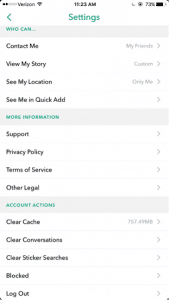
From the screen with your bimoji, click the settings gear icon on the top right hand corner. When you click it you can see the information you entered when signing up for Snapchat.

privacy options in Snapchat

When you scroll down there is a Manage section with “Who Can…” Contact Me, View My Story, See My Location, and See Me in Quick Add. (Quick add is so you won’t come up on random people’s snapchats saying they might know you and to easily add you as a friend). From there you can select Everyone, My Friends, Only Me, or Custom settings.

How long has it been around and how popular is it?

Snapchat was created by Stanford University students, Evan Spiegel, Bobby Murphy, and Reggie Brow. It was first launched in July, 2011, under the name “Picaboo.” Later it was renamed and relaunched September, 2011.

What are the risks for use?

Cyberbully potential:

  • Friends sending threatening/cruel messages or offensive pictures
  • Fake accounts and impersonation.
  • Mostly used with friends or people the individual knows; so if there is an argument they may say or do hurtful things through the app.

Inappropriate content potential:

  • Sexualized images
  • Instant messaging inappropriately
  • Some consider it the “sexting app;” may receive inappropriate pictures or messages; may send them to others as well.
  • Often times, people feel as if they are safe to use this as a “sexting app” due to the fact that the app will notify you if someone has taken a screenshot. They may think that no one will screenshot their inappropriate photo because it notifies the sender. Or if they get notified that someone took a screenshot they may feel that they can take action.

However, it’s important to note that there are apps that a user can download that allow them to screenshot the sender’s photos without it sending a notification. Some of these apps are called, “SnapKeep,” “SnapBox,” “SnapSpy,” and “KeepSnap.” This is important to know, because people get too comfortable with pictures when they believe that after 10 seconds it’s magically gone; this may not be case.

Making poor decisions:

  • Bragging about substance use to friends by taking photos of alcohol use, drug use, or pictures at a party
  • Using device while driving to use the “mph” filter to brag about the speed of the vehicle you are in. This also can lead to driving over speed limit.

What are the protection features?

  • You can change your privacy settings to where only friends can send you Snapchats or see your story (view privacy settings).
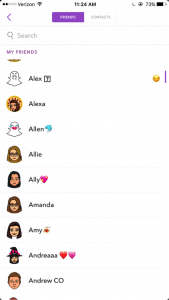
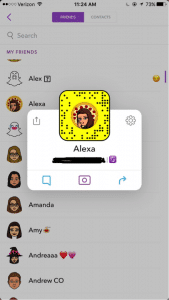
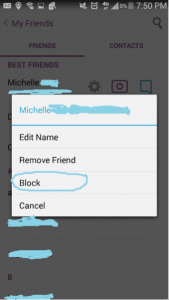
  • If a user is sending inappropriate images you can block them by going to your friend’s list, tap the name of the friend, click the settings link, and click “block.” Or if they recently snapped you, you can just hold their name and press settings and then block. You will no longer be able to receive or send Snapchats to that user; they also will no longer be allowed to see your story.

1st screenshot showing protection features in Snapchat

2nd screenshot showing protection features in Snapchat

3rd screenshot showing the SnapChat block feature


Because of the capacity to post images and video unmonitored and instant message, GKIS considers Snapchat a red light app, generally meaning no use prior to age 17. But realistically speaking, most high schoolers actively use and text on Snapchat, so use your best parenting judgment for your child. Also be cautious of similar apps like BurnNote, Slingshot, and Yik Yak. These days, popular social media apps tend to add each other’s most popular features (like Snapchat stories now on Instagram and Facebook). No longer is there a “safer” social media app for middle schoolers.

CSUCI student Adrienne Roy-Gasper

Thank you to CSUCI student Adrienne Roy-Gasper for co-authoring this article. Check out my blog article about how this dad responded to Snapchatters who were cyberbullying his daughter, and how it caused the bully’s dad to lose his job. What are your experiences with Snapchat? Have you run across problems, or do you consider this a reasonable app for your kids? Please let me know what you think in the comments below.

I’m the mom psychologist who will help you GetKidsInternetSafe.

Onward to More Awesome Parenting,

Tracy S. Bennett, Ph.D.
Mom, Clinical Psychologist, CSUCI Adjunct Faculty
GetKidsInternetSafe.com
Why Our Kids Struggle Not to Overuse Screen Media


Screenshot-2015-05-31-20.30.12

PLEASE SHARE OUR GKIS VIDEO by clicking on the share buttons on the left  🙂

Did you know that the prefrontal region of the brain, the part that involves impulsivity, complex reasoning, and problem solving, doesn’t fully mature until we are 23 years old? This is why kids don’t recognize future consequence and make unwise decisions.

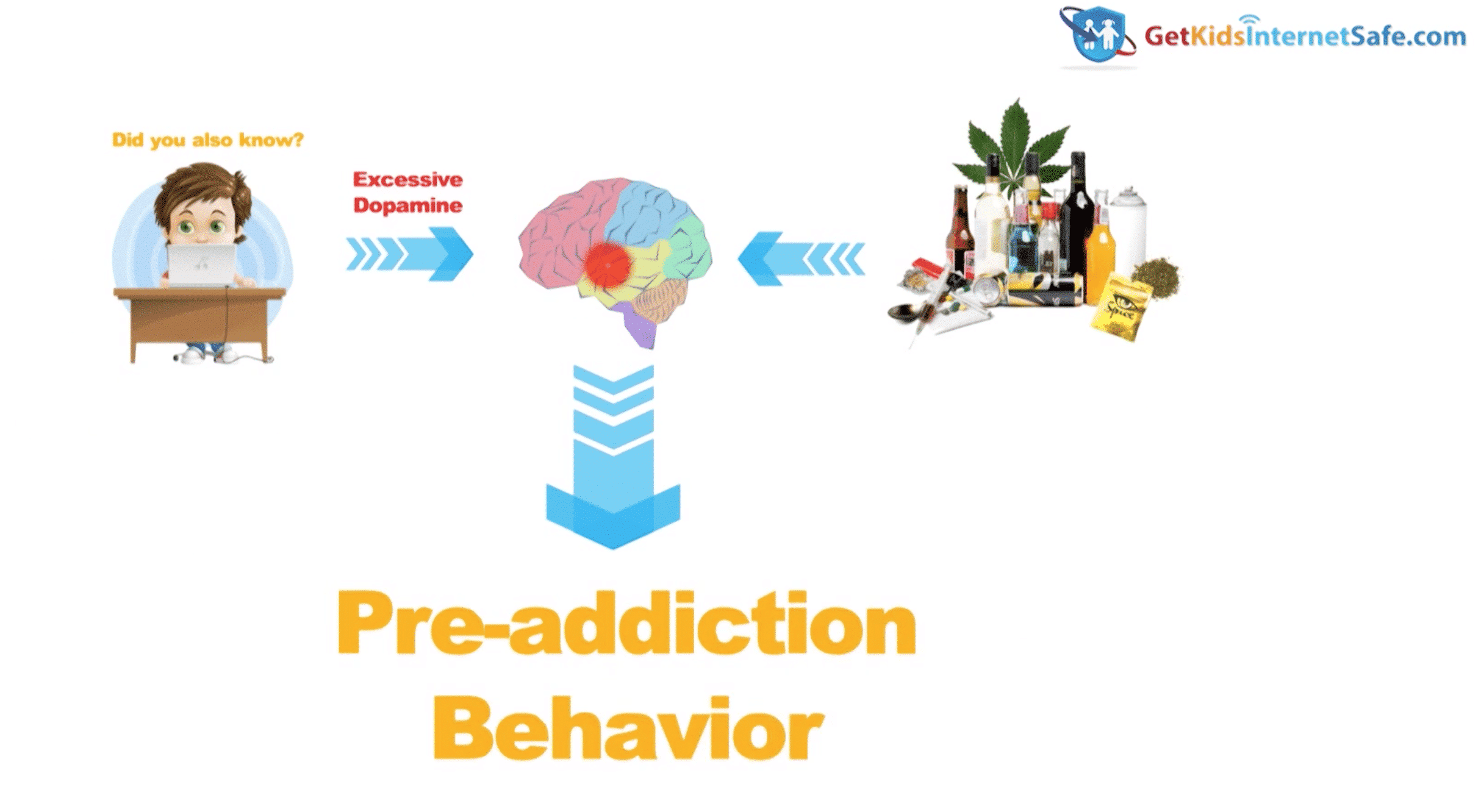
Did you also know that screen media may lead to excessive dopamine in the pleasure center of the brain in a similar way that all drugs of addiction do? That means some kids drift into pre-addiction behavior patterns, like “flow,” when video gaming or using social media.

Although every child’s different, boys tend to prefer gaming and girls tend to prefer social media.

Surging dopamine in the pleasure center quickly overpowers an immature frontal lobe. That means our kids need us to guide them well into what we consider “adulthood.”

YouTube Shaming Doesn’t Rehab the Cyberbully, But Kindness and Education Just Might


BLOGBC9cyberbullydad

Did you see the YouTube video of the Minnesota dad defending his 14-year-old Black-American daughter from racist Snapchat cyberbullies? It went viral and gained over 7 million views! Instead of standing by, he took matters into his own hands. Read today’s GKIS article and see if you agree with the way he handled it. Also, find out what we at GKIS think the internet hates.

How a Dad Defended his Daughter Against Cyberbullies

Bradley K’s daughter and her friend were sending Snapchat selfies to friends when freshman twin boys viewed them at a party and responded with racist, sexist giggling comments. She showed her parents who were horrified and recorded the snaps. They then tried to contact the boys’ parents on several occasions, even knocking on their door.

When the boys’ parents didn’t respond, Mr. K went to the police. The police investigated and shared Deron P’s (the dad of the boys) cell number with Bradley K. Mr. K left a message for the boys’ parents, only to receive a series of verbally abusive responses. Mr. K was furious and threatened to post the voicemails on YouTube. Mr. P reportedly replied, “I don’t care.”

So, Mr. K posted them.

The Fallout

After the publication of the YouTube naming Mr. P and the high school his boys attend, news reports stated that Mr. P lost his job and was admitted for detox from prescription pills and alcohol. The P family also released the following statement:

“The P family is not racist, nor do we use the “N” word lightly in our household. What happened was very unfortunate for both families, and we hope each family can heal and move on from this. There is no excuse for how Deron P acted, and nothing can take back the words he said to Brad K.”

Isn’t this dad bullying back?

Due to my experiences as a mother, clinical psychologist, and professor at CSUCI, I created GetKidsInternetSafe to support kids and parents in exactly this kind of situation, which are increasingly epidemic in our unregulated online culture. As a result of my expertise, people come to me for my specialized GKIS parenting programs and informational support. In this capacity, I received an email from a good friend with this news report asking what I thought of Bradley K’s posting. She said, “Isn’t this dad bullying back?”

Upon watching the video my heart goes out to Bradley and his daughter. He is clearly hurt and angry and has every reason to be. I’m a mother and I know the almost-crippling rage that burns when somebody hurts my child. I TOTALLY GET IT.

And the racist and sexist verbal abuse that this beautiful teenage girl had to endure…my thoughts play like a slide show of the hundreds of cyberbully stories I have helped young people process in my clinical office. I ache with empathy for the pain kids experience at the hands of their impulsive peers; pain that becomes woven into the tapestry of how they view themselves, their bodies, and their very identities. Like Mr. K, I am angry at the permanent damage that is being inflicted on our kids over screen media.

But here’s the kicker; I also treat the cyberbullies. In fact, more times than not, the victims have retaliated or acted badly on social media themselves. Victims often respond by perpetrating back or passing the abuse to another peer. And so on, and so on, and so on. Each child becomes a desensitized and sometimes monstrous participant, usually under parents’ noses.

What do you think of Mr. K’s choice to publicly air this incident?

He stated his intent for the Ps to “own” their racism. Considering the content of the statement released by the P family, that ownership simply did not happen. The children involved are now held up for public scrutiny for the public to debate this very real, very painful, and very common issue. The victims and cyberbullies will be forever paired with this shameful, brutal, and highly publicized incident.

I don’t vilify Mr. K for making the decision he did. He tried civilized means of resolution only to be verbally assaulted himself. Furthermore, he had no way of knowing he would get 7 MILLION views.

And my opinions about Mr. P? Clearly the man has serious substance abuse issues and wrestles with hate. My father taught me it is never OK to kick those who are already wounded. Assert myself, yes, but brutalize back, no. I’d like to think I wouldn’t make Mr. K’s choice myself. But having addiction in my family has taught me the hard way that addicts can provoke the worst from us.

My passionate feelings about this incident have little to do with the parents actually and more to do with the children. These boys are 15 years old! They were at a party showing off for friends harassing girls they didn’t know. They were clearly raised with ignorance and hate and verbal abuse. They were likely taught that this behavior is what men do. And any 10-minute Internet surf session shows us that this revolting behavior is modeled to our kids hundreds of times a day online. These goofball boys’ split-second decision has resulted in the financial ruin and public humiliation of their entire family; a piercing punishment indeed for 30 seconds of poor judgment.

Here is what you and your kids need to know about the Internet:

THE INTERNET HATES

The Internet hates privilege. It hates poverty. It hates women. It hates men. It hates puppies. It hates children. It hates race. It hates culture. It hates anybody and everybody, everywhere and all of the time. The Internet spews all that is inside of us – all that is vile, ugly, and hurtful – all that is loving, beautiful, and nurturing.

And kids get mixed up. They can be TERRIBLE at determining what is funny and what is brutal. Kids need to be taught humanity, generosity, and assertiveness. They need to be taught by those who most love and understand them, their family. They need to fail and succeed, only to fail again before they get it right.

And sadly, some parents are TERRIBLE at parenting. These parents need to be taught humanity, generosity, and assertiveness themselves. So many of us get lost in our jobs, our relationships, our finances, and our addictions. We all sometimes lose our way to some degree or another. We all need support and love and understanding to find our way back. Like our children, we need to fail and succeed, only to fail again before we get it right.

Mr. K is clearly an intelligent and loving man. Was it his responsibility to teach Mr. P? Was it the police officer’s job? Perhaps the school staff should have intervened more effectively.

I don’t know an easy answer to this. But I do know that our kids saw us buy an 86-year-old stranger and his wife their dinner this week for his birthday. We didn’t know him, and we asked that the server not point us out. But what a gift to us to see the old man light up when he was told about the gift. And to our delight, we watched the 20-year-old server love all on him (“He’s a regular!”) and then witness no fewer than six other people from the restaurant come and shake his hand.

Our kids watch us love on our pets, talk kindly to our neighbors, hug and kiss each other, and validate them when they feel hurt, angry, or confused about the actions of others. When they act terribly toward each other or others, we patiently reprimand them, encourage better problem-solving, and reassure them that it’s ok to make mistakes if you learn from them. Anger, frustration, and remorse are normal and must be validated rather than shamed. We make sure they know our values and challenge them to develop opinions of their own. We are not perfect parents, but our kids absolutely know we are there to listen and support them through success and failure.

Please, in the wake of tragic news events like this one, do the world a favor and take the opportunity today to pay a little kindness forward to somebody in your life, stranger or kin. Love and education are how we spread kindness, not public shaming and humiliation. And please, most of all, protect and guide the children, cyberbullies and victims alike. Their prefrontal lobes are not done developing until they are 23 years old! We have to lovingly guide them knowing that perfection is not a reasonable expectation of anybody, especially of impulsive teens.

I’m the mom psychologist who will help you GetKidsInternetSafe.

Onward to More Awesome Parenting,

Tracy S. Bennett, Ph.D.
Mom, Clinical Psychologist, CSUCI Adjunct Faculty
GetKidsInternetSafe.com
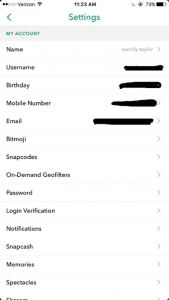
Photo credit:
Copy of old pictures 232, by Mighty mighty bigmac, CC by-ND 2.0