Need peaceful screen time negotiations?

Get your FREE GKIS Connected Family Screen Agreement

screen safety

DO Video Games Cause Violence? – Dr. B’s Take!

Do violent videos games cause violence? How can you better keep your kids safe and away from extremist ideas on the internet? Here’s a news highlight of what Dr. B has to say!

Link to Screen Safety Essentials Course 👇

https://getkidsinternetsafe.com/essentials-course/

Link to Website 👇

https://getkidsinternetsafe.com

Link to Book 👇

https://www.amazon.com/gp/product/099…

Follow Our Social Media:

Instagram: https://www.instagram.com/drtracybenn…

Facebook: https://www.facebook.com/GetKidsInter…

Twitter: https://twitter.com/drtracybennett?la…

Linkedin: https://www.linkedin.com/in/drtracybe…

A Day At The Office

Join us in a special Vlog style episode where Dr. Tracy Bennett visits her CSUCI office after a year of in-home schooling due to COVID-19. Tune in and get to know  more about Cal State Channel Islands. www.GetKidsInternetSafe.com In over 25 years of practice, Dr. Bennett is seeing more families in crisis due to Internet safety problems. To help families prevent digital injury, she developed GetKidsInternetSafe.com! When it’s your kids ON-the-LINE GetKidsInternetSafe.com

Link to the Screen Safety Essentials Course 👇

https://getkidsinternetsafe.com/essentials-course/

Link to Website 👇

https://getkidsinternetsafe.com

Link to Book 👇

https://www.amazon.com/gp/product/099…

Follow Our Social Media:

Instagram: https://www.instagram.com/drtracybenn…

Facebook: https://www.facebook.com/GetKidsInter…

Twitter: https://twitter.com/drtracybennett?la…

Linkedin: https://www.linkedin.com/in/drtracybe…

Working From Home – Dr. Bennett

COVID-19 has been an unprecedented moment for all of us. Join Dr. Tracy Bennett as she works from home and reminisces about why she founded GetKidsInternetSafe. You’ll see the passion she has for helping children and families avoid risks from the dark web and screen addiction. In over 25 years of practice, Dr. Bennett is seeing more families in crisis due to Internet safety problems. To help families prevent digital injuries, she developed GetKidsInternetSafe.com! When it’s your kids ON-the-LINE GetKidsInternetSafe.com
Link to Screen Safety Essentials Course 👇
Link to Book 👇
Follow Our Social Media:

The GKIS Sensible Parent’s Guide to Omegle

During the age of lockdowns and quarantines, many children have discovered a new way of finding someone new to talk to. A website known as Omegle, and other websites like it, have filled this social gap in many people’s lives. Omegle is considered a ‘roulette’ style website, where users may set interests and get matched with people with the same interest. This can be only a text chat, or it can be a video chat. If you find screen safety issues overwhelming in your family, you’ll benefit from Dr. Bennett’s weekly parenting and coaching videos on our Screen Safety Essentials Course. The most important thing that parents can do is be aware of the potential risks and promote an environment of open communication with your children. In this program, Dr. B offers a comprehensive family program for fostering this kind of communication in her Screen Safety Essentials Course. With this course, your family will learn tons of information about how to create a safer screen home environment while also connecting and having fun as a family. Armed with the right tools, you and your family can learn how to better thrive in today’s digital era. In this GKIS Sensible Guide, we will explain what you should know before letting your child chat away with complete strangers.

How long has Omegle been around, and how popular is it?

Omegle was created in March 2009. Omegle has recently seen over 54 million daily visits.[2] According to Google, searches for the site began to increase during March 2020, with the number of searches quadrupling the week before Christmas.[1] This surge in users isn’t much of a surprise. People were stuck inside their homes for almost a year due to the COVID-19 pandemic. Much of that time was spent on the computer, so why wouldn’t a website that allows someone to meet a new person be appealing? Teenagers have also created a ritual of hanging out together in person and going on Omegle as a group.

Omegle does state that to use the website, one must be over the age of 13. This is done with a simple pop-up box that can be clicked away. No date verification is required, so this is easy for children to bypass. As explained in the book Screen Time in the Mean Time, parents should use their best judgment to determine whether or not their child is ready to use a website like this. This GKIS Sensible Guide aims to help inform the parents so they are able to make the best decision possible.

Features of Omegle

Text-Chat

  • Individuals are prompted to enter optional interests to help match them. There are two options for the text chat: Text or Spy Mode
    • Text: Users are randomly matched in pairs, either based on their interests or completely at random if no interests were entered. Users are completely anonymous so there is no way to get someone’s information unless they offer it. Even if they offer it, they can (and likely will) lie. Either user may end the chat at any time.
    • Spy: Three users are matched together, two regular chatters and a spy. The spy prompts the other two with a previously entered question. The spy is unable to contribute to the conversation at all, they may only watch. The chatters focus on answering the question presented. Any user can end the conversation at any time.
  • There is no option for a ‘filtered’ text option. The website warns against profanity, sexual harassment, or violent threats, but there is no way to filter those statements out. If the user gets matched with someone who does any of these, the website simply says to ‘end the chat’.
  • The website itself warns that predators have been known to use text/video chat to groom or lure victims. It claims that it cannot control human behavior, and only the person committing these actions should be held accountable.

Video-Chat

  • Similar to text chat, users are randomly matched based on interests if possible. This can be in pairs or in groups. All user’s webcams will turn on while searching for a match.
  • This section has an option to report nudity, violent threats, and sexual content in addition to numerous other things one might encounter during chatting. This section does not allow any of these.
  • This section is aimed at users under the age of 18.
  • These filters to protect users don’t always work. Even the website itself warns that some things of inappropriate nature might be encountered.

“Unmonitored” Video-Chat

  • This is a carbon copy of the video-chat section with one crucial difference. No filter is used to prevent users from showing nudity or sexual imagery on their webcam chat.
  • This section is aimed at users who want a more ‘mature’ chatting experience, as long as they are over the age of 18.

Benefits of Omegle

  • When used correctly, and age-appropriately, it allows for individuals to talk with someone who has similar interests.
  • It can help an individual feel less alone and more connected in a quarantined world.

Risks of Omegle

  • The filters in place for the monitored section have inconsistent results. Some users still report encountering things that they shouldn’t several times in a row.
  • Children are more susceptible to believing an individual who may be lying. This may result in them giving information they shouldn’t to a complete stranger.
  • This website has the potential to expose children to sexual imagery, violent threats, phishing scams, and numerous other dangers.
  • None of the age checks are secure. Your child can easily access a section of the website that they shouldn’t with one simple click, no verification needed. This poses both a giant risk for the child and a giant temptation for them.

Throughout its lifetime Omegle has proven to be a constant source of controversy. This led GKIS to consider Omegle to be a red-light app, meaning that it is not recommended for anyone under the age of 18. The possible exposure to explicit material is too hard to control, and the fact that the website itself warns that predators do use this website to target victims were two of many factors that led us to this decision. If you think that your child may be using Omegle or other social media apps, consider our Social Media Readiness Course to help them stay safe.

Thanks to CSUCI intern, Dakota Byrne for researching Omegle and co-authoring this article.

I’m the mom psychologist who will help you GetKidsInternetSafe.

Onward to More Awesome Parenting,

Tracy S. Bennett, Ph.D.
Mom, Clinical Psychologist, CSUCI Adjunct Faculty
GetKidsInternetSafe.com

Works Cited

[1] https://trends.google.com/trends/explore?date=today%205-y&geo=US&q=omegle

[2]https://www.similarweb.com/website/omegle.com/

Photo Credits

  1. Photo by John Schnobrich (https://unsplash.com/photos/2FPjlAyMQTA)
  2. Photo by Annie Spratt (https://unsplash.com/photos/4A1pj4_vClA)

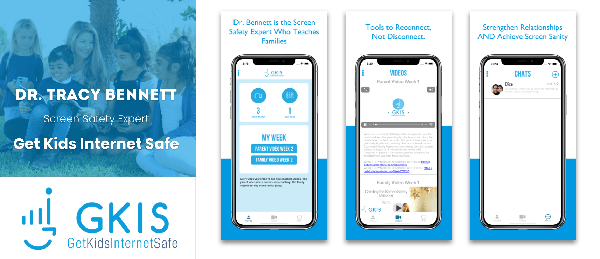
Free Parent & Family Coaching from Dr. Bennett on the GetKidsInternetSafe App


The American Sitting Disease Epidemic


Most of us use our screens hours every day, whether it’s our phones, tablets, mobile gaming devices, televisions, or computers. Usually, when we’re using screens, we’re sitting and being inactive. With the rise of technology and remote work stations, more people are working at desks or home, going to school online, and using screens recreationally. Because of this, adults and children are more inactive than ever, putting them at risk of digital injuries and potentially life-threatening medical conditions. Today’s GKIS article alerts you to the American epidemic of the sitting disease, how it can contribute to medical illness, and how to reduce those risks and become more active as a family.

The Sitting Disease

According to the CDC, 25% of Americans spend eight or more hours sitting per day.[1] As a result, the U.S. is experiencing an epidemic of the potentially deadly sitting disease. The sitting disease refers to the harmful effects of a sedentary or an inactive lifestyle. Research shows that sitting for long periods can be bad for your health. 

Cardiovascular Disease

For example, prolonged sitting is bad for your heart and can lead to cardiovascular disease. A study conducted by Tatiana Warren and colleagues measured the association between hours of sedentary behaviors (riding in a car and watching television) and heart disease. The researchers found that men who reported over 23 hours of sedentary activity had a 60% greater risk of dying from heart disease than men who reported only 11 hours of sedentary activity.[2]

Obesity and Type-Two Diabetes

People who spend more time sitting are also at greater risk of gaining body fat and developing obesity. This is because the number of calories burned while sitting is very low and excessive body fat results from consuming more calories than are burned throughout the day. Prolonged sitting can also put you at risk for type-two diabetes.[3]

Cancer

Those who sit for long periods daily also have an increased risk of developing certain cancers. One study conducted by the REGARDS team asked 8,000 middle-aged Americans to wear a tracking device every day for 5 years. Researchers found that the most inactive people had an 80% higher risk of dying from cancer than those who were more active.[4]

Other Physical Conditions

Migraines, back and neck problems, as well as carpal tunnel syndrome are other physical conditions that can arise from repetitive screen use. To read more about these digital injuries, check out the GKIS article Repetitive Strain, and Distraction Injuries from Screen Use.

 Dr. Bennett’s book Screen Time in the Mean Time offers even more detail about repetitive screen use injuries and offers strategies on how to reduce the risk of digital injury and get closer to your kids.

Reduce the Risks of Medical Illness

Not only are repetitive screen use injuries preventable, so is the sitting disease. Small changes can make a big difference! The goal is to move more throughout the day, offering critical blood flow and stretching to stiffening muscles. It can be as simple as:

  • Taking the stairs instead of the elevator
  • Walking around while taking a phone call
  • Doing chores around the house
  • Stand up and sit down several times a day or do a few quick squat exercises
  • Investing in a mobile laptop desk, or for the inexpensive, flexible option that Dr. B uses, check out the desk height extenders.
  • Drinking lots of water so you have to get up and go to the restroom often

Be More Active with the Family

It’s not just adults that suffer medical risk from too much sitting. Strengthen family relationships while encouraging good habits with some of these fun suggestions:

  • Morning walks are a great way to start the day and get moving.
  • Engage in active hobbies that you and the family enjoy like riding bikes, playing sports, or hiking.
  • Invest in a fitness tracker or a pedometer. Seeing how many steps you take throughout the day can help you determine if you are moving enough. I use an Apple Watch. Some of the many features of the Apple Watch is tracking movement, calories burned, and it even sends reminders to stand up. You can share your data with family or friends, and you can even compete with each other! To read about the pros and cons of fitness trackers check out our GKIS article Is Your Health Declining Due to Wearable Tech?.
  • Home workouts are also a great way to be active with the family. For a list of some great at-home workout apps, check out our article GKIS Recommended Exercise Apps for Families

Limit Screen Time

Cutting downtime spent watching television or playing video games can be beneficial for your health. It’s just too easy to spend hours on the couch binge-watching your favorite show. But if you have no choice but to work online, Dr. Bennett suggests keeping a yoga mat next to your computer and practicing yoga stretches to break up sitting time. 

She recommends subscribing to the SarahBethYoga on Youtube for a variety of high-quality, free yoga classes. Once you learn some stretches, you can practice them during breaks and even try them with your family to encourage them to move with you.

A special thank you to Alisa Araiza for researching and co-writing this article. For tips on how to manage screen time for your children, check out the GKIS Screen Safety Toolkit and grab a copy of Dr. Tracy Bennett’s Screen Time in the Mean Time: A Parenting Guide to Get Kids and Teens Internet Safe. She has done all of the research for you and will provide you with helpful strategies!

I’m the mom psychologist who will help you GetKidsInternetSafe.

Onward to More Awesome Parenting,

Tracy S. Bennett, Ph.D.
Mom, Clinical Psychologist, CSUCI Adjunct Faculty
GetKidsInternetSafe.com

Work Cited

[1] http://ergonomictrends.com/sedentary-lifestyle-sitting-statistics/

[2]https://journals.lww.com/acsm-msse/Fulltext/2010/05000/Sedentary_Behaviors_Increase_Risk_of.6.aspx

[3]https://abcnews.go.com/Health/tv-screen-time-earlier-death/story?id=12585853

[4]https://www.cnn.com/2020/06/18/health/sitting-cancer-study-wellness/index.html

Photo Credit

Photo by Laura Chouette on Unsplash

Photo by madison lavern on Unsplash

Photo by Standsome Worklifestyle on Unsplash