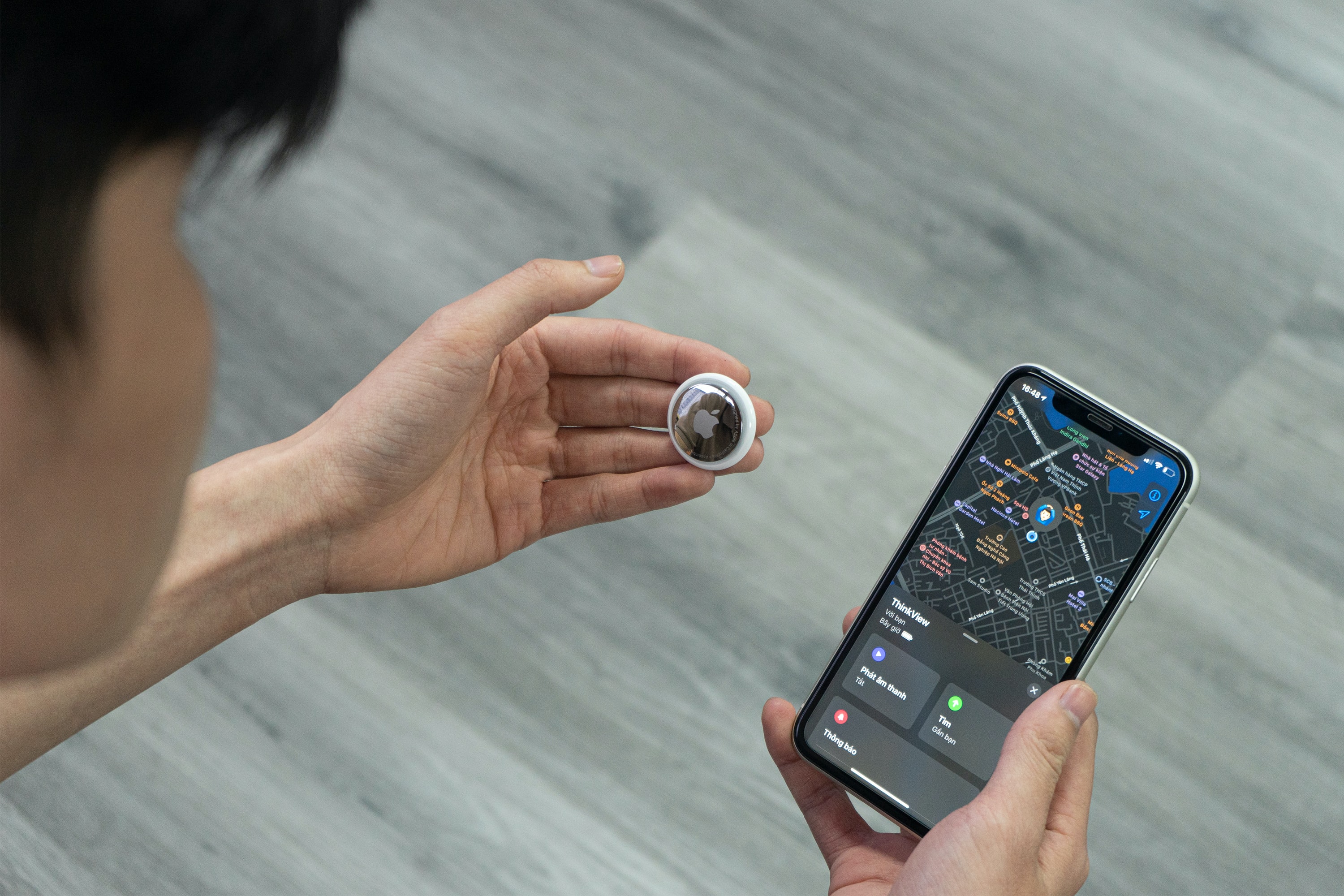
As if there weren’t enough things to worry about, here is a new one. There have been several reports of people finding button-sized Apple devices, called AirTags, in their cars, purses, and pockets before realizing that they are being stalked. In this GKIS article, we will be discussing what AirTags are, how they are being utilized for stalking, what happened to Sports Illustrated swimsuit model, Brooks Nader, when she was being stalked, and how to keep yourself and your kids safe. For more information on technology and useful tips about how to make the internet a safer place for your family, check out our Screen Safety Essentials Course to get parenting and family coaching information, support, and other valuable information.
What is an AirTag?
AirTags are button-sized Apple devices that are supposed to help you locate your keys when they end up in your couch cushions. The idea is that you can use your phone to locate lost or stolen objects. This sounds great unless you are me and you are always losing your phone as well. Due to their small size, AirTags can be placed just about anywhere.
Here’s the Issue
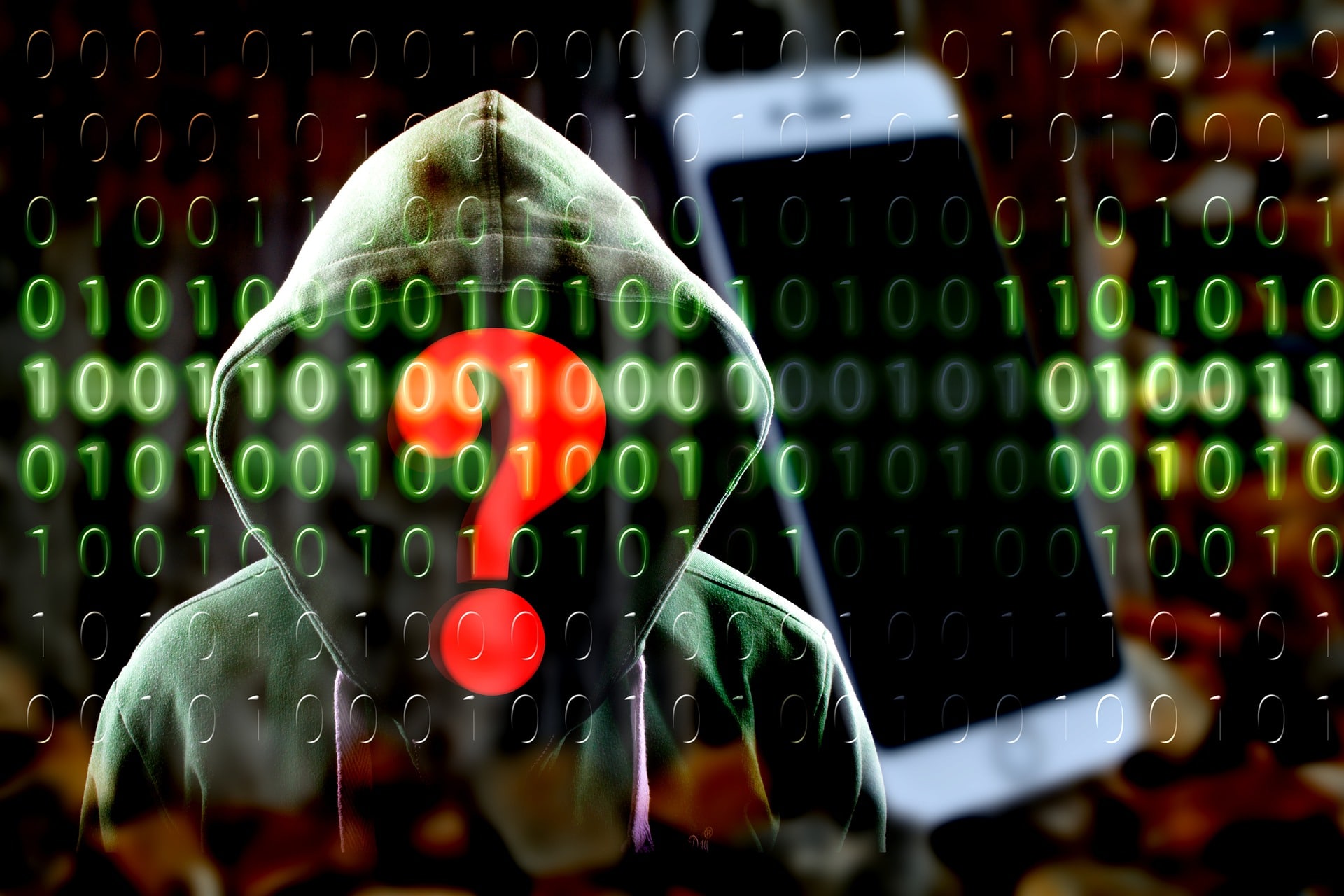
Due to the small size, AirTags can be difficult to spot if some shadowy figure slips one of these into your pocket, purse, or car. There have been multiple reports of these coin-sized buttons being non-consensually used to stalk someone. They can be used to find out where someone lives or to find out where they go in real-time, which is frightening and potentially dangerous. They have also been used for other nefarious purposes like tracking nice cars to steal when they are in a more opportune location.
Strange iPhone Alerts
Recently, there have been multiple reports of people finding out they are being stalked through strange alerts coming from their iPhones. Brooks Nader, who is a Sports Illustrated swimsuit model, recently discovered she was being stalked for several hours.[1]
While going about her day, she received a notification on her iPhone that said, “Unknown Accessory Detected,” with a warning that the item was moving with her for a while and the owner can see its location. She instantly took a screenshot and shared it on her social media asking her followers if they knew what was going on. With their help, she learned it was an AirTag. She eventually found that someone had slipped the AirTag into her pocket and tracked her location and followed her in their car for over 5 hours. They not only learned where she was going, but by stalking her they also discovered her regular routine and where she lived.
Kidnapping
One woman kept hearing a noise coming from her car. She pulled over and began looking for it but couldn’t figure out where it was coming from. After going to the police, they took her car to a garage and located an AirTag wrapped in duct tape and stuck to the inside of the rear bumper. It turned out to be the father of her children whom she had a restraining order against. He later used the technology to locate her, run her off the road, and kidnap her.[2]
Finding Strange Devices
Other women have also found these items through security alerts or by finding the tags themselves. One woman found an AirTag on her car after leaving a bar. Another woman found an AirTag in her handbag, and her and her husband had to go online to find out what it was. Dr. B recently rented a car and discovered the car was being tracked by its owner. She received the notifications on her iPhone, but wrongly assumed it was somehow an alert about her iPad. Apparently, the notifications don’t make intuitive sense without doing extra research.
Car Theft
While the AirTags can be used to find a stolen object, thieves are using them to steal as well. There have been several reports of car thieves placing Bluetooth trackers on cars in parking lots or at dealerships. They then use these devices to wait until the cars end up in a location that is more suitable for auto theft. By doing this, they can reduce their risk of getting caught.
Apple Update
Apple has become aware of this problem and has put out several statements. They recently changed the item description to say it was “designed to discourage unwanted tracking.”[3] The iPhone Airtag alert notifies users when an AirTag is a certain distance away from the owner and has been travelling with the tracked person. In another effort, they try to discourage stalkers by requiring that it be linked to the purchaser’s Apple account.
There are still other issues as well. These alerts only go to iPhones. Therefore, if a user has a Samsung or any other type of phone, they will not be notified. Also, linking these to specific Apple accounts will not discourage criminals who can make a fake account. They can also use VPNs and other software to mask their location and identity.
Staying Safe
Here are some GKIS tips how you and your family can stay safe and avoid AirTag stalking:
Pay attention to iPhone alerts.
Stay vigilant and practice good situational awareness.
Trust your instincts.
Stay informed.
Dr. B is in a unique position to help you to learn more about the potential dangers that your family could face when engaging with technology. She can help you to navigate safely throughout your journey as a practicing psychologist, university professor, and mother. In Dr. B’s book, Screen Time in the Mean Time, she discusses and attacks the issue of raising a family while safely integrating technology rather than fearing it. Also, you can download the free GKIS Connected Family Agreement simply by creating a GKIS account on our website home page. Finally, Dr. Bennett’s Social Media Readiness Online Course for tweens and teens will give you the answers you are looking for and help you to navigate through these ever-changing waters!
Thanks to CSUCI intern, Michael Watson for researching AirTags and the issues surrounding them.
I’m the mom psychologist who will help you GetKidsInternetSafe.
[1] Court, A. (2022). Model stalked in NYC after stranger slips AirTag into her pocket. New York Post. https://nypost.com/2022/01/07/sports-illustrated-model-is-latest-victim-of-airtag-stalker/
[2] Cassi, S. (2022). Kidnapping suspect previously used tracking device on victim’s car, Bethlehem cops say. Lehigh Valley Live. https://www.lehighvalleylive.com/bethlehem/2021/10/kidnapping-suspect-previously-used-tracking-device-on-victims-car-bethlehem-cops-say.html
[3] Apple. (2022). AirTag. Apple. https://www.apple.com/airtag/
Did you know that the FDA has given the go-ahead for companies to turn human test subjects into cyborgs? Advancements in the tech industry are being made at an alarming rate, giving rise to difficult ethical issues, especially in the medical field. Currently, there is a race to develop brain-computer interfaces (BCIs) for a multitude of purposes. In today’s GKIS article, we discuss the possible benefits, risks, and ethical issues associated with developing such devices. If you are unsure of how to protect your tweens and teens growing reliance on technology and obsession with online presence, Dr. Bennett’s Social Media Readiness Online Course will give you the answers you are looking for and help you to navigate through these ever-changing waters!
What is a brain-computer interface?
A brain-computer interface (BCI) is a technological device that directly interacts with the brain with no noticeable lag time. These devices read the electrochemical signals of the brain and translate them to carry out a desired action. This action can be anything from moving a prosthetic limb to telepathic communication. The goal of these devices is to bypass the body’s natural pathways using technology. Up until recently, this was merely the stuff of science fiction fantasy, and comic books. Yet, with advances in processing speed and data storage, it’s become a reality.
Neuralink
Neuralink is a company created by Tesla founder and carnival showman, Elon Musk. The goal of this company is specifically to create BCIs. The current BCI that Neuralink is working on consists of a computer chip the size of a coin connected to extremely thin wires. The chip will be surgically implanted into the skull with the wires being inserted directly into the brain.
The original stated purpose of this company was the altruistic goal of helping disabled individuals regain lost function of limbs and mobility. Yet more recently, Elon Musk stated that the goal is “human enhancement.” In interviews, such as on Joe Rogan’s podcast, he spoke of telepathic communication and thinking capabilities to rival computer artificial intelligence (AI). Neuralink has been given FDA approval to start the human trial phase and is looking to begin drilling holes in test-subjects heads sometime this year.
Synchron
Synchron is a much smaller company based in New York with a similar purpose of developing BCIs. Synchron’s flagship BCI, the Stentrode implant, is inserted through a vein and guided into the brain. Synchron has already successfully conducted clinical trials in Australia, inserting these devices into four human subjects suffering from severe paralysis. They have also been given FDA approval to begin human trials in the United States, which will take place at Mount Sinai Hospital and involve six subjects.
Though Sychron’s current goal is to allow disabled people to control digital devices with their brains and to improve their functional independence, their ultimate stated goal is to achieve whole-brain data transfer. What that means is they want to be able to transfer a human into a digital world.
Possible Benefits of BCIs
Improving the lives of disabled individuals
Faster access to information
Telepathic communication
Virtual immortality
Possible Risks of BCIs
The exploitation of individuals with disabilities
Risky surgery
Disability or death
A wider gap between the abilities of the wealthy and the poor
Literal brain hacking
Forever altering what it means to be human
Possible Ethical Issues of BCIs
Tech to BioTech
The biggest issue with BCIs requires a discussion in ethics. When it comes to ethical questions, we are in a truly unique situation. We have multi-million-dollar for-profit tech companies entering the medical field with end goals that are not medical in nature. Is it ethical for a tech company to perform risky experiments on individuals with disabilities when the end goal is profit and ultimately may not benefit the group initially being tested upon?
It could be argued that the initial experiments will benefit disabled subjects, which is ethically sound. Yet, several ethicists have concerns that the ultimate goal of this research is for commercial means, such as using the technology to be implemented into Tesla automobiles, rather than being purely medical in nature.[1]Others have pointed out that this could be considered exploitative due to the potential for commercial gains in other areas of business.
Pain and Suffering
Recently, news broke that 15 of the 23 monkey test subjects that had the Neuralink chip implanted in their brains at UC Davis died horrible deaths.[2] Since this news broke, UC Davis has been trying to distance itself from Neuralink. The surgical device that Neuralink created to perform the surgery is currently not approved for human trials since it is not okay to put humans through a medical trial where they are more likely to die or suffer from debilitating side effects than to receive any benefits.
The Opportunity Gap
Another ethical issue revolves around the potential societal effects if everything works out according to plan. There is already a huge gap between the haves and the have-nots, those with power and those without. What would happen if one could pay to be smarter, faster, and stronger? The opportunity gap would become insurmountable!
Privacy and Cybercrime
There is also the issue of privacy. All technology that can access the internet can be accessed by others. The most advanced encryption and security safeguards eventually become obsolete as technological advances are made that allow people to bypass them. Imagine if every thought or memory could be hacked and stolen from you. An entire person’s being could be manipulated, altered, or even held for ransom. Cybercrime is already an issue when it comes to ransomware, identity theft, and phishing scams. Think about the new problems that would arise if people’s brains were connected to the internet!
Technology Weaponized
For every technological achievement, there is always someone who will use it for evil. BCIs could eventually be used for military applications. Powerful organizations could utilize this technology to create heavily modified super soldiers. The possibilities become endless when physical and mental enhancement is on the table.
I know this sounds crazy, like something out of a comic book. Yet, flying cars are currently being tested for manufacture by multiple auto companies. Thirty years ago, no one could have imagined where we would be today from a technological standpoint. As computer chips become smaller and more powerful, there is no telling where we will be by 2050. The question is now whether something should be possible rather than if it could be possible.
Staying Informed
Dr. B is in a unique position to help you to learn more about the potential dangers that your family could face when engaging with technology. She can help you to navigate safely throughout your journey as a practicing psychologist, university professor, and mother.
In Dr. B’s book, Screen Time in the Mean Time, she discusses and attacks the issue of raising a family while safely integrating technology rather than fearing it. Also, you can download the free GKIS Connected Family Agreement simply by creating a GKIS account on our website home page. If you are looking for our most comprehensive toolkit to achieve screen safety and family cooperation, our Screen Safety Essentials Course offers useful tips about how to make the internet a safer place for your family with weekly parenting and family coaching videos, important teaching materials and infographics, webinars, articles, and other valuable information.
Thanks to CSUCI intern, Michael Watson for researching brain-computer interfaces and the potential bioethical issues surrounding them.
I’m the mom psychologist who will help you GetKidsInternetSafe.
Almost everyone has experienced a zombie-like feeling after a night of poor-quality sleep. Research shows that a single night of sleep deprivation can have a negative result on cognition and behavior.[1]Sleep deprivation for children can be particularly costly. Good quality sleep helps children with healthy brain development. That is why Dr. Bennett includes a whole lesson on how to protect your child’s sleep in her Connected Family Online Course. By following research-backed guidelines, setting sensible rules, and setting up your house to optimize learning and safety, your family can avoid costly digital injuries. If you are interested in learning about how to create a safe screen environment at home while discovering ways to promote open and honest communication within your family then check out our GKIS Screen Safety Essentials Course. In today’s GKIS article, you’ll discover how a child’s learning can be negatively affected by lack of sleep and how to avoid it.
How does lack of sleep impact a child’s learning?
Attention and Concentration
A child needs an average of 9 to 11 hours of sleep each night for optimal health and learning performance.[2]Poor sleep affects the functional connectivity of the prefrontal cortex. This means that a sleepy child will experience problems in their ability to focus and sustain attention in a learning environment. Further, a 2009 study demonstrated that sleep may cause the child to become overly sensitized to reward stimuli.[3] An overly sensitized person craves rewards so much that if they can’t get the desired activity immediately, they may resort to acting out and tantrums. To understand more about this process, check out Dr. B’s whiteboard video GetKidsInternetSafe from Sensory Overload on the Dr. Tracy Bennett YouTube Channel.
Memory
Mental lapse refers to a moment of unexplained forgetting, like walking into a room and forgetting what you came in for. A sleepless night slows down brain cell activity, sometimes resulting in impairing daytime mental lapses. A 2017 UCLA study demonstrated that lack of sleep disrupts the brain cells’ ability to communicate with one another, resulting in a mental lapse that negatively affects the way we perceive and react to things around us.[4]
Learning and Information Processing
In Dr. Bennett’s book Screen Time in the Mean Time, she explains that when we don’t get enough sleep our brain’s housekeeping and memory consolidation tasks remain undone, leaving us unable to efficiently acquire or retrieve information. Without good focus, attention, and memory, kids are unable to process information and understand and learn new concepts.
Creativity
Sleep deprivation can also limit planning, creativity, and the ability to think outside of the box. According to a study from the University of Loughborough, sleep deprivation can negatively impact a person’s creativity by impairing one’s ability to create new ideas and change strategies.[5]
How does a lack of sleep impact mood and behavior?
Sleepy Throughout the Day
If your child chronically gets insufficient sleep at night, their body may compensate by falling into a pattern of daytime hypersomnia. This is a condition when someone repeatedly is falling asleep throughout the day.[6]
Mood Swings
Lack of sleep can be a main contributing factor in mood swings.[7] Moodiness and irritability can negatively affect relationships, leading to deeper problems and feelings of hopelessness. If sleep deprivation is habitual, it can contribute to clinical conditions like anxiety, depression, and even psychosis!
Decision-Making
Little to no sleep can also affect how well we make decisions.[8] That means that kids who have sleep deprivation will have a difficult time prioritizing tasks like when to brush their teeth or do homework. If your child seems to get stuck on even the smallest of choices, consider if sleep may be the issue.
How can lack of sleep affect learning in children of different ages?
Teenagers tend to have more sleepless nights than younger children. Not only do parents allow later bedtimes for teens, but they also stay up chatting with friends and playing video games. Without the right amount of sleep, teens have more trouble focusing and learning in class compared to younger children. According to the CDC Healthy Schools, teens ages 13-18 need 8-10 hours of sleep.[9]
How can parents help their children get better sleep and improve their learning?
Most of us do not put much thought into reading, but not everybody has this privilege. Dyslexia is a cognitive disability that impacts someone’s abilities to read, write, or spell.[1] Letters that look similar and sound similar—such as n and m, w and m, and p, b, d, and q—are most frequently mixed up. To illustrate this, reading the sentence “Briana went to the park to walk her dog” may be read as “Briana wemt to the dark to malk her bog” for an individual with dyslexia. While some of us may mix these letters up occasionally, individuals with dyslexia chronically mix letters up to the point that it interferes with their daily life.
How common is dyslexia?
The DyslexiaHelp organization at the University of Michigan notes that 7 to 10% of the population have dyslexia. Individuals with dyslexia also represent around 70 to 80% of the population that have reading difficulties.[2] While dyslexia impairs an individual’s ability to read, write, or spell, this impairment does not affect one’s intelligence.
Dyslexia can lead to slow reading, poor language, messy handwriting, and a limited vocabulary. Behavioral issues such as tantrums, crying, and isolation may also manifest due to frustration. With proper treatment, impairment due to dyslexia can be improved. Children are especially adept at responding to treatment due to their remarkable ability to learn and adapt.
Assistive Technology
Assistive technology is a type of device or application designed to ease the symptoms of a disability.[3] In the case of treating symptoms of dyslexia, assistive technology has been refined throughout the years and garnered large satisfaction among users.
Scientists such as Tamik and Latif from the National University of Sciences and Technology are carrying out promising research for the development and accessibility of assistive technology for individuals with dyslexia. Putting the application they developed to the test, they found that their app helps significantly improves the writing for kids with dyslexia.[4] In a study by Draffan and colleagues looking at how assistive technology is used among 455 students with dyslexia, 90% of subjects found it helpful.[5]
Not only can assistive technology make things easier at the moment, but there can also be transfer effects which are benefits generalized to other things. A 2017 study by Lindeblad and colleagues put 35 children with dyslexia in a specialized program utilizing assistive technology applications. A year follow-up indicated that the children’s literacy increased at the same rate as their non-dyslexic peers.[6]
Maximizing Your Child’s Smartphone
Newer smartphones are becoming increasingly sophisticated and accessible for a diverse range of users. With smartphones, assistive technology is at our fingertips!
While a smartphone is easily accessible and can aid with alleviating symptoms of dyslexia, we at GKIS recommend that you consult with a school or private disability program prior to app adoption. Specialized programs will not only help you assess the severity of the learning disability, but they often give you access to specially designed tools that are straightforward and multifunctional.
Here are few steps on optimizing your kid’s smartphone experience:
Text-to-Speech
To have your smartphone read to you, simply highlight a word, sentence, or the entire page. To set this up on your iPhone, go to Settings -> Accessibility -> Spoken Content, then turn on the speech selection. For Android phones, download the Android Accessibility Suite by Google LLC, then go to Settings -> Accessibility -> Installed Services, then turn on Select to Speak.
Speech-to-Text
Simply, dictation is defined as translating spoken word into text. While there are specific disability devices that offer this, the latest smartphones are now equipped for dictation. Click here to learn how to use dictation for iPhone. Click here to learn how to use dictation for Android.
Recording
Recording devices have proven as useful aids for individuals with dyslexia. Not only will they be able to reference the class discussion with full detail, but they can also feel at ease now that they can write notes at their own pace. To access the Voice Memos app quickly on iPhone, go to Settings -> Control Center, then click the green plus button to add the shortcut to the Control Center. On Android, the built-in app “Voice Recorder” is located in the App drawer.
Scanning and Reading
Scanning and reading pens are often distributed through disability services. However, many smartphones are now able to do this. With the application Prizmo, you can scan a typed document which will then translate into text. From here, you can use the text-to-speech functions on your smartphone to have it read out loud to you.
Text Display
With an iPhone, you can go to Settings -> Accessibility -> Display & Text, and from here, you can turn on Bold Text. From this same page, you can also go to “Larger Text” and play around with the sizes to fit one that works best for your child. On Androids, you can go to Settings -> Accessibility -> Font Size, and play with the options from here.
Note: Due to the wide range of Android devices, the provided Android settings may be accessed differently depending on the version.
The Internet is host to an endless stream of potential sources that can help your child, but it is important to be careful of any potential marketing ploys that are from unverified sources or people without credentials. To help provide your child and yourself with a keen-eye on spotting scams, check out our How to Spot Marketing supplement that is the perfect addition to your free Connected Family Agreement.
Thanks to CSUCI intern, Avery Flower for researching assistive technology and dyslexia, and for co-authoring this article.
I’m the mom psychologist who will help you GetKidsInternetSafe.
[1] Azorín, E. I., Martin-Lobo, P., Vergara-Moragues, E., & Calvo, A. (2019). Profile and neuropsychological differences in adolescent students with and without dyslexia. Revista Latinoamericana de Psicología, 51(2), 83–92.
[4] Tariq, R., & Latif, S. (2016). A mobile application to improve learning performance of dyslexic children with writing difficulties. Journal of Educational Technology & Society, 19(4), 151–166.
[5] Draffan, E. A., Evans, D. G., & Blenkhorn, P. (2007). Use of assistive technology by students with dyslexia in post-secondary education. Disability and Rehabilitation: Assistive Technology, 2(2), 105–116. https://doi-org.ezproxy.csuci.edu/10.1080/17483100601178492
[6] Lindeblad, E., Nilsson, S., Gustafson, S., & Svensson, I. (2017). Assistive technology as reading interventions for children with reading impairments with a one-year follow-up. Disability and Rehabilitation: Assistive Technology, 12(7), 713–724. https://doi-org.ezproxy.csuci.edu/10.1080/17483107.2016.1253116
In last week’s GKIS article, “How Teens Overshare,” we covered the ways kids intentionally and unintentionally share location information on social media and how to prevent this safety risk. In today’s article, we detail how cybercriminals victimize teens and offer more helpful information on how to get your kids internet safe.
Cyberstalkers
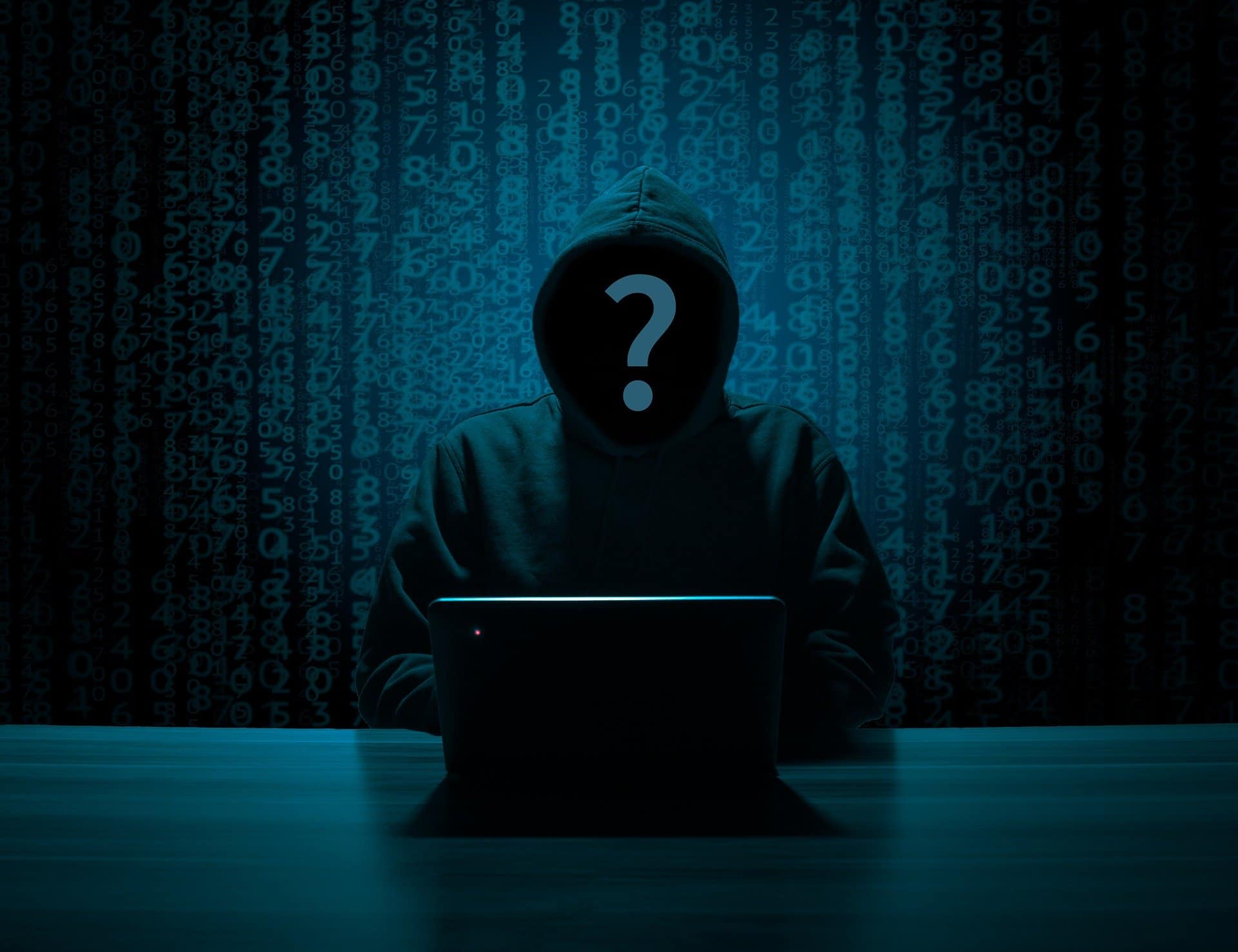
Cyberstalkers are predators who track online information to extort or harass, create cybercrimes like hacking or identity theft, or intercept a victim offline. Cyberstalkers can be complete strangers or people your teen may already be acquainted with.
Hackers
Hackers are predators who steal usernames, passwords, and personal information to gain access to a victim’s screen device. Once they can access, they can still further data, change or destroy information, install malware, and even take over the device’s camera.[1] Data can then be sold to other criminals on the dark web or be used for identity theft to take out loans and credit cards in your name.
Phishing
Phishing is a cybercrime in which a victim is contacted by email, telephone, or text message by someone posing as a legitimate institution to lure individuals into providing sensitive data. Phishing can also occur through websites and social media.[2] Dr. Bennett notes in her book, Screen Time in the Mean Time that the sensitive information obtained by phishing is often used for online login information such as usernames and passwords, bank account and credit card information, and even identity theft.
The most common example of phishing is email phishing. To email phish, the cybercriminal creates a fake domain that looks trustworthy and legitimate, then sends emails to potential victims asking them to click a link, download an attachment, or “update” their passwords.
To prevent your child from falling victim to online phishing, encourage them to only open emails, online messages, and text messages from trusted individuals and advise them to never click on any links or download attachments from an unusual or suspicious-looking email or message.
Identity Theft
According to The United States Department of Justice, “Identity theft and identity fraud are terms used to refer to all types of crime in which someone wrongfully obtains and uses another person’s personal data in some way that involves fraud or deception, typically for economic gain.”[5]
Cybercriminals often target younger individuals because children do not have bad credit (which is great for cybercriminals) and it is easy to keep it from being noticed until the child is older. In Dr. Bennett’s book, Screen Time in the Mean Time, she writes about a couple of children who were victims of identity theft.
Here are a few ways to protect your child from identity theft:
Install cybersecurity safeguards on phones, laptops, iPads, and any other device that need protection
Have family conversations about being wary of posting or sharing personal information online
Set up a virtual private network (VPN) to ensure the safety of your device(s)
Update passwords at least once a year and be sure that the new password does not include any information that may already be public such as, your teen’s name, age, pet’s name, or anything that could be easily guessed
Social Media Quizzes
Cybercriminals can also phish for information through social media by reviewing posts, asking questions, or offering an online quiz with targeted questions. Quiz questions to avoid include any that ask for your (or your mother’s) maiden name, your favorite color, the street you grew up on, your pets’ names, the first car you owned, or your best friend’s name.
The answers to these questions are often security answers on websites. With security information, personal accounts can be accessed for malicious intent. To prevent cybercrimes, ask your teen to refrain from taking online quizzes or you can encourage them to only take online quizzes from a legitimate source. Teaching your teen to withhold sharing personal information that could pose a security risk is vital to ensure their online safety.
Cyber Blackmail
Once a cybercriminal obtains sensitive information, they may use it to coerce a victim further. According to the BBC, “Cyber-blackmail is the act of threatening to share information about a person to the public, their friends or family unless a demand is met or money is paid.”[3] Cyber blackmail can take many forms and the cybercriminals who commit this crime use different tactics to take advantage of their victims.
Cybercriminals may even say that they have explicit photographs, access to their victim’s phone and computer’s webcam, or even recordings of them from their personal devices. Some of those claims may be true or false, but either way, the cybercriminal uses fear and shame to get what they want.[4]
To help prevent your teen from becoming a victim of cyber-blackmail;
advise them to never share sexual images of themselves (the images can end up anywhere)
advise them to not accept friend requests from strangers
advise them to be wary of things they post, share, or message others online (what they say can very well be used against them in the future)
require your teen to have private social media accounts
For more information and safety tips, we highly recommend parents to purchase our Cybersecurity & Red Flags Supplement. Dr. B created this tool because parents in her clinical and coaching practices frequently asked her to teach their kids the red flags that may alert them to the tricks of online predators, hate groups, and cyberbullies. In this Supplement, she offers her clinical teaching list so you can educate your kids. Knowledge and assertiveness coaching are key elements of child resilience and good judgment online.
Also included in the supplement is Dr. B’s Online Safety Red Flags for Parents. This tool teaches parents what child behaviors to look for that may signal they are at risk – a tool she created from 25+ years of clinical practice. Being able to recognize behavioral red flags in your child may be the difference between stopping risk after one exposure versus not recognizing dangerous relationships and exposures until it’s too late.
Thanks to CSUCI intern, Remi Ali Khan for researching cybercrimes and cybersecurity for this article.
I’m the mom psychologist who will help you GetKidsInternetSafe.
Onward to More Awesome Parenting,
Tracy S. Bennett, Ph.D.
Mom, Clinical Psychologist, CSUCI Adjunct Faculty
Photo Credits
Photo by Gerd Altmann from Pixabay
Photo by B_A from Pixabay
Photo by Pixabay from Pexles
Photo by Tracy Leblanc
Works Cited
Bennett, T. (2017). Screen Time in the Mean Time: How to Get Kids and Teens Internet Safe.
Brant, E., & Butterly, A. (2013, September 20). Cyber-blackmail: How to keep safe and deal with it. BBC Newsbeat. http://www.bbc.co.uk/newsbeat/article/23724703/cyber-blackmail-how-to-keep-safe-and-deal-with-it.
Cyber Extortion: Ransomware vs Extortionware. Alpine Security. (2020, August 2). https://alpinesecurity.com/blog/cyber-extortion-ransomware-vs-extortionware/.
The Dangers of Hacking and What a Hacker. https://www.webroot.com/us/en/resources/tips-articles/computer-security-threats-hackers.
Identity Theft. The United States Department of Justice. (2017, February 7). https://www.justice.gov/criminal-fraud/identity-theft/identity-theft-and-identity-fraud.
KnowBe4. What Is Phishing? Phishing. https://www.phishing.org/what-is-phishing.
All parents work hard to keep our kids safe. However, sometimes unexpected things happen. Imagine if your child finds themselves alone at school or at the soccer field waiting for their ride and starts to feel unsafe. Or maybe in an emergency a teen takes an Uber and feels uncomfortable with their Uber driver. Or maybe they are at a new friend’s house and you need to pick them up, but they’re not answering your texts or calls. Today’s GKIS article covers several tech remedies that you may not have been aware of.
Fake Phone Calls on TikTok
Although we’d like to think our child would never feel unsafe enough to need a fake phone call, TikTok users think otherwise. Search “fake phone call safe” on TikTok and you’ll see a video that stages the sounds of a real phone call conversation.
Typically in these fake phone call videos, the person recorded in the conversation is saying that they are expecting you and are aware of what you are doing. They are designed to make the listener appear as though they are real-time connected to their parent.
Possible uses for this video are if your child is in an Uber or somebody they don’t feel comfortable with is giving them a ride home or if they feel unsafe while walking home or waiting for a ride alone. Not only does the fake call take the pressure off of them from talking to the stranger=, but it also appears as though they are being tracked for location and situation.
Emergency SOS
Emergency SOS is a free default feature on your iPhone. By clicking your power button five times, you can trigger an automatic 911 call within three seconds.
How to Check if Your Child has this on Their iPhone
Go to Settings > Emergency SOS > Select On to turn on the call with the side button switch, then enable Auto Call.
To test it, click your power button five times and wait for a loud alarm to sound. Of course, be sure to click it off before the 911 call goes through.
Find My Friends
Another great way to know where your child is at all times is the Find My Friends app on the iPhone. With this app, you can check where your child is at all times.
Find My Friends comes as a default feature of an iPhone. To use it, you simply have to make sure you have clicked the Share My Location feature under Settings > Privacy > Location Services > Share My Location.
Life360 “Feel free, together”
Similar to FindMyFriends, Life360 is a tracking device for Apple phones and Android phones that allows you to sync your family into a private, invite-only circle.
Life360 has three membership levels with different features:
Free:
Location Sharing
Battery Monitoring
Location ETA
Place Alerts – notifications when family members come and go from your most frequent Places
History – a quick view of your family member’s drive a location data for the last 48 hours
Help Alert
In-App Chat
Crash Detection
Plus:
All of the above plus Crime Reports
Driver Protec:
All of the above plus Emergency Dispatch, Roadside Assistance, and Driver Report
Personally, my mom and I have always shared our locations on the FindMyFriends app because of our almost 3-hour drive from one another. Once I discovered this app, I immediately made her download it because of all the unique features. However, not everybody is a fan of this tracking app. Search “Life360” on TikTok and you’ll see teens insisting that their lack of privacy and spying parents have ruined their lives.
Recently Dr. B says her clients have reported that teens are giving it one-star in the Apple store hoping that Apple will respond by removing the app. GKIS suggests you use discretion and offer older teens their privacy if they ask for it.
Emergency Whistle App
This kind of app can be found in the app store by searching up “Emergency Whistle.” Choose your favorite and download it!
In this app, you can access a digital whistle that activates a loud and alarming sound while also causing your phone flashlight to flash off and on. This acts as a physical whistle nicknamed a “rape whistle.”
Growing up I always carried one of these whistles. But now I’ve found this app which allowed me to feel safe for those late nights on campus as I walk back to my car.
Siren GPS
Cell service is not always the best. This app offers a “panic button” service which when you press it you are instantly connected to 911 services.[1] It will give emergency personnel your exact coordinates with or without a good cell connection.
I remember a time in middle school where my mom was running late after I got out of drill team practice. I sat at school alone for a bit wondering when she would show. Worried, I began to walk home on my own on an unfamiliar path that was deserted. Looking back at that memory, I wish I would’ve had an app like this one just in case something happened. Luckily, I made it home safe and sound!
ICE Medical Standard App
With the ICE app, “The World’s #1 Emergency Medical App,” your vital statistics like blood type, allergies, medical conditions, and medications will appear on your Lock Screen Display Overlay.[2] That way emergency personnel has potentially life-saving information for appropriate medical care.
Medical ID App
Similar to the ICE Medical Standard App, you can use the Medical ID app on both Android and Apple smart devices. It displays an emergency medical card on the lock screen of the user’s smartphone while also allowing to navigation through this screen to get to a list of emergency contacts.
Another great feature of this app is that you are capable of sending SMSs of your location. There is also a function where you are able to send GPS tracking to designated contacts. Several profiles can be saved on this device for those who have larger families.[3]
Although every parent does their best to ensure their child’s safety, parents can’t be with their kids 24/7. Thankfully with the help of these apps, you can have the reassurance that your child safe when you are not around.
Special thanks to Danielle Rivera for researching and co-writing this article. If you liked the article, you’re interested in learning more tips on how to get yourself and your child prepared with great safety tools check out the Connected Family Course on the GKIS website where you will be able to create a family understanding of why these apps are important for everyone to have on their phones.