Need peaceful screen time negotiations?

Get your FREE GKIS Connected Family Screen Agreement

coppa

U.S. Senate Passes KOSA and COPPA 2.0

I am so excited that we are FINALLY seeing progress in holding big tech accountable for giving safer child options online! On July 30th the U.S. Senate overwhelmingly passed the Kids Online Safety Act (KODA) and the Children and Teens’ Online Privacy Protection Act (COPPA 2.0). This has been hard-earned with many parents and professional advocates working tirelessly to protect our kids. Next, this legislation must pass the U.S. House to become law!

We detailed the descriptions of these bills in our previously published GKIS article, “California’s Newest Online Privacy Protections for Kids.

The Children and Teens Online Privacy Protection Act

The Children and Teens Online Privacy Protection Act (COPPA 2.0) is legislation that also aims to strengthen minors’ online protections.[1] It would amend the original 1998 act and strengthen the online collection and disclosure of information of children up to the age of 16.[1]

The Kids Online Safety Act of 2022

The Kids Online Safety Act of 2022 (KOSA) is a kid’s online safety act that aims to empower both parents and children to have control over their online activity.[2] It would provide children and parents with the right tools and safeguards by requiring that social media platforms have protective options regarding algorithms, product features, and information.[2] KOSA would require social media platforms to have a duty to prevent harm to minors in its many forms.[2] The KOSA bill requires that non-profit organizations and academic researchers get access to data from social media platforms to conduct research regarding harm to the well-being and safety of minors.[5] This act applies to social media, social networks, multiplayer online video games, social messaging applications, and video streaming services.

Specifically, social media platforms will be required to:

  • have the strongest safety settings for children set by default. That means better protection over their information, disabling the most addictive use features, and the ability to opt out of personalized algorithmic recommendations.
  • Give parents new controls to spot harmful behavior and a dedicated channel to report it. That means parental controls are turned on by default for young children and as an option for teens. To protect minor privacy, platforms must notify them that parental controls are in place.
  • Act on their duty to protect kids from harmful actors and content like those that can contribute to suicide, sexual exploitation, eating disorders, substance abuse, and ads for illegal products like THC, tobacco, and alcohol.
  • Participate in independent audits and child and teens online safety research.[2]

Please keep in mind that this act:

  • Requires social media platforms to avoid intentional nudges and reminders that move kids to harmful content, it does not block or censor internet content. Third parties can still share information that the social media platforms are not liable for and kids can still search for content that may be harmful to them.
  • Although most social media platforms do ask for the date of birth of new users to profile and comply with the Children’s Online Privacy Protection Act (COPPA), this act does not require social media platforms to set up age-gating or age verification.
  • Does not prevent kids from going online. But it does ask for safeguards and permissions for users under 13 years old in a similar way that COPPA does.
  • Does not monitor user behavior, which would be a violation of privacy by itself.
  • Does not impact personal websites or blogs.[2]

Social Media Readiness

Although these legislations are a step in the right direction, they still do not provide the education and problem-solving training that kids need to make safer decisions online. That is still left up to the schools and the parents. If you haven’t yet taken the step to help your kids learn the skills they need to better assure safety, check out our Social Media Readiness Courses. For the tween, we have a short and sweet online lesson (complete with mastery quizzes) that is at a fifth-grade reading level. This gets important family conversations started and teaches kids important skills for recognizing the dangers of digital injury and for implementing important psychological wellness tools. Our teen version goes more in-depth and takes far longer (also complete with mastery quizzes) and is at a tenth-grade reading level.

If you work with youth or families and want to improve your expertise in supporting their online safety, check out our GetKidsInternetSafe Screen Safety Certification Course!

I’m the mom psychologist who will help you GetKidsInternetSafe.

Onward to More Awesome Parenting, 

Dr. Tracy S. Bennett, Ph.D.
Mom, Clinical Psychologist, CSUCI Adjunct Faculty
GetKidsInternetSafe.com

Works Cited

[1] FACT SHEET. — COPPA 2.0 https://www.commonsensemedia.org/sites/default/files/featured-content/files/coppa_2.0_one_pager_2021.pdf

[2] The Kids Online Safety Act of 2022 https://www.blumenthal.senate.gov/imo/media/doc/kids_online_safety_act_-_one_pager.pdf

Photo Credits

Photo by Connor Gan on Unsplash
Is YouTube Still Targeting Your Kids?

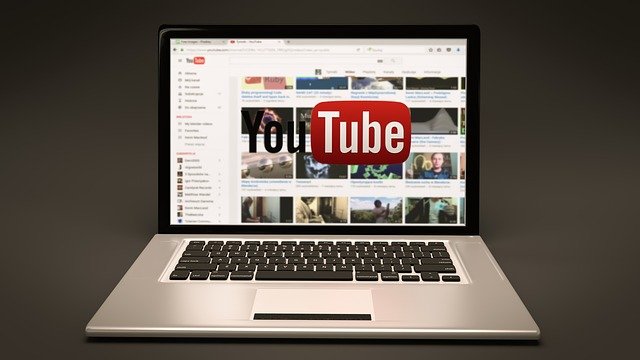
In 2019, YouTube was fined 170 million dollars for illegally advertising to kids. In this article, we’ll cover how YouTube broke the law designed to offer protection for children online, what they did to fix it, and the gap that still puts kids at risk.

To help protect your kids from inappropriate content on the internet, check out our Screen Safety Essential Course. This program offers access to weekly parent and family-oriented coaching videos that will help you to create safer screen home environments and foster open communication all while connecting and having fun as a family. Dr. Bennett’s coaching helps parents make more informed decisions about internet safety and educates families so they can use good judgment when encountering risks online.

What is COPPA?

The Children’s Online Privacy Protection Act (COPPA) requires websites to get parent’s permission before collecting identifying data (like a kid’s name or address) or the cookies from the computer the child is using for children 13 and under. Cookies is a term for a type of data packet sent from a website to a computer and the computer returns the packet to the website. These data packets are a way for websites to track a user and record their actions on the site. Any company caught violating COPPA may be fined up to a maximum of $42,530 per violation.

COPPA applies to any website that is aimed at children or has an audience that can include children such as:

  • PBS Kids
  • Sesame Street
  • Nickelodeon
  • Cartoon Network

How did YouTube break the law?

In 2015 YouTube created a secondary website and app called YouTube Kids dedicated to content for children ages 12 and under. YouTube makes the bulk of their revenue by selling ads and gathering customer data. Customer data is valuable to marketers because it helps them better target advertisements. YouTube Kids gathered child customer data using cookies without parent permission. This was a violation of COPPA. As a result, YouTube received a fine of 170 million dollars.

YouTube marketed itself to advertisers on its popularity with children and made millions of dollars on the subsequent revenue. This led to a surge in kid-oriented content creators who made quick and easy-to-produce videos to capitalize on the profitability of these new advertisers. For example, toy unboxing videos became popular because it was an easy to produce video that generated a lot of views. These content creators are also violators of COPPA because they capitalized on YouTube’s violation for profit.

What has YouTube changed?

The good news is that YouTube no longer collects your children’s personal identifiers and will not allow advertisements that attempt to collect them either. YouTube along with the FTC have also cracked down on content creators who intentionally abused the ad revenue system by mass producing content while YouTube was still collecting kid’s data. Those channels were reported by YouTube, reviewed by the FTC, and channels found guilty were then fined for their own COPPA violation.

YouTube also has guidelines to limit what can be advertised to children. For example, YouTube does not allow advertising of any kind of food or beverage to children. YouTube has also added content filters that are meant to catch content that is oriented at kids and ensure that any advertisement that can collect your data can’t show up on those videos.

But kids are still viewing inappropriate content

The bad news is that the YouTube advertisement system isn’t perfect. YouTube may not be able to target advertisements at your child specifically anymore, but they can still target advertisements at children using videos marked as for children on their main site, or using their secondary site YouTube Kids. YouTube has extra guidelines for kid-oriented advertisements. However,  YouTube does not regulate video content in the same way they regulate advertisements. For example, YouTube won’t allow a thirty second ad about Kool-Aid on their platform if it’s aimed at kids, but Kool-Aid can make a channel and post videos that are essentially an advertisement dressed up like an entertaining video for children. If you’d like to learn more about how advertising affects your children, GKIS already has an article detailing just that linked here.

What does this mean for your child on YouTube?

YouTube has put better practices into place after the COPPA fine. That doesn’t mean that their business model is any different. YouTube is still a website that makes the majority of its money off of advertisements. The website may not be collecting your child’s data but their attention is still a commodity being sold. Content on YouTube can be fun and even educational for children, but you have to be careful of what content your kids are watching.

What can you do to protect your kids on YouTube?

Check what your kids are watching

If you check in on what your child is watching every few videos then you can be sure that they haven’t slipped into watching advertisements dressed up as videos.

Familiarize yourself with your child’s favorite creators

Check a couple of their videos and make sure their content is something you want your child to watch. It will also allow you to be sure this content creator isn’t advertising anything to your children in their videos.

GKIS how to spot marketing supplement

Here at GKIS our how to spot marketing supplement will help teach your kids about the strategies marketers use, and will help them identify when a video is really an advertisement in disguise.

GKIS social media readiness course

Bennett’s social media readiness course helps to teach your kids how to be safe online and recognize the risks on social media sites and found in gaming.

Thanks to CSUCI intern, Jason T. Stewart for researching YouTube’s COPPA fine and co-authoring this article.

I’m the mom psychologist who will help you GetKidsInternetSafe.

Onward to More Awesome Parenting,

Tracy S. Bennett, Ph.D.
Mom, Clinical Psychologist, CSUCI Adjunct Faculty
GetKidsInternetSafe.com

Works Cited

“Google and YouTube Will Pay Record $170 Million for Alleged Violations of Children’s Privacy Law” FTC, https://www.ftc.gov/news-events/press-releases/2019/09/google-youtube-will-pay-record-170-million-alleged-violations

“What are cookies” Norton, https://us.norton.com/internetsecurity-privacy-what-are-cookies.html

Stuart Cobb, “It’s Coppa-cated: Protecting Children’s Privacy in the Age of YouTube” Houston Law Review, https://houstonlawreview.org/article/22277-it-s-coppa-cated-protecting-children-s-privacy-in-the-age-of-youtube

“Advertising on YouTube Kids” Google, https://support.google.com/youtube/answer/6168681?hl=en

Photo Credits

Photo by Tymon Oziemblewski from Pixabay

(https://pixabay.com/photos/youtube-laptop-notebook-online-1158693/)

Photo by Pradip Kumar Rout from Pixabay (https://pixabay.com/photos/cyber-law-legal-internet-gavel-3328371/)

Photo by allinonemovie from Pixabay

(https://pixabay.com/illustrations/minecraft-video-game-blocks-block-1106253/)

Photo by Chuck Underwood from Pixabay

(https://pixabay.com/photos/child-girl-young-caucasian-1073638/)


The GKIS Sensible Parent’s Guide to Twitter

Twitter is a popular social media app that allows users to communicate with their peers through short “tweets” or posts. Many users post whatever is on their mind, what happened to them during the day or to reach out to their friends. Twitter has the potential for cyberbullying, communicating with strangers, sharing fake news, and viewing inappropriate content. This GKIS Sensible Guide provides the information parents need to know to be familiar with Twitter and make informed decisions on when and how to allow their children to use Twitter.

What is Twitter?

Twitter is a social media platform that allows users to communicate with others using short messages. Twitter messages are called “tweets” and may include text, photos, and videos. Many people use Twitter to follow and reach out to others and to post tweets that aim at becoming “viral.”

Many companies like Target, Starbucks, and fast-food restaurants have Twitter accounts and use them to advertise their products and reach customers. Twitter is also useful for customer service and reporting issues to companies. During highly political times, it is not uncommon to see politicians and their followers using Twitter to garner support and attack opposing opinions.

Twitter has produced many popular influencers. Katy Perry and Justin Bieber are the popular influencers for entertainment/celebrity. Elon Musk, inventor of Tesla, and Jack Dorsey, founder of Twitter, are the top influencers in the technology area. There are several other areas with influencers including The Frugal Traveler as a travel influencer, Jamie Oliver as a health influencer, and Atelier Dore as a fashion influencer.[1]

How long has Twitter been around and how popular is it?

Twitter was founded by Jack Dorsey and officially launched in July of 2006. It is based in San Francisco and has over 25 offices around the world. In a statistic published in February 2020, 56.2% of United States Twitter users were male.[2] There is a wide age range of users with the most common ages 25 to 34 and 55 to 64.[3] In 2019, 330 million monthly active users were reported.[4]

How old is old enough for adoption?

According to Twitter’s Terms of Service, a user “must be at least 13 years old to use the Services.” [5] This age is selected for compliance with the U.S.’s Children’s Online Privacy Protection Act (COPPA). However, in Dr. Bennett’s book Screen Time in the Mean Time, she recommends no social media app adoption until at least the second semester of sixth grade, when kids have more social experience for creative problem solving and are no longer transitioning into middle school. (If the seventh grade is a transition year in your community, she recommends waiting until spring semester for the introduction). Because every child has unique strengths and vulnerabilities, parents are well suited to make the best-informed decision for their family.

What is included in the personal profile?

To create a Twitter account, you will need to enter your name, phone number or email, and create a password. The name you enter does not have to be your real name. It can also be a nickname. You will be directed to set a profile photo that will be used as a thumbnail for all your tweets. A cover photo may also be uploaded and will appear at the top of your profile.

A profile also includes your birthday, including the year, and the month and year that you joined Twitter. It also displays the number of people who follow you and the number of people that you follow. The profile also has four tabs that include Tweets, Tweets & replies, Media, and Likes.

  • Tweets: Shows all tweets the user has posted or retweeted.
  • Tweets, retweets, & replies: Shows all tweets the user has posted or retweeted and any replies to tweets.
  • Media: Shows any photos, videos, or gifs the user has tweeted.
  • Likes: Shows all tweets the user has liked.

When clicking on a stranger’s profile, it will display if they are following you. It will also list everyone that follows them and that you follow. It also gives you an option to follow the user, turn on their notifications, send them a direct message, and mute, block, or report.

What are the privacy options?

When clicking on “Privacy and Safety” in your settings, Twitter gives you several options which include information on protecting your tweets, direct messages, discoverability and contacts, safety, and personalization and data.

  • Tweets
    • The Protect your Tweets option allows users to only show their tweets to those that follow them. This also requires users to approve their followers.
    • The location information option allows users to add their location to each of their tweets. Users also have the ability to delete all location information.
    • The photo tagging option allows users to block others from tagging them in photos.
  • Direct Messages
    • Users are able to block others from messaging them
    • Users are able to turn on or off their read receipts which notify the sender with the time they read their message.
  • Discoverability and Contacts
    • Users are able to allow people to find their accounts using their phone number or email address.
  • Safety
    • Users have the option of blocking media that may contain sensitive content
    • User can also mark the media they tweet as containing sensitive content
    • Users have the option of muting works or account
    • Users can block accounts which means they will no longer see the account and the account will no longer see their account
    • Users can change their notification settings or turn off notifications
  • Personalization and Data
    • Through these settings, users can control how Twitter personalizes content and collects and shares certain data
    • Users can block Twitter from sharing their data with business partners.

What are the risks for use?

Inappropriate Content

It is easy for users to stumble upon potentially inappropriate content for their age and/or fake news. If one user retweets or shares something potentially inappropriate, all their followers will see that post. The best way to prevent your child from viewing inappropriate content on their Twitter feed is to go through their privacy settings and make sure to block inappropriate accounts. Requiring your child to get approval before the following accounts is another way to prevent inappropriate content. Please note, however, that once on Twitter it is impossible to filter out all inappropriate content.

Cyberbullying

Twitter carries a major risk for cyberbullying due to the anonymous nature of the platform. Twitter users may use a fake name and photo in order to remain anonymous and then send harmful messages or leave harmful comments on others’ tweets. The best way to prevent cyberbullying is to have the Twitter profile set on private and only approve people who are known by the user.

Sub tweeting is another common form of cyberbullying that is found on the platform. Sub tweeting means posting a tweet about someone without specifically naming that person. Most subtweets are harmful and are used as a way to attack a person without having an explicit connection to that person. Once again, even with best efforts, it’s impossible to block all cyberbully behaviors once on the Twitter platform.

Communicating with Strangers

Users who have a public profile are able to be contacted by any Twitter user. This means that strangers of any age can message a user and send them text or photos. Predators have the ability to send messages to young users. A private Twitter account is the best way to prevent contact with strangers.

Distractibility & Constant Access

Twitter produces a wide variety of content which makes it easy to keep scrolling for hours. Users often start looking at one tweet which leads to others of similar content. The cycle can go on for hours. Also, consider how comfortable you are having your child’s friends have constant screen access with your child. Social media fills one’s digital inbox constantly, all-the-time.

GetKidsInternetSafe rates Twitter as a yellow-light app due to the easy access to strangers, inappropriate content, and the potential for cyberbullying. Twitter tries to block inappropriate content from being posted, but there are millions of users who post multiple times a day. If you do opt to allow Twitter, be sure and get your child’s username and password and monitor posts.

Thank you to CSUCI intern Makenzie Stancliff for co-authoring this article. For more information on keeping your child safe on social media, check out the Get Kids Internet Safe Screen Safety Toolkit. Be sure to add Twitter on to the free GKIS Connected Family Agreement as a “not yet.”

I’m the mom psychologist who will help you GetKidsInternetSafe.

Onward to More Awesome Parenting,

Tracy S. Bennett, Ph.D.
Mom, Clinical Psychologist, CSUCI Adjunct Faculty
GetKidsInternetSafe.com

Works Cited

[1] Meet The Top Twitter Influencers by Topic. (2018, February 20). Retrieved from https://izea.com/2018/02/20/influencers-on-twitter/

[2] Clement, J. (2020, February 18). U.S. Twitter user distribution by gender 2020. Retrieved from https://www.statista.com/statistics/678794/united-states-twitter-gender-distribution/

[3] Clement, J. (2019, August 9). Twitter: U.S. user age distribution 2018. Retrieved from https://www.statista.com/statistics/192703/age-distribution-of-users-on-twitter-in-the-united-states/

[4] Clement, J. (2019, August 14). Twitter: number of active users 2010-2019. Retrieved from https://www.statista.com/statistics/282087/number-of-monthly-active-twitter-users/

[5] Twitter Terms of Service. (n.d.). Retrieved from https://twitter.com/en/tos

Photo Credits

Photo by Sara Kurfeß on Unsplash