
Need peaceful screen time negotiations?

Get your FREE GKIS Connected Family Screen Agreement

parenting

GKIS Quick Tips for Intellectual Enrichment Through Screen Media for Preschool Age Children


Families can no longer avoid screen media exposure in today’s technology driven society. Research demonstrates that exposure to different types of screen media, including television, computers, smartphones, and tablets, can have positive as well as negative effects on children depending on the age of the child, the quality of content, and the amount of exposure. How can we ensure that our children are exposed to the RIGHT type of media in ways that promote intellectual growth?

The Preoperational Child

Preschool age is between 3 to 5 years. The first 5 years of life are critical ages for learning and brain development. Let’s take a look at the different areas preschool-aged children learn and how their educational outcomes can be optimized through appropriate media use:

A Growing Brain & Motor Development

  • Ninety percent of a child’s brain development occurs between birth and 5 years of age (Frist, 2013). This makes it a pivotal time to expose children to a variety of educational information to expand their growing minds to their fullest potential.

GKIS Quick Tip: Choose media that introduces a wide variety of concepts to build upon for future learning. Areas can include language, math, functional skills, motor skills, creativity, and more. But make sure these concepts are delivered in small, deliberate doses. Avoid overwhelm by limiting screen time, delivering age-appropriate content, and avoiding frenetic, rapidly paced videos. Ensure appropriate engagement by co-viewing with your child and talking them through new concepts to facilitate learning and deepen your parent-child learning alliance.

  • As children progress through the preoperational stage, they learn to master gross motor skills, like running, jumping, and climbing, through exercise and play (Hanley, 2016).

GKIS Quick Tip: Interactive games that require active participation through physical activity rather than passive viewing can help improve motor, spatial, and coordination skills, particularly when outside play is not possible. For example, many Wii games encourage active participation through movement detection and feedback. Again, co-engagement is a win-win!

  • Children also learn to master fine motor skills (working with their fingers and hands) through active practice (Hanley, 2016).

GKIS Quick Tip: Tablets for children provide age-appropriate games and apps that enable children fine motor skill practice, like playing the piano, drawing shapes, as well as writing letters and words. For example, the Color and Draw for Kids app works as a virtual coloring book that helps children learn colors as well as fine-tune fine motor skills that are practiced through drawing.

Concrete & Abstract Thinking

  • According to Jean Piaget’s stages of cognitive development, children between the ages of 2 to 7 years old are undergoing the preoperational stage of development. This means kids are learning to form stable concepts but still have magic beliefs and have trouble taking the perspectives of others. With play and practice, they are constantly adding to their mental repertoire, such as major language development. In fact, children who do not develop necessary language skills by the age of 5 years are 6 times more likely to experience difficulty with reading in school (Frist, 2013).

GKIS Quick Tip: Media can benefit young children by teaching literacy and numerical skills. A recent study has shown that growth produced from watching the show Sesame Street is equally comparable to learning in a preschool classroom (Tankersley, 2015). Children exposed to the show were more likely to keep up academically at the appropriate grade level for their age. Interestingly, this effect was particularly pronounced among boys and children who grow up in disadvantaged neighborhoods. Reading skills can also be enhanced through computer games such as Teach Your Monster to Read. That means balanced use digital literacy using appropriate content can be intellectually beneficial by preschool age!

  • Thoughts are primarily generated by concrete rather than abstract ideas in early preschool years. In other words, young children learn about the world around them in a physical manner rather than through representations in their own thoughts.

GKIS Quick Tip: Choose games that allow your preschooler to be an active, rather than a passive, learner. For example, the game Sago Mini Toolbox lets players work virtually with tools, including saws and power drills, to complete building projects. These types of games teach children to work directly toward accomplishing a goal without too much emphasis on the depth of thinking that abstract ideas require. More information about this game can be found at the Common Sense Media website which provides ratings of educational media that will benefit your preschool child.

  • Although preschool children learn primarily through manipulating their environment, towards the end of this period they begin to use symbolic thinking, which means they use internal images to represent objects or people. This is evident through imaginary play. Preschool children often adopt roles such as doctor, mother, father, or cook so that they can practice using social norms and gender roles they see performed in their everyday lives. A child will also use inanimate objects as symbols for other objects (Cherry, 2016). For example, a child may use a blanket to represent a cape, therefore making him/her a real-life superhero.

GKIS Quick Tip: Because imaginative play is developing in the preschool years, exposing children to apps and computer games that emphasize pretend thinking may enhance intellectual abilities as well as creativity. Dr. Panda School is a highly rated game from the website Fundamentally Children’s “Good App Guide.” This app enables players to adopt and explore different roles in an educational context by telling stories about their experiences from the perspective of a teacher, nurse, cook, or even a janitor.

Making and Keeping Friends

  • According to Erikson’s psychosocial stages of development, preschoolers begin to practice interpersonal skills in classroom settings. They do this through participating in pretend play with others and initiating activities with others.

GKIS Quick Tip: Media can benefit preschool children by teaching social skills (Burton, 2015). Videos, television shows, and computer games can teach cooperation and sharing. An example of a beneficial program includes Toca Tea Party This program teaches social skills by allowing children to practice hosting their very own tea party with parents or friends.

  • Children at this age become increasingly curious and inquisitive. They begin to assert themselves more and ask questions to learn more about the world around them (McLeod, 2013).

GKIS Quick Tip: Try using screen activities that prompt questions that require parental input or knowledge. For example, the app Knoala requires children and parents to collaborate in a variety of activities including dancing, singing, crafts, treasure hunts, and more. These types of games not only promote learning, but also strengthen the attachment between you and your child.

  • Children in later preschool years begin to develop theory of mind, which means they gain the ability to understand the feelings and thoughts of others rather than just their own (Cherry, 2016). This particular change in mentality strengthens relationships with peers as well as adults.

GKIS Quick Tip: Computer games can provide children with the practice they need to interact with others appropriately. The game Social Express allows children to interact in simulated situations that mimic social interactions in real-life. It involves decision-making on the part of the player. Each social decision made will have a positive or negative response (Higgin, 2014). Through these experiences in a virtual world, preschool children are able to learn social cues, norms, and skills that they can apply in different settings as well as identify how their actions affect others.

Early exposure to educational media during the preschool years may contribute to intellectual growth. However, preschool children using too much screen media is associated with lower cognitive development and academic achievement (Kirkorian, Wartella, & Anderson, 2008). That means short time periods and age appropriate educational content is key for screen media benefit. Furthermore, accessibility to loving, responsive caregivers is necessary to enrich screen learning and teach important interpersonal skills such as empathy and emotional soothing. There is simply no replacement for love and one-to-one attention.

Thank you Alanna Daytona, CSUCI intern, for putting together these important tips for smart tech use. If you have recommendations for great educational online content for preschool children, please share them with the rest of the GKIS community and leave a response in the comment section below.

I’m the mom psychologist who will help you GetYourKidsInternetSafe.

Onward to More Awesome Parenting,

Tracy S. Bennett, Ph.D.
Mom, Clinical Psychologist, CSUCI Adjunct Faculty
GetKidsInternetSafe.com

Works Cited

Burton, L. (2015, June). Media benefits for children and teenagers. Retrieved from http://raisingchildren.net.au/articles/media_benefits.html

Cherry, K. (2016). What Is the Preoperational Stage of Cognitive Development? Retrieved from https://www.verywell.com/preoperational-stage-of-cognitive-development-2795461

Frist, B. (2013). Child’s first 5 years hold key to success. Retrieved from http://toosmall.org/news/commentaries/childs-first-5-years-hold-key-to-success

Hanley, S. (2016). Major Milestones in the Biological Development of Children. Retrieved from http://oureverydaylife.com/major-milestones-biological-development-children-1883.html

Higgin, T. (2014). Inventive Games That Teach Kids About Empathy and Social Skills. Retrieved from https://ww2.kqed.org/mindshift/2014/04/18/inventive-games-that-teach-kids-about-empathy-and-social-skills/

Kirkorian, H. L., Wartella, E. A., & Anderson, D. R. (2008). Media and Young Children’s Learning. Retrieved from http://www.futureofchildren.org/publications/journals/

McLeod, S. A. (2013). Erik Erikson. Retrieved from www.simplypsychology.org/Erik-Erikson.html

Tankersley, J. (2015). Study: Kids can learn as much from ‘Sesame Street’ as from preschool. Retrieved from https://www.washingtonpost.com/business/economy/sesame-street-and-its-surprisingly-powerful-effects-on-how-children-learn/2015/06/07/59c73fe4-095c-11e5-9e39-0db921c47b93_story.html

Photo Credit

9/365 game day by Jack Fussell, BY CC 2.0

On the Edge by Miika Silfverberg, BY CC 2.0

Student With Ipad At School – 143 by Brad Flickinger, BY CC 2.0
Screen Use by Infants and Toddlers. How to Optimize Learning and Minimize Risk. Part 3 of a 3-Part Series.


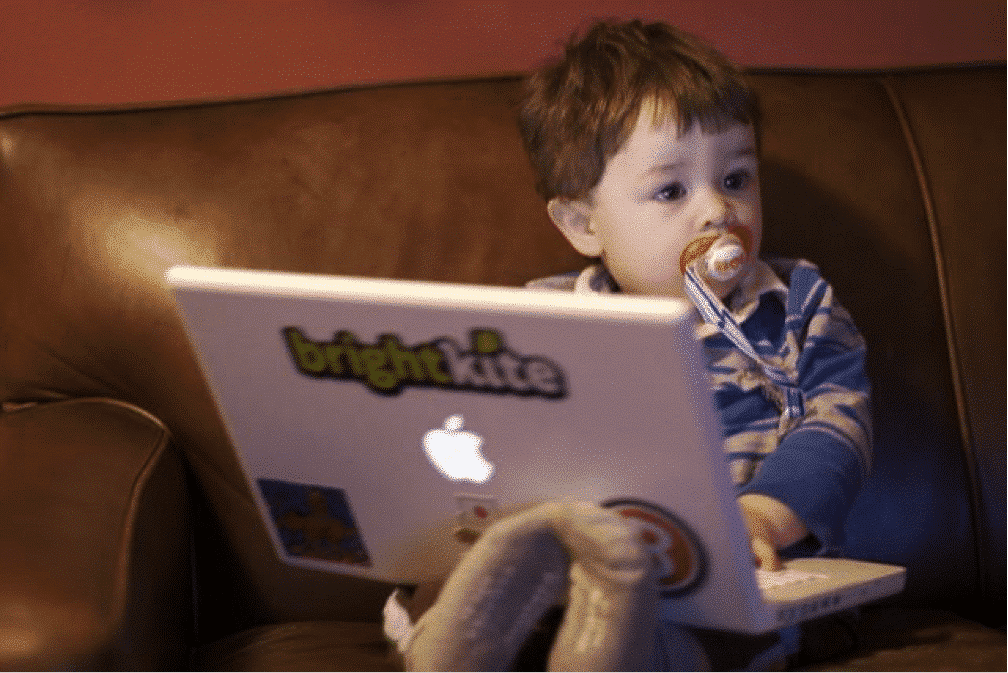
Parenting is seriously hard work, even in the digital age. After all, we not only have to supervise their offline worlds, we must monitor their online worlds as well. Prying little eyes off screens with delicious content is tough stuff. It’s impossible to attend to every tiny aspect of our children’s lives, including what they are exposed to on televisions, computers, smartphones, and tablets. Furthermore, it’s not only screens that interact with our kids. Today’s “connected” and “smart” toys provide data, gather data, and even learn data in order to offer customized, consumable content to keep your child playing (and buying). Fun cartoons, entertaining apps, and talking dinosaurs and Barbies are designed to keep kids happy. Sometimes these activities are so expertly designed kids will even choose these activities over one-to-one time with mom and dad. But we know from Part 2 of the series, sitting your child in front of a screen or smart toy for hours at a time can be detrimental to their intellectual and emotional development. How exactly should we “limit” exposure for “the individual child,” as the American Academy of Pediatrics (AAP) suggested? And what is the “right” way to expose our infants and toddlers to tech and screen media? Let’s take a look at what the experts have to say.

Suggestions from the AAP

Infants and toddlers require one-ton-one, bidirectional interaction with caregivers in order to develop cognitive, language, and social-emotional skills (Radesky & Christakis, 2016). Because their memory and attention skills have not completely developed, they are not able to learn through media in the same manner as they do through interactions with others. The AAP has confirmed that there is limited research on the benefits of media, and that excessive use has negative consequences. Therefore, limitation is key.

Here are some additional guidelines outlined by the AAP:

  • Create a family media plan, like our FREE GKIS Connected Family Screen Agreement. This interactive tool allows you to customize screen guidelines for every child in your household, starting as early as 18 months. The AAP discourages use for children under 18 months.
  • Avoid solo media use in children age 18-24 months.
  • Do not introduce technology early if it is not necessary. When children enter school, they will soon be introduced to the technological world and will adapt quickly.
  • Avoid fast-paced programs, apps with lots of distracting or violent content. Test out apps and games before using them with your child.
  • Encourage your child to share their feelings or interests when you use media-play together.
  • Turn off screens when they are not being used so your child is not able to consume media passively.
  • Keep bedrooms, mealtimes, and parent-child playtime screen free. You can even turn on a “Do Not Disturb” option on your iphone to avoid incoming calls or messages from popping up at inconvenient times (Radesky & Christakis, 2016).

Suggestions from the NAEYC

According to the National Association for the Education of Young Children (NAEYC), infant media exposure should be used to facilitate learning (2012). Because infants learn primarily through play with adults, children, and toys, technology tools must be used in the context of these interactions as well. Infants require tools that allow them to freely explore and manipulate their environment, which draws them to games that have buttons, switches, and controls. Tools should also be safe, sturdy, and not easily damaged (NAEYC, 2012).

Here are a few more suggestions and examples:

  • Allow your infant/toddler to explore digital materials with you or another adult as a mediator. Sharing technology with your child and interacting with them while doing so allows for increased vocabulary skills, observation of appropriate behaviors with media, literacy, and more.

GKIS Quicktip: Use video-chat to interact with your child to let them explore areas unknown to them (with another adult on the other end). Explain your surroundings to them and introduce them to new ideas.

  • Avoid passive screen time. Although some parents believe baby videos calm their child in times of turmoil, there is little research suggesting infants and toddlers learn from watching videos alone. If infants are upset, they need hugs and soothing, not technology.

GKIS Quicktip: Avoid using television programs like Baby Einstein to soothe your child and distract them from the problem. Instead, talk to them, identify the source of their distress, and physically provide your child with a sense of security.

  • When appropriate, use technology as an fun, active tool that provides your infant or toddler with access to images or videos of what they may or may not see in their own environment

GKIS Quicktip: Provide images or videos on a tablet of family, friends, animals, toys, or even other children from around the world to expose diversity. As your child looks through these images, explain the pictures to them. Talk to them about the people, animals, or objects   and create a story about what they see.

  • Incorporate assistive technologies for children with special needs and/or developmental delays.

GKIS Quicktip: For toddlers with Autism Spectrum Disorder, try using GoTalk Pocket. This assistive technology in the form of a remote, works as a communication device for children. Teach your toddler to press the buttons on the remote for what they need. This remote will then verbally project the word, allow for practice of communication skills.

  • Track your child’s progress.

GKIS Quicktip: Record your child’s progress with media use by audio or video on your phone or computer. You can even record the entire play-session to determine your child’s interests and abilities to build upon in future sessions (NAEYC, 2012).

Non-Media Alternatives

Although I’ve offered great tech options, it may be best to avoid screen use entirely for education purposes between the ages of 0 to 2.

Here are several universally known and time-withstanding conclusions that we as a concerned GKIS parenting community can agree on:

  • Reading to your toddler boosts language ability and strengthens parent-child attachment.
  • Talking to your baby throughout daily activities improves language and emotional development and overall intellectual functioning.
  • Singing, playing, and smiling are never discouraged when engaging with your child (Hoecker, 2014). Nothing in your life will translate into more precious dividends.

Thank you Alanna Daytona, CSUCI intern, for putting together these important tips for smart tech use. No matter the age of your child, it’s never too late to implement screen media strategies that enrich, rather than interfere with intellectual development. For step-by-step instruction on how to get started on the right foot, check out our GKIS Connected Family Online Course.

I’m the mom psychologist who will help you GetYourKidsInternetSafe.

Onward to More Awesome Parenting,

Tracy S. Bennett, Ph.D.
Mom, Clinical Psychologist, CSUCI Adjunct Faculty
GetKidsInternetSafe.com

Works Cited

GoTalk Pocket – Go Talk Pocket. (n.d.). Retrieved from http://www.autism-products.com/ProductDetails.asp?ProductCode=1298886&gclid=CNSUzq3K49ACFQ9EfgodvKsPyA

Hoecker, J. L., M.D. (2014, April 12). Infant and toddler health. Retrieved from http://www.mayoclinic.org/healthy-lifestyle/infant-and-toddler-health/expert-answers/baby-einstein/faq-20058099

NAEYC. (2012). Technology and Young Children. Retrieved from https://www.naeyc.org/content/technology-and-young-children/infants-and-toddlers

Radesky, J., & Christakis, D. (2016). Media and Young Minds COUNCIL ON COMMUNICATIONS AND MEDIA. Pediatrics, 138(5). doi:10.1542/peds.2016-2591

Photo Credits

A Boy and His Mac by Tom Carmony, BY CC 2.0

Concentrazione by Mbeo, BY CC 2.0

Happy Mother’s Day by Elvis Kennedy, BY CC 2.0

Screen Enrichment for Infants and Toddlers – Part 2 of 3

Baby participating in screen time

I’m happy to report that Alanna’s conclusions were consistent with mine in my earlier GKIS article series on infant and toddler development. However, it gets complicated! In part one of the series, “How A Mom-Entrepreneur’s Dream Became the Multimillion Dollar Baby Einstein Company” we reviewed the development and booming success of the Baby Einstein Company based on hopes for launching digital education for infants and toddlers. In this article, you will learn how Baby Einstein’s monopoly faced competition in the early 2000’s and whether Mrs. Clark’s hopes were evidenced in the psychological research. In other words, is screen media use by children aged 0 to 2 beneficial or detrimental to development?

Current Rates of Screen Use by Infants & Toddlers:

It is increasingly commonplace to see infants and toddlers interacting with screen media. A survey conducted by Common Sense Media found that between 2011 and 2013, the rate of children under the age of two who have used a cellular device rose from 10% to 38% (Rideout, 2013). More recent surveys demonstrate that one-third of children have scrolled, watched a television program, and/or played games on a smartphone before their second birthday (Kabali et al., 2015). This is partly because parents are becoming more reliant on screens to entertain and teach their older children – and now, infants and toddlers. A 2005 study found that one in five of children aged 0 to 2 even have a television in their bedrooms! Seventy percent of these same children were engaging in media use beyond the designated guidelines outlined by American Academy of Pediatrics of the time (Vandewater, Rideout, Wartella, Huang, Lee & Shim, 2007). Is this access to technology an awesome opportunity or is it harmful to young minds?

Passing the Torch

Just as Baby Einstein enjoyed enormous profit based on parental hope, so have more recent competing companies like Leapfrog. For example, Leapfrog’s mission is to “create award-winning educational solutions that delight, engage and inspire children to reach their potential…with solutions that are personalized to each child’s level.” Leapfrog sells DVDs, videos, and even tablets specially designed to facilitate pretend play and teach math skills, social skills, and creativity to infants and toddlers. According to the online resource Enterprises (2016), Leapfrog boasts huge annual profits to the tune of $67.2 million.

In addition, the company Brainy Baby, markets to parents of infants and toddlers with interactive DVDs that offer lessons about spelling, counting, reading, shapes, animals, and even foreign languages. However, unlike The Baby Einstein Company, the educational value of Brainy Baby’s products have been supported by university conducted, peer-reviewed research. Their website boasts about findings that have shown their products enable children to learn 22 times more than a child not exposed to the products. However, it is important to consider the company sells a variety of outlets for education, including books, flashcards and games, not just DVDs.

Infant participating in screen time

What the American Academy of Pediatrics (AAP) Suggests:

When I began writing this article, I intended to provide a comprehensive view of the pros and cons of screen use in children aged 0 to 2 (the target age for Baby Einstein Company videos). However, upon diving into the university library resources, I was disappointed to find that little research has been done on the topic. In fact, without ample research, risk versus benefit of screen media use among little ones remains controversial.

Even the well-respected American Academy of Pediatrics (AAP) have altered their views on screen use without evidence-based conclusions. Between the years of 2011 and 2014, the AAP released a statement saying “the AAP discourages media use by children younger than 2 years.” However, in order to avoid alienating parents of young children and to be more in-line with case study experience, they changed their statement in 2015 suggesting that “parents set media limits for their children based on the individual child” (Center on Media and Child Health, 2015). According to the AAP, this change was enforced because from their perspective “scientific research lags behind the pace of digital innovation” (Shapiro, 2015).

The Research:

Taking a look at Piaget’s classic theory on the stages of development, children age zero to two are undergoing the sensorimotor stage. In this stage, learning largely revolves around movements and sensations as well as receptive and expressive language (McLeod, 2015). According to Dr. Vic Strasburger, a spokesperson for the American Academy of Pediatrics, babies require face-to-face interactions in order to learn and are not able to achieve this type of stimulation solely from watching television or videos or even interactive screenplay. Not only does screen use risk replacing critical learning opportunities at the moment of use, it may also interfere with crucial wiring being laid down in their brains during the early stages of development. A deficit of face-to-face interaction due to too much screen time may result in long-term learning delay (Park, 2007).

Toddler having screen time

Here is what the early research concluded about Baby Einstein and infant development:

  • A 2007 study of children ages zero to two (who were viewing approximately 2.3 hours of television per day), concluded that infants with more exposure to Baby Einstein videos actually had weaker language development than their less exposed counterparts (Zimmerman, Christakis & Meltzoff, 2007).

Here are findings from more recent research:

  • There was no clear negative association between media use and language development.
  • Infants with no exposure to media actually had lower levels of language development than those with some exposure, suggesting that perhaps moderation is key.
  • That expressive language was enhanced, but not receptive language. In fact, no influence at all existed in the older toddler age groups (Ferguson, 2014).
  • In another study conducted in 2014, increased amounts of media exposure in infants have been linked to problems with self-regulation, meaning they have more difficulty monitoring their behaviors, thoughts, and emotions (Radesky, Silverstein, Zuckerman, & Christakis, 2014).

What Does It All Mean?

It is important to note that unlike the 2007 study, the 2014 follow-up study did not test infants exposed only to Baby Einstein videos, but a variety of different screen content. Sesame Street (which has been proven to have educational value) as well as Spongebob Squarepants (having little-to-no educational value) were even included in media viewing (Ferguson, 2014). Both studies were also correlational, meaning that they relied on survey results from parents rather than an experimental design, which demonstrate causal effects. This type of data can often be unreliable as parent memories of their child’s media exposure is not always accurate, leaving the applicability of the research limited. It can even be inferred from these studies that relying on videos alone, such as Baby Einstein, do not translate to intellectual growth. Rather, it is how we as parents use media to facilitate learning that determines if and how our children learn.

Using screen media in moderation, especially interactive activity like video conferencing and touch media, may elicit more interest in learning from toddlers. Also, repetition of concepts may be easier to achieve on screen with the supervision of a parent to help facilitate learning (Kirkorian, Wartella, & Anderson, 2008). Different modalities for education create new pathways for storing information. These pathways lead to better fact/concept retrieval later on. Since our children’s brains “remodel” throughout our lifespan with a “use it or lose it” system, screen media may enrich experiences, thus building new neuronal pathways that can be built upon for deeper and more varied learning potential.

What’s Next?

Although the modern education of children is beginning to rely heavily on the use of multimedia, there is a limited amount of research on the potential benefits or harm that can result from screen use in the toddler age group. As technology continues to become incorporated into our daily lives, media exposure of children is nearly inescapable. If the scientific research currently available provides little information about the subject matter, then it is up to us to share as much information as possible for the best education of our infants and children.

CSUCI Intern, Alanna Dantona Congratulations and thank you to Alanna Dantona, CSUCI intern, for co-authoring this awesome GKIS article! Part 3 of this series will discuss the future implications of the technological movement in education in further detail, as well as more information about recommendations for you parents about how to appropriately implement media use in your child’s life.

I’m the mom psychologist who will help you GetYourKidsInternetSafe.

Onward to More Awesome Parenting,

Tracy S. Bennett, Ph.D.
Mom, Clinical Psychologist, CSUCI Adjunct Faculty
GetKidsInternetSafe.com

Works Cited

Brown, A. (2011). Media Use by Children Younger Than 2 Years. Retrieved from http://pediatrics.aappublications.org/content/128/5/1040

Center On Media and Child Health. (2015). Media Use by Children Younger Than 2 Years. Retrieved from http://pediatrics.aappublications.org/content/128/5/1040

Enterprises, I. L. (2016). LeapFrog Reports Second Quarter Fiscal Year 2016 Financial Results And Other Actions. Retrieved from http://www.leapfrog.com/en-us/learning-path/videos/best-toys-for-2-yearolds

Ferguson, C. J., & Donnellan, M. B. (2014). Is the association between children’s baby video viewing and poor language development robust? A reanalysis of Zimmerman, Christakis, and Meltzoff (2007). Developmental Psychology, 50(1), 129-137. doi:10.1037/a0033628

Hilda Kabali, M.D., pediatric resident, Einstein Medical Center, Philadelphia, Pa.; Jenny Radesky, M.D., assistant professor, pediatrics, Boston University School of Medicine, Boston, Mass.; Susan Neuman, Ph.D., professor and chairwoman, Teaching and Learning Department, Steinhardt School of Culture, Education and Human Development, New York University, New York City; presentations, April 25 and 26, 2015, Pediatric Academic Societies, San Diego, Calif.

Kirkorian, Heather L., Ellen A. Wartella, and Daniel R. Anderson. “Media and young children’s learning.” The Future of Children 18.1 (2008): 39-61.

McLeod, S. A. (2015). Sensorimotor Stage. Retrieved from www.simplypsychology.org/sensorimotor.html

Park, A. (2007, March 06). Baby Einsteins: Not So Smart After All. Retrieved from http://content.time.com/time/health/article/0,8599,1650352,00.html

Radesky, J. S., Silverstein, M., Zuckerman, B., & Christakis, D. A. (2014). Infant Self-Regulation and Early Childhood Media Exposure. Pediatrics, 133(5), e1172–e1178. http://doi.org/10.1542/peds.2013-2367

Rideout, V. (2013). Zero to Eight: Children’s Media Use in America 2013 | Common Sense Media. Retrieved from https://www.commonsensemedia.org/research/zero-to-eight-childrens-media-use-in-america-2013

Shapiro, Jordan (2015) Retrieved from http://www.forbes.com/sites/jordanshapiro/2015/09/30/the-american-academy-of-pediatrics-just-changed-their-guidelines-on-kids-and-screen-time/#670c06af137c

Vandewater E.A., Rideout, V.J., Wartella, E.A., Huang X.,Lee J.H., & Shim, M. (2007) Digital Childhood: Electronic Media and Technology Use Among Infants, Toddlers, and Preschoolers. Pediatrics, 119 (5) e1006-e1015; DOI: 10.1542/peds.2006-1804

Zimmerman, F. J., Christakis, D. A., & Meltzoff, A. N. (2007). Associations between Media Viewing and Language Development in Children Under Age 2 Years. The Journal of Pediatrics, 151(4), 364-368. doi:10.1016/j.jpeds.2007.04.071

Photo Credits

Business Baby Pointing by Paul Inkles, CC BY 2.0

Baby Sees The iPad Magic by Stephen Paine, CC BY 2.0

Watching TV by Visa Kopu, CC BY 2.0

5 Back to School Tips for the Digitally Overtasked and Disorganized Parent

blog88-momanddaughterdesk

We are back to school, mixed feelings and all. On the one hand, I’m sad about losing lazy barefoot jammy mornings and chill flip-flop afternoons. On the other hand, school brings a set schedule and less pressure to entertain bickering kids. Then there’s the fact that we didn’t get in enough after dinner neighborhood walks and forget about homemade picnics. It’s OK though, I’m so buried in permission slips and sports calendars right now I can barely squeeze in a moment for regret anyway. One thing I know, however, is taking a little bit of time out now to implement time- and stress-saving ideas is well worth it. Today’s GetKidsInternetSafe article offers parenting support and organizational strategies that will spark better efficiency and screen safety.

Organization in a busy household is like the creation of an earthquake kit, it only happens after something scares you into it. Maybe it’s the humiliation of the teacher calling you personally to pick up your forgotten child or that 5-tabbed excel spreadsheet from the volleyball coach that reveals every other parent already chose snack bar duty leaving you to choose between Halloween or Thanksgiving weekends. Whatever your inspiration, it’s time to pull it together before chaos takes you and the kids under. Here are some tips I provided to my overwhelmed clients this week. Hope it helps you feel confident in being “good enough” this week.

SORT AND DECLUTTER: OUT WITH THE OLD AND IN WITH THE NEW

I don’t know about you, but my kids can destroy a room in moments. A sure-fire solution is one hour spent sorting though the dresser and closet to toss or donate old clothes BEFORE the new ones mix in and implementing one-step solutions to laundry. For instance, last fall I bought each child a terry cloth robe to hang by the shower and laid down the law “no more towels.” Admittedly, I still find towels in their rooms on occasion when they fail to return their robes to the hook, but this easy solution has saved me two loads a week of soggy, piled up towels in corners of bedrooms.

SET TIME LIMITS, ROOM-BY-ROOM SCREEN BOUNDARIES, & YOUR GKIS COMMUNITY DOCKING STATION

If you’ve read my article about how teens are self-producing pornography, you know that closed doors, bedrooms, and bathrooms are ready sets for bad screen media choices. Also, screen use in the bedroom often results in late night use and dangerous dips in the sleep regulating hormone, melatonin. Sleep deprived kids are cranky and deprived of the rejuvenating neurological processes necessary for learning.

Implement and enforce set screen times and room rules and set up a GKIS community docking station near mom and dad for adequate nightly supervision. Free apps like Our Pact are amazing tech tools for universally turning off screen media at bedtime to support agreed-upon blackout times. No arguing, no fuss.

SET UP A SHARABLE DIGITAL FAMILY CALENDAR

Too scattered to follow your kids around reminding them of daily events? Set up a shared digital, color-coded calendar for view on their tablets and smartphones. Not only can they visit the calendar to plan their day, but you can also set up automatic reminders that banner across their screen. No more accusations of, “You never told me!”

ELIMINATE RESENTMENT WITH A SIMPLE IN-N-OUT BOX SET

No, I don’t mean double-double animal style cheeseburgers. This is about permission slips, homework due dates, and reminders delivered in a way that doesn’t tank parent-child conversations.

This week I had a tearful teen and an exasperated mom share how frustrated they were because the teen still needs reminders about piano practice and project due dates, but when mom mentions it the result is a lecturing mom, a defiant teen, and lingering resentment.

An easier way to communicate is a GKIS family organization center. If color-coded bins and Pinterest-inspired corkboards are beyond your pay grade, a simple in-out basket set will do. A note that says “Please don’t forget to show me your completed American History essay by tomorrow night 9 pm” in the inbox will be more successful without the dreaded angry spoken “tone.” And when Janie sees the note and then places it in the outbox, mom knows it was seen and acknowledged. No more waiting for that fleeting moment when you pass in the kitchen. The IN-OUT box set takes the worry off your plate and in the hands of your child, where it belongs.

CLEANSE YOUR SOCIAL MEDIA PROFILES & CHAT ABOUT IT

Are you burned out from too many emails and compulsive social media checking? Do something about it. Digitally cleanse! Take unnecessary social media apps off your phone and clean up your buddy lists. Spending time commenting on the profiles of people you never speak to is far less valuable than face-to-face time with your family and friends.

Share your reasons with your kids and engage in a discussion about the pros and cons of social media and gaming. Using it for reasonable entertainment is one thing, but if these digital tasks have become a priority, maybe it’s time to shave off less meaningful screen time. Not only will you love the extra time it brings to you, but you’ll be providing some important digital citizenship education to your kids and enrich that critical parent-child alliance.

By implementing these 5 simple tips, you will free up precious time best used connecting to happy, relaxed kids. Interested in creating a social media footprint that will be beneficial for college and employment opportunities? Stay tuned for next week’s article, The Social Media Resumè, How to Expertly Stylize Your Cyber Footprint to Attract College and Employment Opportunities.

I’m the mom psychologist who will help you GetYourKidsInternetSafe.

Onward to More Awesome Parenting,

Tracy S. Bennett, Ph.D.
Mom, Clinical Psychologist, CSUCI Adjunct Faculty
GetKidsInternetSafe.com

Photo Credit

Woman and Young Girl In Kitchen With Laptop Smiling, CC BY-NC 2.0

Pokémon Go or No? Basics, Benefits, and Risks.

It’s a new augmented reality world. With Nintendo’s July 6th launch of the free smartphone app, Pokémon Go, the virtual gaming world has meshed with our nonvirtual lives on a pervasive scale. Using augmented reality technology, or layering of virtual play onto the real world, game strategists have dialed in on the components necessary to trigger compulsive integrated gaming, and it’s spreading like a virus. Within one week of launch there are millions of downloads worldwide and Nintendo stock has skyrocketed. This scope of cultural popularity is a capitalist’s dream. Even the pasty-white gamers rarely seen outside of their darkened screen dens are roaming the streets in search of Pokémon critters “inhabiting” our streets and businesses. Due to hyper-focused roaming while gaming, parents are afraid of targeted criminal threats, companies are alarmed at security risks, doctors are treating game-related injuries, companies are trying to lure roaming gamers through their doors, and everybody else is having an awesome time capturing virtual pocket monsters. What do you need to know to catch up on the hype and keep you family safe? GetKidsInternetSafe is here to review the basics, the benefits, and the risks.


How does one play Pokémon Go?


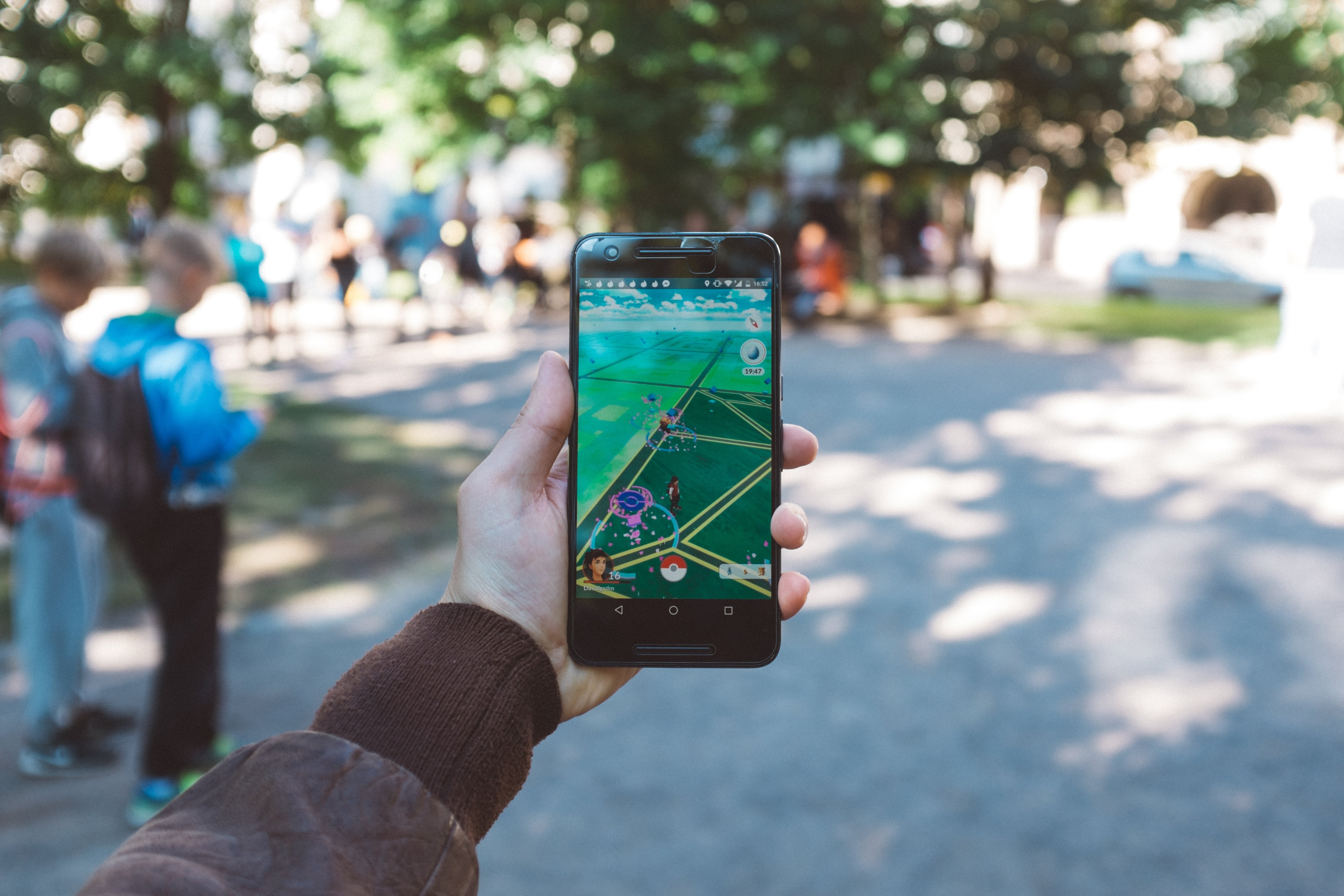
First download the free Pokémon Go app to your smartphone, nickname your avatar, and walk out your door to search for Pokémon characters. In cooperation with Google Maps data, Nintendo has made it possible to view cartoon characters superimposed on your smartphone’s camera screen map in real-life places like parks, schools, and museums. Walk down any street and wait for your smartphone to vibrate if there is a Pokémon ready for capture nearby.

Once spotted, Pokémon characters can be captured and virtually collected in your Pokedex so they can be trained, enhanced, and readied for battles with other players. Each Pokémon character’s value and strength are reflected by its combat points or the color of the circle that surrounds the character. With each capture, the player also receives Stardust or Candy which can be used to power-up your character to make it a more powerful fighter. Poke Stops are special locations where players can find digital items like potions, poke balls, and eggs. Gyms are battle sites available to level 5 and above players who have joined one of three teams, Instinct, Mystic, or Valor. Players also have the option to buy PokéCoins, which is in-game currency used for purchasing power-ups, extra items, and playing enhancements.


What are the benefits of Pokémon Go?


  • Fun
  • Exercise, fresh air, and exploration
  • Socializing and team play
  • Strategy and technology skills


What are the risks of Pokémon Go?


  • Data charges
  • Counterfit apps loaded with malware that put smartphone data at risk
  • Technology headaches, such as the recent server crash that caused and uproar and resulted in some players reloading the app and losing hard-earned characters
  • Compulsive playing interfering with home and work productivity
  • Targeted by marketing businesses promising poke stops or poke gyms on their premises
  • Trespassing into private, restricted, or dangerous areas (reports of kids searching near a sober living facility that housed sex offenders, cemeteries, and police stations; calling 911 in search of information about access; and another player discovered a dead body while playing)
  • Injury due to distracted roaming and driving (reports of players walking off cliffs and causing traffic accidents while playing)
  • Potential for criminal targeting (reports of luring and assault and smartphone robberies)


GetKidsInternetSafe suggestions:


As creator of GetKidsInternetSafe, I have mixed feelings about Pokémon Go. Last night I watched my middle-aged college roommate capture her first Pokémon crab guy on a bustling San Francisco street. Despite my attempts to act too jaded to care, we collapsed into laughter upon her first capture. I have to admit, it was awesome, and I have since narrowly missed downloading it for compulsive play myself. It is glaringly evident to me how fun this app could be. The augmented layering of the virtual world onto our nonvirtual lives is mind boggling with potential.

As with everything fun in life, moderation is key. As parents keen on making sound tech decisions in our homes, we simply need to be informed, aware, and willing to use with moderation. That means teaching our kids how to gather and assess information about the risks and benefits, practice skills for safety and self control, and seek consult when they need information or opinions. If it sounds like a reasonable game to you, I suggest a probationary download. Let your kids know that they can try it on a probationary basis and discuss rules and parameters ahead of time. For instance, make them aware of the safety risks while roaming around tracking for characters. Also protect your credit card information and passwords that may be used for online purchase. A client of mine was stuck with $2500 worth of gaming charges from her ten year-old recently for making that mistake. And if you have teens, there are rampant reports of kids sneaking out at night for unsupervised playtime. Don’t be caught unawares. And my best advice, join in and HAVE FUN to build that powerful parent-child connection. An active, quality relationship with your kids is the best protection from the risks possible.

 I’m the mom psychologist who will help you GetYourKidsInternetSafe.

Onward to More Awesome Parenting,

Tracy S. Bennett, Ph.D.
Mom, Clinical Psychologist, CSUCI Adjunct Faculty
GetKidsInternetSafe.com