Like movies, video games have contributed to a massive and diverse industry. The video game market place Steam has over thirty-thousand games available for sale and only 47% of developers sell their games using steam. This article will teach you what you need to know about the diversity in the gaming market, the games that came out of home projects, and what you need to know for you young gamers. Here at GKIS we care about the internet safety of your young gamers and we want to protect them from digital injuries. Check out the GKIS Social Media Readiness Course to prepare your tweens and teens for the dangers they will face while playing games and interacting on social media.
What is an indie game?
A video game can be classified into one of two groups based on who produced the game, AAA games and Indie games. AAAgames are produced by a major company that can back the game’s production with money, personnel, and any other resources the production may need. Indie games are produced by either a small team or a single developer with minimal resources at their disposal. An indie game developer is typically a single person with a good idea and access to game developing software.
A video game is a large time investment for any developer. Large game developers have teams of experts who each work on the pieces of the game resulting in a short production time. Indie developers, on the other hand, typically have minimal resources. They often crowd-fund projects and make sacrifices to release games in a reasonable amount of time. Indie developers tend to rely on social media for brand awareness and marketing.
Well Known Indie Games
Indie games may start out as small passion projects, but well-made games can gain popularity and become just as popular as AAA games. When an Indie game becomes popular enough, AAA publishers may buy the game from the original developer. This allows the publisher to put their formidable resources behind the project and then reap the rewards of the new and improved game. Here at GKIS, we put the formidable resource of Dr. Bennett’s years of knowledge and experience as a licensed clinical psychologist to work to create the Screen Safety Essentials Course. The Screen Safety Essentials Course provides parents and children with access to a comprehensive program that will help families to create safer screen-home environments and foster open communication.
Here are some Indie games you may recognize:
Minecraft
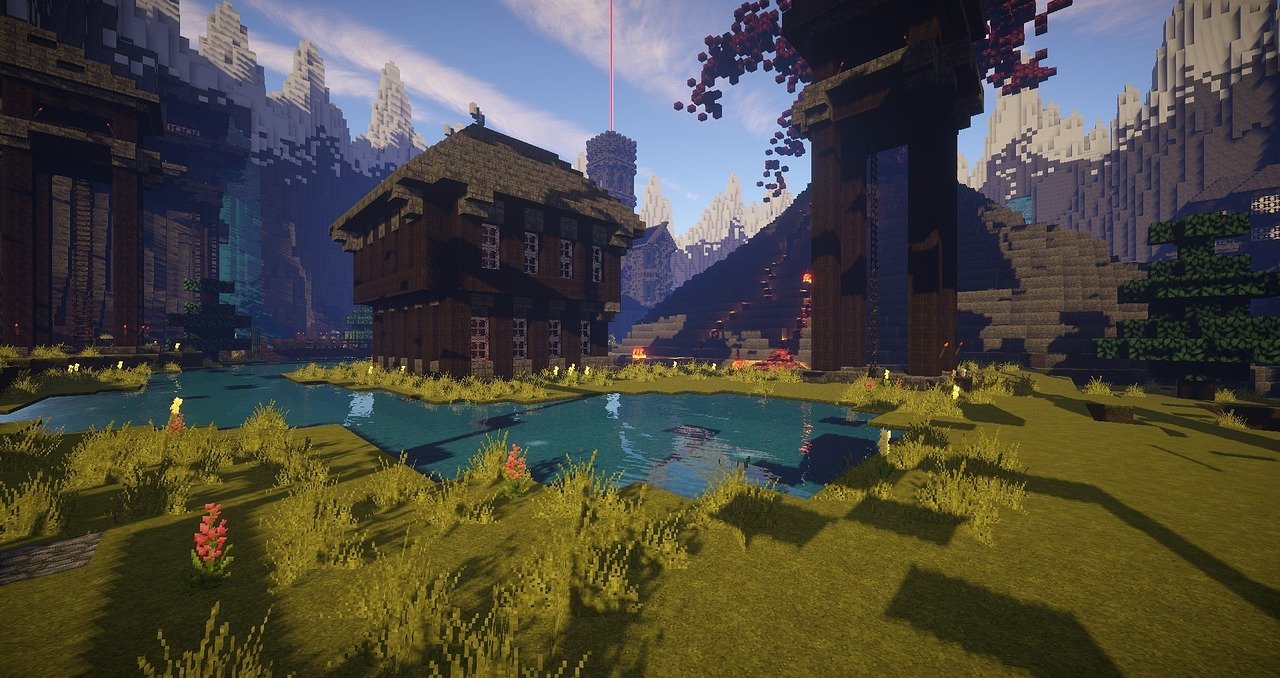
Minecraft is an incredibly popular Indie title, having sold over 200 million copies to date, and was sold to Microsoft the company behind the Xbox game console in 2014. Microsoft has since updated Minecraft with new content, released two more games under the Minecraft title, and expanded the game into other profitable areas such as toys.
Undertale
Undertale is a game that was crowd-funded and released in 2015 with an estimated 5.8 million users. Created by a single developer, this game has reached a level of acclaim that Nintendo licensed one of the characters to appear in one of their own games. The game also has its own line of merchandise and a much-anticipated sequel currently in development.
Among Us
Among Us is a more recent success story of a small social deception game that rocketed into the public eye, and boasted 60 million active users a day at the peak of its popularity. The game was very popular amongst YouTube and Twitch creators, which acted as a very successful marketing campaign. The game has become so popular that, during Halloween, kids were running around in inflatable costumes of the Among Us space suits.
The Benefits of Indie Games
Without a big corporation behind them forcing big decisions, indie developers can make any game they want. For example, Cup Head is an extremely difficult game with an art style designed to be an homage to the early era of hand-drawn cartoons. Some games are designed off of a single weird concept or a specific labor of love based upon an obscure passion.
Most indie developers try to get the funding they need to produce a game using crowd-funding. Crowd-funding is when a designer puts out a concept of a project online and gets funding from the potential fanbase to make the game through a mixture of donations, pre-purchasing the game before development begins, and additional benefits for backers of the game. Benefits can include anything from your name in the credits of the game as a backer to having input into a part of the game or a character in the game being named for the backer. Crowd-funding allows a developer to pool money for a passion project from people who are excited about the game. Crowd-funding success helps to attract investors because it reflects customer interest.
The Dangers of Indie Games
Indie games have been a source of some of the greatest titles of the last two decades, but that doesn’t mean that every Indie game is going to be like Minecraft. Indie games can be whatever the creator wants, and that’s not always a good thing. For example, some developers push the boundary of horror games and explore themes AAA horror would never touch. For example, The Binding of Isaac is one of the most popular Indie games of all time. The game explores themes of child abuse, religious extremism, and child suicide.
Indie games can explore any theme no matter how dark or twisted and the limit to what can be made is limited only by human imagination. That doesn’t mean all Indie games are horror games. But the range of themes available is significantly more diverse than the AAA scene for games.
What does this mean for your young gamers?
Within the gaming industry, Indie games are incredibly diverse. The diversity of genres and topics can create games that range from poorly made first attempts to truly frightening horror games and all the way to amazing successes like Minecraft.
So, what can you do for your young gamers online?
Read the summary.
If your child wants to get an Indie game it will often come from a website that allows developers to post and sell their games. There is a store page on Steam associated with a game that will give you a description of the plot, gameplay, pictures of the game, and reviews from people who have played the game. This will allow you to make an informed decision if this game is right for your child.
Our family course is designed to bring your family closer and get your kids working with you to stay safe on the internet. Our connected family course is outcome-based and will help you close screen risk gaps and increase family closeness and cooperation.
YouTube
You can often find YouTube creators that have recorded gameplay of popular new Indie games. If your child wants to play the new game their favorite YouTuber is playing, watch one of their videos with them. It’ll show you what kind of game your child is looking at, and you’ll get to hang out with your kid while you do it.
Thanks to CSUCI intern, Jason T. Stewart for researching advances in the video game industry and co-authoring this article.
I’m the mom psychologist who will help you GetKidsInternetSafe.
Coble, V. (2021, September 30). 10 most disturbing psychological horror indie games. CBR. Retrieved November 20, 2021, from https://www.cbr.com/indie-games-disturbing-psychological-horror/.
Curry, D. (2021, November 11). Among us revenue and usage statistics (2021). Business of Apps. Retrieved December 4, 2021, from https://www.businessofapps.com/data/among-us-statistics/.
Curry, D. (2021, November 11). Minecraft revenue and Usage Statistics (2021). Business of Apps. Retrieved December 4, 2021, from https://www.businessofapps.com/data/minecraft-statistics/.
Donnellan, J. (2021, June 8). 50 best indie games of all time. Cultured Vultures. Retrieved November 20, 2021, from https://culturedvultures.com/best-indie-games-all-time/.
G., D. (2021, November 1). 45+ video games industry statistics, facts, and trends for 2021. TechJury. Retrieved December 4, 2021, from https://techjury.net/blog/video-games-industry-statistics/.
Lowry, B. (2017, November 29). This is what sets ‘indie’ and ‘AAA’ video games apart. Windows Central. Retrieved November 20, 2021, from https://www.windowscentral.com/indie-vs-aaa-which-type-game-you.
Mikolić, M. (n.d.). Undertale stats by Playtracker Insight. stats by Playtracker Insight. Retrieved December 4, 2021, from https://playtracker.net/insight/game/1122.
Oddo, M. V. (2021, August 2). What’s an indie game anyway? Collider. Retrieved November 20, 2021, from https://collider.com/what-makes-an-indie-game/.
Twitter is a popular social media app that allows users to communicate with their peers through short “tweets” or posts. Many users post whatever is on their mind, what happened to them during the day or to reach out to their friends. Twitter has the potential for cyberbullying, communicating with strangers, sharing fake news, and viewing inappropriate content. This GKIS Sensible Guide provides the information parents need to know to be familiar with Twitter and make informed decisions on when and how to allow their children to use Twitter.
What is Twitter?
Twitter is a social media platform that allows users to communicate with others using short messages. Twitter messages are called “tweets” and may include text, photos, and videos. Many people use Twitter to follow and reach out to others and to post tweets that aim at becoming “viral.”
Many companies like Target, Starbucks, and fast-food restaurants have Twitter accounts and use them to advertise their products and reach customers. Twitter is also useful for customer service and reporting issues to companies. During highly political times, it is not uncommon to see politicians and their followers using Twitter to garner support and attack opposing opinions.
Twitter has produced many popular influencers. Katy Perry and Justin Bieber are the popular influencers for entertainment/celebrity. Elon Musk, inventor of Tesla, and Jack Dorsey, founder of Twitter, are the top influencers in the technology area. There are several other areas with influencers including The Frugal Traveler as a travel influencer, Jamie Oliver as a health influencer, and Atelier Dore as a fashion influencer.[1]
How long has Twitter been around and how popular is it?
Twitter was founded by Jack Dorsey and officially launched in July of 2006. It is based in San Francisco and has over 25 offices around the world. In a statistic published in February 2020, 56.2% of United States Twitter users were male.[2] There is a wide age range of users with the most common ages 25 to 34 and 55 to 64.[3] In 2019, 330 million monthly active users were reported.[4]
How old is old enough for adoption?
According to Twitter’s Terms of Service, a user “must be at least 13 years old to use the Services.” [5] This age is selected for compliance with the U.S.’s Children’s Online Privacy Protection Act (COPPA). However, in Dr. Bennett’s book Screen Time in the Mean Time, she recommends no social media app adoption until at least the second semester of sixth grade, when kids have more social experience for creative problem solving and are no longer transitioning into middle school. (If the seventh grade is a transition year in your community, she recommends waiting until spring semester for the introduction). Because every child has unique strengths and vulnerabilities, parents are well suited to make the best-informed decision for their family.
What is included in the personal profile?
To create a Twitter account, you will need to enter your name, phone number or email, and create a password. The name you enter does not have to be your real name. It can also be a nickname. You will be directed to set a profile photo that will be used as a thumbnail for all your tweets. A cover photo may also be uploaded and will appear at the top of your profile.
A profile also includes your birthday, including the year, and the month and year that you joined Twitter. It also displays the number of people who follow you and the number of people that you follow. The profile also has four tabs that include Tweets, Tweets & replies, Media, and Likes.
Tweets: Shows all tweets the user has posted or retweeted.
Tweets, retweets, & replies: Shows all tweets the user has posted or retweeted and any replies to tweets.
Media: Shows any photos, videos, or gifs the user has tweeted.
Likes: Shows all tweets the user has liked.
When clicking on a stranger’s profile, it will display if they are following you. It will also list everyone that follows them and that you follow. It also gives you an option to follow the user, turn on their notifications, send them a direct message, and mute, block, or report.
What are the privacy options?
When clicking on “Privacy and Safety” in your settings, Twitter gives you several options which include information on protecting your tweets, direct messages, discoverability and contacts, safety, and personalization and data.
Tweets
The Protect your Tweets option allows users to only show their tweets to those that follow them. This also requires users to approve their followers.
The location information option allows users to add their location to each of their tweets. Users also have the ability to delete all location information.
The photo tagging option allows users to block others from tagging them in photos.
Direct Messages
Users are able to block others from messaging them
Users are able to turn on or off their read receipts which notify the sender with the time they read their message.
Discoverability and Contacts
Users are able to allow people to find their accounts using their phone number or email address.
Safety
Users have the option of blocking media that may contain sensitive content
User can also mark the media they tweet as containing sensitive content
Users have the option of muting works or account
Users can block accounts which means they will no longer see the account and the account will no longer see their account
Users can change their notification settings or turn off notifications
Personalization and Data
Through these settings, users can control how Twitter personalizes content and collects and shares certain data
Users can block Twitter from sharing their data with business partners.
What are the risks for use?
Inappropriate Content
It is easy for users to stumble upon potentially inappropriate content for their age and/or fake news. If one user retweets or shares something potentially inappropriate, all their followers will see that post. The best way to prevent your child from viewing inappropriate content on their Twitter feed is to go through their privacy settings and make sure to block inappropriate accounts. Requiring your child to get approval before the following accounts is another way to prevent inappropriate content. Please note, however, that once on Twitter it is impossible to filter out all inappropriate content.
Cyberbullying
Twitter carries a major risk for cyberbullying due to the anonymous nature of the platform. Twitter users may use a fake name and photo in order to remain anonymous and then send harmful messages or leave harmful comments on others’ tweets. The best way to prevent cyberbullying is to have the Twitter profile set on private and only approve people who are known by the user.
Sub tweeting is another common form of cyberbullying that is found on the platform. Sub tweeting means posting a tweet about someone without specifically naming that person. Most subtweets are harmful and are used as a way to attack a person without having an explicit connection to that person. Once again, even with best efforts, it’s impossible to block all cyberbully behaviors once on the Twitter platform.
Communicating with Strangers
Users who have a public profile are able to be contacted by any Twitter user. This means that strangers of any age can message a user and send them text or photos. Predators have the ability to send messages to young users. A private Twitter account is the best way to prevent contact with strangers.
Distractibility & Constant Access
Twitter produces a wide variety of content which makes it easy to keep scrolling for hours. Users often start looking at one tweet which leads to others of similar content. The cycle can go on for hours. Also, consider how comfortable you are having your child’s friends have constant screen access with your child. Social media fills one’s digital inbox constantly, all-the-time.
GetKidsInternetSafe rates Twitter as a yellow-light app due to the easy access to strangers, inappropriate content, and the potential for cyberbullying. Twitter tries to block inappropriate content from being posted, but there are millions of users who post multiple times a day. If you do opt to allow Twitter, be sure and get your child’s username and password and monitor posts.
Thank you to CSUCI intern Makenzie Stancliff for co-authoring this article. For more information on keeping your child safe on social media, check out the Get Kids Internet Safe Screen Safety Toolkit. Be sure to add Twitter on to the free GKIS Connected Family Agreement as a “not yet.”
I’m the mom psychologist who will help you GetKidsInternetSafe.
[1] Meet The Top Twitter Influencers by Topic. (2018, February 20). Retrieved from https://izea.com/2018/02/20/influencers-on-twitter/
[2] Clement, J. (2020, February 18). U.S. Twitter user distribution by gender 2020. Retrieved from https://www.statista.com/statistics/678794/united-states-twitter-gender-distribution/
[3] Clement, J. (2019, August 9). Twitter: U.S. user age distribution 2018. Retrieved from https://www.statista.com/statistics/192703/age-distribution-of-users-on-twitter-in-the-united-states/
[4] Clement, J. (2019, August 14). Twitter: number of active users 2010-2019. Retrieved from https://www.statista.com/statistics/282087/number-of-monthly-active-twitter-users/
[5] Twitter Terms of Service. (n.d.). Retrieved from https://twitter.com/en/tos