Need peaceful screen time negotiations?

Get your FREE GKIS Connected Family Screen Agreement

back to school

Should We Gamify Education?

It’s a battle keeping students engaged in education in our screen-soaked world. Kids love learning. But they seem less in love with school and more in love with screen time. How do we reengage our students in school and the love of learning? Have we reached the tipping point where tech in the classroom is necessary for engagement? Or since COVID-19 Stay at Home Orders, have screens isolated kids and made them too fatigued to learn? Screens are great at teaching kids to self-interrupt, leading often report that real-life classrooms turn them off instead of turning them on. Today’s GKIS article highlights the benefit of tech and how gamification is being tested in education.

Traditional Teaching Methods Versus Screen Tech

Traditionally, schools use teacher-led workbook activities, in-class discussions, and textbook-based homework that rely heavily on structured lessons and memorization. Lessons often span longer than 10 minutes. This can be problematic considering the typical adult’s attention span is only 15 minutes.[1]
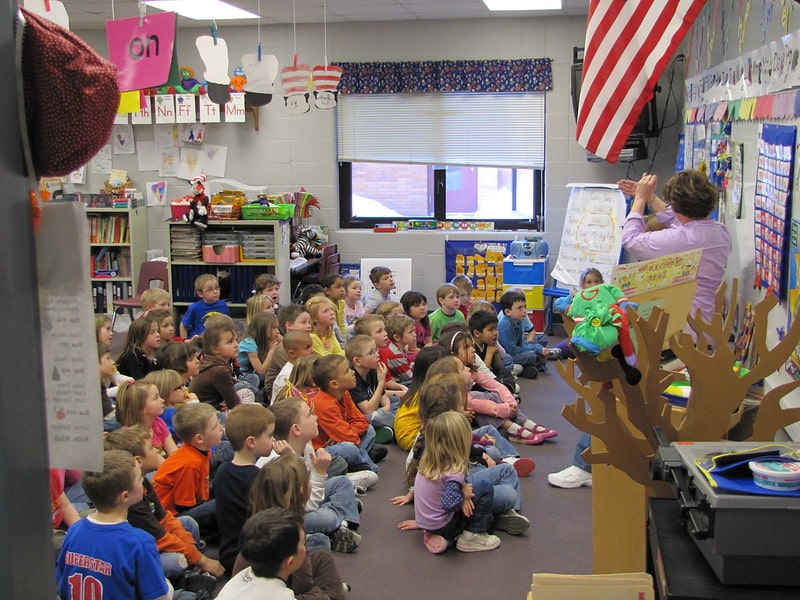
Screen technology, on the other hand, is fast-moving and interactive and offers the student on-demand selection at the click of a button. The opportunity to self-select content is empowering and gratifying. Teachers can also track the student’s learning process in real time and gradually feed relevant and increasingly challenging content.

The rewarding versatility of technology has led children to immerse themselves in their virtual worlds an average of ten hours a day. With this number of hours on-screen, many kids are creating brain pathways best matched with on-demand screen delivery rather than teacher-facilitated instruction.

Evidence of Disengagement

Even before COVID, a 2014 poll of 825,000 5th-12th grade students found that nearly half of the students surveyed felt disengaged in the learning process. Only 40% of their teachers believed their students were engaged. Reported numbers were even lower (26%) in high-poverty schools.[2] This finding is particularly concerning, considering that a student’s engagement in grade school is correlated with how well they will do in college.[3]

When schoolteacher and gamification enthusiast Scott Hebert asked his students why they didn’t seem to care about the lessons taught in school, they replied, “I don’t get why we need to do this stuff, give us a reason to care.”[4] Without intrinsic interest, meaning the task isn’t naturally motivating, they felt like they had to jump through meaningless hoops to learn.
To be successful, education must speak their language and meet them where they’re at. For most kids, that means reaching them in their virtual worlds. Studies have reported that 90% of students agree using a tablet will change the way they learn in the future, and 56% of high school students would like to use mobile devices in the classroom.[5]

Gamification

Gamification was coined by computer programmer Nick Pelling in 2002. The concept of gamification is to take the natural enjoyments that attract people to technology and inject those into education. In other words, create a more fun humanistic approach to education, rather than our traditional instruction-led,  function-focused approach.[6]

Dr. See is a professor at the University of Hong Kong who teaches human anatomy and medicine. He noticed that video games and education have features that overlap. For example, they both:

  • require solving mental puzzles,
  • recalling information,
  • looking for patterns,
  • working under pressure,
  • communicating ideas, and
  • working within a time limit.

Because his students loved video games, he decided to use gamification within his classroom. He applied puzzles and games to the curriculum, like for the memorization of the names of medications. As a result, his students reported that they were more motivated and learned better.[7] His gamification worked!

Learning through gamification does not mean it is easy. Gamification is engaging because it requires the student to generate the material instead of being instructed to do so. It is not about making school easier. Instead, it allows the student to actively engage in the learning process.[8]

Intrinsic & Extrinsic Motivators

We are psychologically motivated by intrinsic and extrinsic factors.

Intrinsic motivators (things that you enjoy doing that compel you forward) are important for well-being.

The psychological needs that must be met to feel motivated are:

  • autonomy (working on your own),
  • competence (being good at it), and
  • relatedness (feeling connected to what you learn).

Extrinsic motivators are rewards that come from outside. Examples include grades, points, and praise. External rewards may become harmful to our psychological well-being when they’re the only reason for engagement.[9]

For great learning, then, we must avoid rewarding students with points and grades. Instead, we must allow students to have a choice in what they’re learning and a chance to try it on their own and celebrate their efforts. These goals within a classroom can be challenging.

Gamifying Tests

Video games are set up for lots of autonomy, competence, and relatedness. The player gets to pick the game they relate to. then they get to play it on their own, simply restarting after they fail. They may lose points. But so what. They can just start over. Nobody is judging them.

Traditional school testing methods do the opposite. Typically, a failing grade on the test is the student’s final act of the lesson. They don’t get a do-over. That means failure has huge consequences and may leave the learner feeling hopeless and demoralized.

Gamifying testing could reverse that process by offering smaller quizzes that the student can retake over and over as they learn the material. Instead of feeling terrible about their first attempt, they can see their points going up and up – just like in a video game.
Starting a student at 100% with nowhere to go but down can lead the student to feel hopeless. According to prospect theory, people have a difficult time choosing activities when they anticipate a loss.

Alternatively, starting at zero and gaining points from there encourages a growth mindset. That means looking forward to learning instead of feeling defeated by it. The student would begin the semester with zero points and as the year progresses,  they could earn points as they complete assignments. This would give students a growth mindset for their education!

AltSchool

Educators have tested technology-assisted education models, especially since the 2020 COVID-19 pandemic. For example, millions of dollars have been invested in AltSchool, a school that promotes a personalized learning platform using technology. In Altschool, students are provided with iPads or laptops and given individualized learning activities. The school encourages students to learn at their own pace, developing the mastery skills needed to learn the subject. The goal is engagement and learning potential.

Outcome studies revealed that students who learned at their own pace felt more competent and autonomous.[10] However, a teacher noticed his students were less connected with each other than before. They were more engaged with the technology than they were with one another. Also, we all remember the Zoom burnout students felt after the COVID epidemic. Losing motivation and connectedness over time may be risks of technologically assisted education.

The need for relatedness and connection is particularly important in learning because others provide feedback and perspective.[11] Authoritative instruction may trigger the reactance theory, which explains how people value autonomy so much they will “react” or do the opposite of what they are told to feel they made their own decision.

Quest to Learn

Another applied experiment for new and creative education is Quest to Learn. This is a gamified high school in Manhattan that was founded in 2009. Many of the classes at the school are not internet-based but instead teach through role-playing. Students act out the responsibilities of a chosen profession, like learning about politics by impersonating a politician.[12] By narrating the character, a student generates the answers needed for complex subjects.[13]

Because screen technology is still new, innovative (new and creative) teaching models and outcome studies are still being developed. Hybrid models (part in-classroom and part on-screen) are also being tested. As tech optimists, we at GKIS look forward to seeing all the cool things coming up in education.

Thanks to Andrew Weissmann for his research for this article. For a glimpse into some of the benefits of video games, check out our GKIS article Is Your Child a “Professional Gamer”?

Works Cited

[1] Usnews.com Kids asked to learn in ways that exceed attention spans by the Hechinger Report

[2] Edweek.org engagement landscape

[3] Grabbing students by Lorna Collier apa.org

[4] The Power of Gamification in Education Scott Hebert Ted Talk

[5] Pearsoned.com Pearson Student Mobile Device Survey Grades 4 through 12

[6] Yu-Kai Chou: Gamification & Behavioral Design yukaichou.com

[7] School of Biomedical Sciences sbms.hku.hk Dr. See, Christopher

[8] Christopher See Gamification in Higher Education

[9] Kasser and Ryan (1993) A dark side of the American dream: Correlates of financial success as a central life aspiration. (1996). Further examining the American dream: Differential correlates of intrinsic and extrinsic goals.

[10] Black & Deci, (2000) selfdeterminationtheory.org

[11] The Backlash Against Screen Time at School by Rob Waters

[12] Worldgovernmentsummit.org Gamification and the future of education

[13] Benware & Deci, (1984) selfdeterminationtheory.org

Photo Credits

 1. Unsplash by Tonny Tran

  1. Flickr by Carol VanHook

  2. Flickr by Todd Jesperson

  3. Flickr by Randomus

  4. Flickr by Denali National Park

Five Quick and Organization Hacks from a Screen Safety Parenting Expert


Now that I’m an “older” working mom, I love to share offline and online organization hacks and efficiency grabs that have saved me through the years. These organizational techniques were the difference between frazzled and peaceful at our house. With the overtasked lives we lead, most of us are guilty of brain fades and frantic searches while yelling and scolding overwhelmed kids. Even if you set up only one or two of these ideas, it may be the difference between fun family mornings versus a school day launched with tears and resentment.

Unclutter study spaces by setting up customized, distraction-free workspaces in niches and corners for each kid.

Kids in my practice often complain that the kitchen table is too distracting to get homework done quickly and neatly. The psychological research agrees. Studies reveal that fractured attention leads to irritability, wasted time, and poor grades. To optimize learning, set up a quiet corner office for each child. All it takes is a willingness and clever organization ideas and fresh accessories. Check out my GKIS Connected Family Online Course for a detailed blueprint for creating award-winning maker spaces with awesome Pinterest DIY ideas. A customized works station is a compelling magnet to get your kids creating in 3-dimensional space as a complement to screen learning. Ergonomic, body-healthy setups in the place of slouching on beds and couches avoid repetitive stress injuries to the neck, back, wrists, and hands.

Avoid missed soccer practices and study deadlines by setting up a digital family calendar.

Family schedules are chaos! Streamline communication and scheduling by color-coding child activities and setting up Family Share on Apple’s Family Calendar, Google’s Calendar, or Microsoft’s Outlook. Each member can share calendared activities and set up automatic reminders. Shared organization at a glance!

Just as you throw out old clothes your kids have grown out of, it’s also important to declutter digital spaces.

  • Schedule a fresh-start fall family meeting where everybody gathers with their mobile screen devices to trash apps and games they have grown out of.
  • Revisit (or grab) your free GKIS Connected Family Screen Agreement at GetKidsInternetSafe.com. This will help you set sensible rules like a digital curfew and create screen-free zones – including bedrooms and bathrooms.
  • Finally, teach cybersecurity measures from my Cybersecurity Red Flags Supplement. New this fall, you and your family members can tweak bad habits so don’t fall victim to bad actors online.

Cleanse social media profiles with an eye toward future reputation.

If your tween or teen is on social media already, you know the time-suck risks during school time. Help them sort out the necessary from the unnecessary by helping them avoid the bio-hack elements designed to capture their attention.

  • Consider limiting teens to only one or two social media apps to decrease wasted time due to mindless browsing and compulsive checking.
  • Insist that apps with visual notifications be on the second swipe screen on smartphones. That way they won’t get distracted by little red notifications and, instead, can batch their check-in times as research suggests is best.
  • Teach them how to recognize marketing techniques so they don’t get sucked into unnecessary buys using my How to Spot Marketing Red Flag Supplement.
  • And finally, delete old posted photos and unnecessary personal information from social media history. Sharing real-time with friends on a private profile is fun, but do you really want somebody lurking through your past photo-by-photo? Point out that other parents, relatives, teachers, coaches, future employers, and even college app administrators may be forming impressions based on your digital footprint. So instead of having an online resume populated by off-color jokes and sexualized photos, create a flattering stream of artistic works, philanthropic activities, sports activities, and fun friend and family time. A progressive, balanced, healthy life looks beautiful online – and may help you get a college placement or dream job instead of hinder it!

Reboot your Screen Safety Toolkit.

Each developmental stage offers unique online safety challenges. For example, little kids are best accommodated in a walled digital garden like YouTube Kids, and older kids need a little more digital space to explore and create. To parent well in the digital age, you need specially-selected free and third-party software tools to help you filter and block inappropriate content, set time-limits, monitor online activity use, remotely pause or offer rewards, and even locate and track the driving activities of your teen. If you get overwhelmed or need help figuring it all out, check out my GKIS Screen Safety Toolkit for tips, product recommendations, links to ISP and social media app safety guides, and free digital learning tools for best academic performance.

There you have it! Five quick and easy parenting hacks that will launch the school year with fun and success. Just as I recommend shoes live by the front door so you are not always searching, digital folders and organization tools will keep you dialed-in in your virtual life. Most importantly, set a peaceful intention with a six-second exhale for positivity and fun each morning before you enter the family’s living space. Parents must actively define the heart of the home. If we start the morning with a smile and warmth, our kids emotionally synch and return the joy. Soak in every chaotic and blissful moment!

I’m the mom psychologist who will help you GetKidsInternetSafe.

Onward to More Awesome Parenting,

Tracy S. Bennett, Ph.D.
Mom, Clinical Psychologist, CSUCI Adjunct Faculty
GetKidsInternetSafe.com

Also, if you are a local Southern Californian and need a little TLC to get started on your screen safety/fun parenting plan, join me for a morning of pampering and friendship.

Photo Credits

Photo by DESIGNECOLOGIST on Unsplash

Photo by Kari Shea on Unsplash

Photo by Jealous Weekends on Unsplash

Photo by Matheus Ferrero on Unsplash

Photo by John Schnobrich on Unsplash

5 Best Apps to Reduce Back-to-School Stress

The summer is coming to a close, which means students and parents are preparing for the back to school mayhem. I don’t know about you, but the first day of school always manages to sneak up too suddenly at our house. We at GKIS are all about making family life easier so there’s more time for joyful rejuvenation. Here are a few helpful screen-help parenting hacks that can get you prepared for the madness.

Virtual Shopping for Back to School

I’m already after my kids to make their linked wish list for school clothes to avoid crowded school shopping that leaves us all haggard. The Giftster app is what I was looking for! The app allows for family members to share a wish list for the next upcoming event such as birthday, holiday, and back-to-school.

Super Deals

It’s not just the time shopping that can leave us depleted, so can the spending! To get the best coupon discounts, download RetailMeNot.

Not only can you browse for sales, coupons, cash back, and gift card savings, but I often search store names once I’ve collected my purchases. The online coupon can then be scanned at the register. I’m also in the habit of asking for AAA, education, or military discounts in the counter. Our local retail mall often offers up to 20% off every purchase if you qualify.

Staying Within the Budget

Beyond discounts, many of us need to stay within a budget. Intuit’s Mint app links to your bank card for close budget tracking. Spending is laid out on an easy-to-read graph to help you tracking spending in real time.It also gives spending suggestions, allows you to track and pay bills, and gives tips on how to improve your credit score.

Quick and Easy Money Transfers

Another money app that can alleviate stress is the Venmo app. This app allows users to send money to each other with a click of a button.

If your teen is eager to earn independence, a quick money transfer can be the difference between a fun trip with their friends and a stressful tug of war with a parent. Handy notations help parents track how much and when money was offered. This is far easier than handing over money or your credit card.

Location Sharing

Location sharing is a where one person can locate the other via their phone signal. For teens this may be a fun way to see where your friends are; however for parents, this is the perfect way to see what your kids are up to.

Wondering if your youngest made it home safely on the bus? Look up his location, and you’ll be put to ease knowing they’re safe. Wondering why your oldest isn’t picking up your calls? Look them up and see that they’re at the movies, so there’s no need to worry.

As a parent, keeping track of your kids may sound easy, but life can get crazy and sharing your location with your family is a great tool to put little worries to rest and reduce stress.

For android users with a Google account, simply add their Gmail address to your Google Contacts, open the Google Maps app and sign in, tap Menu> Location sharing> Add people.

For iPhones, simply go to the contact that you wish to share your location with, then select Share Location, and select the amount of time you wish to share your location. I often track my kids from messages simply by tapping the little i in the circle in the upper right-hand corner on your texting screen.

Life360 is a free location app that is amazing! You can set up alerts for when family members make it to a specific location (like kids home from school), view route information for distracted driving details, give at-a-glance information and easy access to check in messaging requests, and offers private and group chats as well as group circles and flexible location sharing. Now that my 16 year-old is driving, this is a MUST HAVE at our house.

Thank you to GKIS intern, Adam Ramos, for helping us get the most useful time-and money-saving apps. Also, because teens can be sneaky, make sure and read The GKIS Sensible Parent’s Guide to Venmo so you know every work-around. Have time-saving apps you love? Share them with us in the comments.

I’m the mom psychologist who will help you GetKidsInternetSafe.

Onward to More Awesome Parenting,

Tracy S. Bennett, Ph.D.
Mom, Clinical Psychologist, CSUCI Adjunct Faculty
GetKidsInternetSafe.com

Photo Credits

Photo by Chema Photo on Unsplash

Photo by John Schnobrich on Unsplash

Photo by Jose Alonso on Unsplash

5 Back to School Tips for the Digitally Overtasked and Disorganized Parent

blog88-momanddaughterdesk

We are back to school, mixed feelings and all. On the one hand, I’m sad about losing lazy barefoot jammy mornings and chill flip-flop afternoons. On the other hand, school brings a set schedule and less pressure to entertain bickering kids. Then there’s the fact that we didn’t get in enough after dinner neighborhood walks and forget about homemade picnics. It’s OK though, I’m so buried in permission slips and sports calendars right now I can barely squeeze in a moment for regret anyway. One thing I know, however, is taking a little bit of time out now to implement time- and stress-saving ideas is well worth it. Today’s GetKidsInternetSafe article offers parenting support and organizational strategies that will spark better efficiency and screen safety.

Organization in a busy household is like the creation of an earthquake kit, it only happens after something scares you into it. Maybe it’s the humiliation of the teacher calling you personally to pick up your forgotten child or that 5-tabbed excel spreadsheet from the volleyball coach that reveals every other parent already chose snack bar duty leaving you to choose between Halloween or Thanksgiving weekends. Whatever your inspiration, it’s time to pull it together before chaos takes you and the kids under. Here are some tips I provided to my overwhelmed clients this week. Hope it helps you feel confident in being “good enough” this week.

SORT AND DECLUTTER: OUT WITH THE OLD AND IN WITH THE NEW

I don’t know about you, but my kids can destroy a room in moments. A sure-fire solution is one hour spent sorting though the dresser and closet to toss or donate old clothes BEFORE the new ones mix in and implementing one-step solutions to laundry. For instance, last fall I bought each child a terry cloth robe to hang by the shower and laid down the law “no more towels.” Admittedly, I still find towels in their rooms on occasion when they fail to return their robes to the hook, but this easy solution has saved me two loads a week of soggy, piled up towels in corners of bedrooms.

SET TIME LIMITS, ROOM-BY-ROOM SCREEN BOUNDARIES, & YOUR GKIS COMMUNITY DOCKING STATION

If you’ve read my article about how teens are self-producing pornography, you know that closed doors, bedrooms, and bathrooms are ready sets for bad screen media choices. Also, screen use in the bedroom often results in late night use and dangerous dips in the sleep regulating hormone, melatonin. Sleep deprived kids are cranky and deprived of the rejuvenating neurological processes necessary for learning.

Implement and enforce set screen times and room rules and set up a GKIS community docking station near mom and dad for adequate nightly supervision. Free apps like Our Pact are amazing tech tools for universally turning off screen media at bedtime to support agreed-upon blackout times. No arguing, no fuss.

SET UP A SHARABLE DIGITAL FAMILY CALENDAR

Too scattered to follow your kids around reminding them of daily events? Set up a shared digital, color-coded calendar for view on their tablets and smartphones. Not only can they visit the calendar to plan their day, but you can also set up automatic reminders that banner across their screen. No more accusations of, “You never told me!”

ELIMINATE RESENTMENT WITH A SIMPLE IN-N-OUT BOX SET

No, I don’t mean double-double animal style cheeseburgers. This is about permission slips, homework due dates, and reminders delivered in a way that doesn’t tank parent-child conversations.

This week I had a tearful teen and an exasperated mom share how frustrated they were because the teen still needs reminders about piano practice and project due dates, but when mom mentions it the result is a lecturing mom, a defiant teen, and lingering resentment.

An easier way to communicate is a GKIS family organization center. If color-coded bins and Pinterest-inspired corkboards are beyond your pay grade, a simple in-out basket set will do. A note that says “Please don’t forget to show me your completed American History essay by tomorrow night 9 pm” in the inbox will be more successful without the dreaded angry spoken “tone.” And when Janie sees the note and then places it in the outbox, mom knows it was seen and acknowledged. No more waiting for that fleeting moment when you pass in the kitchen. The IN-OUT box set takes the worry off your plate and in the hands of your child, where it belongs.

CLEANSE YOUR SOCIAL MEDIA PROFILES & CHAT ABOUT IT

Are you burned out from too many emails and compulsive social media checking? Do something about it. Digitally cleanse! Take unnecessary social media apps off your phone and clean up your buddy lists. Spending time commenting on the profiles of people you never speak to is far less valuable than face-to-face time with your family and friends.

Share your reasons with your kids and engage in a discussion about the pros and cons of social media and gaming. Using it for reasonable entertainment is one thing, but if these digital tasks have become a priority, maybe it’s time to shave off less meaningful screen time. Not only will you love the extra time it brings to you, but you’ll be providing some important digital citizenship education to your kids and enrich that critical parent-child alliance.

By implementing these 5 simple tips, you will free up precious time best used connecting to happy, relaxed kids. Interested in creating a social media footprint that will be beneficial for college and employment opportunities? Stay tuned for next week’s article, The Social Media Resumè, How to Expertly Stylize Your Cyber Footprint to Attract College and Employment Opportunities.

I’m the mom psychologist who will help you GetYourKidsInternetSafe.

Onward to More Awesome Parenting,

Tracy S. Bennett, Ph.D.
Mom, Clinical Psychologist, CSUCI Adjunct Faculty
GetKidsInternetSafe.com

Photo Credit

Woman and Young Girl In Kitchen With Laptop Smiling, CC BY-NC 2.0