All parents work hard to keep our kids safe. However, sometimes unexpected things happen. Imagine if your child finds themselves alone at school or at the soccer field waiting for their ride and starts to feel unsafe. Or maybe in an emergency a teen takes an Uber and feels uncomfortable with their Uber driver. Or maybe they are at a new friend’s house and you need to pick them up, but they’re not answering your texts or calls. Today’s GKIS article covers several tech remedies that you may not have been aware of.
Fake Phone Calls on TikTok
Although we’d like to think our child would never feel unsafe enough to need a fake phone call, TikTok users think otherwise. Search “fake phone call safe” on TikTok and you’ll see a video that stages the sounds of a real phone call conversation.
Typically in these fake phone call videos, the person recorded in the conversation is saying that they are expecting you and are aware of what you are doing. They are designed to make the listener appear as though they are real-time connected to their parent.
Possible uses for this video are if your child is in an Uber or somebody they don’t feel comfortable with is giving them a ride home or if they feel unsafe while walking home or waiting for a ride alone. Not only does the fake call take the pressure off of them from talking to the stranger=, but it also appears as though they are being tracked for location and situation.
Emergency SOS
Emergency SOS is a free default feature on your iPhone. By clicking your power button five times, you can trigger an automatic 911 call within three seconds.
How to Check if Your Child has this on Their iPhone
Go to Settings > Emergency SOS > Select On to turn on the call with the side button switch, then enable Auto Call.
To test it, click your power button five times and wait for a loud alarm to sound. Of course, be sure to click it off before the 911 call goes through.
Find My Friends
Another great way to know where your child is at all times is the Find My Friends app on the iPhone. With this app, you can check where your child is at all times.
Find My Friends comes as a default feature of an iPhone. To use it, you simply have to make sure you have clicked the Share My Location feature under Settings > Privacy > Location Services > Share My Location.
Life360 “Feel free, together”
Similar to FindMyFriends, Life360 is a tracking device for Apple phones and Android phones that allows you to sync your family into a private, invite-only circle.
Life360 has three membership levels with different features:
Free:
Location Sharing
Battery Monitoring
Location ETA
Place Alerts – notifications when family members come and go from your most frequent Places
History – a quick view of your family member’s drive a location data for the last 48 hours
Help Alert
In-App Chat
Crash Detection
Plus:
All of the above plus Crime Reports
Driver Protec:
All of the above plus Emergency Dispatch, Roadside Assistance, and Driver Report
Personally, my mom and I have always shared our locations on the FindMyFriends app because of our almost 3-hour drive from one another. Once I discovered this app, I immediately made her download it because of all the unique features. However, not everybody is a fan of this tracking app. Search “Life360” on TikTok and you’ll see teens insisting that their lack of privacy and spying parents have ruined their lives.
Recently Dr. B says her clients have reported that teens are giving it one-star in the Apple store hoping that Apple will respond by removing the app. GKIS suggests you use discretion and offer older teens their privacy if they ask for it.
Emergency Whistle App
This kind of app can be found in the app store by searching up “Emergency Whistle.” Choose your favorite and download it!
In this app, you can access a digital whistle that activates a loud and alarming sound while also causing your phone flashlight to flash off and on. This acts as a physical whistle nicknamed a “rape whistle.”
Growing up I always carried one of these whistles. But now I’ve found this app which allowed me to feel safe for those late nights on campus as I walk back to my car.
Siren GPS
Cell service is not always the best. This app offers a “panic button” service which when you press it you are instantly connected to 911 services.[1] It will give emergency personnel your exact coordinates with or without a good cell connection.
I remember a time in middle school where my mom was running late after I got out of drill team practice. I sat at school alone for a bit wondering when she would show. Worried, I began to walk home on my own on an unfamiliar path that was deserted. Looking back at that memory, I wish I would’ve had an app like this one just in case something happened. Luckily, I made it home safe and sound!
ICE Medical Standard App
With the ICE app, “The World’s #1 Emergency Medical App,” your vital statistics like blood type, allergies, medical conditions, and medications will appear on your Lock Screen Display Overlay.[2] That way emergency personnel has potentially life-saving information for appropriate medical care.
Medical ID App
Similar to the ICE Medical Standard App, you can use the Medical ID app on both Android and Apple smart devices. It displays an emergency medical card on the lock screen of the user’s smartphone while also allowing to navigation through this screen to get to a list of emergency contacts.
Another great feature of this app is that you are capable of sending SMSs of your location. There is also a function where you are able to send GPS tracking to designated contacts. Several profiles can be saved on this device for those who have larger families.[3]
Although every parent does their best to ensure their child’s safety, parents can’t be with their kids 24/7. Thankfully with the help of these apps, you can have the reassurance that your child safe when you are not around.
Special thanks to Danielle Rivera for researching and co-writing this article. If you liked the article, you’re interested in learning more tips on how to get yourself and your child prepared with great safety tools check out the Connected Family Course on the GKIS website where you will be able to create a family understanding of why these apps are important for everyone to have on their phones.
Move over debutante balls and high school dances, unboxing a brand new smartphone is the new coming-of-age ritual for today’s teens.[6] Teenagers born in 1995 and after are the first generation to live their entire adolescence with a smartphone.[5] In 2017, ten years old was the national average for receiving a smartphone.[6] This profound and sudden cultural shift has fundamentally changed childhood and parenting. Smartphones are a new-found necessity and parents are scrambling to provide one as soon as possible.
“What’s the WiFi password?”
Technology is an important part of our modern culture. In comparison to the rest of the world, the United States provides cell phones to the youngest kids.[8] Everywhere you go there’s a child or teen glued to a screen. There are babies listening to “Baby Shark” in their strollers during morning walks with mom, toddlers playing Candy Crush in their restaurant booster seats, and teenagers scrolling their Instagram feeds while blindly following their parents around Costco. It shouldn’t be surprising that adults and kids alike spend more than half of their days staring at a smartphone screen.[6]
With a smartphone in every hand, parents are peer pressured by their friends and begged by their children to provide one. Parents feel guilty for withholding one for too long because they see their children socially isolated.[11] Yet, giving a smartphone to a ten-year-old today is fundamentally different than when parents gave sixteen-year-olds flip phones in the 90s.[4]
Nokia Flip Phone vs. iPhone
Down to the basics, the main function of a cell phone is to call and send text messages wirelessly with no data. Smartphones such as iPhones, Androids, Google Pixels, and so forth have transformed those basic necessities.[7] They need data and WiFi to power infinite applications and endless Internet access. Basically, it’s a mini-computer that is more powerful than all of NASA’s computing power in 1969…in the palm of your hand!
Innovative or Addictive?
Unlike phones in the 70s, there are thousands of engineers and tech designers updating smartphones every day.[5] Their job is to make sure that smartphones and applications consume all our attention. They dazzle us with colorful visuals, sound effects, and seamless switching between applications. Studies have shown that children exposed at a young age to these stimulating effects become wired to crave easy dopamine release.[12] Instead of going outside and playing with their friends, they turn to their screens for pleasure
Sean Parker confessed to taking advantage of the human psyche when developing Facebook.[1] The former president of Facebook explained their objectives were, “How do we consume as much of your time and conscious attention as possible?”[1] He and Mark Zuckerberg knew that small hits of dopamine from notifications would hook everyone.[1] Parker reflects, “I don’t know if I really understood the consequences…God only knows what it’s doing to our children’s brains.”[1]
It’s true. Silicon Valley’s tech executives have become wary of their own creations. They’ve noticed the negative effects on their own children.[11] For example, Apple’s co-founder Steve Jobs limits his children’s tech time. He even kept the iPad away from them when it was first released.[10]
Smartphone Dependency
With all this power comes responsibility. Former Apple designer Tony Fadell struggles with whether his apple products have helped or hurt society.[2] In his own children he has seen smartphone dependency:
“They literally feel like you’re tearing a piece of their person away from them — They get emotional about it, very emotional…They go through withdrawal for two to three days.”[2]
Dr. Bennett details in her book, Screen Time in the Mean Time: A Parenting Guide to Get Kids and Teens Internet Safe, how smartphone dependency is like that of drug and alcohol addictions. Whenever teens hear a notification or see new content, dopamine is released and pleasure is felt. If too much time is spent apart, the smartphone-dependent gets agitated. There’s even evidence that we get distracted just by having a smartphone near us, even if it’s turned off as if we are in a state of chronic hypervigilance for notification. She chooses to have a screen-free classroom, stating that the research demonstrates that, not only is the screen users distracted from the lecture, but so are those around them.
Notifications on smartphones can be so addicting they cause phantom buzzing or ringxiety. Daniel Kruger researched cell phone dependency at the University of Michigan. His study found that “if your phone is rubbing in your pocket or if you hear a similar tone, you might experience it as your phone vibrating or ringing, especially if your phone messages are highly rewarding to you.”[3] That’s how adept our attention has become to our smartphones.
“Best” Age
Many studies have tried to determine which age would be best for a smartphone. Recently, the World Health Organization (WHO) came out with guidelines recommending no screen use for infants under one year of age and only an hour a day for kids under 5. Dr. Bennett’s GKIS guidelines, which are offered in her must-have Connected Family Online Course, are consistent with this recommendation as well. The American Academy of Pediatrics and the Canadian Pediatric Society also recommend no screen time for toddlers younger than two years old.[12]
Many parents are under the false impression that virtual reality can replace real-life lessons for toddlers. But the psychological research shows that the skills don’t transfer over. For example, toddlers who play building block games don’t know how to build the same blocks when presented the toys in real life.[5] This is because the toddlers didn’t develop the skills before seeing it on the Internet.
Furthermore, Dr. Bennett states in her keynote lectures that some kids are less likely to try a task after seeing performed on YouTube. It’s as if watching “scratches the itch” of wanting to do it themselves. How-to videos often demonstrate an effortless learning curve, as the practice and messy sessions are edited out – leaving a quick and perfectly executed trial to view. When a child tries out the task themselves, they can fall into “compare and despair,” feeling that their very normal imperfect trial was a failure rather than a healthy try.
Dr. Bennett recommends that, from two to twelve years old, children shouldn’t have Internet-enabled smartphones. A normal flip phone that only allows for calling and texting will suffice for any safety concerns. Some starter phones even have GPS tracking.
Those are a general rule of thumb since all children vary in maturity. Age doesn’t qualify a child to use a smartphone well but instead impulse control, social awareness, and true comprehension of what technology does.[5] Bill Gates’ household requires at least one of the following to be met before a smartphone is given[6]:
Must be 14 years old
Demonstrate behavioral restraint
Comprehend the value of face-to-face communication
Dr. Bennett further points out that, even at 14 years old, kids don’t have the brain development to anticipate consequences and engage in high-order thinking. Just telling them what not to do will not keep them from making unwise, impulsive decisions online. In fact, kids are neurologically programmed to copy some of the cruel and vulgar behaviors they will invariably run across online, even with parental controls. Be prepared to calmly coach them through a variety of online mistakes. No child escapes it.
Wait Until 8th Campaign
If you’re looking for a place to start, GKIS recommends Wait Until 8th. As of March 2019, 20,000 families across the entire nation have signed the Wait Until 8th pledge.[9] These families have pledged not to give their children smartphones until at least the 8th grade. They emphasize that it isn’t the only path, but a path that offers a safe space for parents with the same concerns. Professionals in law, psychology, education, healthcare, business, and social work created the non-profit pledge.[10] They’re parents who have seen the negative effects of premature smartphone usage in classrooms, court systems, private practices, communities, and households. By spreading the pledge, the Wait Until 8th Campaign hopes to:
Increase engagement in education
Encourage parents to set screen time boundaries
Change society’s view on technology so children can live authentic childhoods
“Can I have one now?”
Your teens will eventually get a smartphone, like everyone else. We don’t want to restrict them for so long that they go wild once given access. But first, we have to coach them to make good decisions on their own. This way, we can better trust them to be mature when facing issues like cyberbullying and age-inappropriate content. As simple as they seem, smartphones are very powerful. With that power comes great responsibility for parents to make sure that smartphones are a tool we use, not a tool that uses us.
Already given them a smartphone or getting ready to start? It’s never too late to make some adjustments. Dr. Bennett has put together a reliable Screen Safety Toolkit to help you get started. This resource offers links and explanations of parental control options on devices, through your Internet service provider, and through third party products so you can match your child’s use patterns with the right toolkit. She also offers a bonus of great learning apps and websites to help your child build their joy of tech-assisted learning!
Thank you to our GKIS intern Hanna Dangiapo for writing about this topic! (She admits that she still reminisces about her Motorola Razr).
I’m the mom psychologist who will help you GetKidsInternetSafe.
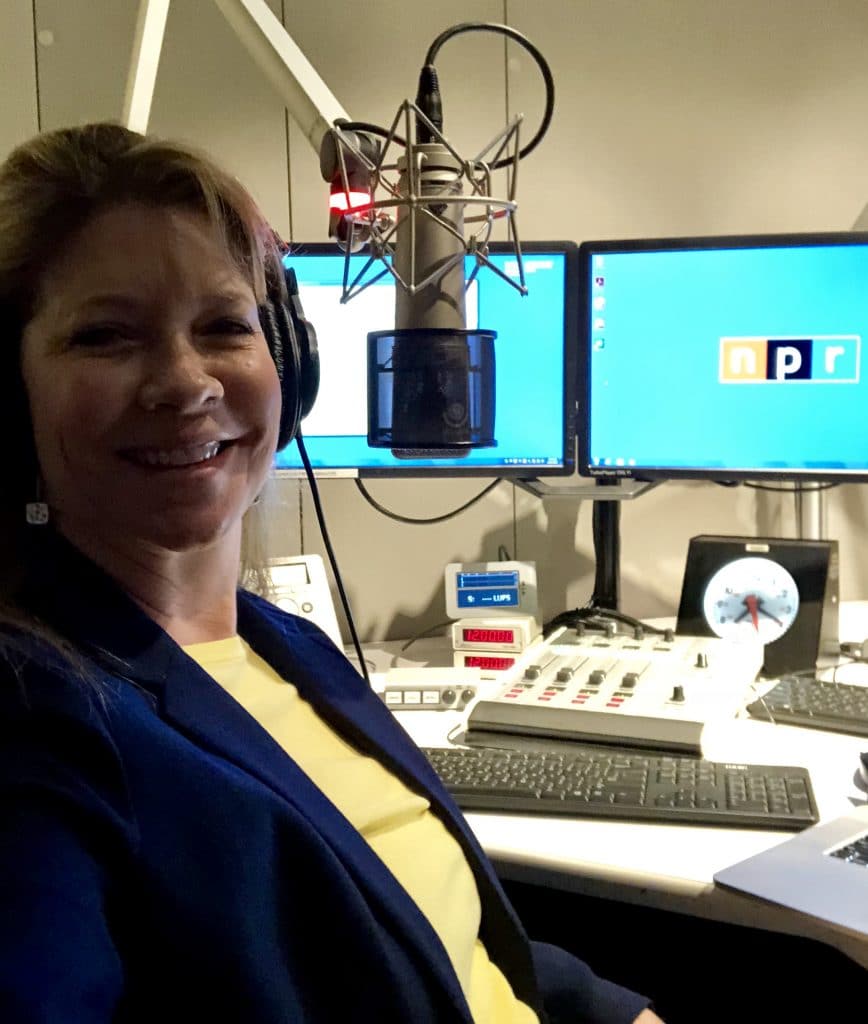
This morning I was invited to participate in the discussion, “How Parents Balance Privacy and Safety for Kids Online” on NPR WBEZ Morning Shift, Chicago. Host, Jen White, chose this topic based on a conversation she had when her best friend intervened with her 13-year-old son who took it upon himself to defend a peer against an Internet predator. Along with the other expert guest, Susan Tran from Depaul University, we discussed important issues that impact parents and families due to child smartphone use. Here are the highlights from the show, as well as a very personal story about my daughter just this weekend that shook me to my core.
Jen first asked about the challenges parents are facing in today’s digital age. Susan started the conversation saying that parents are concerned about risks like cyberbullying, access to unwanted content, and privacy issues like sharing too much personal information. I added that I’m seeing a spike in anxiety and mood disorders resulting from digital injuries. The danger is real, and parents need to do more, sooner, with better efficacy. Of course, if you are a frequent reader of the GetKidsInternetSafe blog, you are also aware of risks like health issues from screens like distraction from healthy relationships and activities (sleep, exercise, mindful eating), repetitive use injuries, and brain impacts (multitasking, mental brownout, addiction); interpersonal exploitation like cyberbullying, online predators, deceptive relationships (catfishing and hate groups and cults), and the encouragement of dangerous behaviors with pranks, online forums, and sexting; and exploitation for profit by selling violent or sexual content, product marketing, and cybersecurity issues. So many to talk about, so little time!
But there are also benefits. One benefit is the ability to monitor our kids for location and communication, real-time. This provides us with safety but also risks overparenting. In other words, parents can become too intrusive. I compared online access to a child wandering an airport. Of course, parents would want to know who kids were talking to and what they were talking about with strangers at the airport. It would dangerous for them to be wandering around alone, unsupervised. They face the same risks online. I believe we need to monitor most certainly, but we also need to let kids make their own mistakes and expand their independence by building resilience over time. We need to be there, slowly offering more opportunities for growth over time.
Jen stated that, according to a Pew Research report from 2016, about 48 percent of parents go through their kids’ text messages and call histories. Is it ever okay for parents to cyber-spy on their kids? My answer is yes to monitoring, no to spying. It’s difficult to know how to monitor, especially when kids push back with “I deserve my privacy” and “You’re the only mom who does that.” We give in to pester power too often. We don’t trust our gut and give them too much credit as digital natives. The truth is, with their immature brains and not a lot of experience yet, they can’t anticipate consequence and don’t realize how dangerous the world can be. They need us. Susan added that the conversation about child privacy changes with every generation. The key is having strong communication between parents and teens to navigate challenges as they arrive.
Jen’s friend called in and told her story about how she implemented strategies with her son, eloquently explaining the same process I experience with kids and teens in session. That is that kids will actually accept and even welcome reasonable limits, as long as the parent takes the time to explain their justifications and calmly negotiates the details. In fact, parent rules and supervision often calm kids down. Teens in particular often get too confident in their abilities to manage difficult online situations and get in over their heads. Having parent limits in place often provides them with an excuse to not get involved and even ask for help when they need it. This is the very dynamic that keeps kids devoted to therapy. Instead of firing me when I suggest limits, they are actually quite grateful. Setting fair limits is the first step to building an honest, open alliance.
Caller Kyle then expressed that he is totally lost and needs help finding software and apps for filtering and monitoring his kids’ phones. I shared some specific ideas, like setting parental controls on devices and through Internet service providers as well as setting privacy settings. Also buying third party services like Teensafe, Disney’s Circle, and OurPact can help. But the bottom line is, once your kids are instant messaging on social media platforms like Instagram and Snapchat, there is no third party software that monitors them. Instead, all you can do is collect usernames and passwords and check their phones regularly. Look out for secret profiles, as many kids have several in one platform (e.g., private and ultraprivate accounts on Instagram). Asking them to dock their screens at night, in your room to avoid sneaking, offers a regular opportunity to spot check. Please be honest about it. You don’t want to violate their trust. Besides, it gets them into the habit of realizing that other adults will see their posts and texts too, like other parents and school administrators. They may think before they post more if they see this as a possibility. If you want to monitor everything on smartphones, don’t allow social media.
As an illustration that it takes lots of tools and teamwork to keep our kids safe. I shared an incident that just happened to our family yesterday. We were at a volleyball tournament in Vegas with my 15-year-old daughter. When she was stretching and warming up with her team, a man snapped her photo without permission. The girls were aware enough (awesome) that my daughter’s teammate told the team mom. The team mom courageously approached the man and required that he delete the photo from his phone and in the deleted photos file as well. She also assured my daughter that she did nothing wrong. She had great concern that she would feel humiliation or blame and took efforts to reassure her. We were very grateful, wondering if he was a clueless grandpa like he said, or one of the 1:100 men out there that was a pedophile. Three hours later this same man was courtside with a telephoto lense during a game. We called security and asked him to stop taking photos of the girls. He apologized with suspicious insincerity and refused to wait for security. Security ultimately came and escorted him out for investigation, assuring us they have handled many cases like this before. Disturbing, yes. I was literally shaking I was so angry. It took awareness and trust for the girls and parents to work together for protection. For that I was proud and grateful. Another caller on the show reminded us to always keep digital evidence (videos, screenshots, and text strings) for law enforcement investigations.
How do we get past teen hesitation to talk to adults? Parents must get empowered and digitally literate by reading articles like those offered on the GetKidsInternetSafe blog. Around the dinner table (with devices in the basket), tell stories and ask their opinions. They will tell you stories in response. Viola! The cooperative dialogue has begun. Bidirectional learning overtime strengthens relationships and creates lots of learning opportunities.
When should kids get a smartphone? Susan said it’s different for every family, but be sure to be gradual. Start with a phone that’s not connected to the Internet. I added that parents are slipping. We need to get tougher. Don’t allow kids smartphones until after they’ve earned good grades the first semester of middle school. This will require gradual evidence of the judgement and initiative they need to manage a very powerful communication tool. For some kids, even middle school is too soon.
We ended with caller, Lucy, reminding us that parents need to model limits and set the example. Show kids that they are the priority, not screens. Set the message young that face-to-face interaction and nonvirtual relationships are the priority.
Thank you to WBEZ Morning Shift for such an important conversation to build closer relationships and safer screen use! To listen to the whole radio segment, CLICK HERE
I’m the mom psychologist who will help you GetKidsInternetSafe.